Red Quill
- By
Create interactive point-and-click style dialogue systems in Minecraft. Add dialogue to any object (NPCs, blocks, and entities) using a new item, the Red Quill. No commands and no complex customization, simply right click while holding a Red Quill.
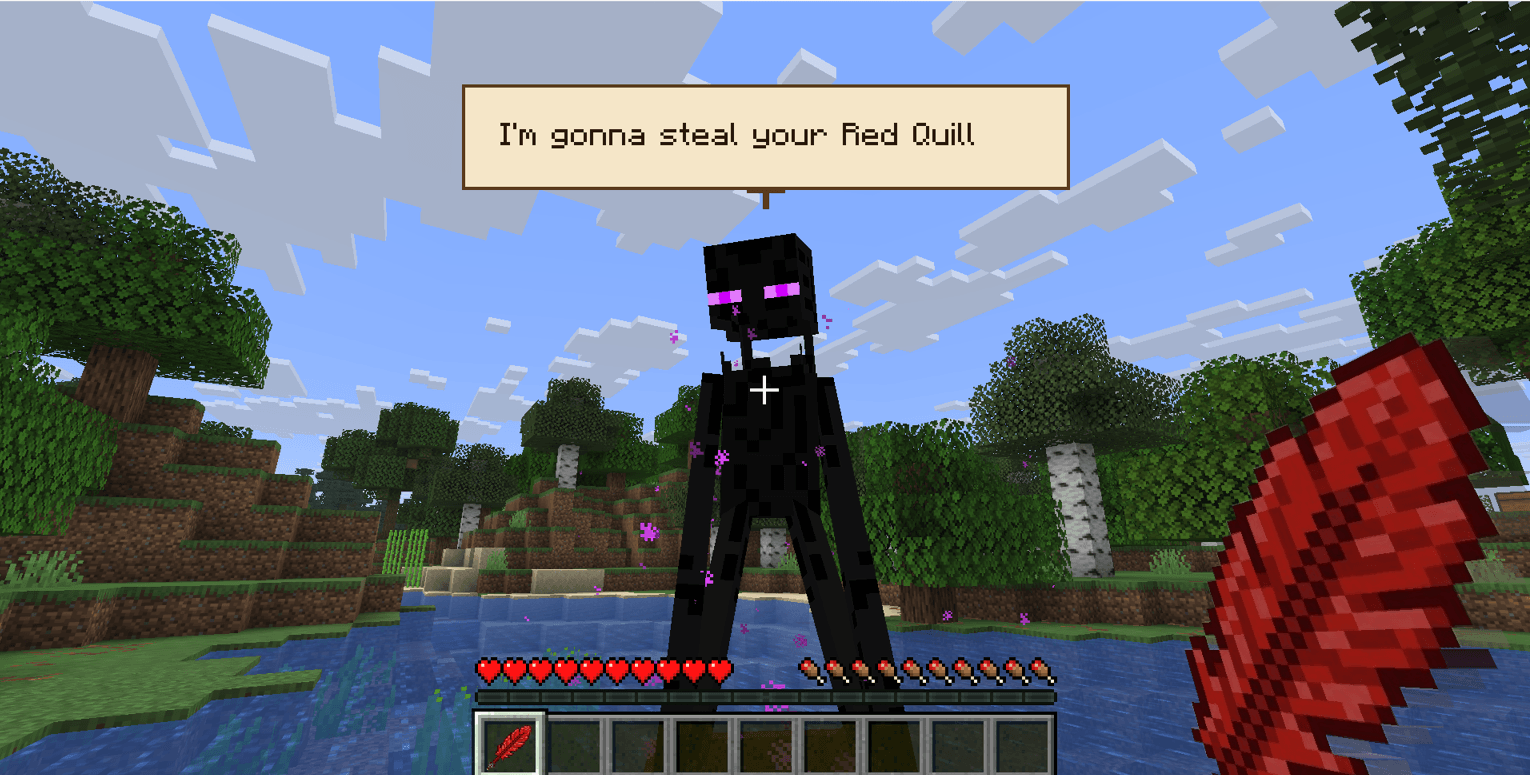
View of Dialogue and of Red Quill item
Description
Red Quill – Add dialogue to anything
Originally built as support for point-and-click adventure maps, this project enables players to easily add dialogue to any object (NPCs, blocks, entities) using a new item called the Red Quill. Add dialogue without commands or complex configuration – just right-click and type. Objects retain all vanilla functionality alongside their dialogue.
How to Use
This mod is built for Fabric 0.19.2. Works in singleplayer; for multiplayer, the mod must be installed on both the server and client.
- Crafting: Two Redstone + one Feather
- Add dialogue: Hold Red Quill and right-click any block or entity.
- View dialogue: Hold Red Quill and right-click an object that already has dialogue.
- Edit dialogue: Hold Red Quill, sneak (shift), and right-click.
Known limitations
Dialogue is attached to the specific block instance; breaking the block removes the dialogue (similar to signs). Moving blocks with pistons may lose dialogue due to technical constraints (moving entities such as boats, mobs will retain dialogue.)
Feedback
This is a Beta version. Feedback is highly appreciated and can be shared here.
Red Quill Team