Realistic Trading Overhaul
- By
Vanilla-faithful cart shopping for villagers and wandering traders. Stop clicking trade after trade: fill a cart with everything you need from a merchant, see the full cost at a glance, and buy it all with one Confirm.
Golden Sunset Voxel Market.jpg
trade-editor.jpg
trading-screen.jpg
Description

Realistic Trading Overhaul
Summary
Trade with villagers the easy way: put everything you want in a cart, see what it costs, and trade it all with one click. Admins get a trade editor to change what villagers offer, right in the game.
What it does
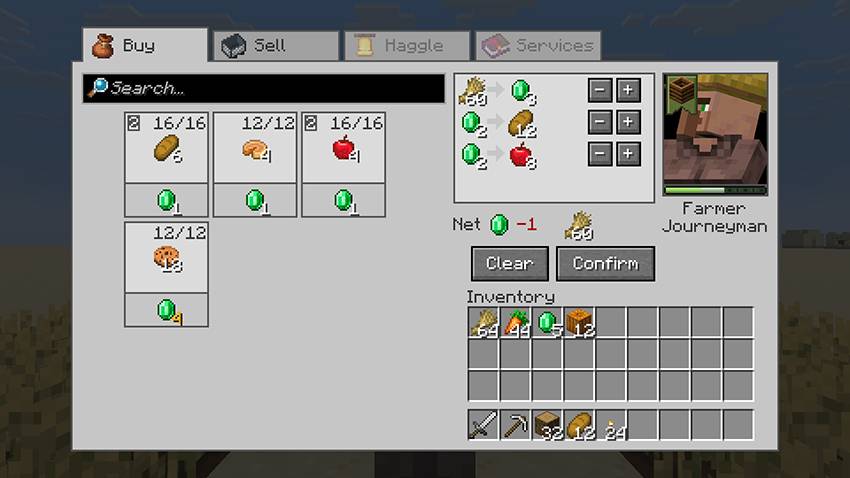
Trading with villagers usually means clicking the same trade again and again. Realistic Trading Overhaul gives you a shopping cart instead. Pick the offers you want, as many times as you like, and press Confirm once.
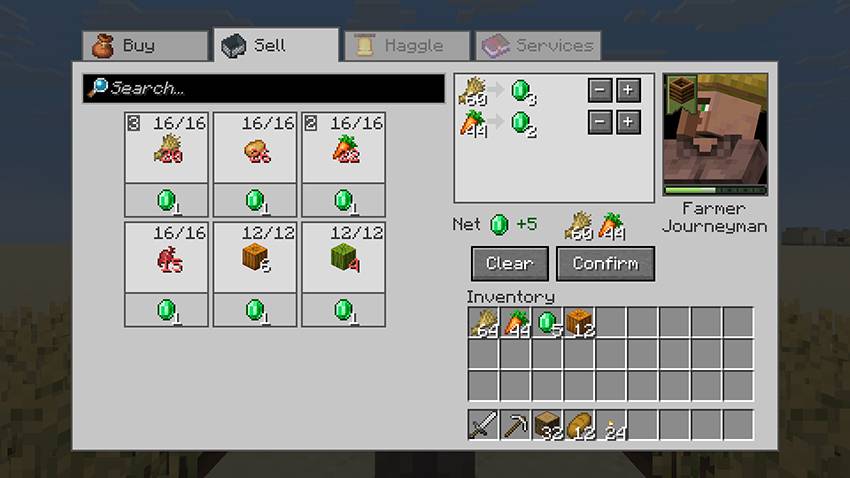
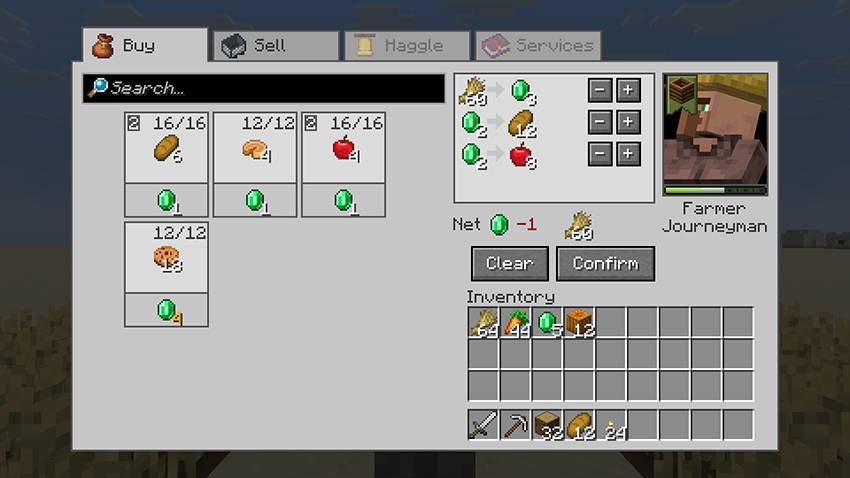
You can sell and buy in the same cart. The emeralds you get for selling pay for what you buy, so you only pay what is left over, or get the rest back.
Everything else stays like normal Minecraft. Prices, how many times a villager trades, villager levels, your statistics and your advancements all work just as if you had made every trade by hand. Admins can change what villagers offer and what it costs with the trade editor.
Features
- Shopping cart. Add as many trades as you want and trade them all with one click.
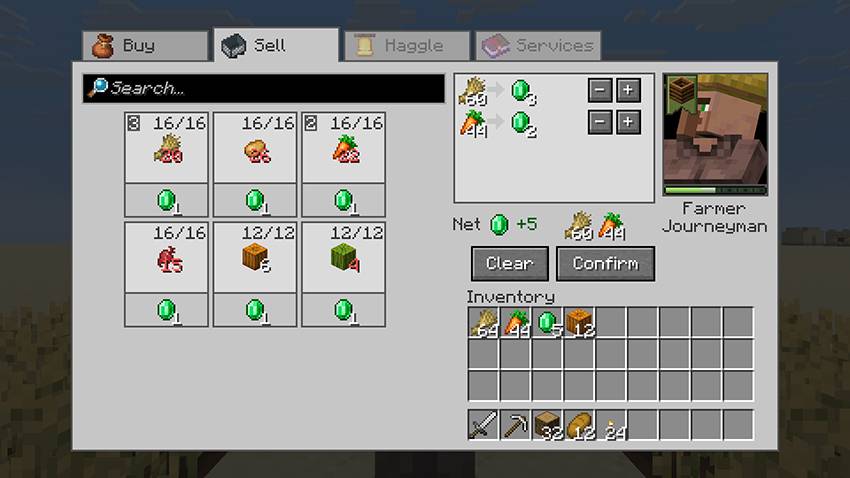
- Buy and Sell tabs. One tab shows what the villager sells, the other what the villager buys from you.
- Sell and buy in one go. What you sell pays for what you buy. The cart shows what you give, what you get and how many emeralds you end up with.
- Search. Type an item name to find the offer you want.
- Meet the trader. See who you are trading with, their job and level, and a bar that shows how close they are to the next level. The bar also shows how far your cart will take them.
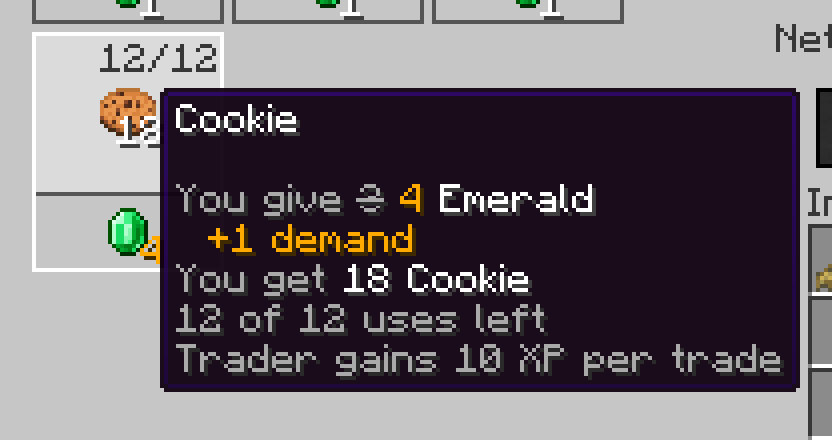
- Clear prices. Point at an offer to see what you give, what you get, and why the price is higher or lower: demand, how much the villager likes you, and Hero of the Village.
- Works with the keyboard and the Narrator.
- Villagers and wandering traders. The screen opens for both, wherever the normal trading screen would open.
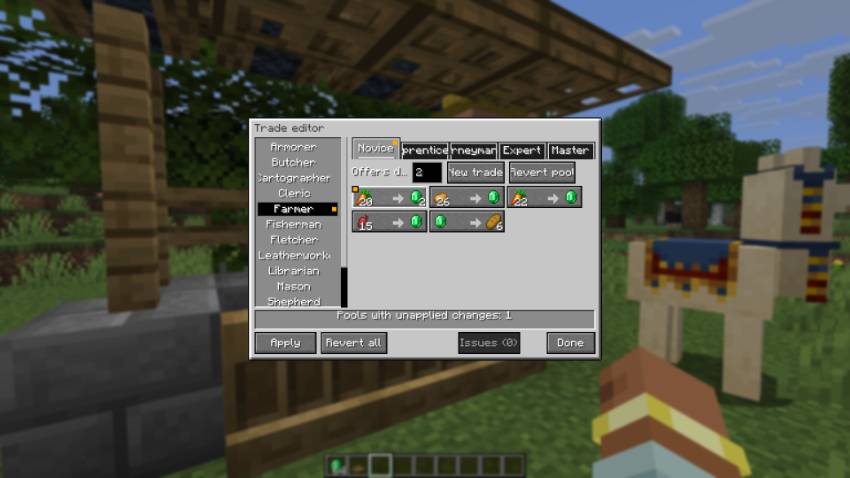
- Trade editor for server admins. Change what villagers and wandering traders offer, right in the game.
How to trade
- Right-click a villager or a wandering trader.
- Pick the Buy or Sell tab. Ctrl+Tab switches between them.
- Click an offer to put one in the cart. Shift + click puts in everything that is left.
- Right-click an offer to take one out. Shift + right-click takes the whole line out. The minus button in the cart works too.
- Press Confirm to trade everything in the cart. Clear empties the cart.
Nothing is traded until you press Confirm. If you close the screen, the cart is emptied and you keep all your items. If your inventory is full, the items you get drop at your feet.
For server admins
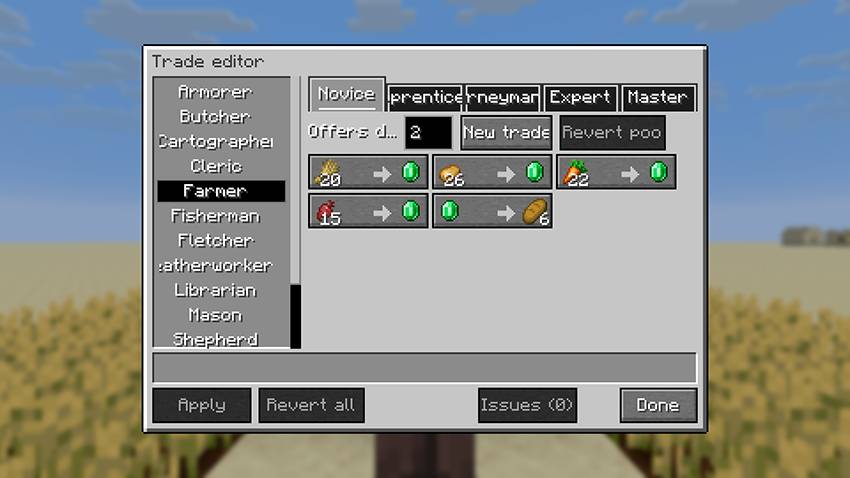
Type /rto editor to open the trade editor. Pick a job, or the wandering trader, and a villager level. Then change what each trade costs and gives, how often it can be used, how much XP the villager gets, and how many trades a villager gets for that level. You can add, copy and remove trades.
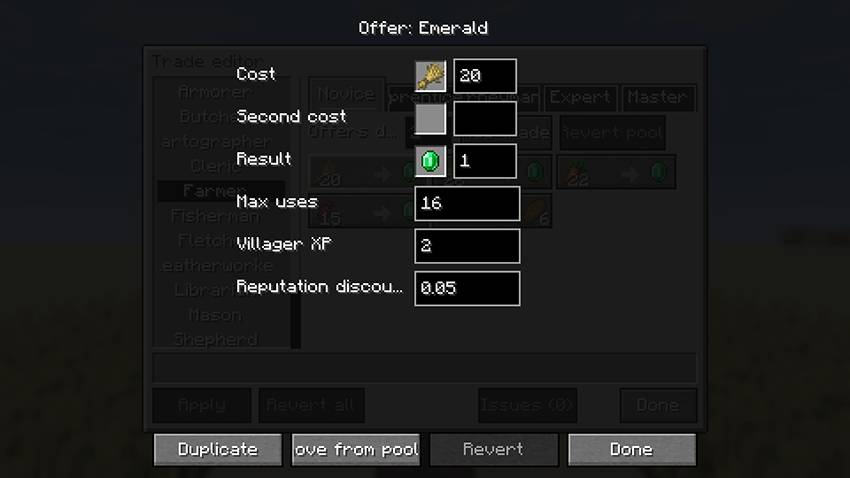
- Your changes start working after the server restarts. In singleplayer, save and quit to the title screen and open the world again.
- Villagers keep the trades they already have. New villagers, and villagers that reach a new level, get the new trades.
- Only admins can use the editor. In singleplayer, the world needs Allow Cheats turned on.
- Several admins can edit at the same time.
- Special trades keep working: enchanted books and tools, explorer maps, potions, suspicious stew and trades that depend on the villager's biome.
Works with other mods
Realistic Trading Overhaul should work with most mods that add villager jobs or change villager trades. These are the mods we have tested:
| Mod | Works? |
|---|---|
| Homesteads 3.0.0 | Yes, the cart and the editor work with its five new jobs |
| Trading Post 26.3.0 (with Puzzles Lib 26.3.17) | Yes |
| Unlimited Villager Trades 26.3 | No, it resets the villager's trades after every trade, so the cart stops after the first one |
Good to know
- The mod is in active development, so things can change quickly from one version to the next.
- The mod must be installed on the server and on every player's game, and everyone needs the same version.
- The Haggle and Services tabs are not ready yet.
- A trade can cost at most one stack of an item.
- Trades that other mods add do not show up in the trade editor.
Links
- Player guide: Cart trading
- Admin guide: Trade editor
- Installation and troubleshooting: Installation, Troubleshooting, FAQ and known issues
- Release history: Release history
- Bug reports: GitHub issues
- Questions and ideas: GitHub Discussions
FAQ
Are the prices the same as in normal Minecraft? Yes, unless an admin changes them in the trade editor. You trade with emeralds and items as always.
Is trading with the cart the same as trading by hand? Yes. Every trade counts, for the villager's level, your statistics and your advancements.
Can I sell and buy at the same time? Yes. Put both in the cart. What you sell pays for what you buy.
Do I need the mod on the server and on my game? Yes, on both, and with the same version.
I changed a trade in the editor, but my villagers still have the old one. Changes start after a server restart, and only new trades use them. Villagers keep the trades they already have.
Can every player use the trade editor? No, only admins.
Does it work with other trading mods? Most should work. See the list above; Unlimited Villager Trades does not.
Credits and license
Made by SENTINULL.
Licensed under the Realistic Trading Overhaul Custom License (all rights reserved): you may download and use unmodified copies for personal play and on multiplayer servers, and include an unmodified copy in a CurseForge modpack delivered through CurseForge. Rehosting, selling, and distributing modified, translated or decompiled copies are not allowed.
Realistic Trading Overhaul Team