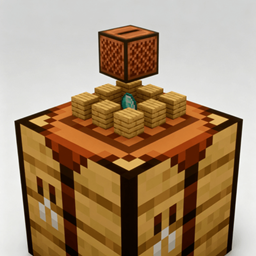
Real-time EnchantmentTable
- By
A real-time 3D preview of the enchanting table contents, with smooth animations and lots of customization.
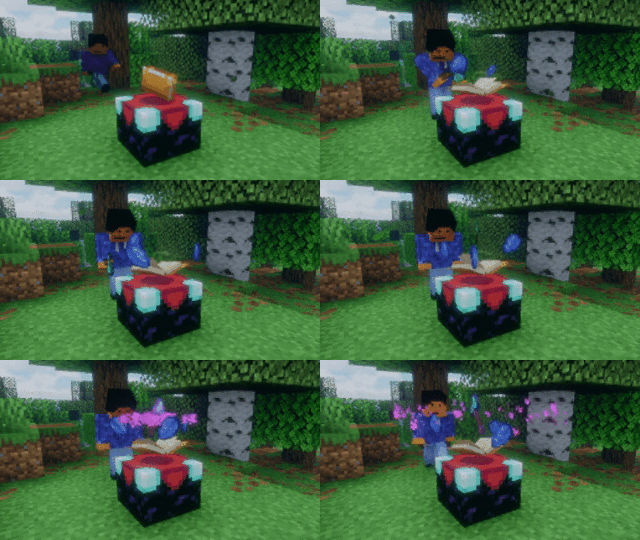
Particle effects spawn when enchanting, toggleable.
Description
Real-time EnchantmentTable
A real-time 3D preview of your enchantment — smooth enchanting table animations. Items float above the enchanting table, spinning and bobbing gently, with lapis shards orbiting around them.
A Fabric mod that adds a real-time 3D preview to the vanilla enchanting table. Install on your client and the preview works — even on vanilla servers. Install on the server too for item persistence, real-time sharing, and enchant FX broadcast to all mod clients. (Client and server are fully independent: either side may be installed alone.)
✨ Features
- Real-time 3D preview — drop an item in and it rises above the table in full 3D, spinning and bobbing, while lapis shards orbit around it
- Smooth animations — polished enter/exit transitions, plus a particle burst on every successful enchant
- Dual-end optional — the client mod alone shows the preview on any server (vanilla included); adding the mod on the server enables multi-player sharing, restart-proof item storage, and enchant FX broadcast
- Highly customizable — every parameter is adjustable from the Mod Menu: size, height, rotation, float, orbit speed, particles and more
- Performance friendly — previews render only when the table is in use, no idle cost
📦 Dependencies
- Fabric API
- Optional: Mod Menu + Cloth Config (config screen; works fine without them)
⚙️ Configuration
- Mod Menu → this mod → config screen; all changes apply immediately
- Or edit
config/enchantment-table.jsondirectly (auto-generated on first run) - ⚠️
keep-items-when-closedis OFF by default — enable it if you want items to stay in the table after closing the GUI (restart-proof, persisted to JSON). This is the most important setting to know about - Other key options: item/lapis size, rotation speed, float amplitude, orbit radius, particle FX and more
❓ FAQ
- Preview not showing? Make sure the enchanting table is in view and the mod is installed on your client (the server mod is optional — it only adds sharing/storage/FX extras)
- No config screen with Mod Menu? You also need Cloth Config installed
- Multiplayer? Works on any server — install on your client for the preview, and optionally on the server for shared storage and enchant FX
- Vanilla standalone server? Preview still works from the client side; the server mod is not required
- Why are items not retained on the enchanting table after closing its GUI? Please make sure you have enabled the "Keep materials uhen closing the table" option in the mod config. If two players with different config settings open the enchanting table GUI at the same time in multiplayer, the config of the player who closes it last will take effect. (The two sets of configurations will not interfere with each other.)
🙏 Acknowledgements
- Animation inspired by EasyMagic
📜 License
MIT © 2026 Xliecc
Real-time EnchantmentTable Team