RC Vehicles
- By
🚗 RC Vehicles
Remote-control vehicles for Minecraft. Drive, sail and fly them yourself, control them from a distance with a handheld remote — or build your own from parts.
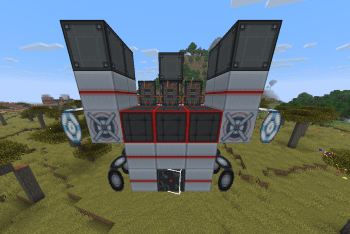
🔧 Build Your Own
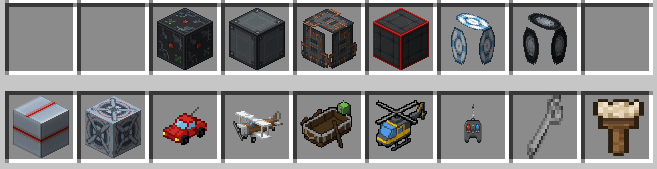
Place part blocks — Controller, Engine, Wheel, Wing, Rotor, Pontoon, Seat, and Frame — then use the Wrench on the Controller to assemble them into a working vehicle. How you build it decides how it behaves:
- Rotor — hovers like a helicopter, up and down with your view
- Wing — flies like a plane: build up airspeed for lift, stall if you slow down
- Pontoon — floats on water
- Wheels — drives on land; more wheels turn sharper
- Engines — more engines, more speed
- Seat — required to ride, or control any build with the RC Remote
- Frames — structure and weight; bigger builds are heavier
When you assemble a vehicle it tells you how to fuel it up, so you're never left wondering why it won't move. Wrench the vehicle again to disassemble it and get every part back.
🏎️ Four Prebuilt Vehicles
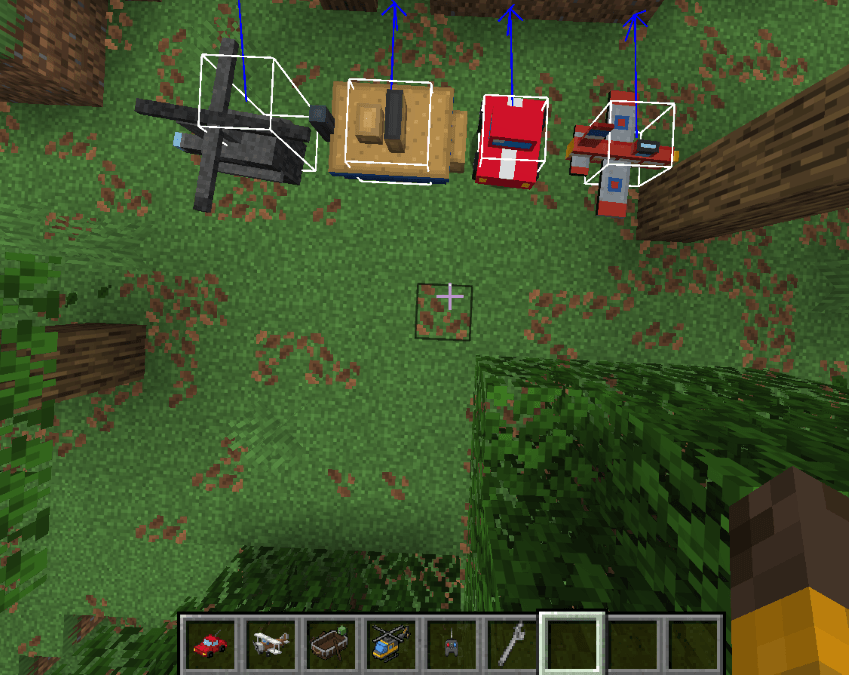
Prefer to just drive? Four ready-made vehicles are included:
- RC Car — climbs blocks and handles rough terrain
- RC Boat — floats and cuts through water, and crawls if you beach it
- RC Plane — realistic flight: build up airspeed to stay airborne, and stall if you slow down too much
- RC Helicopter — hovers in place, takes off vertically, and rotates on the spot. No stall speed
🎨 Paint & Customize
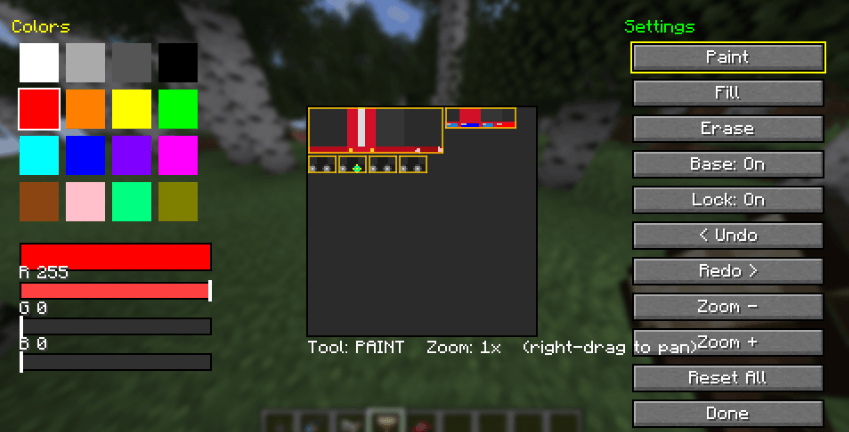
Make every vehicle yours. Craft a Paintbrush, right-click any vehicle, and design its look pixel by pixel in a full painter.
- Mix any color with RGB sliders, or grab one of 16 presets
- Paint, fill, and erase straight onto the vehicle's texture
- Undo and redo every change, zoom in for fine detail, and right-drag to pan around
- Part outlines mark out the body, cabin, wheels, and other sections so you know exactly what you're painting
- Toggle the base texture — paint over the original design, or start from a blank canvas
- Every design saves to that specific vehicle and is visible to everyone in multiplayer
Works on all five vehicles — car, plane, boat, helicopter, and your own assembled builds. The Paintbrush is craftable in survival and unlocked from the start.
📡 The Remote
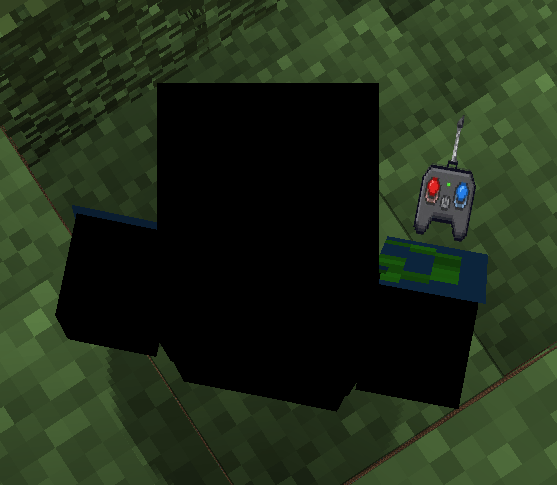
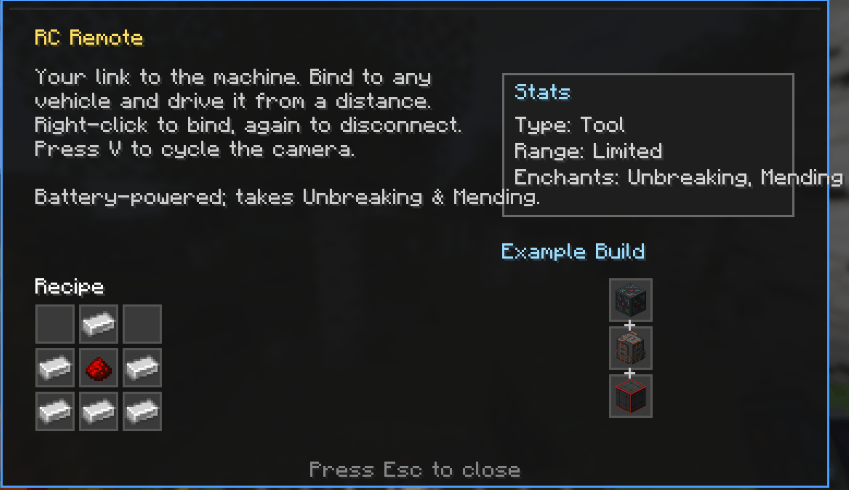
Craft an RC Remote, then right-click any vehicle to bind to it. Right-click it again to disconnect. Once bound, you control that vehicle from a distance.
Press V to cycle the camera: first-person from the vehicle, third-person behind it, then back to yourself.
The remote runs on a battery — its durability drains while you're driving, and it accepts Unbreaking and Mending.
Like a real RC, the remote has a limited range. Send a vehicle too far and you'll lose the signal.

📊 Info HUD
Press H to bring up an on-screen readout for the vehicle you're looking at — a quick tooltip showing its stats and status at a glance. Works on every vehicle, both the prebuilt ones and your own custom builds.
⛽ Fuel
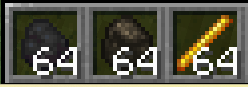
Every vehicle runs on coal, charcoal, or blaze powder — right-click a vehicle with fuel to top it up. A newly built vehicle tells you to fuel it, warns you when it's running dry, and shows its fuel level each time you refuel.
🎮 Controls
- Right-click a vehicle with the remote — bind or disconnect
- W / S — throttle and brake
- A / D — turn
- Space / Shift — climb and dive (plane, helicopter, rotor builds)
- V — cycle camera
- H — show the info HUD
- Wrench a Controller to assemble, or a vehicle to disassemble
- Paintbrush a vehicle to customize its look
🛠️ Crafting
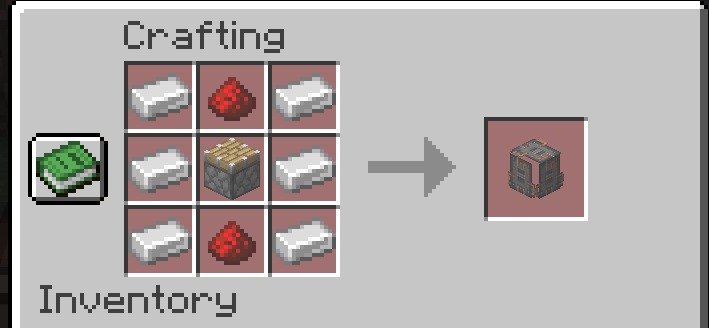
Every vehicle, every part, the remote, and the paintbrush are crafted from common survival materials — iron, redstone, and more — and all recipes unlock in your recipe book automatically.
✅ Requirements
- Fabric Loader + Fabric API
- Minecraft 1.21.4–1.21.11
- Required on both client and server
📺 Subscribe: MC_Infographic — https://www.youtube.com/@MC_Infographic
The RC Vehicles Team