


RBEI - RecipeBookEnoughItems
- By
Screeéénshot_8.png
Screenshoté_9.png
Screenshot_é9.png
Screenshot_9&.png
Screenshot_21.png
Description
RBEI - RecipeBookEnoughItems
A vanilla-friendly recipe book for Fabric.
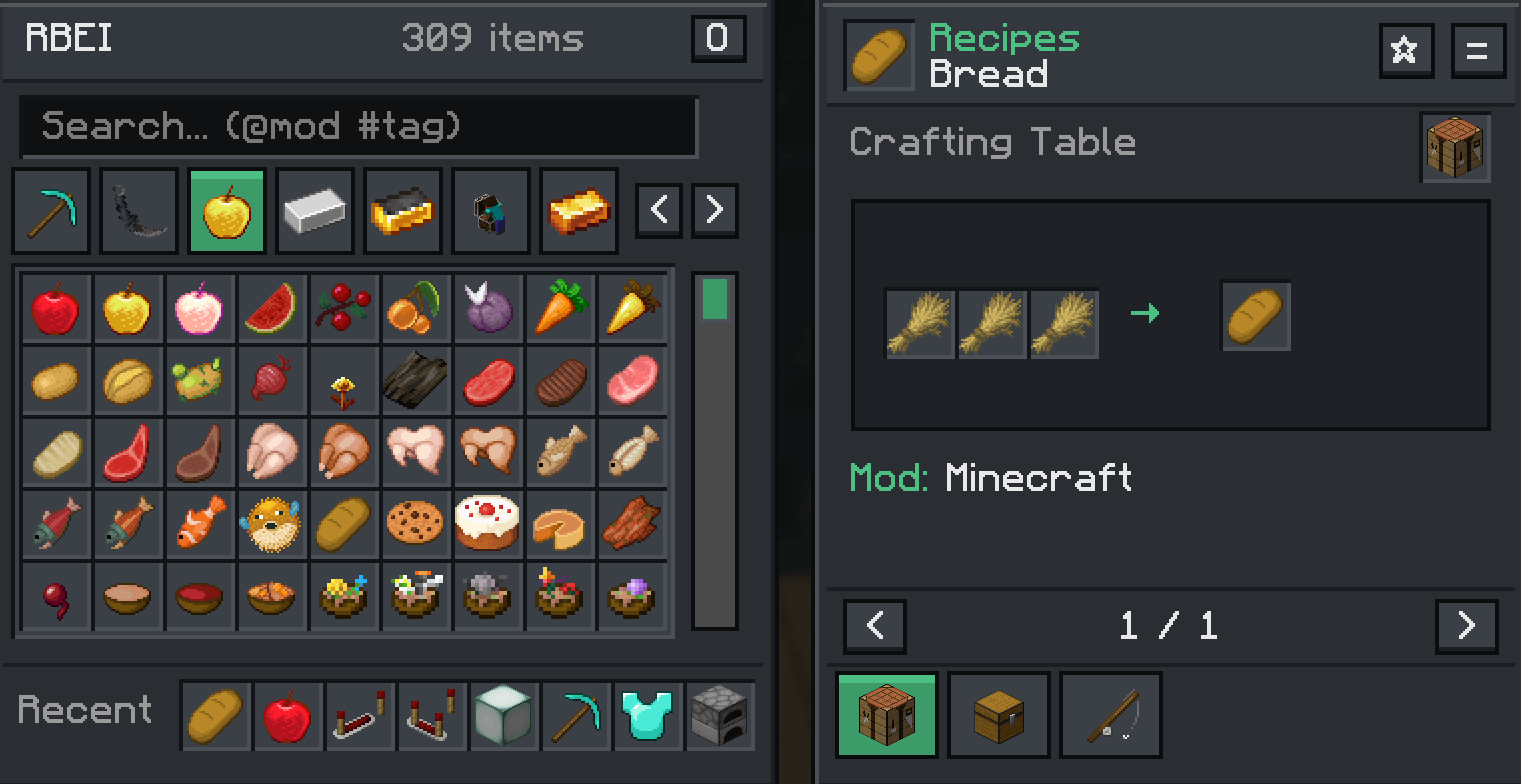
Replaces Minecraft’s recipe book with browse items, recipes, craft, loot, brewing, ores and more.
Built for Minecraft 26.2 · Fabric · client-side only.
Why RBEI?
Minecraft's recipe book is limited. RBEI keeps a vanilla feel while giving you a JEI-style browser that indexes:
- Crafting & smelting recipes
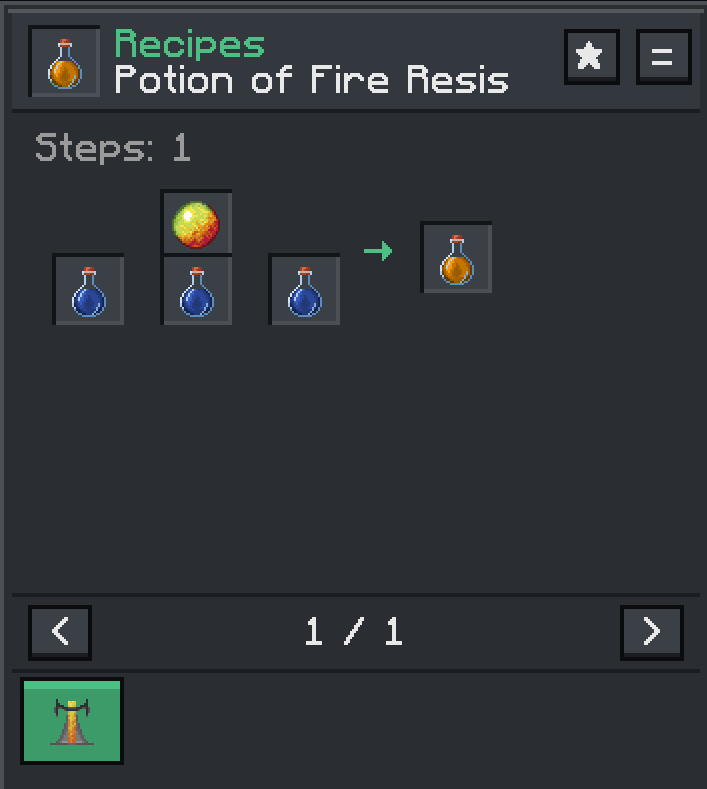
- Brewing steps
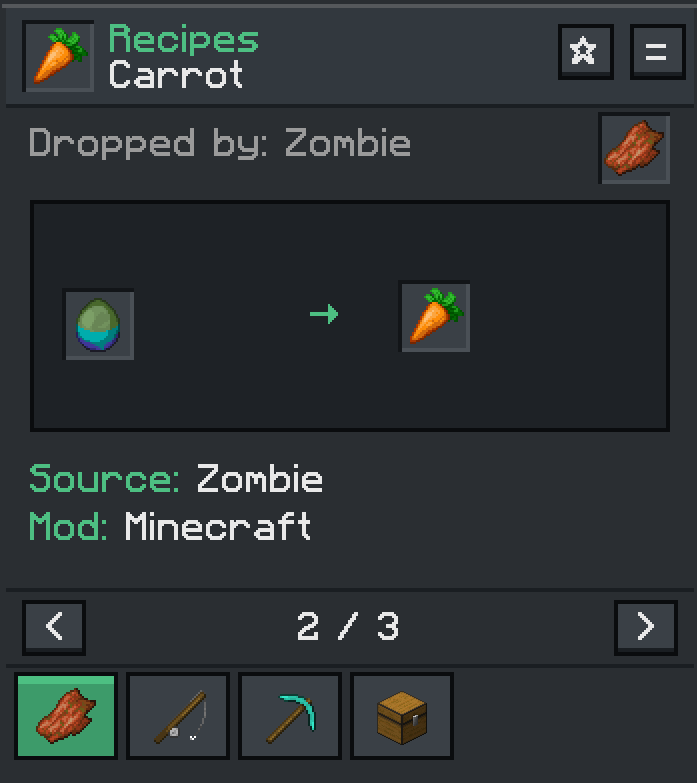
- Loot / mob drops (with chances when available)
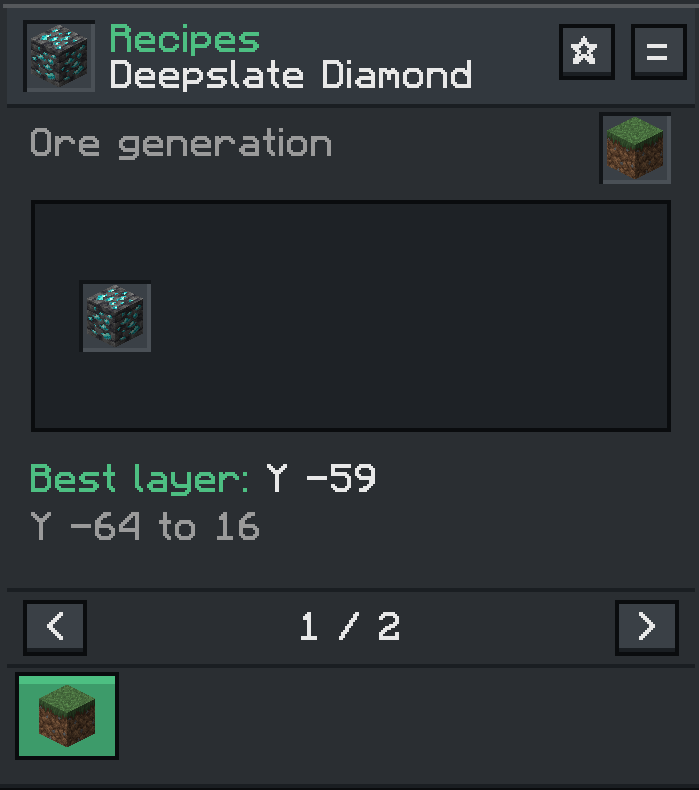
- Ore generation ranges (Y min / max / best layers)
- Many mod recipes detected automatically
Features
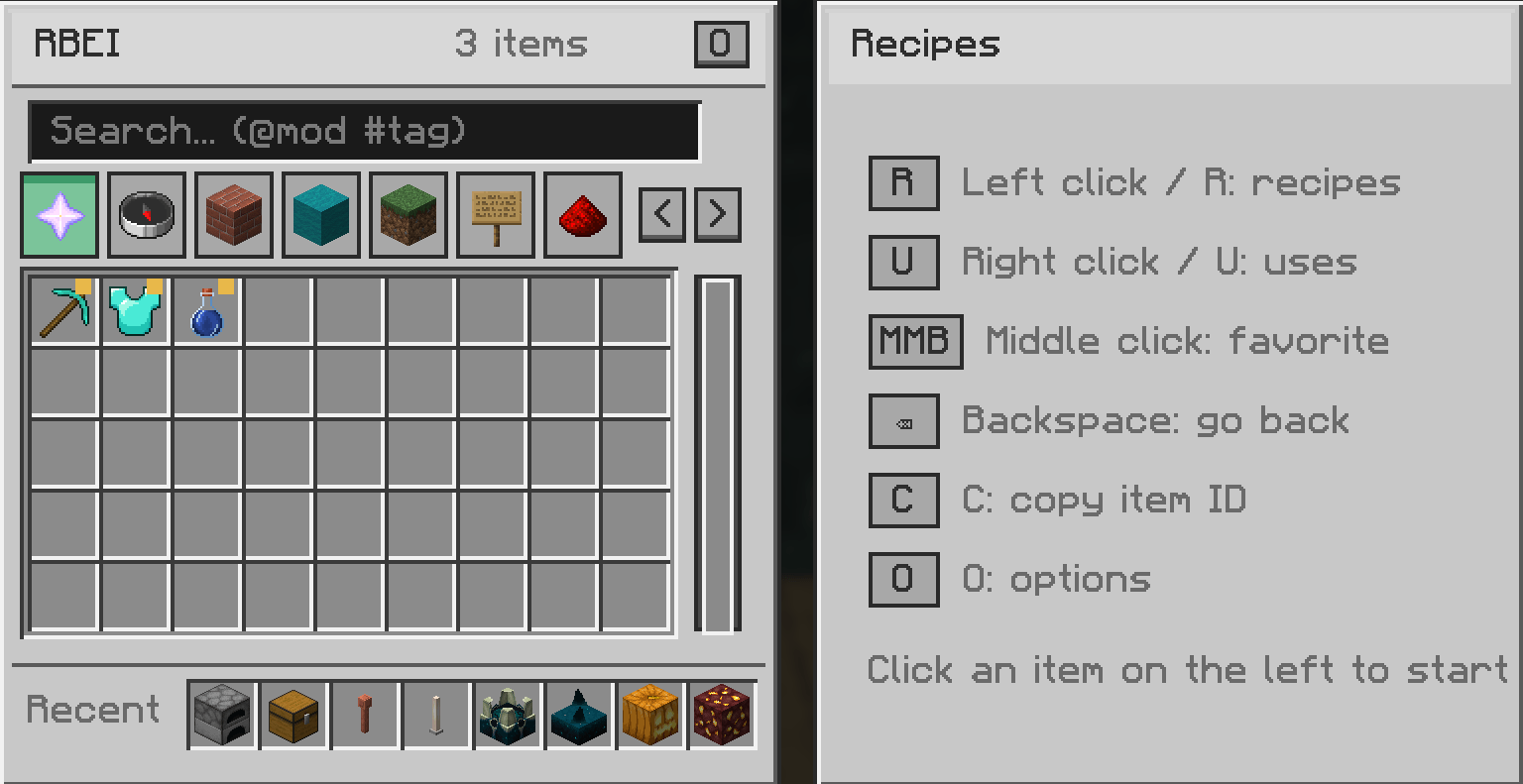
Item browser
- Full item list with live count
- Fast search: plain text, "@mod", "#tag"
- Category tabs (favorites, tools, blocks, nature, …)
- Recent bar for items you just looked at
- Yellow markers on favorites in the grid
Recipes & uses
- Left click / R -> how to obtain / craft an item
- Right click / U -> where the item is used
- Multi-page results with clean craft grids
- Station icon (crafting table, furnace, brewing stand, …)
- + transfer button → push ingredients into an open crafting table or furnace...
Favorites
- ☆ / ★ on the recipe header
- Middle-click an item to toggle favorite
- Dedicated favorites tab (Nether Star icon)
Quality of life
- Options panel (O): dark theme, UI sounds, craftable overlay, JSON export
- Craftable overlay highlights items you can make from inventory
- Compare two items (=)
- Copy registry ID with C
- Replaces the vanilla recipe-book button on inventory / crafting / furnaces
- Open anytime with the keybind (default O)
Input Action Open key (default O) Open / close RBEI Left click / R Show recipes Right click / U Show uses Middle click Toggle favorite C Copy hovered item ID O (inside RBEI) Options T Toggle theme + Transfer ingredients to grid = Add to compare Backspace Go back
Mod / runtime Requirement Fabric API Required Fabric Loader ≥ 0.19.5 Java 25+ Minecraft 26.2
- Install Fabric Loader for Minecraft 26.2
- Install Fabric API
- Drop
rbei-<version>.jarinto your "mods" folder - Launch the game and press O (or your bound key)
Config file (optional):
config/rbei-client.json
(theme, sounds, overlay, favorites, recent)
- Client-only - no server install needed
- Works alongside most Fabric mods
- Recipe coverage: vanilla + many mods via native recipe types and auto-detection
- Some highly custom machine UIs may show incomplete layouts; brewing, loot, and ores have dedicated sources
- Not a JEI/REI/EMI plugin — it does not replace those APIs; it is a standalone browser
Is this JEI / REI / EMI?
No. Same idea (browse items & recipes), different mod. You don’t need those installed.Can I use it on a server?
Players install it on the client. The server does not need RBEI.Does transfer work everywhere?
Transfer + works when you opened RBEI from a crafting table or furnace screen with a compatible grid.Where are favorites stored?
Thanks for downloading.
Locally in "config/rbei-client.json".
RBEI - RecipeBookEnoughItems Team
