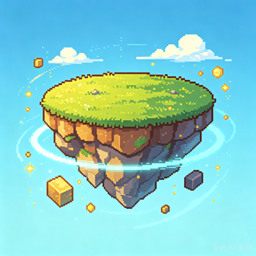
Random SkyBlock Island
- By
A Minecraft mod that randomly transforms your skyblock island blocks! Supports both Fabric and Forge platforms.
Random SkyBlock Island
A Minecraft mod that randomly transforms your skyblock island blocks! Supports both Fabric and Forge platforms.
Features
Random Block Transformation
- At specified intervals (default 3 minutes), island blocks randomly transform into another block type
- Supports 200+ block types, including wood, ores, building materials, colored blocks, and more
- Each area transforms independently with a different random block
Multi-Area Support
- Add multiple transformation areas, each with independent coordinate ranges
- Default Area: Global config, shared across all saves
- Extra Areas: Per-save config, managed independently per world
- Manage areas via commands: add, remove, rename, list
Countdown Persistence
- Countdown state is saved to config file, persists across world reloads
- Auto-saves on server shutdown, auto-restores on rejoin
Config System
- Cloth Config API integration for GUI configuration
- Global config at
config/randomskyblockisland.json - Per-save area config at
<world>/rsl_areas.json - Adjust transformation interval via config screen
Localization
- Supports English and Chinese
- All player-facing text is localized
Commands
Game Control
| Command | Description |
|---|---|
/randomskyblock start |
Start random transformation |
/randomskyblock stop |
Stop random transformation |
/randomskyblock reset |
Reset game state (preserves area and block configs) |
Area Management
| Command | Description | Save Location |
|---|---|---|
/randomskyblock area add <name> <minX> <minY> <minZ> <maxX> <maxY> <maxZ> |
Add new area | Per-save |
/randomskyblock area remove <name> |
Remove area | Per-save |
/randomskyblock area rename <oldName> <newName> |
Rename area | Global/Per-save |
/randomskyblock area list |
List all areas | - |
/randomskyblock area show |
Show default area | - |
/randomskyblock area pos1 |
Set default area position 1 (current player position) | Global |
/randomskyblock area pos2 |
Set default area position 2 (current player position) | Global |
/randomskyblock area setfrompos <name> |
Create new area from default area coordinates | Per-save |
Delay Settings
| Command | Description |
|---|---|
/randomskyblock delay <seconds> |
Set transformation interval (1-3600 seconds) |
/randomskyblock delay show |
Show current interval |
Config Files
Global Config (config/randomskyblockisland.json)
Stores globally shared configuration:
{
  "transformDelaySeconds": 180,
  "secondsRemaining": 0,
  "isRunning": false,
  "defaultArea": {
    "name": "default",
    "minX": -1,
    "minY": 64,
    "minZ": -4,
    "maxX": 4,
    "maxY": 66,
    "maxZ": 1
  },
  "allowedBlocks": [
    "minecraft:oak_log",
    "minecraft:oak_planks",
    ...
  ]
}
Per-Save Area Config (<world>/rsl_areas.json)
Stores extra areas specific to each save:
{
  "areas": [
    {
      "name": "area1",
      "minX": 10,
      "minY": 64,
      "minZ": 10,
      "maxX": 20,
      "maxY": 66,
      "maxZ": 20
    }
  ]
}
Installation
Fabric
- Download the Fabric
.jarfile - Place it in the
.minecraft/modsfolder - Ensure Fabric Loader and Fabric API are installed
- Cloth Config API and Mod Menu recommended for config screen
Forge
- Download the Forge
.jarfile - Place it in the
.minecraft/modsfolder - Ensure the corresponding Forge version is installed
- Cloth Config API recommended for config screen
Dependencies
Fabric
| Dependency | Version | Required |
|---|---|---|
| Fabric Loader | >=0.16.2 | Yes |
| Fabric API | * | Yes |
| Cloth Config API | >=11.1.136 | Yes (config screen) |
| Mod Menu | >=7.2.2 | Recommended |
Forge
| Dependency | Version | Required |
|---|---|---|
| Forge | 47.2.0 (1.20.1) | Yes |
| Cloth Config API | >=8.2 | Yes (config screen) |
Known Limitations
- Config screen only supports adjusting transformation interval; area coordinates are managed via commands
- Config files use simple string parsing; complex formats may cause parse failures
- Default area cannot be removed via
area remove
Build
Fabric
./gradlew build
Forge
cd forge && ./gradlew build
License
MIT License - See LICENSE
The Random SkyBlock Island Team