Railway Tools for Axiom
Catmull-Rom spline railway corridor generator for Axiom, built for large-scale infrastructure and BuildTheEarth workflows.





Railway Tools for Axiom extends Axiom's in-game toolset with a dedicated railway corridor generator. Place a chain of control points along your route, and the tool calculates smooth curves, selects the appropriate structural blocks, and automatically orients corners, shelves, lecterns, and wall segments. Build complex railway infrastructure without manually placing thousands of diagonal blocks.
Independent addon. Developed by a single author for large-scale 1:1 infrastructure projects. Not officially affiliated with Axiom or the BuildTheEarth organization.
Core Capabilities
Catmull-Rom Spline Interpolation
Generates continuous, mathematically smooth railway curves across any number of control points. Maintains tangent continuity between segments to prevent jagged transitions on long turns.
Tangent-Aware Block Orientation
Automatically orients lateral walls, corner connections, curve markers, and diagonal joints according to each segment's local path tangent and curvature, maintaining consistent track geometry at every angle.
Automatic Ground Snapping
When terrain-following is enabled, each spline sample scans vertically for the nearest solid surface and adjusts track elevation to follow the existing terrain.
Adjustable Sampling Density
Configure spline resolution directly in Axiom's tool panel, from 2 to 32 points per block. Use lower density for fast, straight corridors or higher density for tight-radius switchbacks and station approaches.
Two Built-In Track Styles
Choose between two specialized railway palettes directly inside Axiom's tool panel.
Classic
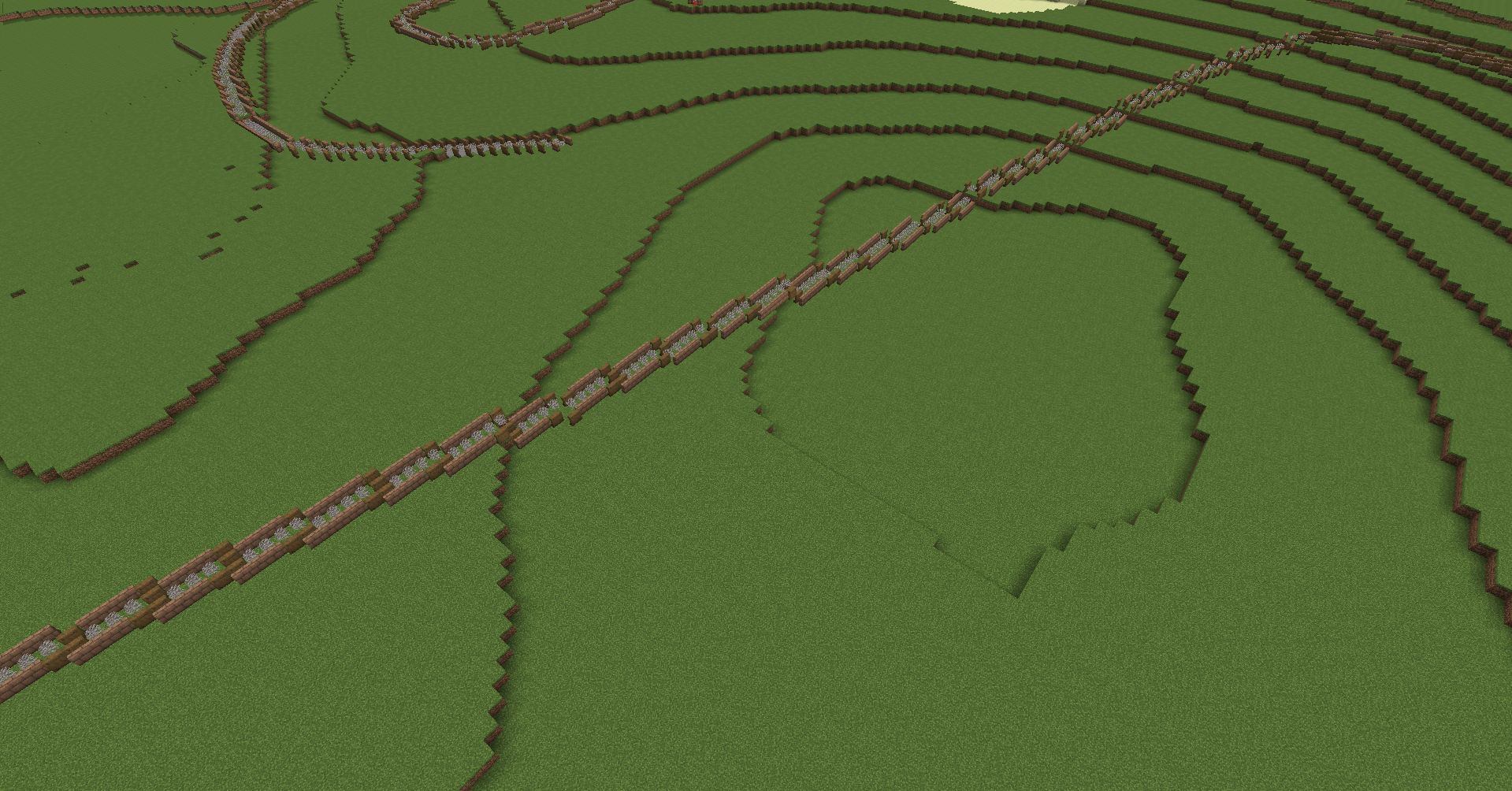
- Dead fire coral wall fans along the centerline.
- Mud brick walls for lateral rails, automatically configured as straight or cornered segments according to the curve geometry.
- Spruce shelves and trapdoors as curve indicators.
A clean, structured style suited to surveying, corridors, and urban transit.
Natural
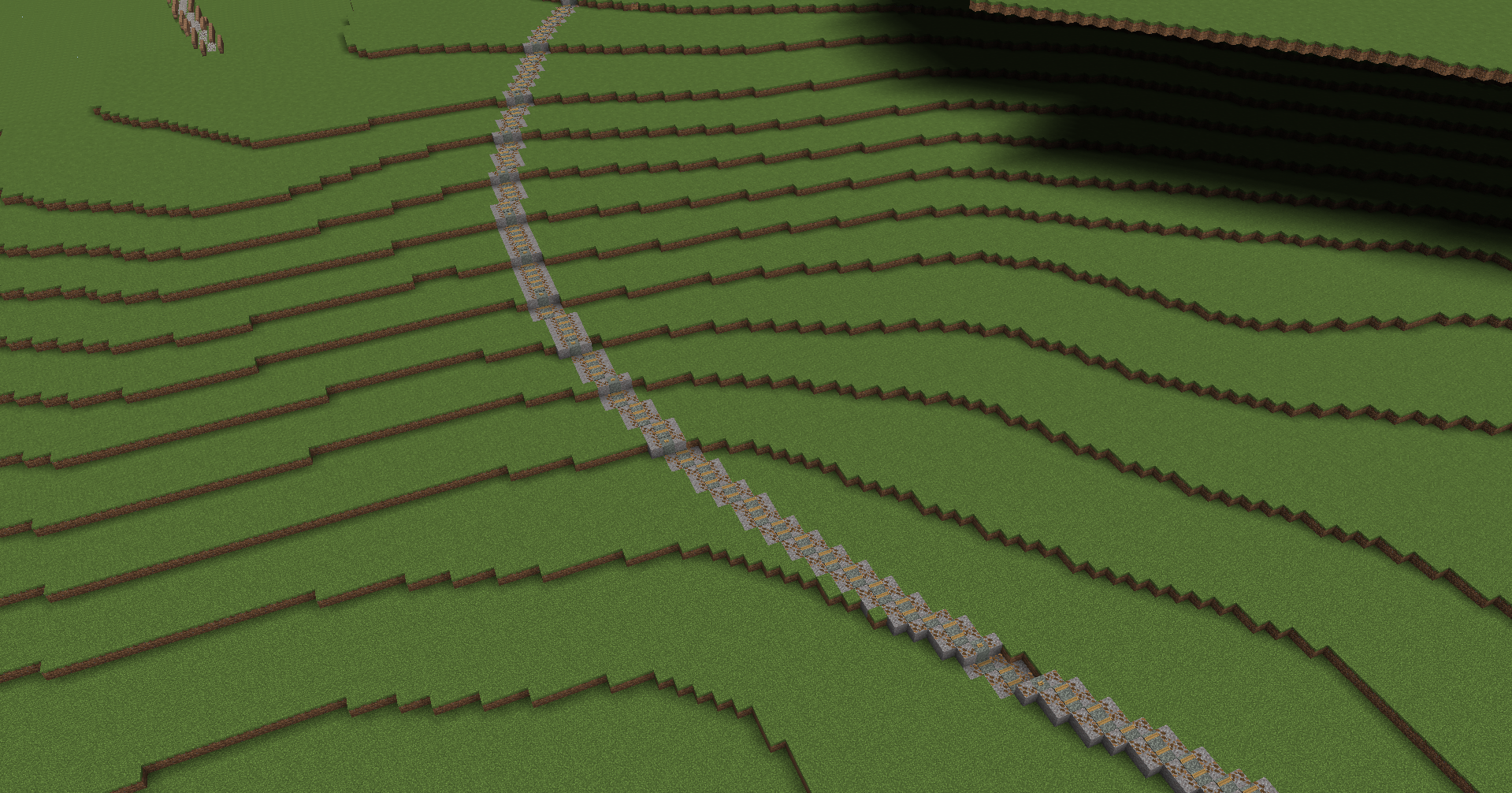
- Lecterns along the centerline, switching to pale moss blocks on inclined grades.
- Gravel ballast along lateral rails.
- Directional leaf litter detailing on curves and diagonal intersections.
Designed for realistic mainlines and rural railway right-of-ways.
Installation
- Install Fabric Loader, Fabric API, and Axiom for your Minecraft version.
- Place the Railway Tools for Axiom
.jarfile in your client.minecraft/mods/folder. - Launch Minecraft and open Axiom's editor UI.
- Select the Railway tool, choose Classic or Natural, and place control points along your intended alignment.
Supported Minecraft versions: 1.21.10, 1.21.11, and 26.2, as indicated by the project release information.
Required Axiom Server Permissions
When building on a multiplayer server running Axiom, your account needs these permissions granted by the server:
TOOL— allows custom Axiom tool usage.BUILD_SECTION— allows multi-block Axiom placement.
Support & Feedback
Have a question, found a bug, or want to suggest a new railway style? Join the Discord server.
License: MIT
Railway Tools For Axioms Team