![Quick Time Event Engine [QTEE] logo](https://media.forgecdn.net/avatars/thumbnails/1982/493/64/64/639222607542022718_animated.gif)

A NeoForge 1.21.1 mod for server-authoritative quick-time events with persistent definitions and a configurable HUD, useful for map and modpacks creators. (WIP)
Commands
/qte create 1 hold space 2.5 "say @s succeed" "say @s failed" true true
/qte create test input_sequence "w,a,s,d" 6 "say @s succeed" "say @s failed" true false qte_engine:textures/gui/rune.png
/qte play 1
/qte play test @a
/qte settings chase tracking_speed 0.35
/qte settings target aim_position -0.5 0.25create, edit, and remove, play require operator permission level 2. Duration is expressed in seconds and must be between 0.1 and 300.
Commands containing spaces must be quoted. A leading / is optional inside result commands. Both @s and %player% target the player running the QTE.
exclusive_input: blocks normal keyboard and mouse handling while the QTE is active. Default:false.hide_hud: temporarily hides the vanilla HUD while keeping the QTE visible. Default:false.texture: optional resource location for a 40×40 QTE image. Both boolean arguments must be provided before it.
Examples
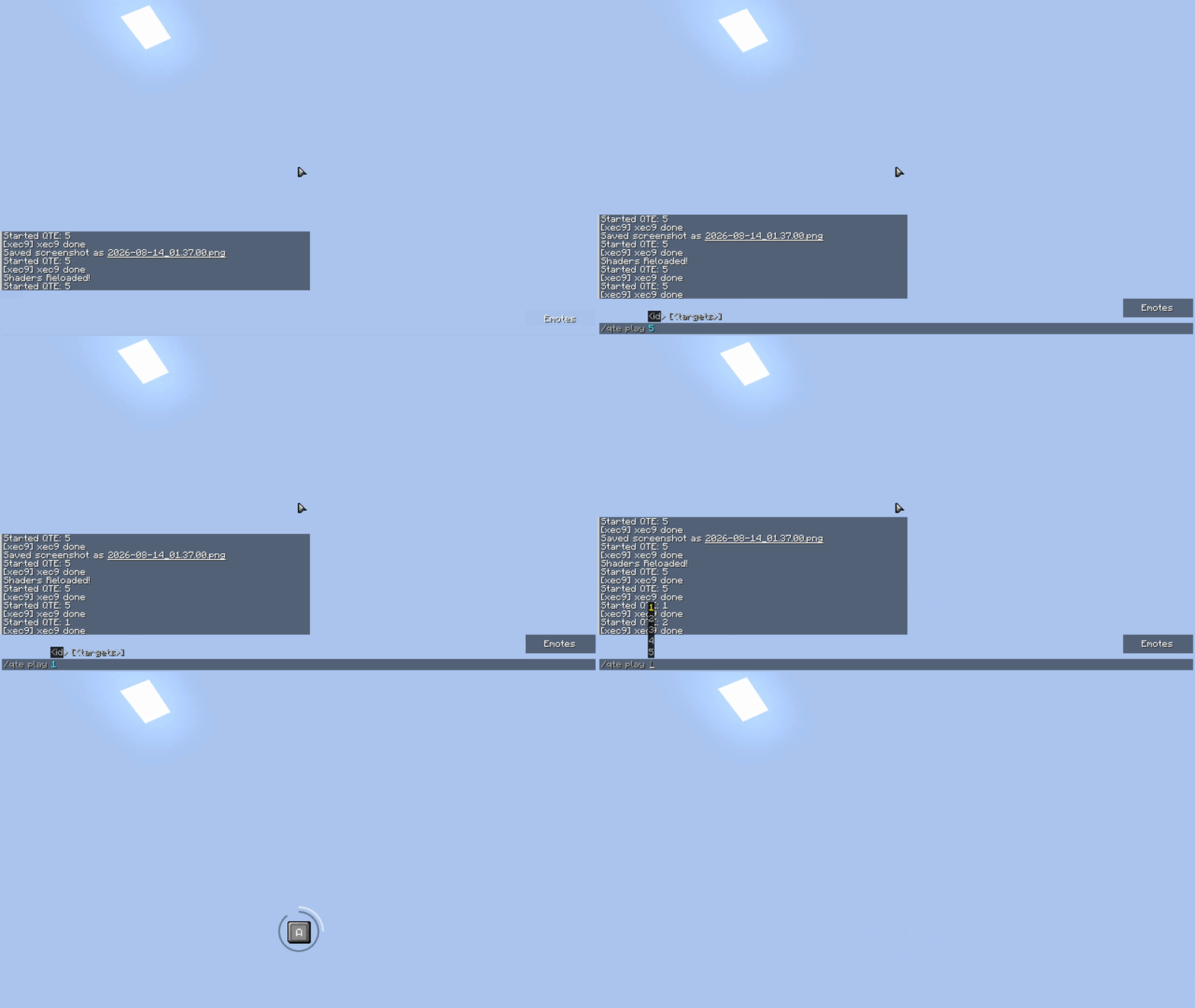
Visual from 0.4.22
/qte create 1 hold space 2.5 "say @s succeed" "say @s failed" true true
/qte create test input_sequence "w,a,s,d" 6 "say @s succeed" "say @s failed" true false qte_engine:textures/gui/rune.png
/qte play 1 @s
Inputs accept short names such as space, w, and left_shift, or complete Minecraft identifiers such as key.keyboard.space and key.mouse.left. Mouse aliases include m1, m2, m3, mouse1, mouse2, and mouse3.
Separate multiple inputs with commas. input_sequence, reaction_choice, memory, and rhythm require at least two inputs; every other type accepts exactly one. Single-letter inputs follow the player's keyboard layout.
QTE types
observation: press the expected input before time expires.reaction_choice: select the first input from the displayed choices. (WIP!)hold: hold the configured input for 60% of the duration.mash: press repeatedly until the target is reached.input_sequence: enter every input in order.balance: press when the moving marker reaches the center.aim: move the cursor into the fixed target, then press the configured input. (WIP) (New : u can configure where the marker will appear on the screen withqte settings [id])tracking: hold the configured input while following the moving target. (WIP)
Success, failure, and timeout results are validated and executed by the server.
UI textures
Every QTE exposes a smooth radial countdown that starts at 12 o'clock and shrinks clockwise with frame interpolation. Simple QTEs use a compact 32×32 keycap; hold and mash add an inner progress ring; balance uses a circular skill-check dial; aim and tracking use circular full-screen targets.
The keycap sprites can be replaced through a normal Minecraft resource pack:
qte_key.png: released keycap.qte_key_pressed.png: pressed keycap.qte_mouse_left.png,qte_mouse_right.png, andqte_mouse_mb3.png: dedicated M1, M2, and M3 prompts.qte_mouse_base.png: neutral 32×32 mouse template. A mouse prompt slowly crossfades between its neutral and highlighted textures; pressing the requested button makes its highlight fully visible. A ready-to-edit template is available inexamples/qte-engine-ui-template. Key labels use the replaceableqte_engine:textures/font/ascii.pngbitmap atlas: 128×128 pixels, arranged as 16×16 cells of 8×8 pixels. A resource pack can replace bothassets/qte_engine/textures/font/ascii.pngandassets/qte_engine/font/qte_key_compact.jsonto support another character set. Long key names are still scaled to remain inside the keycap. Aim and tracking update their visual pointer on every mouse frame while bounded samples remain server-validated.
Custom QTE images use full resource locations such as my_pack:textures/gui/rune.png..
The Quick Time Event Engine [QTEE] Team