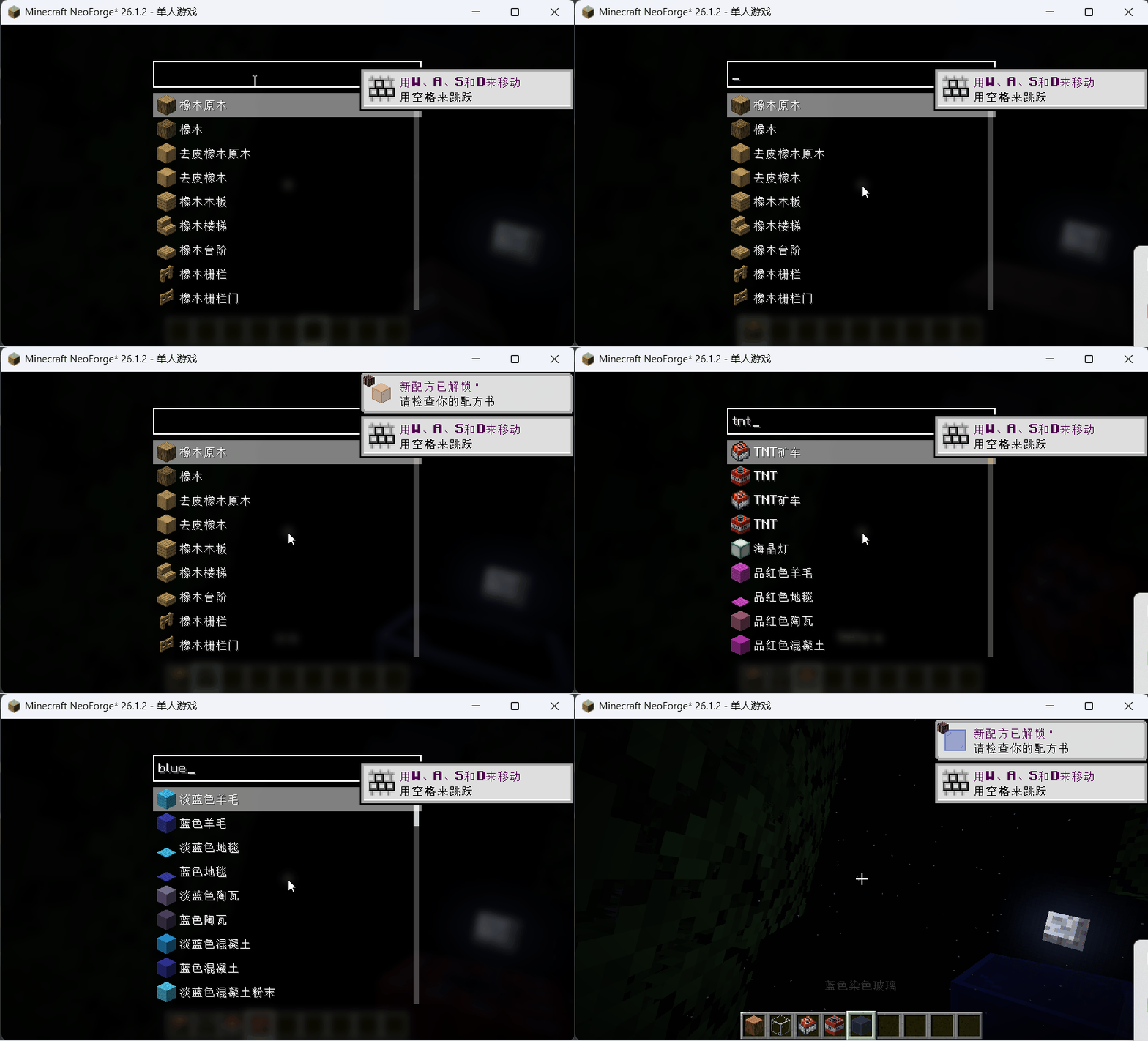
demo.gif
Description
Quick Take
A client-side NeoForge mod that adds a Spotlight/Alfred-like quick item search interface for Creative Mode. Quickly find and select any item by typing its name, registry ID, or tooltip text.
Features
- Instant item search — Press
R(configurable) to open a full-screen search overlay while in Creative Mode - Smart subsequence matching — Type
dia picto find "Diamond Pickaxe"; search matches display names, registry IDs, and tooltips - Three-phase async search — Results appear in real-time: display name matches first, then registry IDs, then tooltips
- Auto-hotbar placement — Selected items are intelligently placed into your hotbar (reuses existing stacks, swaps if needed)
- Typing shortcut — Start typing any character while the Creative Inventory screen is open to automatically open the search pre-filled with that character
- Pinyin support — Optional integration with Just Enough Characters for Chinese pinyin input matching
Usage
- Press R anywhere in Creative Mode to open the search overlay
- Type part of an item's name, registry ID, or tooltip — results filter in real-time
- Use arrow keys (↑↓) to navigate, press Enter to select, or click an item
- Scroll with mouse wheel to see more results
- Press Esc to close without selecting
Keybindings
| Key | Default | Description |
|---|---|---|
| Open Quick Take | R | Opens the search overlay (Creative Mode only) |
Quick Take Team

Owner