• Browse
    Browse all (123)
    • iconMinecraft
    • iconThe Sims 4
    • iconWorld of Warcraft
    • iconMinecraft Bedrock
    • iconArk Survival Ascended
    • iconHytale
    • iconinZOI
    • iconStarCraft II
    • iconKerbal Space Program
    • iconStardew Valley
    • iconAmerican Truck Simulator
    • iconHogwarts Legacy
    • iconTerraria
    • iconWildStar
    • iconWorld of Tanks
    • iconPalworld
    • iconRunes of Magic
    • iconRift
  • Create
    MOD AUTHORS
    • Become an Author
    • Start a Project
    • Project Submission Guide
    MODDING TOOL DEVELOPERS
    • Apply for an API Key
    • Documentation
    • Terms & Conditions
    SOCIAL
    • Join Our Discord!
    • Authors Discord
  • Studios
    GAME DEVELOPERS
    • Unlock Modding for Your Game
    • Documentation
  • Help Center
  • Our Blog
  • Follow Us
    • Discord
    • Instagram
    • Reddit
    • TikTok
    • Twitter / X
    • YouTube
  • Surprise Me
  • Legacy
  • Go Premium
  • Get CurseForge App
Error 404: Fun
DiscoverBrowse All
  • Minecraft
  • Mods
Quick Consume logo

Quick Consume

  • By
    kain_24kain_24
  • Mods
Adds two slots for quick consumption of food or potions
Total Downloads
13.1K
Last Update
Mar 12, 2017

Quick Consume

Details

Downloads
13,119
Created
9 years ago
Updated
9 years ago
Project ID
261451
License
GNU General Public License version 3 (GPLv3)
Environment
Not Set

Game Versions

    1.11.21.10.21.10

informative placeholder

Categories

  • Cosmetic
  • Storage
  • Adventure and RPG
  • Food

Main File

1.10.2

Quick Consume r3-p1 for 1.10
Latest release
  • R
  • 1.10.2
  • Mar 12, 2017

Recent FilesView all

Minecraft 1.11

Quick Consume v1.3 for 1.11.2
Latest release
  • R
  • 1.11.2
  • Feb 27, 2017

Minecraft 1.10

Quick Consume r3-p1 for 1.10
Latest release
  • R
  • 1.10.2
  • Mar 12, 2017
Quick Consume r3 for 1.10
Latest release
  • R
  • 1.10
  • Mar 5, 2017

  • Description
  • Comments (28)
  • Files
  • Gallery (3)
  • Relations
  • Issues
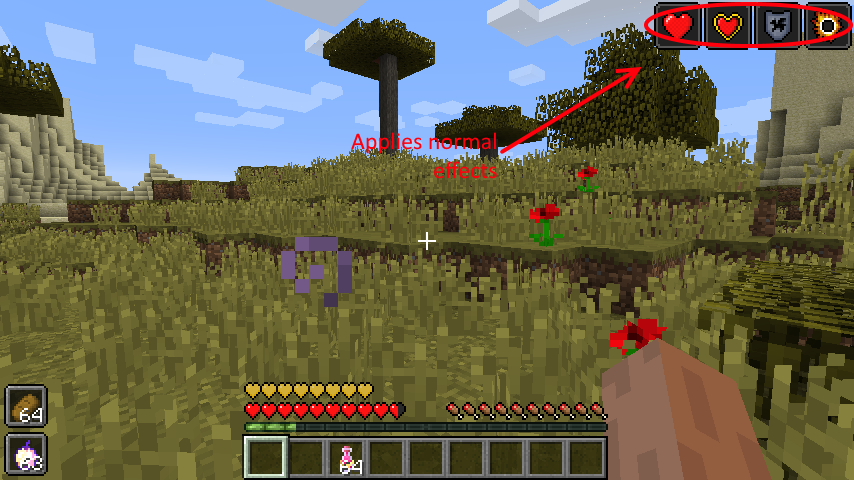
  • Thumbnail Eating foods will apply normal effects for the food.

As seen here, the golden apple will apply all status effects like usual.

    Eating foods will apply normal effects for the food. As seen here, the golden apple will apply all status effects like usual.

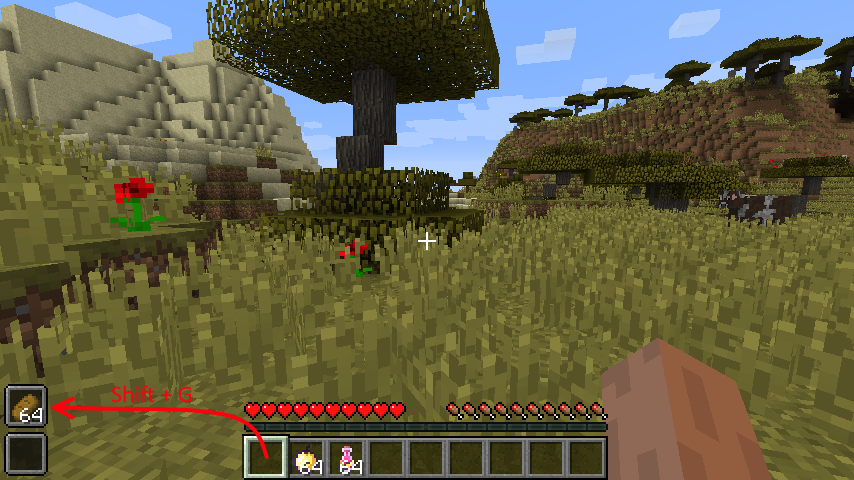
  • Thumbnail Shift+G to move things to the first slot, shift+H to move things to the second slot

    Shift+G to move things to the first slot, shift+H to move things to the second slot

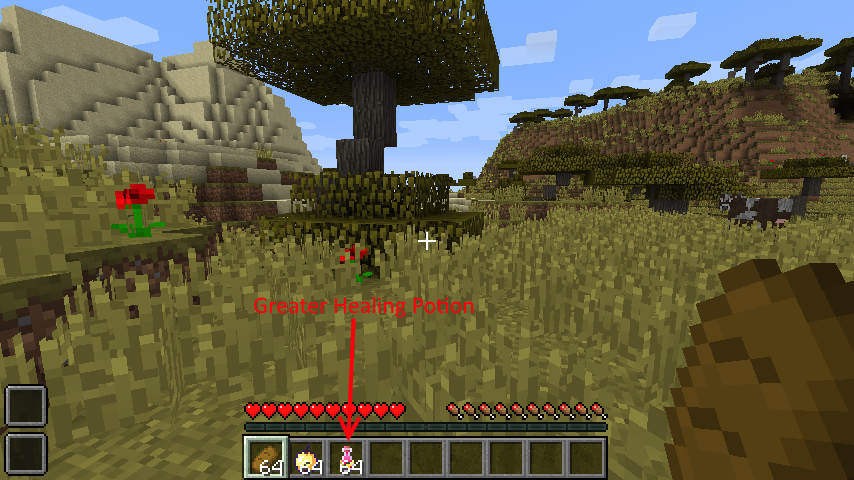
  • Thumbnail Slots to the left and the greater healing potion can be seen in the hotbar
    Slots to the left and the greater healing potion can be seen in the hotbar

MinecraftDiscoverBrowse
CurseForge - a world of endless gaming possibilities for modders and gamers alike.
Download the best mods and addons!
  • Games
    • All games
    • Minecraft
    • World of Warcraft
    • The Sims 4
    • Starcraft II
    • Kerbal Space Program
    • Minecraft Dungeons
    • World of Tanks
  • Create
    • Start a project
    • Project submission guide
    • Author Rewards Program
    • Apply for an API Key
    • 3rd Party API T&C
  • Community
    • Join Our Discord!
    • Ideas Portal
    • CF blog
    • Newsletter
    • Roadmap
    • Bukkit forums
    • CurseForge Servers
  • Support
    • Knowledge base
    • Troubleshooting
    • Contact us
  • Companions
    • Overwolf
    • CurseForge for Studios
    • Tebex
    • Nitro
  • Terms of Service
  • Privacy Policy
  • Licenses
  • Mod Author Terms
© 2026 Overwolf. All rights reserved.