


Quick Command Shortcuts (QCS)
- By
What is this mod?
this mod adds the /qs command
allows you to add quick shortcuts that you can use as commands
can store up to 10 commands at once
how to use the /qs command?
use this:
/qs add <name> <command1> <command2> <command3> <command4> <command5> <command6> <command7> <command8> <command9> <command10>every command has to be typed inside curly brackets {}
adding more than one command is optional
example:
this will adds a shorcut that will summon a zombie:
/qs add shortcut1 {summon zombie}and this will make a shorcut that would summon a zombie and give you a diamond sword:
/qs add shortcut1 {summon zombie} {/give @s diamond_sword}how to run the shortcut?
you can go to the pause menu and find the quick shortcuts button:
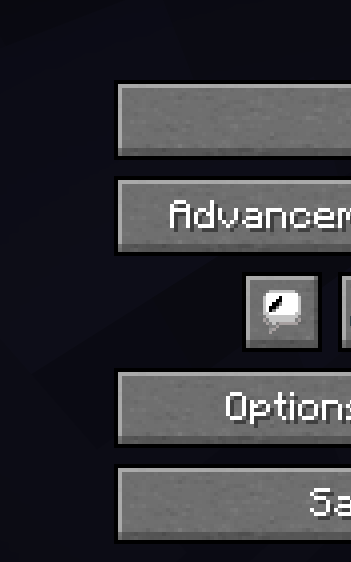
or to run the shortcut you will have to do /name
the name will be the name you gave to the shortcut
example:
if the qs command you ran was for example:
/qs add shortcut1 {summon zombie}then if you want to run the shortcut you will have to do:
/shortcut1How to remove shortcuts?
to remove shortcuts you will have to do /qs remove <name>
example
if the qs command you ran was for example:
/qs add shortcut1 {summon zombie}then to remove it you will have to do:
/qs remove shortcut1now you wont be able to do:
/shortcut1How to change already existing shortcuts?
to change existing shortcuts you will have to do
/qs modify <name> <command1> <command2> <command3> <command4> <command5> <command6> <command7> <command8> <command9> <command10>example:
if the qs command you ran was for example:
/qs add shortcut1 {summon zombie}then to change the commands you will have to do:
/qs modify shortcut1 {give @s diamond_sword}now when you run the shortcut it will give you a diamond sword
if your shortcut had more than one command and you want to keep some of the commands
the same then you will have to use {same} in the command you want to keep the same
The Quick Command Shortcuts (QCS) Team
