PureLog
- By
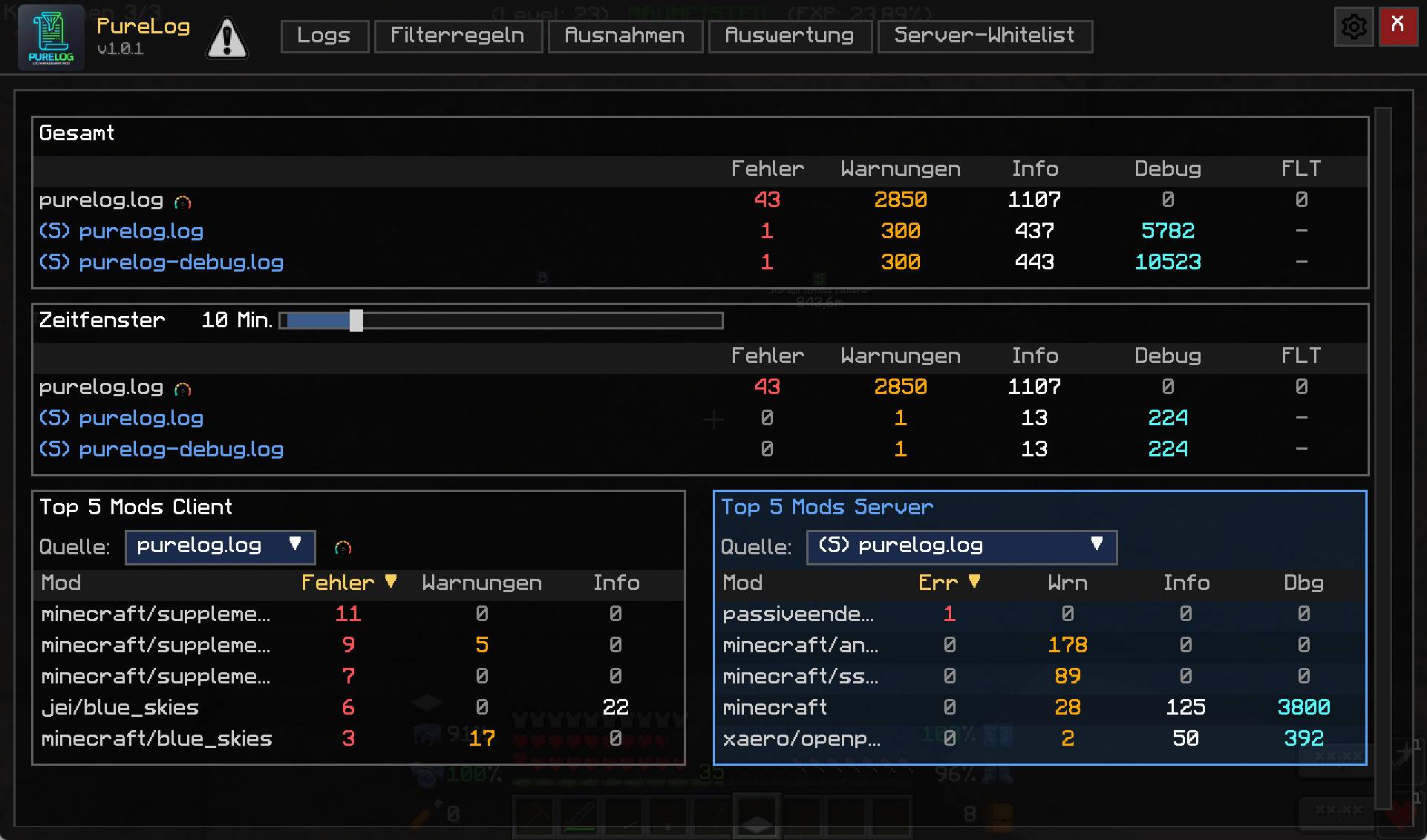
Dashboard
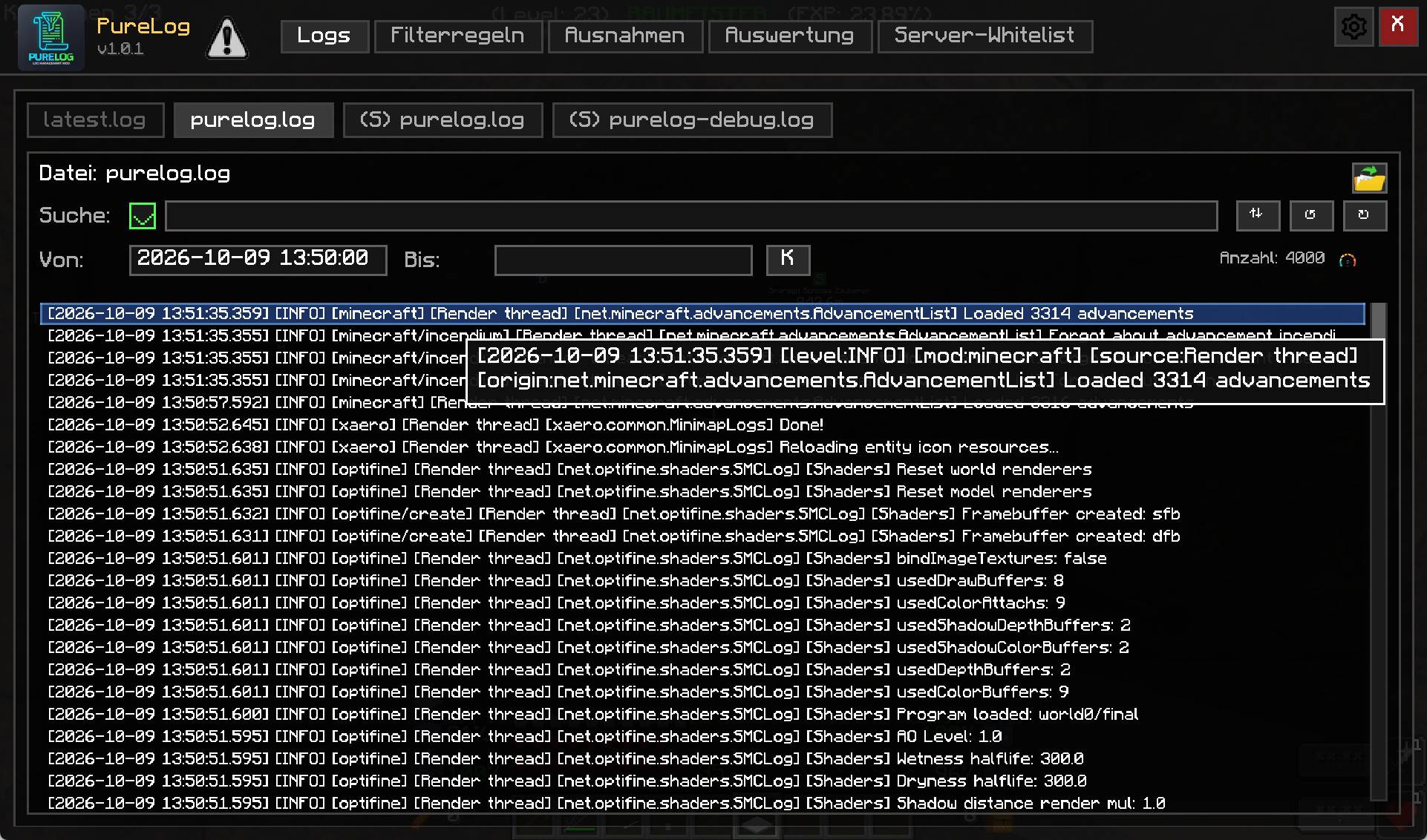
picture2_logs.jpg
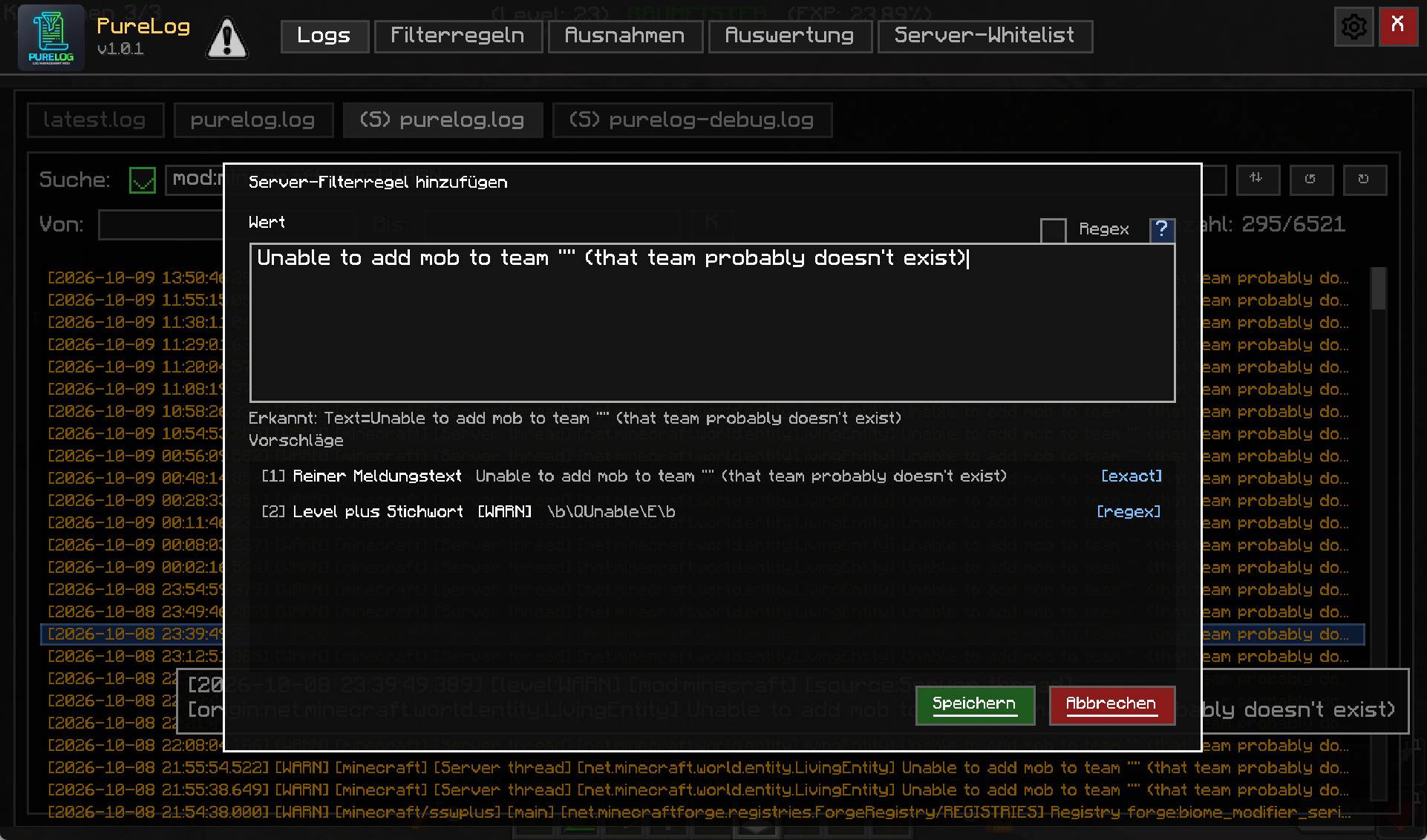
picture2_logs_addfilter.jpg
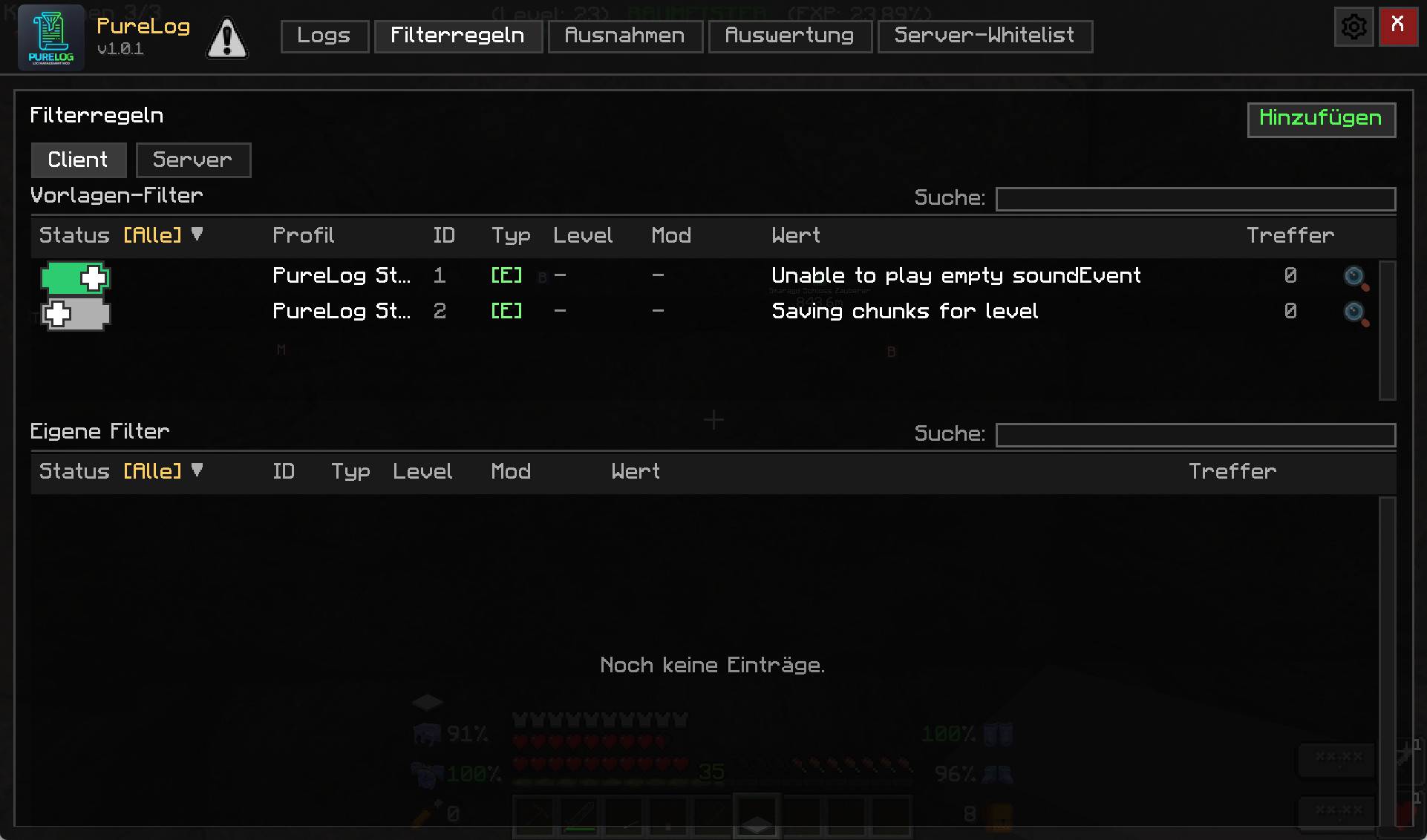
picture3_filter.jpg
picture5_report.jpg
picture6_option3_logdetection.jpg
Description
PureLog — Log-Management für Minecraft
PureLog gibt dir die volle Kontrolle über die Logs deines Minecraft-Clients oder -Servers. Statt endloser Textdateien mit tausenden Zeilen bekommst du eine übersichtliche GUI mit Suche, Filtern, Profilen und Live-Overlay. Und du entscheidest, was überhaupt auf die Festplatte geschrieben wird.
Für wen ist PureLog?
- Spieler, die ihre Festplatte sauber halten und bei Minecraft-Problemen schnell sehen wollen, was schiefgelaufen ist – ohne in der Logdatei zu suchen.
- Modder und Server-Admins, die Fehler in Mods schnell finden, ihren Log schlank halten und Filter an ihre User verteilen wollen.
- Performance-Bewusste, die ihre Log-Ausgabe unter Kontrolle bringen wollen – clientseitig und serverseitig.
Hauptfunktionen
★ Not-Aus (Client & Server)
Wenn eine Mod den Log flutet (z. B. durch eine Endlosschleife von Warnungen), stoppt Not-Aus das Schreiben sofort. Der Server schaltet ab, bevor die Festplatte vollläuft. Konfigurierbar nach Zeitfenster und Anzahl der Einträge.
★ Log-Filter (Client & Server)
Regeln nach Text, Regex, Level und Mod. Filter und Ausnahmen (Whitelist) getrennt pflegbar. Filter greifen auf Client und Server, getrennt konfigurierbar.
★ Overlay (Client & Server)
Zeigt die letzten X Minuten der Log-Aktivität direkt im Spiel ein – als kleine Tabelle in einer Bildschirmecke. Perfekt für Live-Analysen beim Testen. Anker, Position, Transparenz, Textfarbe und Schriftgröße sind frei konfigurierbar.
★ Profile und Profil-Filter (Client)
Lege eigene Filter-Profile an, z. B. „Server A“, „Server B“, „Entwicklung“. Mit einem Klick wechselst du zwischen ihnen. Profile enthalten nur Client-Optionen, keine Server-Werte.
★ Log-GUI mit Tabs
Vier Reiter: latest.log, purelog.log, (S) purelog.log, (S) purelog-debug.log. Suche, Hover-Tooltips, Strg+C zum Kopieren, Anzeige-Modus Kurz/Lang.
★ Suche mit Syntaxmod:jei, level:WARN, source:Server thread, !mod:minecraft, logische Operatoren AND / OR. Freitext wird in der Nachricht gesucht.
★ Log-Dateien selbst verwalten
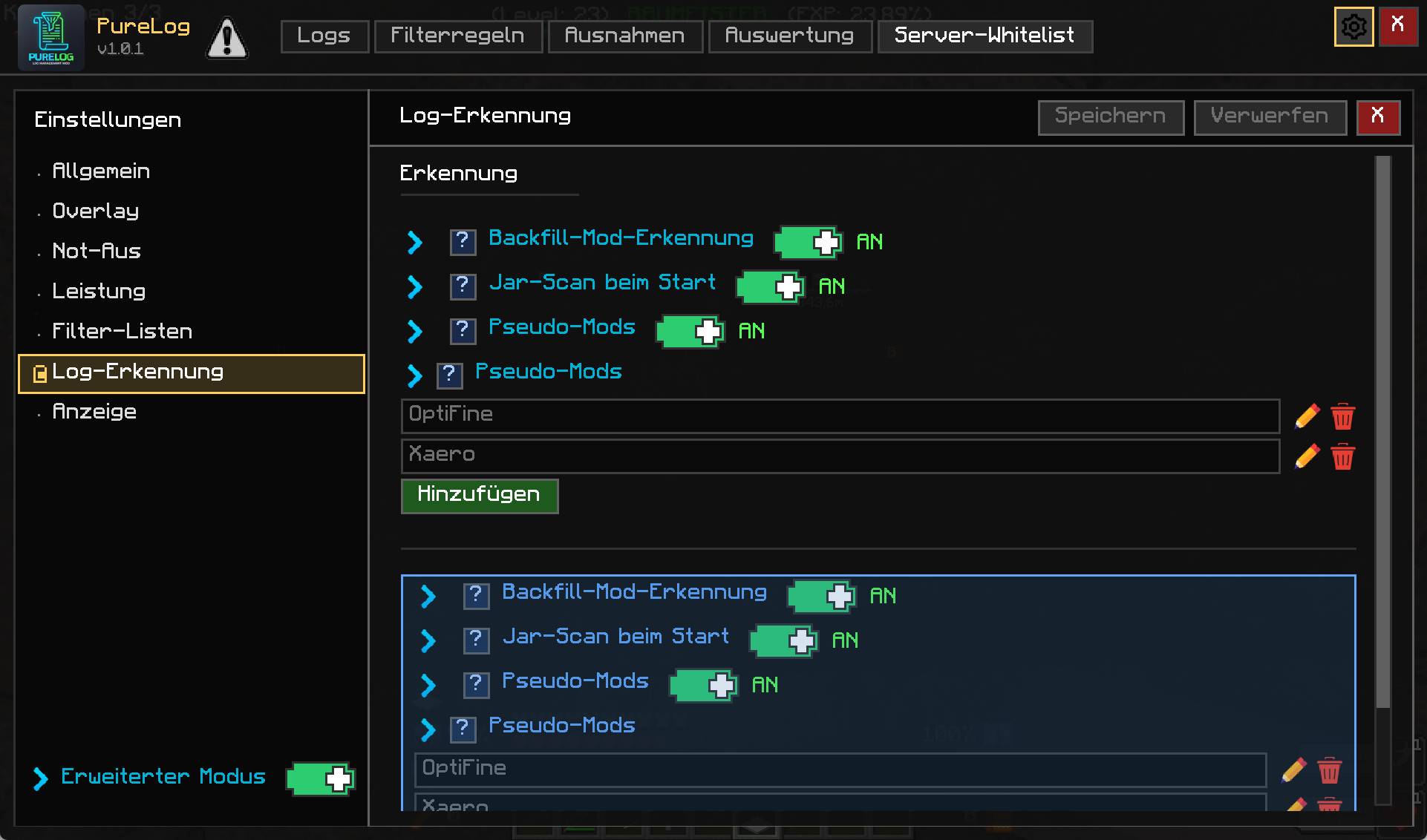
PureLog kann eigene Dateien schreiben (purelog.log, purelog-debug.log) und Forges Dateien filtern. Tagesrotation, Aufbewahrungsdauer (x Tage), Append-Modus.
★ Server-Whitelist mit Rollen (Server)
VIEWER, EDITOR, ADMIN – sauber getrennt von Minecraft-OPs. Nur berechtigte Spieler sehen und ändern Server-Filter, Einstellungen oder die Whitelist.
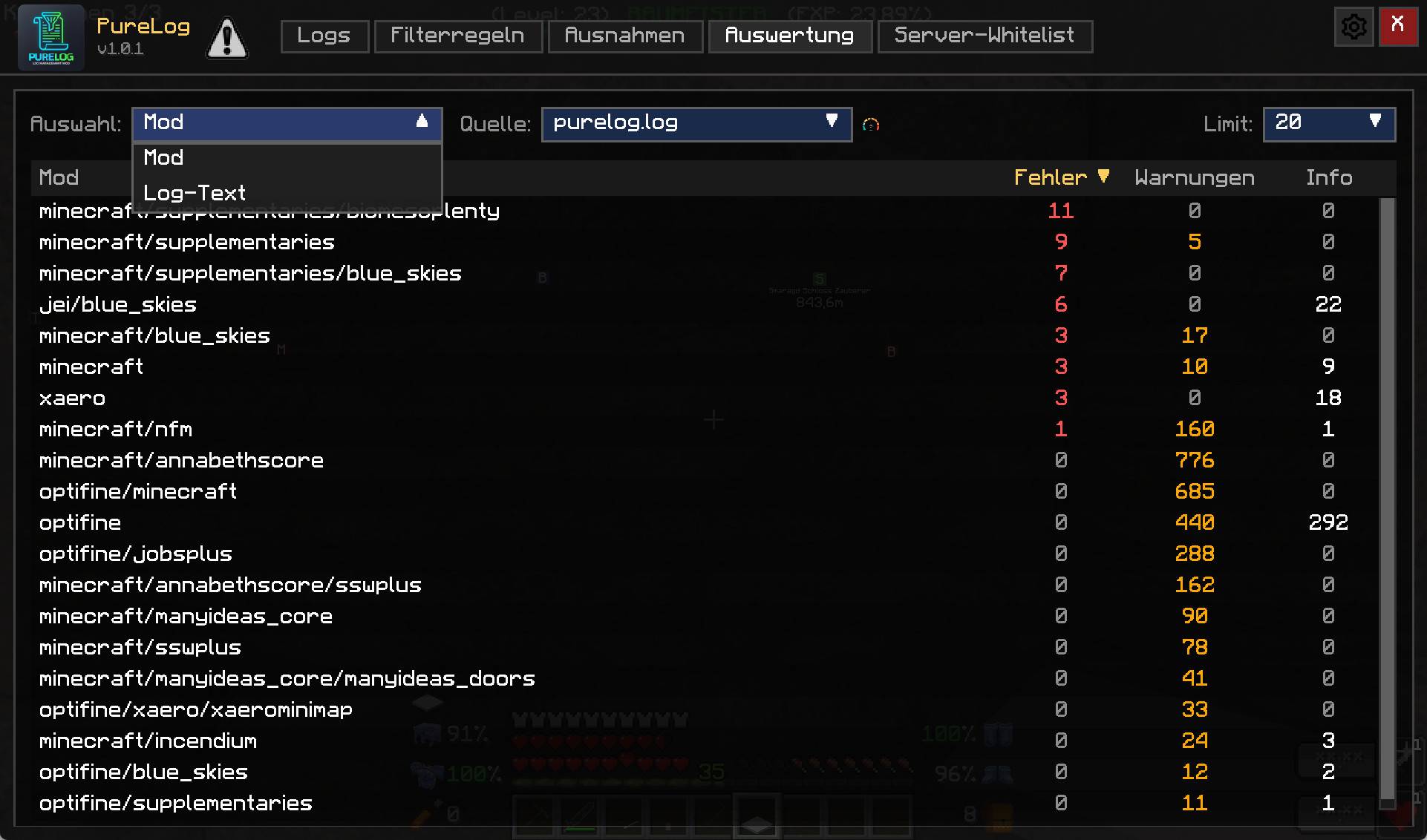
★ Auswertung
Report-Tab mit Mod-Übersicht, Fehler-/Warn-/Info-Zählern, Top-5-Mods, Zeitfenster-Auswertung.
Was PureLog nicht macht
- Keine Änderung an Minecraft selbst.
- Keine Änderung an anderen Mods.
- Keine Cloud, keine Telemetrie, keine externen Verbindungen.
Kompatibilität: Minecraft 1.19.1, Forge 42.x. Weitere Versionen in Planung.
English:
PureLog — Log Management for Minecraft
PureLog gives you full control over your Minecraft client and server logs. Instead of digging through endless text files, you get a clean GUI with search, filters, profiles, and a live overlay. And you decide what actually ends up on disk.
Who is it for?
- Players who want to keep their disk clean and, when Minecraft breaks, find out what went wrong fast without searching through the log file.
- Modders and server admins who want to find mod errors quickly, keep their logs lean, and distribute filter rules to their users.
- Performance-focused users who want to control log output, on client and server side.
Key Features
★ Not-Aus (Emergency Stop) (Client & Server)
When a mod floods the log (e.g. through an infinite loop of warnings), Not-Aus stops writing immediately. The server shuts it down before the disk fills up. Configurable by time window and entry count.
★ Log Filters (Client & Server)
Rules by text, regex, level, and mod. Filters and exceptions (whitelist) kept separately. Filters apply on client and server, configured independently.
★ Overlay (Client & Server)
Shows the last X minutes of log activity right in-game — as a small table in a screen corner. Perfect for live analysis while testing. Anchor, position, transparency, text color, and font size are fully configurable.
★ Profiles and Profile Filters (Client)
Create your own filter profiles, e.g. "Server A", "Server B", "Development". Switch between them with one click. Profiles contain client-side options only, never server values.
★ Log GUI with Tabs
Four tabs: latest.log, purelog.log, (S) purelog.log, (S) purelog-debug.log. Search, hover tooltips, Ctrl+C to copy, display mode short/long.
★ Syntax-Aware Searchmod:jei, level:WARN, source:Server thread, !mod:minecraft, logical operators AND / OR. Free text searches the message.
★ Log File Management
PureLog can write its own files (purelog.log, purelog-debug.log) and filter Forge's files. Daily rotation, retention (x days), append mode.
★ Server Whitelist with Roles (Server)
VIEWER, EDITOR, ADMIN — cleanly separated from Minecraft OPs. Only authorized players see and change server filters, settings, or the whitelist.
★ Reporting
Report tab with mod overview, error/warn/info counts, top 5 mods, time-window analysis.
What PureLog Does Not Do
- No changes to Minecraft itself.
- No changes to other mods.
- No cloud, no telemetry, no external connections.
Compatibility: Minecraft 1.19.1, Forge 42.x. Further versions planned.
PureLog Team