Protractor
- By
Protractor helps you build at angles.
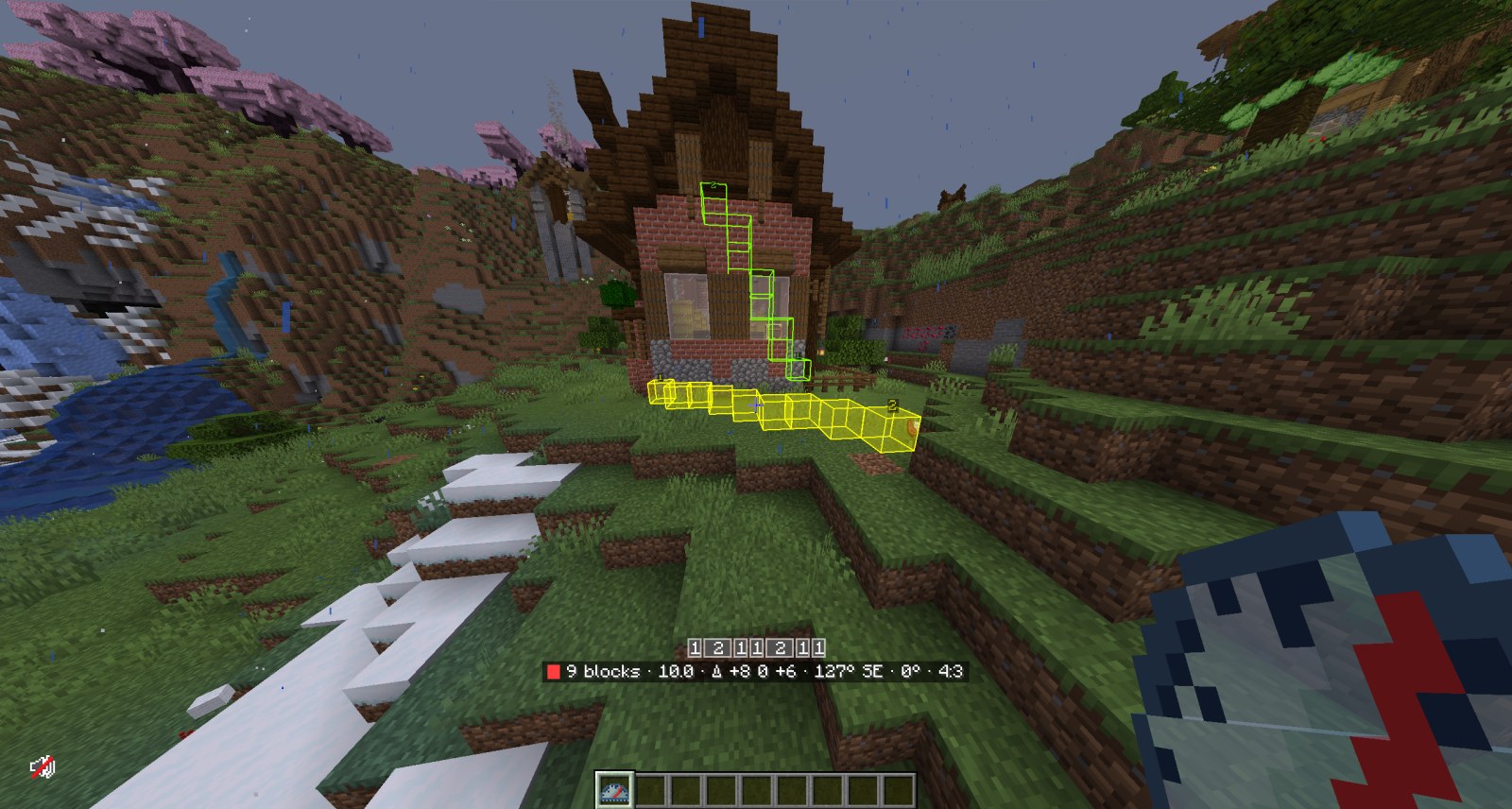
Mods like Measurements show the distance between two points along the N/S/E/W axes. Protractor goes further: pick any two points and it shows you exactly which blocks make up the line between them, at any angle in any direction.
How to use it
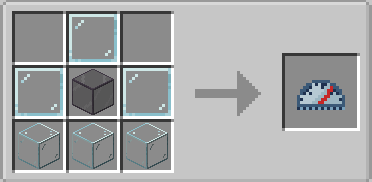
Craft a Protractor: a glass pane on top, then pane, tinted glass, pane, then three glass along the bottom.
- Right-click a block to set the first Anchor. A preview follows your crosshair. Right-click again to save the Line.
- Sneak + right-click cancels a pending Anchor, or deletes the Line you're looking at.
- Sneak + double right-click clears every Line in the dimension.
- Hold Left Alt to Snap to clean ratios such as 1:1, 2:1 and 3:2.
Features
- Every block of the Line is outlined. Blocks you've already placed disappear from the guide, so you see only what's left.
- A HUD shows the block count, blocks left, distance, bearing, elevation, the X:Y:Z ratio and a ruler of Runs.
- Lines are saved per world or server and per dimension.
- Colours, reach and draw distance are set in
config/protractor.json.
Compatibility
Minecraft 1.21.1, NeoForge 21.1.x. Made with All The Mods 10 in mind. Install it on the server as well as the client for multiplayer.
Credits
Inspired by Measurements by Mrbysco. Thank you!
Made by Lyle Classen, with Claude (Anthropic's AI model, via Claude Code) as a contributor on design, code and docs.
Source code and issues are on GitHub, under the MIT License. Contributions are welcome as pull requests.
Protractor Team