

Project EMapper
Project EMapper is an in-game helper for ProjectE that makes it easy to find items that are missing EMC (or already have EMC), set custom EMC values via a simple UI, save them directly into ProjectE’s custom_emc.json.
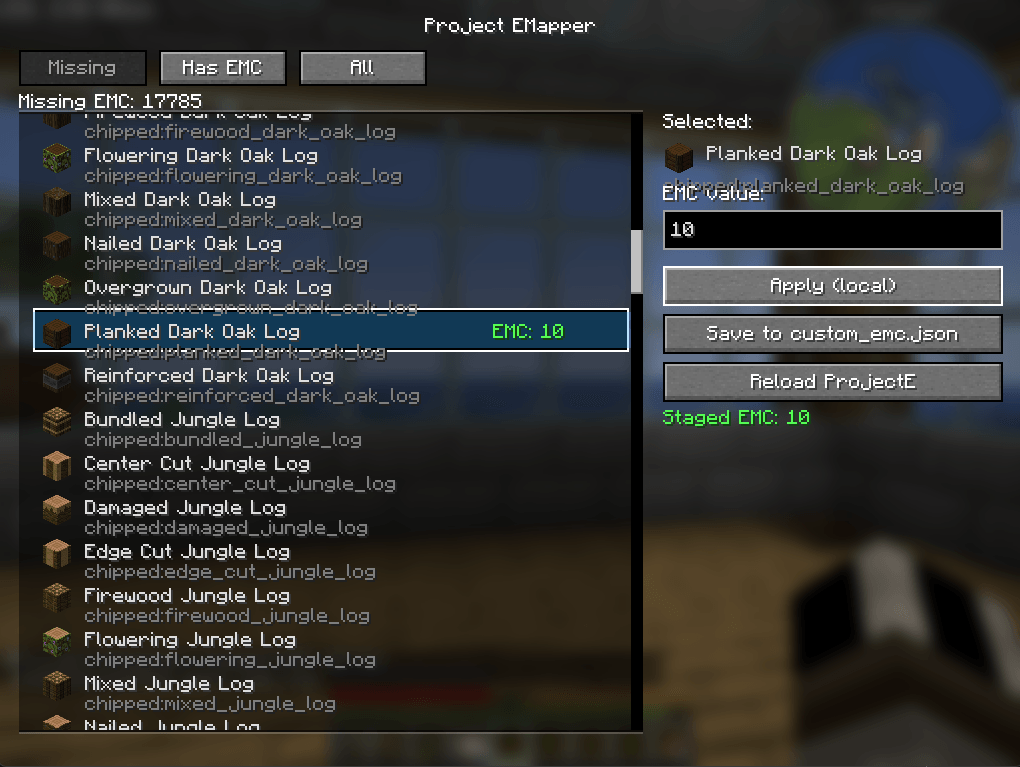
image_2026-02-03_215347745.png
Screenshot 2026-02-03 215313.png
Description
Project EMapper is an in-game helper for ProjectE that makes it easy to find items that are missing EMC (or already have EMC), set custom EMC values via a simple UI, save them directly into ProjectE’s custom_emc.json, and then reload datapacks so ProjectE picks up the changes—without needing to type commands.
Features
- scan Items and Browse:
- Missing EMC Value
- Has EMC Value
- All Items
- Clickable List Ui with Items Icons
- Edit EMC value for selected item stage them locally when done you can push changes and adds to config
- Reload from GUI
Requirements
- Minecraft 1.21.1
- Neoforge 21.1.215
- projecte - ProjectE-1.21.1-PE1.1.0 or newer, may work on older versions have not tested
How to use
- defult Keybind to open UI is k, remapable
Set or change an EMC value
-
Click an item in the list
-
Type a number into EMC value
-
Click Apply (local) to stage the value
Staging lets you set a bunch of values first, then save once.
Reload ProjectE values
- Click Reload ProjectE
- This triggers an internal
/reload, which makes ProjectE rebuild its mapping with your new values.Troubleshooting
“My EMC changes didn’t apply.”
- Make sure you clicked Save to custom_emc.json
- Then click Reload ProjectE
- Confirm the item exists in
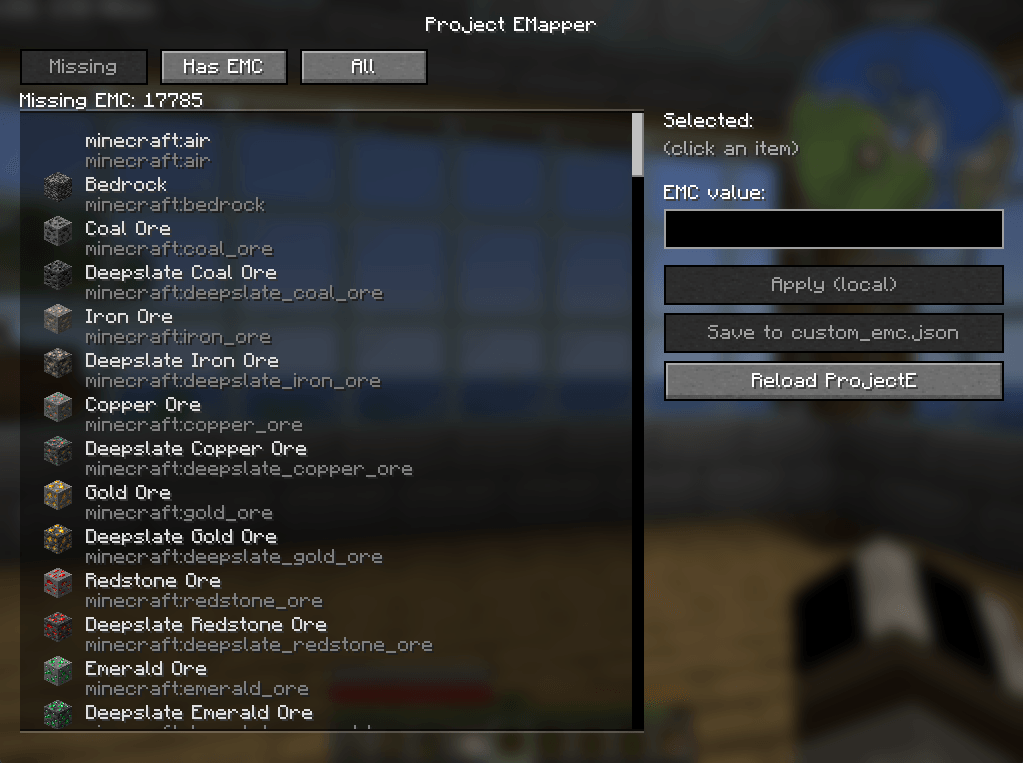
config/ProjectE/custom_emc.json“I see items like air/bedrock in the list.”
- Some registries include special or non-survival items. You can ignore them, or filter them out in a future update.
Planned Improvements
- Search bar + sorting
- Show current EMC and custom override side-by-side
- Optional “hide non-survival / technical items”
- Server/OP mode with permission checks
The Project EMapper Team
