Private Chat Team
- By
08-aba-tela.png
05-localizacao.png
Description
Private Chat
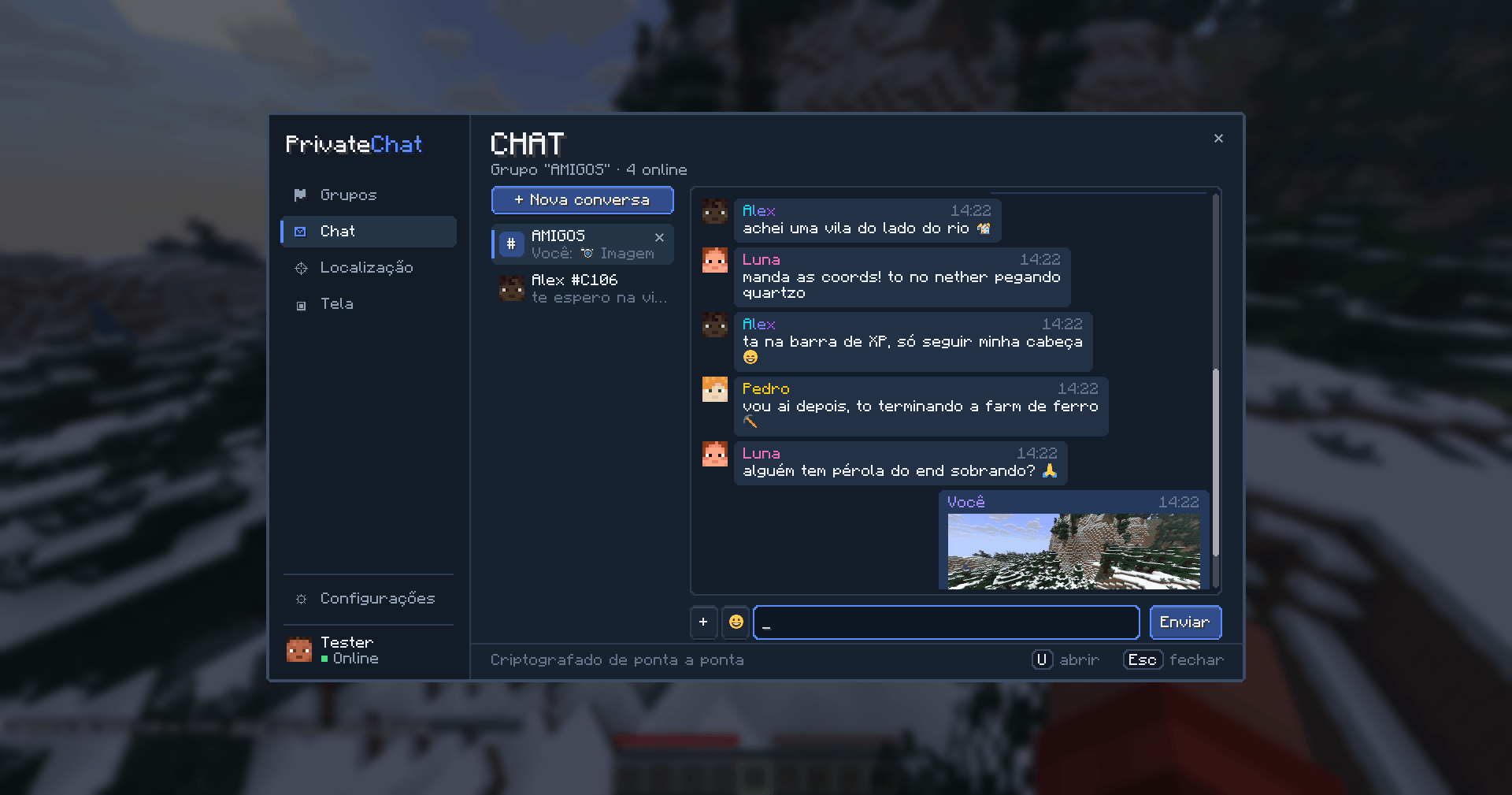
Private chat inside Minecraft, with end-to-end encryption. Talk to your friends in password-protected groups or private conversations, send images, see where everyone is and share your game screen. Nothing goes through the server's chat.

Open it with the U key (you can change it in the mod's Settings or in Options → Controls). The interface is in Brazilian Portuguese.
🔒 Truly private
- End-to-end encryption: messages leave your game already encrypted (AES-256-GCM). Neither the game server nor the PrivateChat server can read them.
- Nothing goes through the server's chat: staff, plugins and logs of the server you are playing on never see your conversations.
- Groups with a name and a password: the group key comes from the password (Argon2id). Without the password, nobody gets in.
- Fingerprint identity: every player has a unique code. You can check it by voice to make sure you are talking to the right person, even if someone uses the same nickname.
- History saved on your PC, also encrypted. On the PrivateChat server, messages are deleted after 48 hours.

💬 Chat
- Groups (name + password) and private conversations (using your friend's fingerprint).
- Images as PNG, with no quality loss (up to 10 MB): paste with Ctrl+V or pick a file. Click to zoom in.
- Colored emojis and new-message notifications in the style of Minecraft advancements (with sound, and you choose the corner of the screen).
- See who is online in each group, with their skin head.


📍 Friends' location
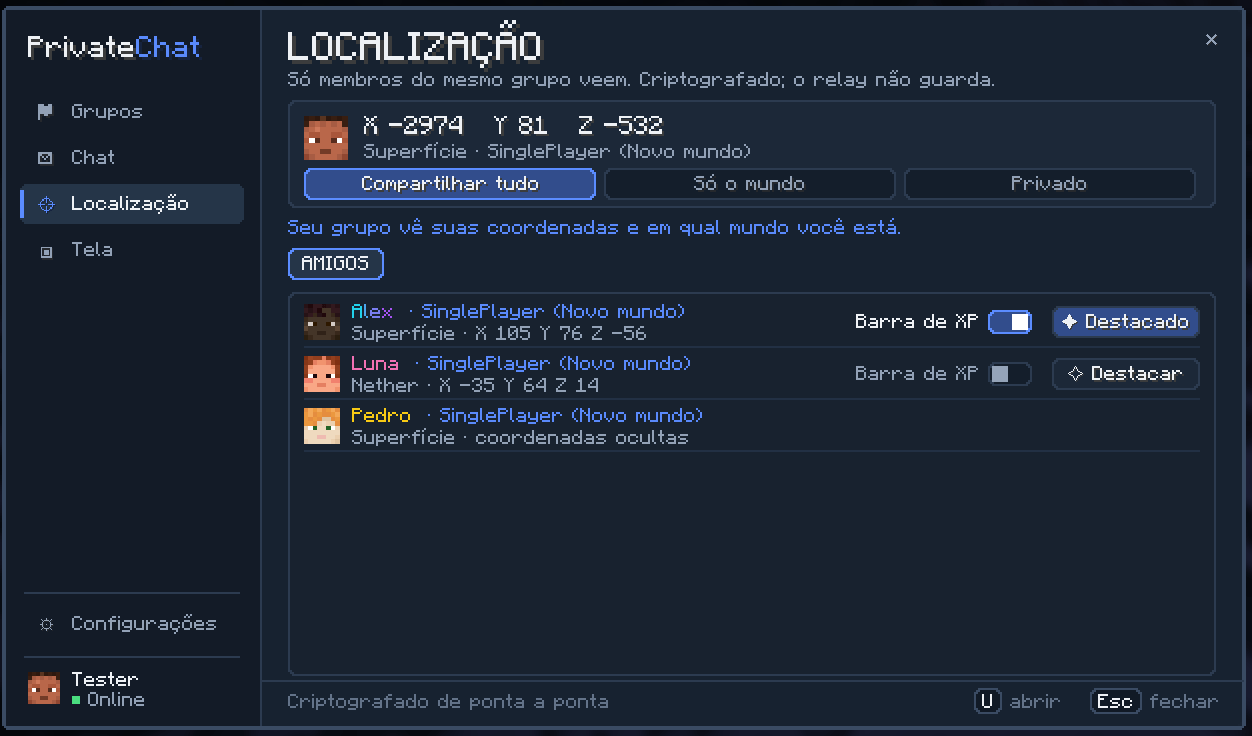
- Each player chooses what to share: everything (coordinates and world), only the world or nothing.
- See which server and world each friend is in (Overworld, Nether, End) and, for friends in the same world as you, the distance and direction.
- Highlight a friend: they get a glow and/or an arrow above their head, visible through walls. Only you can see it.
- Head on the XP bar (Locator Bar style): see which way your friend is, even from far away, with a small arrow showing if they are higher or lower.


🖥️ Screen sharing
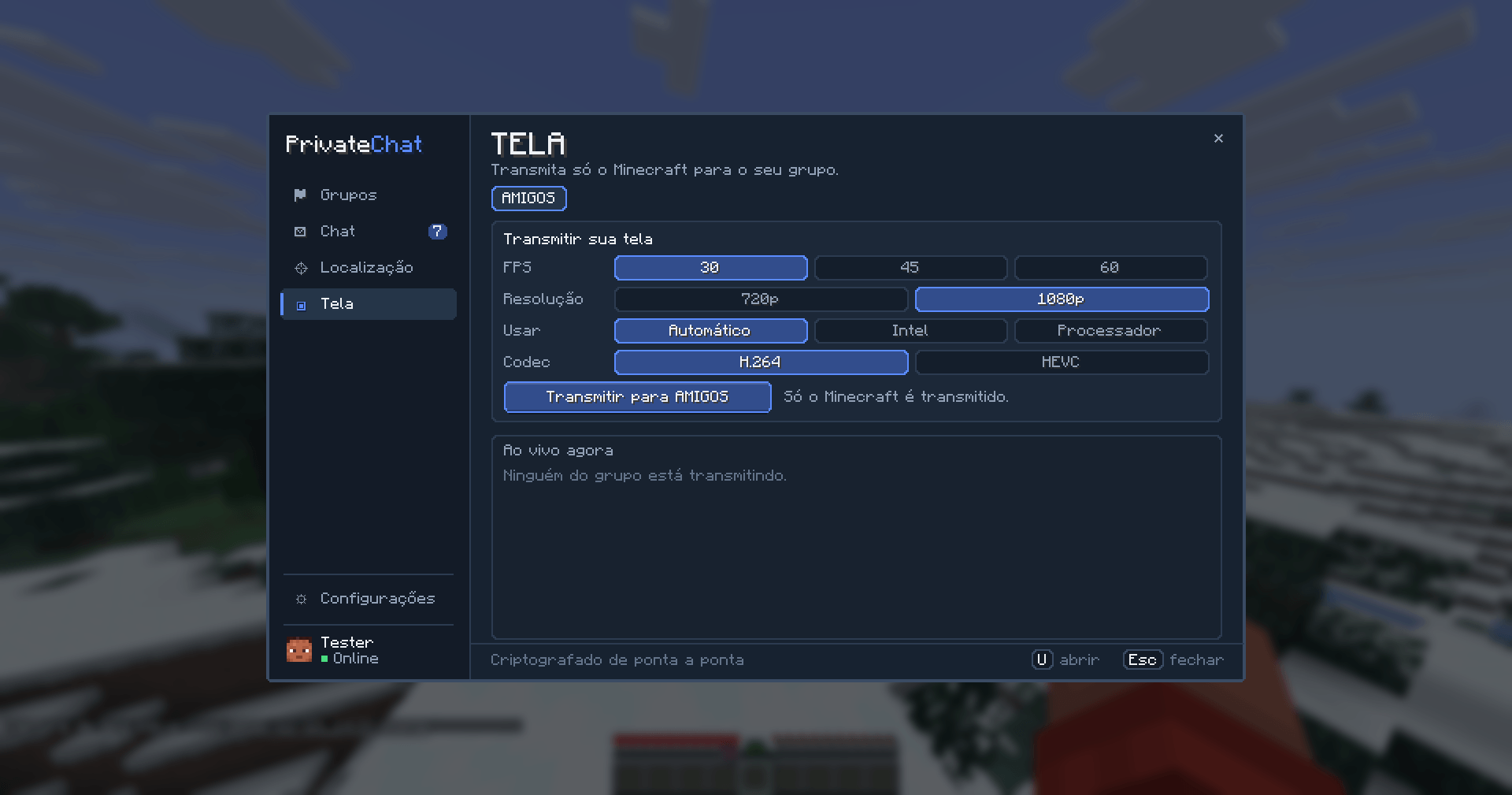
- Stream only Minecraft to your group (never your desktop), also end-to-end encrypted.
- Choose 30, 45 or 60 FPS, 720p or 1080p, and whether to use your graphics card (NVIDIA, AMD or Intel) or your CPU, with H.264 or HEVC.
- Watch it big or pin it to a corner of the screen while you play. You can watch up to 4 streams at once and stream while watching.
- Drag and resize the pinned stream, in 16:9 or 9:16.
- While the PrivateChat window is open, your stream pauses by itself, so nobody sees your conversations. It also stops by itself after 15 minutes with no one watching.
- See how many people are watching each stream.
 [PRINT: a friend's stream pinned to the corner of the screen during gameplay]
👑 Group owners
- Whoever creates the group is the owner (crown next to their name).
- The owner can kick, ban (the player can't come back even with the password), see the banned list, unban and delete the group.

🎨 Your style
- Interface color and background (solid color or gradient).
- Your personal color (also as a gradient): shown on your name, your arrow and your glow for your friends.
- A window you can drag and resize like a Windows window, and it remembers where you left it.

📋 Requirements
- Minecraft 1.21.11 with Fabric Loader and Fabric API.
- Client-side only: nothing to install on the game server, and it works on any server.
- Screen sharing only works on 64-bit Windows. Everything else works on any system.
- Everyone in a group must use the same mod version. When a new version comes out, the mod tells you to update.
❓ FAQ
Can the game server read my messages? No. They never go through the game server: they go encrypted straight to the PrivateChat server, which only forwards them and can't read them.
Can I get banned from a server for using this mod? The mod gives no PvP advantage and sends nothing to the game server. The glow, the arrow and the XP bar only use the location that your friend chose to share with you. Still, check the rules of the server you play on.
What if I forget the group password? Nobody can recover it, not even the owner of the PrivateChat server: that is what keeps it private. Ask someone in the group for the password.
What does the PrivateChat server store? Only encrypted messages (deleted after 48 h), encrypted images (deleted after 12 h), your nickname, your fingerprint, your color and which groups you are in. Location and screen video are never stored. Your IP address is not saved.
Private Chat Team Team