📬 Private Chat
Private Chat adds private direct messages (DMs) to Minecraft multiplayer servers with a clean UI and instant notifications.
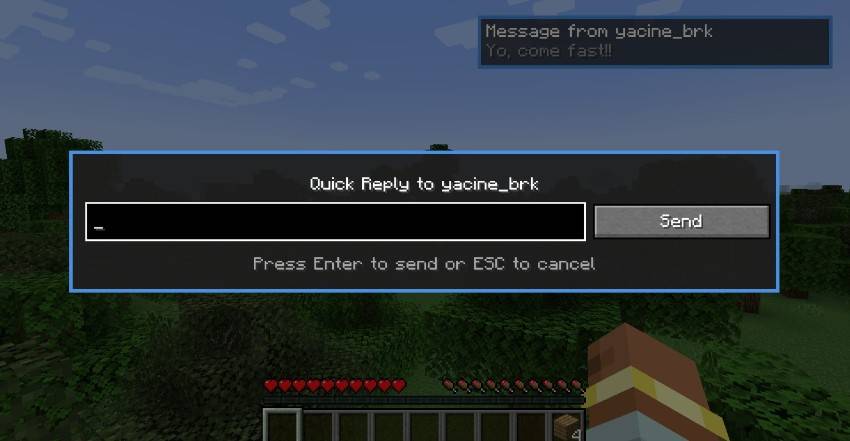
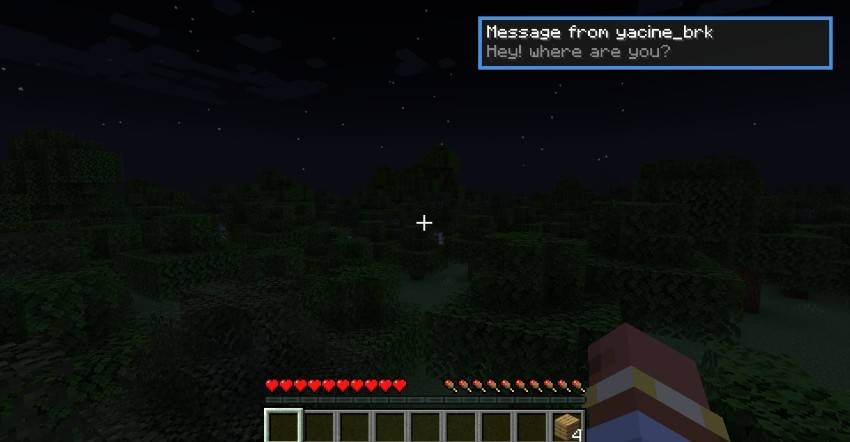
When another player messages you, you receive an in-game pop-up notification with sound, so you never miss a message while playing.
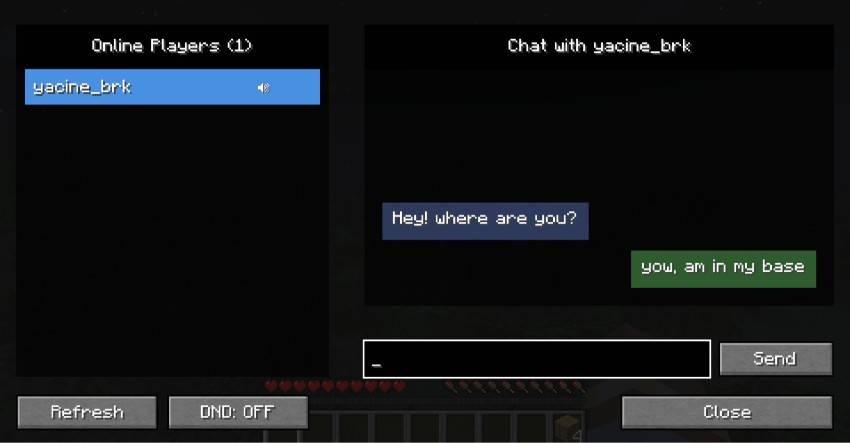
You can open the private chat menu using the Y key (fully configurable), select a player from the online list, and start chatting privately.
Unread messages are clearly marked with a green dot, and you can instantly reply using the R key.
The mod also includes Do Not Disturb (DND) mode and player muting, giving you full control over your private conversations.
✨ Features
- Private 1-to-1 direct messages
- In-game message notifications with sound
- Open private chat menu with Y (configurable keybind)
- Quick reply using the R key (configurable keybind)
- Do Not Disturb (DND) mode
- Mute / unmute specific players
- Unread message indicator (green dot)
- Simple, clean UI with online player list
🕹 How It Works
- Receive a private message → get notified instantly.
- Press R to quick-reply, or press Y to open the private chat menu.
- Select a player and chat privately.
- Enable DND to block interruptions when needed.
Designed for multiplayer servers where private communication matters.
⚠️ Important
- This mod is required on both the client and the server.
- Designed for multiplayer use.
🖼 Screenshots
Incoming private message notification
Private chat menu with online players
Quick reply popup