Prismatica: Schematic Utility
- By
javaw_BXUjfHKB1s.png
javaw_bVydZ0jU7k.png
javaw_DlAZ5iuTMG.png
Description
Prismatica
Prismatica is a lightweight, 100% client-side schematic projection and building assistant built natively for Minecraft.
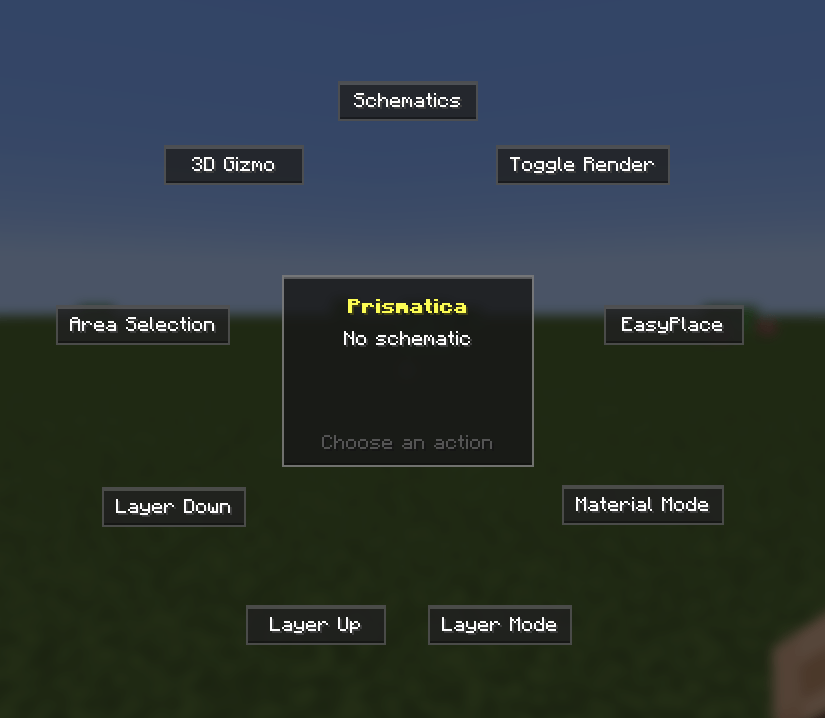
Designed as a sleek, standalone alternative to legacy schematic mods, Prismatica requires zero external libraries (no MaLiLib Required) and replaces clunky coordinate tables with an in-game Radial Menu, interactive 3D Gizmo handles, a Creative Printer, and a VBO-cached Local Bubble Renderer that keeps your framerate stable even on massive megabuilds.
Because Prismatica runs entirely on the client, it works out of the box in singleplayer and on unmodified vanilla multiplayer servers.
Key Features
VBO-Cached Spatial Bubble Rendering
- Static VBO Bubble Caching: Bakes visible ghost blocks into a back-to-front sorted GPU
VertexBuffer(VBO) with smooth outer-rim distance fading and instant single-frame updates when blocks are placed. - Localized Projection: Renders ghost blocks only within an adjustable radius around your character (default: 20 blocks, up to 48), preventing massive schematics from tanking your FPS.
- Directional 3D Shading & Smart Culling: Applies directional face shading for clear 3D depth and hides internal faces between identical opaque blocks while keeping mixed-material walls 100% readable.
- Full BlockEntity Support: Accurately renders translucent ghost chests, signs, hanging signs, beds, banners, shulker boxes, and decorated pots.
- Smart Error Highlighting: Highlights misplaced blocks (red) and wrong block states (orange) while ignoring false-positive neighbor connections on unplaced fences, walls, panes, and stairs.

Interactive 3D Gizmo & Live Configuration
- In-World 3D Gizmo: Click or scroll on 3D coordinate axes (
X,Y,Z) and the rotation ring directly in the world to position your blueprint. - Live Placement Config (
K): Edit exact Gizmo origin coordinates (X / Y / Z), rotation, mirroring, ghost opacity, render radius, and EasyPlace protocols on the fly. - Relative Teleportation: Teleport directly to the schematic's Gizmo origin (
0, 0, 0) or to custom relative offsets (dX, dY, dZ) from the configuration screen. - Precision Nudging: Fine-tune schematic placement using the Arrow keys and
Page Up/Page Downwhile in Edit Mode (holdShiftfor 10-block increments).

Server-Safe EasyPlace & Creative Printer
- Dual Placement Protocols: Switch between Instant placement and Vanilla Safe (1-Tick) rotation queuing for strict multiplayer anti-cheats.
- Smart Orientation & Slab Protection: Automatically aligns directional blocks (stairs, slabs, trapdoors, logs, observers, pistons, repeaters, doors, and signs) and prevents single slabs from accidentally merging into adjacent slabs.
- Auto-Sneak & State Correction: Automatically sneaks when placing against interactive blocks or adjacent single chests, suppresses sign popups, and flips already-placed trapdoors, doors, fence gates, and repeaters to match the schematic.
- 8-Block Support Bridging: Prioritizes the exact block under your crosshair, with smart 8-block reach bridging when aiming at floating schematic blocks.
- Creative Printer (
P): Automatically builds the schematic around you as you fly in Creative Mode, plus an Instant Full-Schematic Paste button for Singleplayer Creative worlds.
Area Capture, Layer Slicing & Material HUD
- Area Selection &
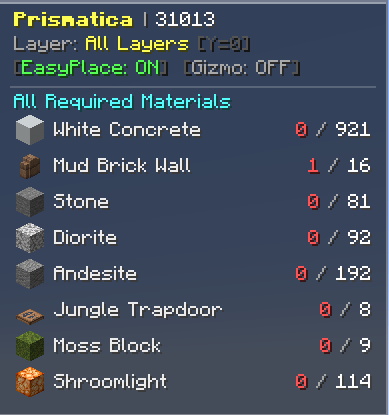
.litematicExport: Toggle Area Selection via the Radial Menu, mark two corners in the world (LMBfor Pos1,RMBfor Pos2), and pressOorEnterto export any build directly to.litematic. - Live Material & Target HUD: Displays the icon and name of the schematic block currently under your crosshair alongside real-time material counts (All Required, Remaining, or Local Bubble).
- Layer Isolation: Slice schematics vertically using All Layers, Single Layer, or Below Layer modes.
- Ghost Pick-Block: Middle-clicking any projected ghost block automatically pulls the required item from your inventory into your hand.
Controls & Keybindings
All keybindings can be customized in Options -> Controls -> Key Binds -> Prismatica.
| Action | Default Key | Description |
|---|---|---|
| Open Radial Menu | R |
Quick access to Browser, Render Toggle, EasyPlace, Materials, Layers, Area Select, and Gizmo. |
| Schematic Settings | K |
Opens the active schematic configuration, coordinate editor, and teleport menu. |
| Toggle Creative Printer | P |
Toggles automatic block printing around the player (Creative Mode only). |
| Rotate Schematic | . (Period) |
Rotates the active schematic 90 degrees clockwise. |
| Mirror Schematic | , (Comma) / M |
Cycles schematic mirroring (None, Left-Right, Front-Back). |
| Layer Up / Down | Page Up / Page Down |
Moves the active layer slice up or down (or Alt + Scroll). |
| Nudge Schematic | Arrow Keys |
Nudges the schematic in Edit Mode (Page Up / Page Down for vertical, hold Shift for 10 blocks). |
| Save Area Selection | O / Enter |
Opens the .litematic export dialog when an area selection is active. |
| Ghost Pick-Block | Middle Click |
Equips the targeted ghost block from your inventory. |
Supported Formats & Usage
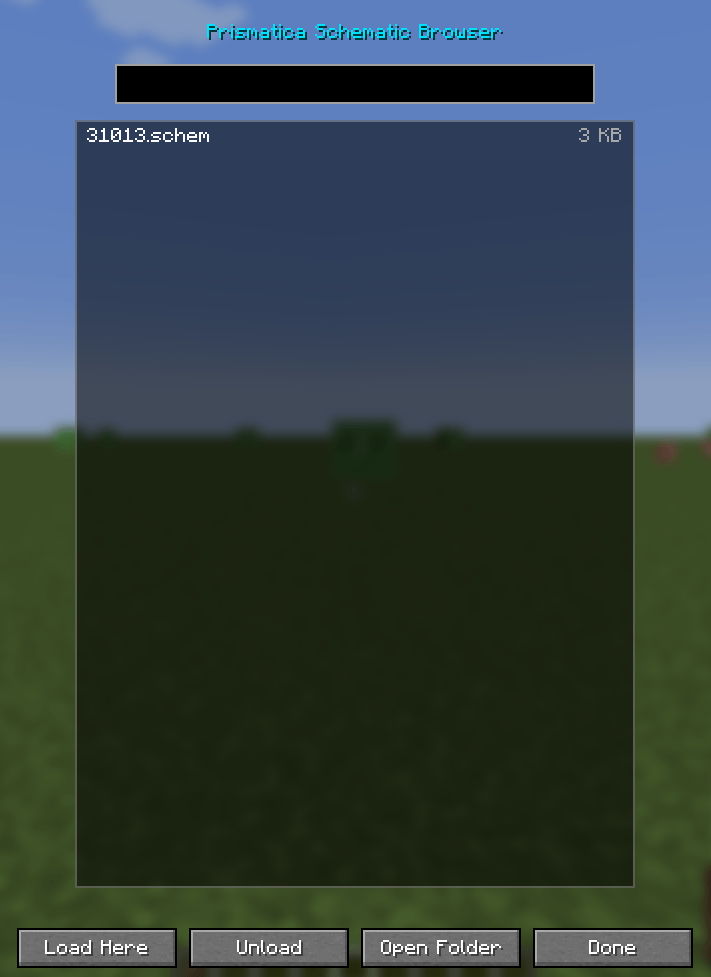
Drop your schematic files into .minecraft/schematics/ and load them in-game via the Radial Menu (R):
.litematic— Full read and write support, including multi-region schematics, large volumes, and block states..schem/.nbt— Full import support for Sponge / WorldEdit schematics and Vanilla Structure templates.
Client preferences (render radius, ghost opacity, smooth rim fade, EasyPlace cooldown/protocol, printer speed, and HUD position) can also be adjusted in .minecraft/config/prismatica-client.toml.
Prismatica: Schematic Utility Team