
Playsound_Pro - 音频播放专业版
- By
This mod is an enhanced version of the vanilla /playsound command, adding features such as distance attenuation and looping playback.
Core Features: 中国用户可以前往:Summer_XTJL - 个人作者 - MC百科|最大的Minecraft中文MOD百科
Can be used together with this mod. F5 Camera control - F5视角控制器 - Minecraft Mods - CurseForge
🎵 Read audio files directly from resource pack
🗺️ Support area audio playback (dynamically adjust volume based on player position)
👥 Multiplayer compatibility (audio calculated independently for each player)
🔧 Rich command system
🌐 Full multi-language support (English & Chinese)
📁 Audio file location
Place your WAV format audio files into the following directory of the resource pack: assets/summer_xtjl_audio/audio/
File Requirements:
Only supports .wav format files
File naming is recommended to use English or numbers
Supports all standard WAV audio parameters
Normal Audio Playback Command
Normal audio playback: /playsound_pro play <category> <loop> <filename>
Parameter Description:
Category: Sound category (controls which in-game volume setting affects the volume)
unlimited - Not affected by in-game volume settings (always maximum volume)
master - Affected by master volume
music - Affected by music volume
record - Affected by jukebox/record volume
weather - Affected by weather volume
block - Affected by block volume
hostile - Affected by hostile mob volume
neutral - Affected by neutral mob volume
player - Affected by player volume
ambient - Affected by ambient volume
voice - Affected by voice volume
Loop: true (loop playback) or false (play once)
Filename: Audio filename (the .wav extension can be omitted)
Example: /playsound_pro play master false test
Area Audio Playback Command
Area audio playback: /playsound_pro play <category> <loop> <filename> x=<x> y=<y> z=<z> dx=<dx> dy=<dy> dz=<dz> center cx=<cx> cy=<cy> cz=<cz> cdx=<cdx> cdy=<cdy> cdz=<cdz> mv=<Minimum volume>
[The farther away from the sound core area, the smaller the volume. Outside the range defined by x y z dx dy dz, no sound can be heard.]
Category: Sound category (controls which in-game volume setting affects the volume)
unlimited - Not affected by in-game volume settings (always maximum volume)
master - Affected by master volume
music - Affected by music volume
record - Affected by jukebox/record volume
weather - Affected by weather volume
block - Affected by block volume
hostile - Affected by hostile mob volume
neutral - Affected by neutral mob volume
player - Affected by player volume
ambient - Affected by ambient volume
voice - Affected by voice volume
Loop: true (loop playback) or false (play once)
Filename: Audio filename (the .wav extension can be omitted)
x=, y=, z=: Starting coordinates of the area
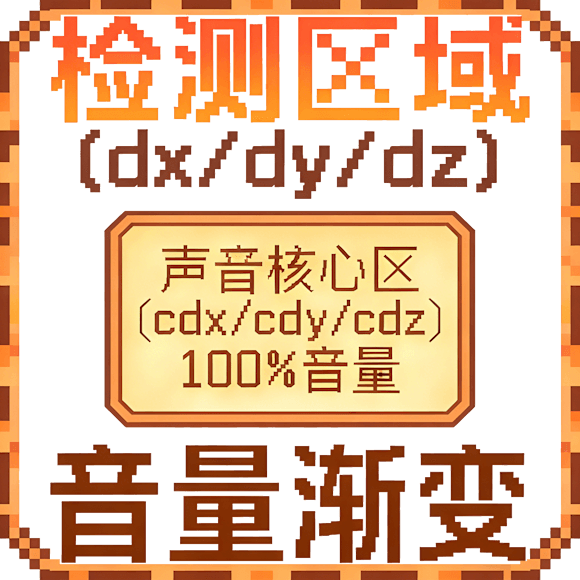
dx=, dy=, dz=: Area dimensions (can be negative, but cannot be 0)
center cx=, cy=, cz=: Starting coordinates of the sound core area [volume is always 100% within the sound core area]
cdx=, cdy=, cdz=: Dimensions of the sound core area
mv=: Minimum volume percentage (0-100), default is 0
Area Audio Features:
Audio only plays when the player is within the detection area
Volume changes dynamically based on player position:
Inside the sound core area: 100% volume
Inside the detection area but outside the core area: Volume gradually decreases with distance Outside the detection area: No sound
The mv parameter sets the minimum volume, ensuring distant players can still hear faint sound [within the detection area range]
Area Audio Logic
Playsound_Pro - 音频播放专业版 Team

