See what other players are up to — cleanly, privately, and with zero lag.
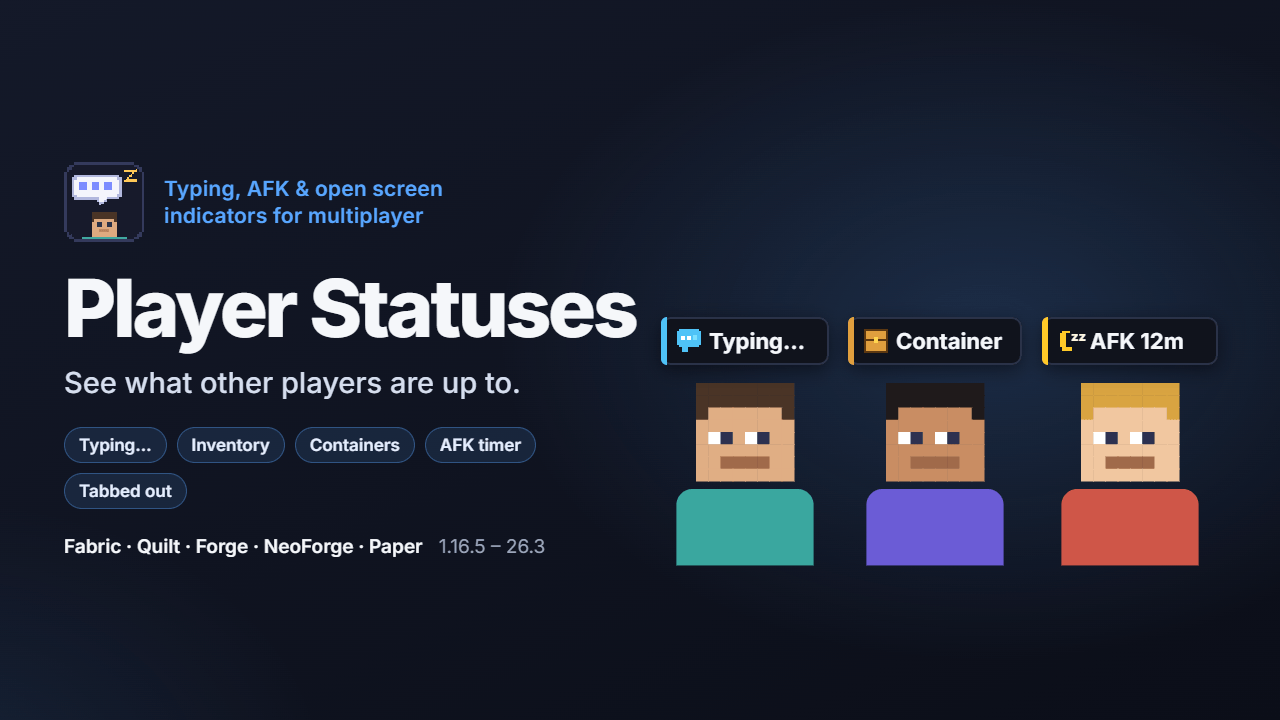
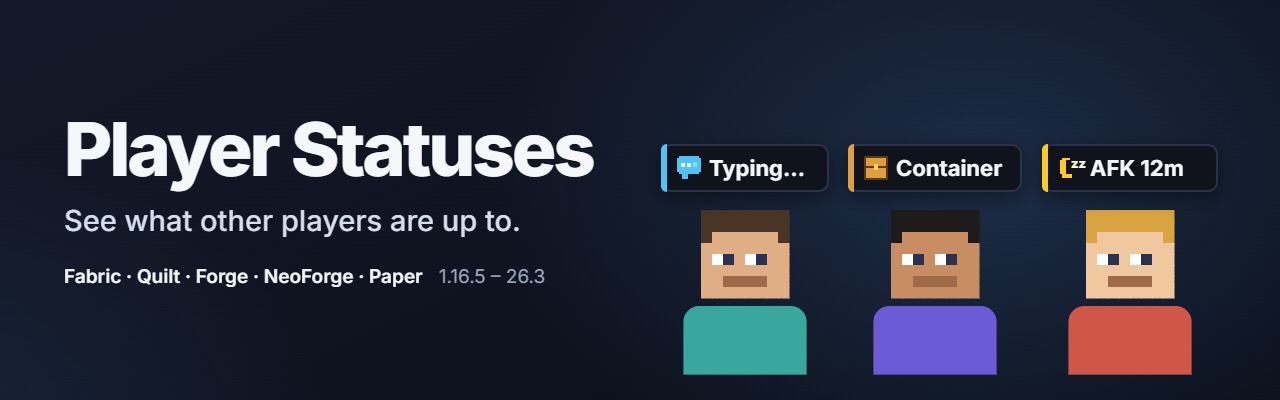
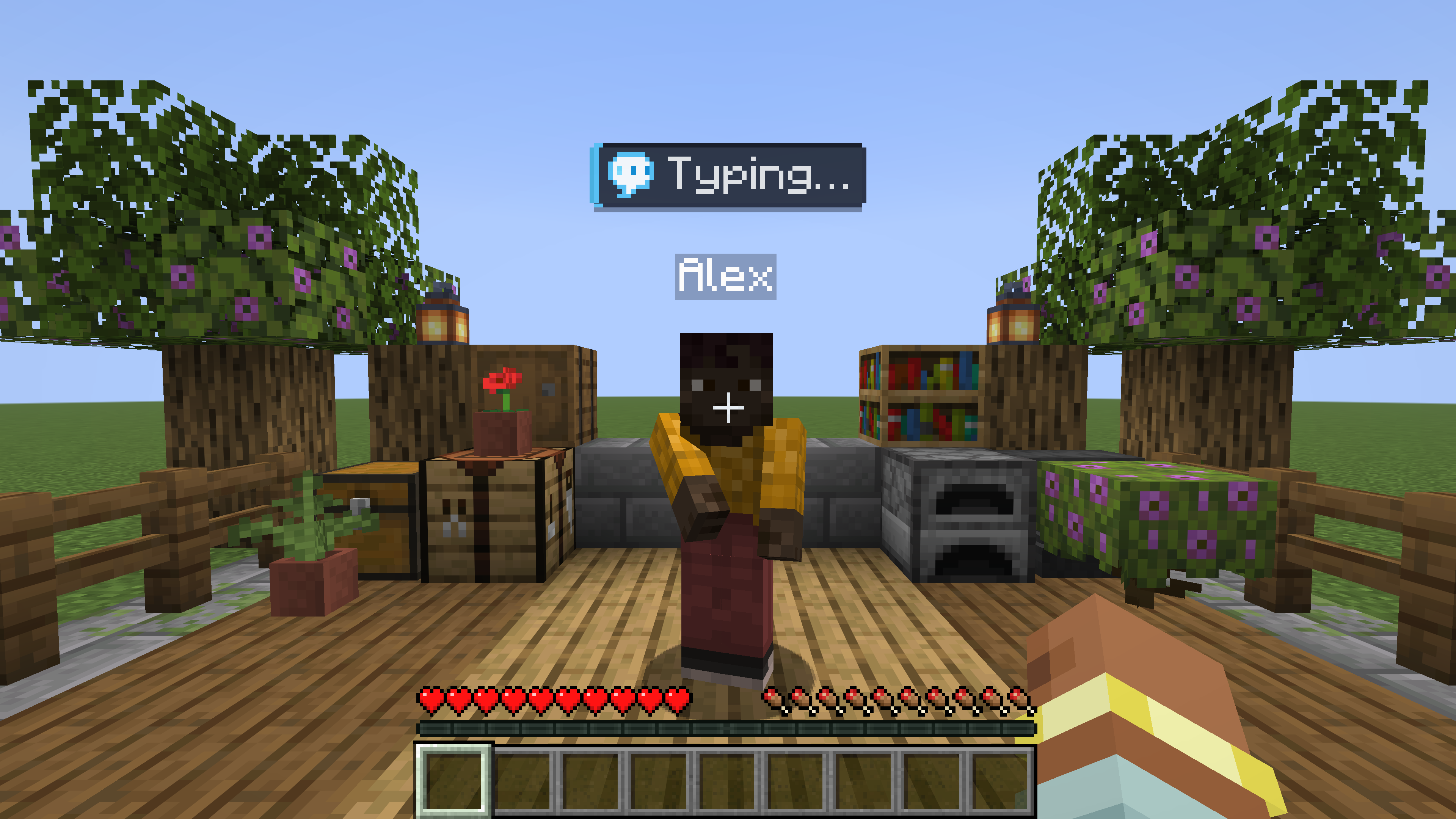
Player Statuses draws a crisp dark-slate badge above a player's name tag (and a compact indicator in the Tab player list) whenever they are typing in chat, browsing their inventory or a container, using a workstation, reading, AFK (with a live idle timer), tabbed out, or muted in Simple Voice Chat.
Why Player Statuses?
- Privacy first: the text you type is never sent over the network — only a 5-byte status code. Every status category has its own outgoing privacy switch and incoming visibility switch.
- Ultra-lightweight alternative to What Are They Up To (WATUT): instead of streaming copies of players' screens over the network, Player Statuses sends tiny binary state updates and renders clean pixel-art badges in the name-tag pass — zero packet bloat, zero screen flicker, and negligible FPS cost.
- True universal JARs (1.16.5 – 26.3): one JAR covers every Fabric & Quilt release from 1.16.5 to 26.3, and one JAR covers every Forge & NeoForge release from 1.16.5 to 26.3.
- Works with Paper / Purpur / Folia / Spigot servers & vanilla clients: install the companion Bukkit plugin (or the server mod) and even players without the mod get server-side AFK + container detection, overhead
TextDisplay badges (1.19.4+) and localized Tab-list statuses.
- Shader & nametag-mod friendly: rendered directly in Minecraft's name-tag pass so Iris, Oculus, Figura, Customizable Player Models and Nametag Tweaks work out of the box.
Statuses & Visual Details
- Chat & Commands: animated Typing… bubble, open chat, and Command… indicator.
- Inventories & Workstations: player inventory, crafting/stonecutter/loom/smithing, chests/barrels/shulkers, furnaces/brewing stands, enchanting/beacons, anvils/grindstones, villager trading.
- Reading & Menus: books/lecterns, signs, full-screen maps, pause menu, settings, advancements, dimension loading, and other mods' screens (emote wheels such as Emotecraft, CPM, Figura, Yes Steve Model and Controlify are automatically ignored).
- AFK, Window Focus & Voice Chat: automatic AFK timer (
AFK 12m) + manual /afk command, unfocused/minimized window icon, and Simple Voice Chat muted-mic / disabled-sound badges.
- Subtle Arm Poses: players who are typing or looking through an inventory raise their arms naturally (toggleable in settings).
In-Game Settings & Live Preview
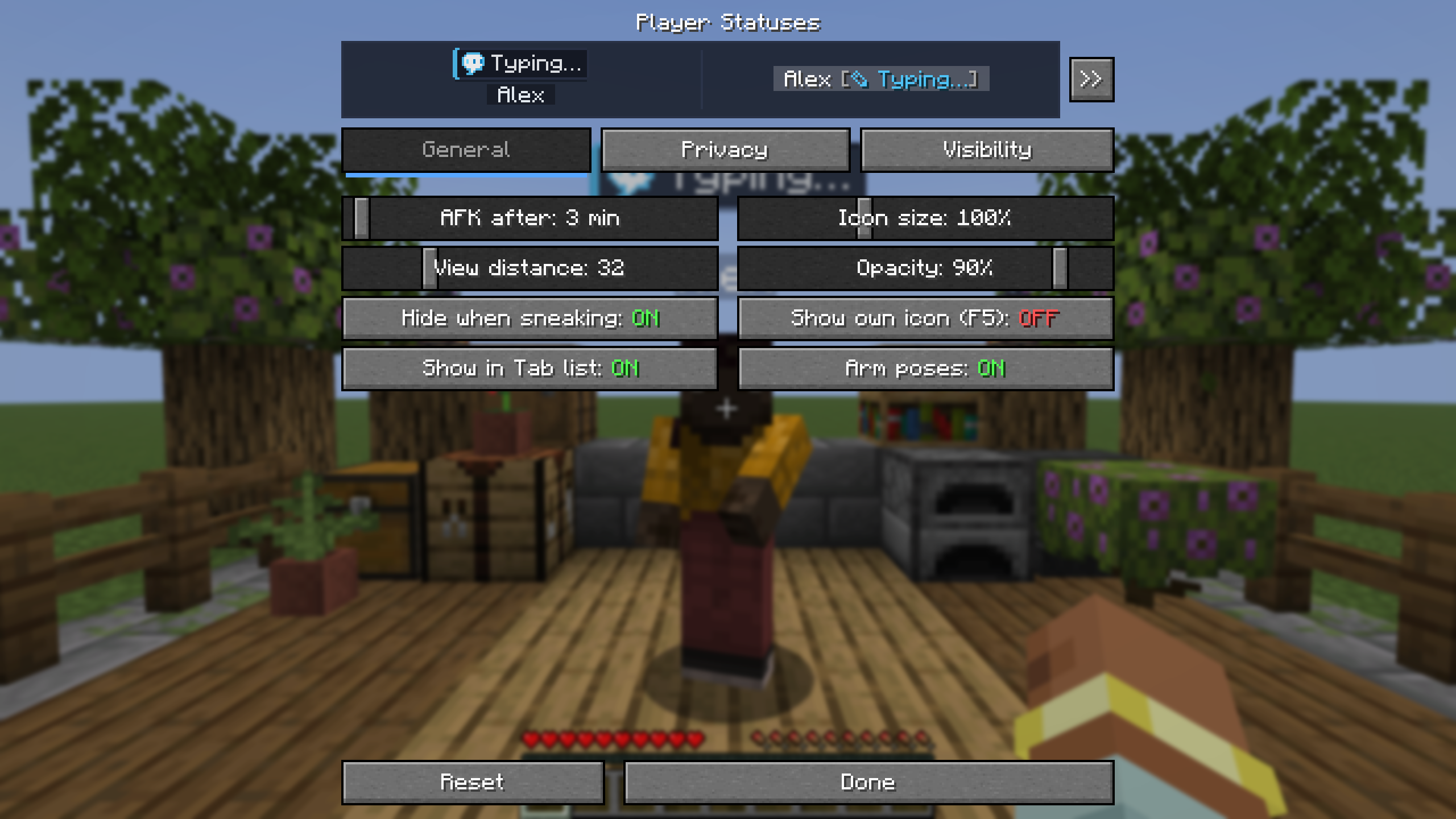
Open the settings screen through Mod Menu (Fabric/Quilt), the Mods → Config button (Forge/NeoForge), or bind a key in Options → Controls → Key Binds → Multiplayer:
- Live Preview Card: preview both the overhead badge and Tab-list formatting in real time as you adjust opacity, scale, or visibility.
- General: AFK timeout, icon scale (50–200%), view distance (4–128 blocks), opacity (20–100%), sneak-hiding, third-person self-preview, Tab-list toggle, and arm poses.
- Privacy & Visibility: independent per-category switches (plus one-click Enable all / Disable all and Reset) for what you share with others and what you see from others.
Which File Do I Need?
- Fabric / Quilt (1.16.5 – 26.3): download the Fabric/Quilt universal JAR (requires Fabric API).
- Forge (1.16.5, 1.17.1 – 26.3) & NeoForge (1.20.1 – 26.3): download the Forge/NeoForge universal JAR.
- Paper / Purpur / Folia / Spigot / Bukkit servers (1.16.5 – 26.3): install the plugin from the CurseForge Bukkit Plugins page (or GitHub Releases) into
plugins/.
Note: to see status icons in multiplayer, install the mod on your client and either the mod or the Paper/Spigot plugin on the server. Installing on one side alone is completely safe — the mod stays silent on servers that do not have it.
Commands & Localization
/playerstatuses — shows the version, how many online players have the mod, server settings, and your current status./playerstatuses reload — reloads playerstatuses-server.properties (operators / permission level 2)./afk — toggles AFK until you move or act (can be disabled in server config so other AFK plugins keep /afk).- Built-in translations for 13 languages: English, Russian, Ukrainian, Polish, German, French, Spanish, Brazilian Portuguese, Italian, Turkish, Japanese, Korean, and Simplified Chinese.
Full configuration reference, source code, and issue tracker: GitHub Repository.