Player Difficulty
- By
Per-player difficulty: monsters get up to 2.5x tougher and hit up to 2x harder for you as your play time, kills and gear grow, and ease off for a while after a death. Server-side for Fabric 1.21.1; players without the mod can join.
01-hero.png
02-per-player.png
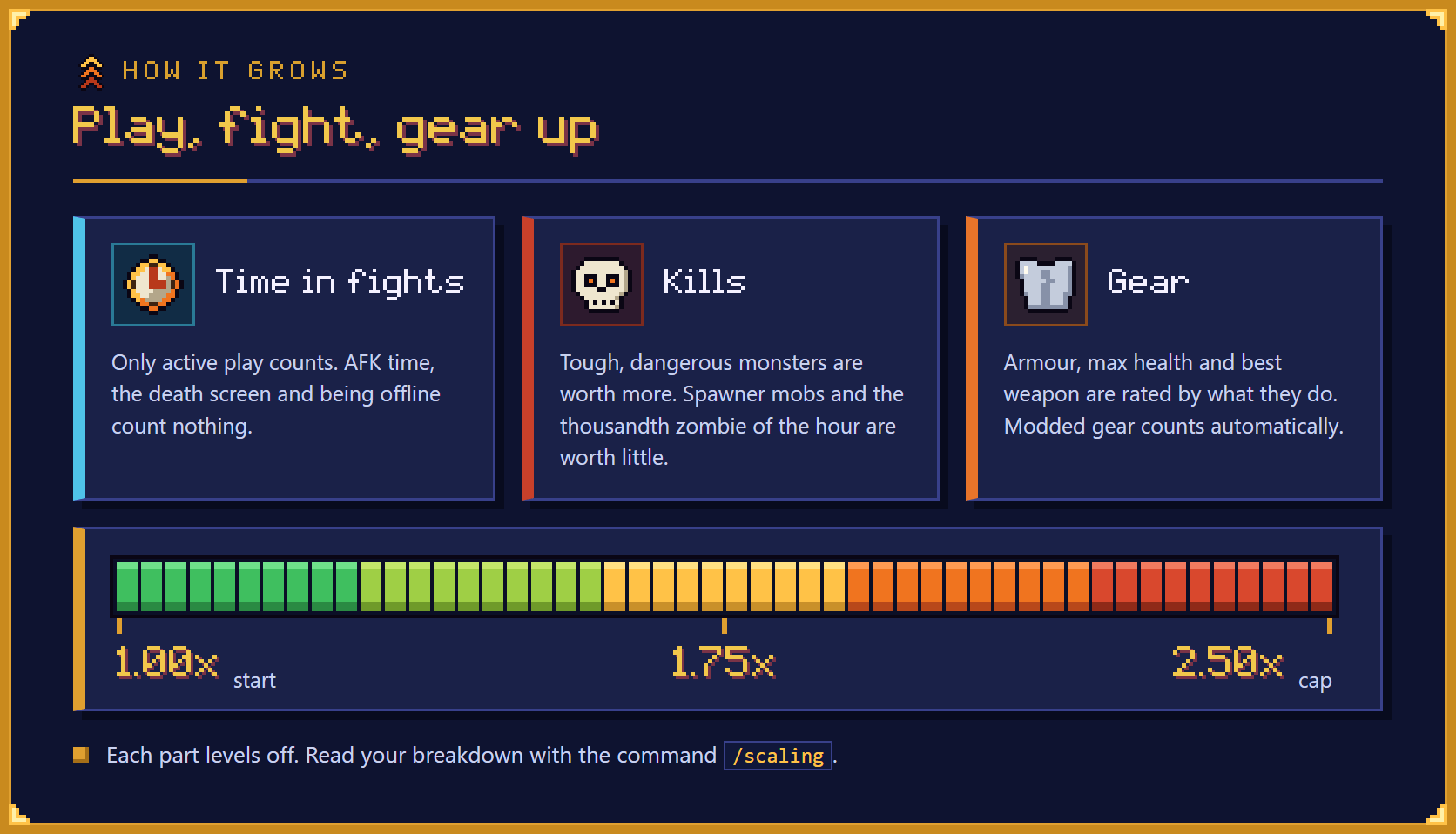
03-grows.png
04-effects.png
05-builders.png
Description
Player Difficulty is a server-side difficulty mod for Fabric 1.21.1 with per-player difficulty: every player gets their own difficulty multiplier. It starts at 1.00x, grows as you play, fight and gear up, and stops at a cap of 2.50x, where monsters need 2.5 times the damage from you and deal 2 times the damage to you. Players without the mod can join, and a small optional client part can show your number on the pause and inventory screens.
Last updated: October 2026
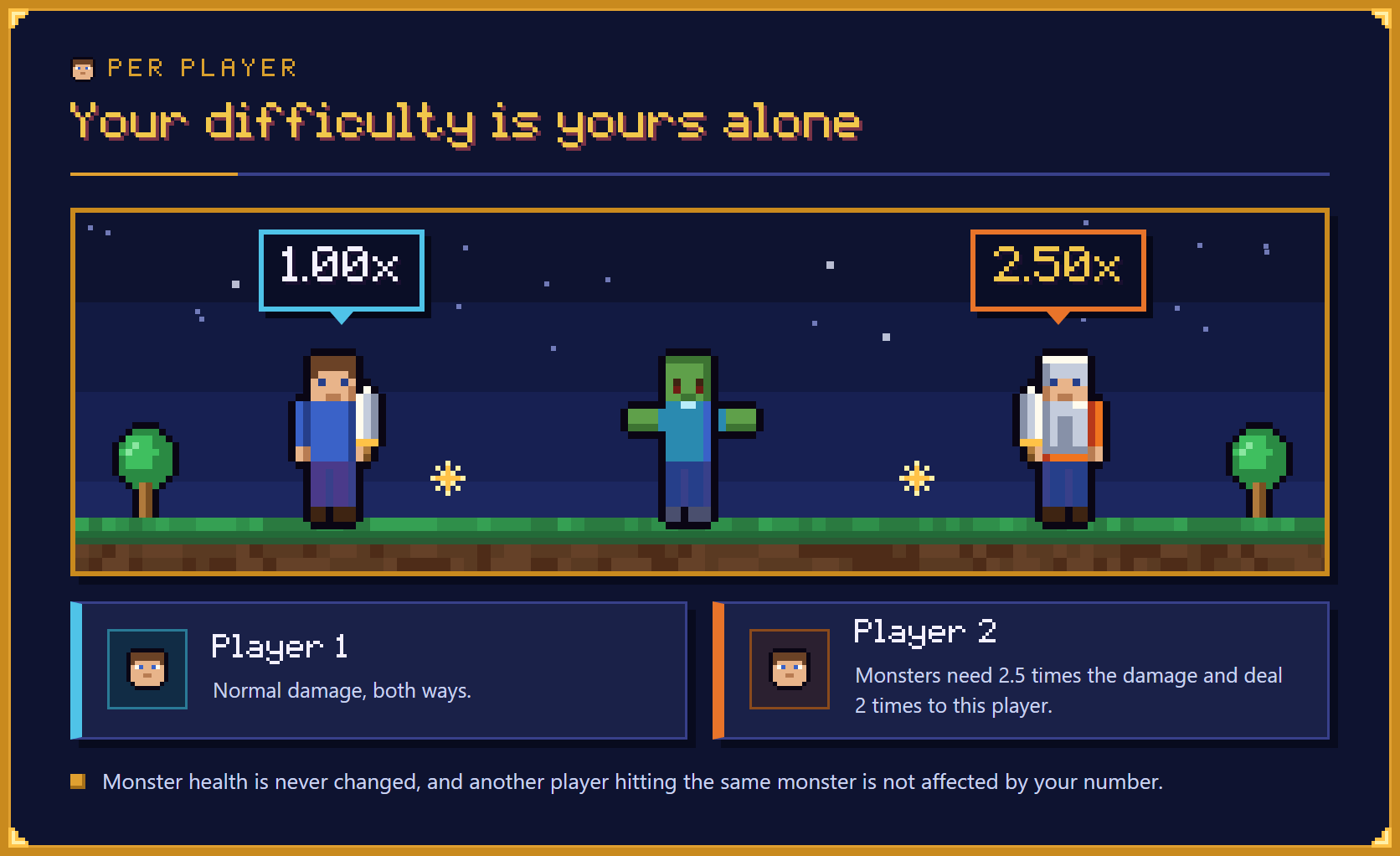
Every player has a multiplier of their own. A monster needs more damage from a player with a high multiplier and hits that player harder, while the same monster is unchanged for a player with a low one. Monster health is never changed, so another player hitting the same monster is not affected by your number.
Three things raise your multiplier: time spent in fights, kills and the gear you wear. Only active play counts, and each part levels off so none of them can run away. You can read your breakdown at any time with /scaling.
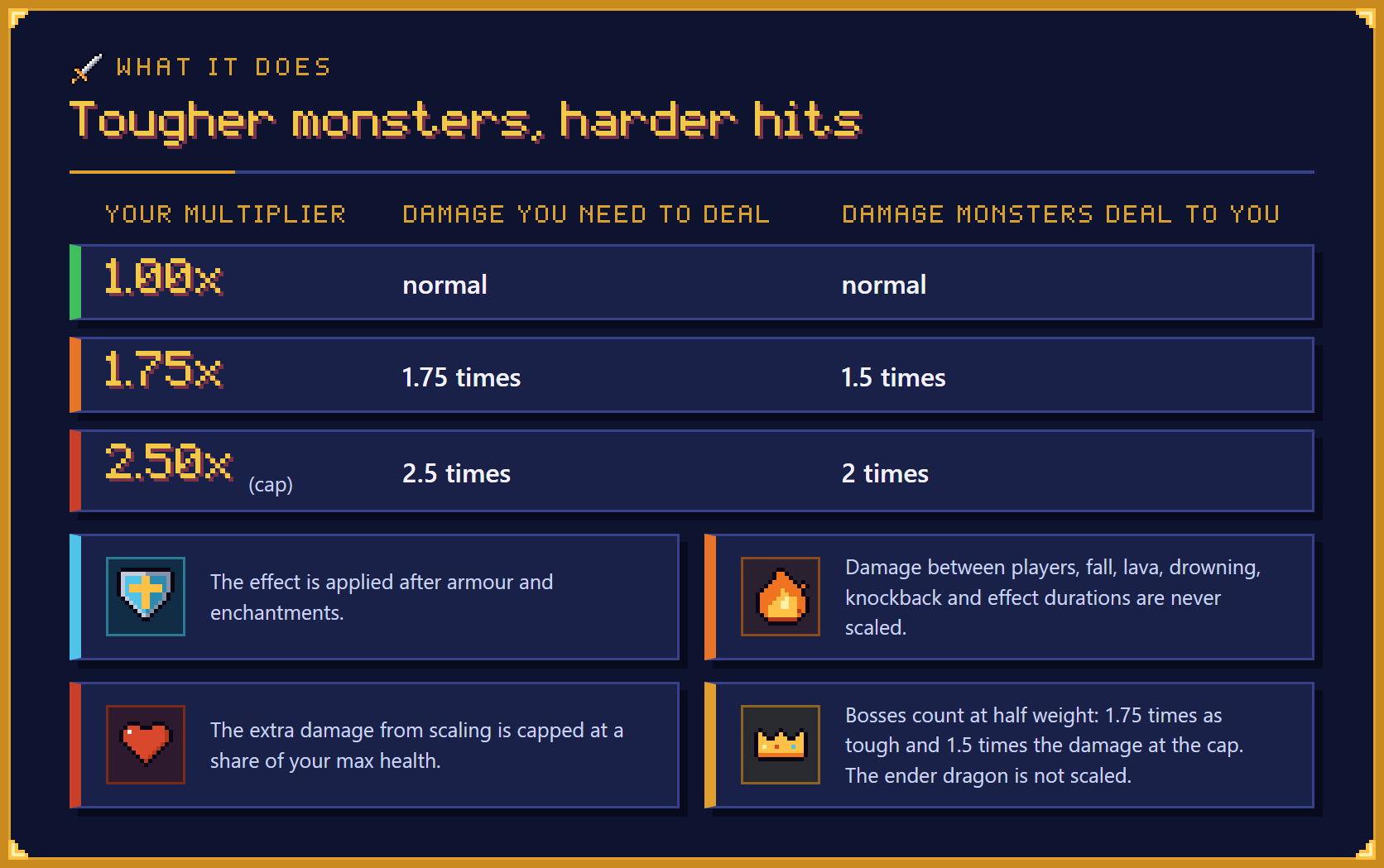
At the cap a monster needs 2.5 times the damage from you and deals 2 times the damage to you. This is applied after armour and enchantments, so it holds for every armour set and every mob. Some damage is never scaled, and bosses count at half weight.
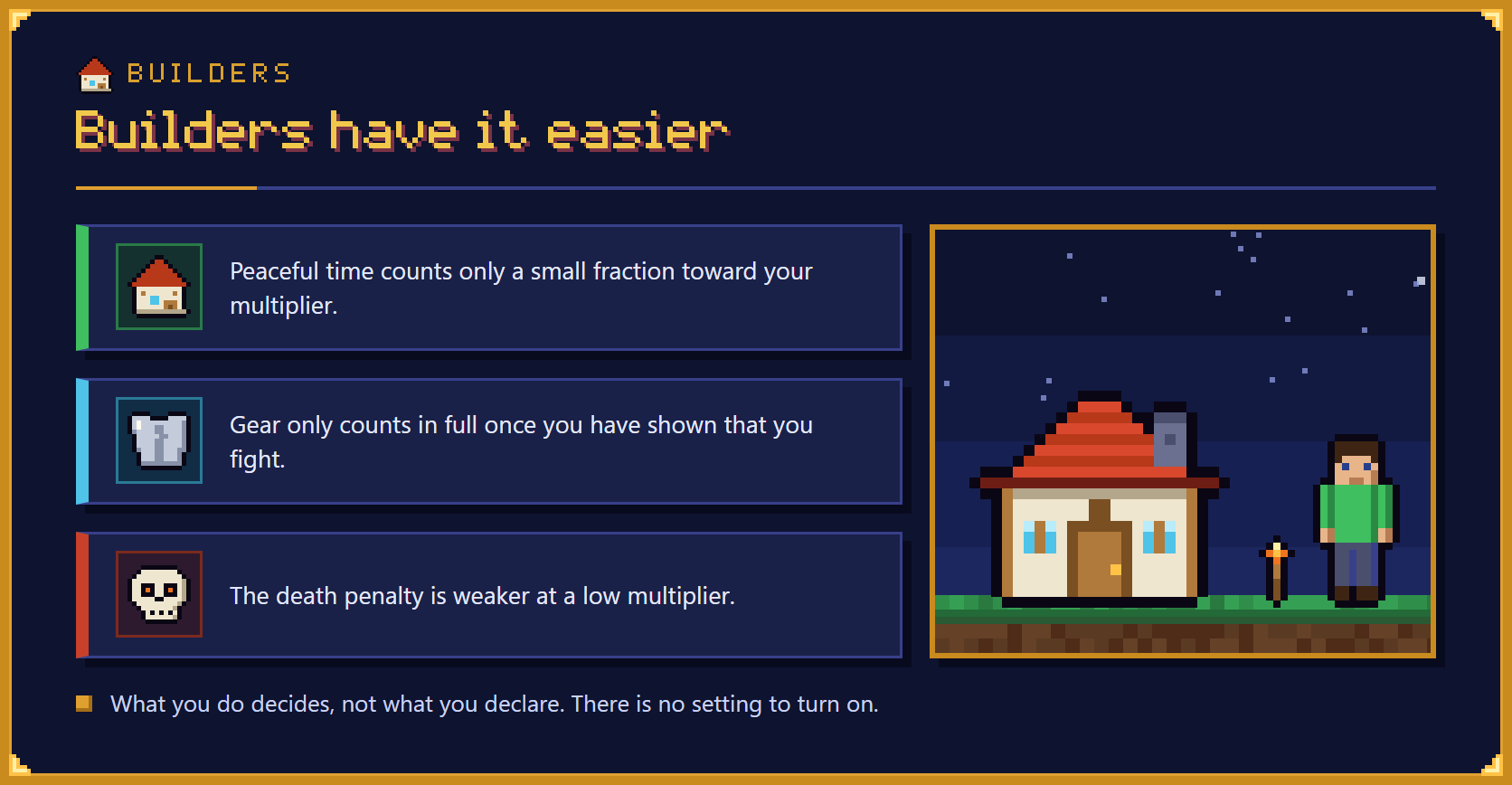
If you mostly build and rarely fight, you stay low, and no setting needs to be turned on. Time without fighting counts only a small fraction, gear only counts in full once you have shown that you fight, and the death penalty is weaker at a low multiplier.
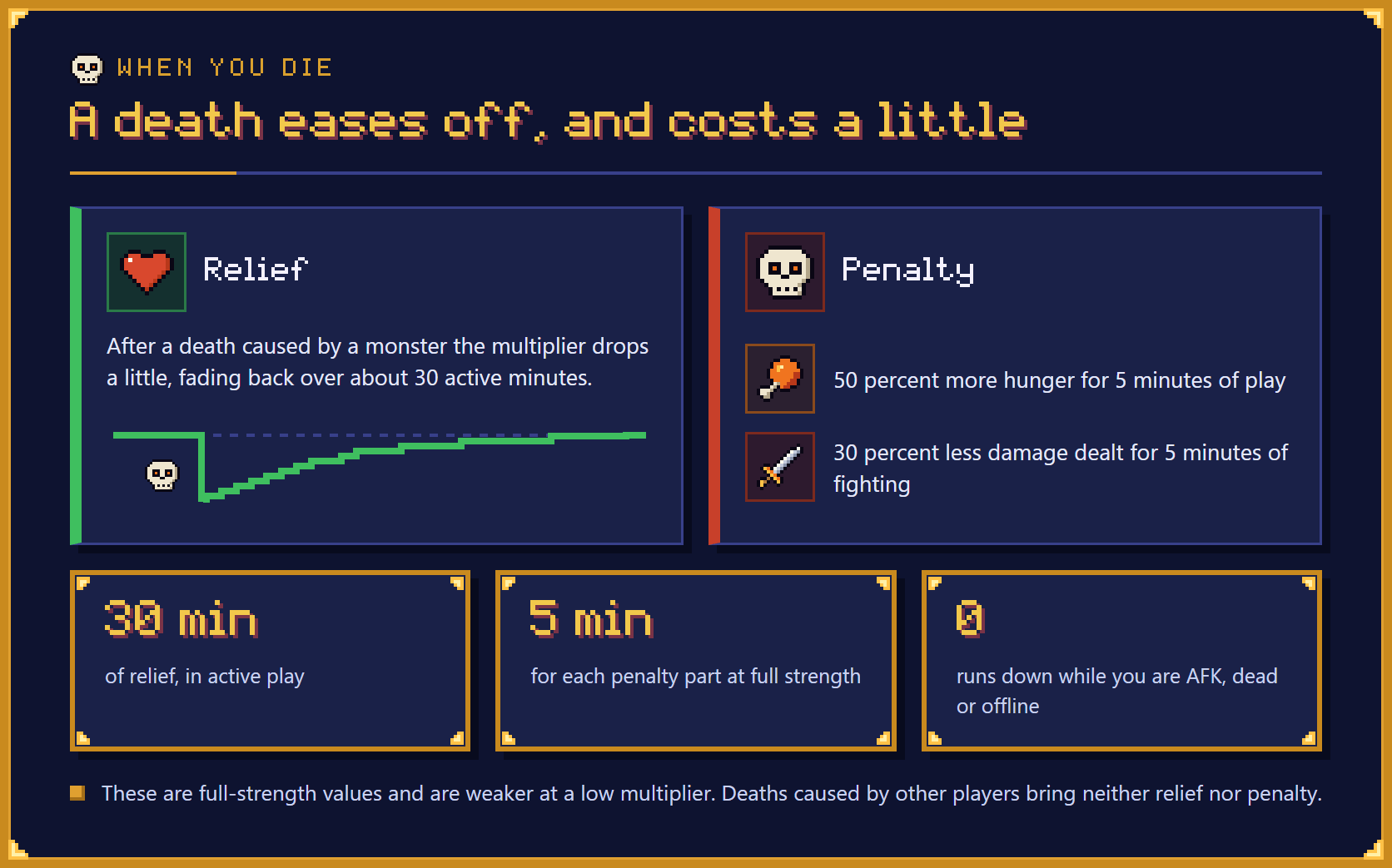
A death caused by a monster lowers your multiplier a little, and the drop fades back over about 30 active minutes. The same death brings a short penalty: 50 % more hunger for 5 minutes of play and 30 % less damage dealt for 5 minutes of fighting. Nothing runs down while you are AFK, dead or offline.
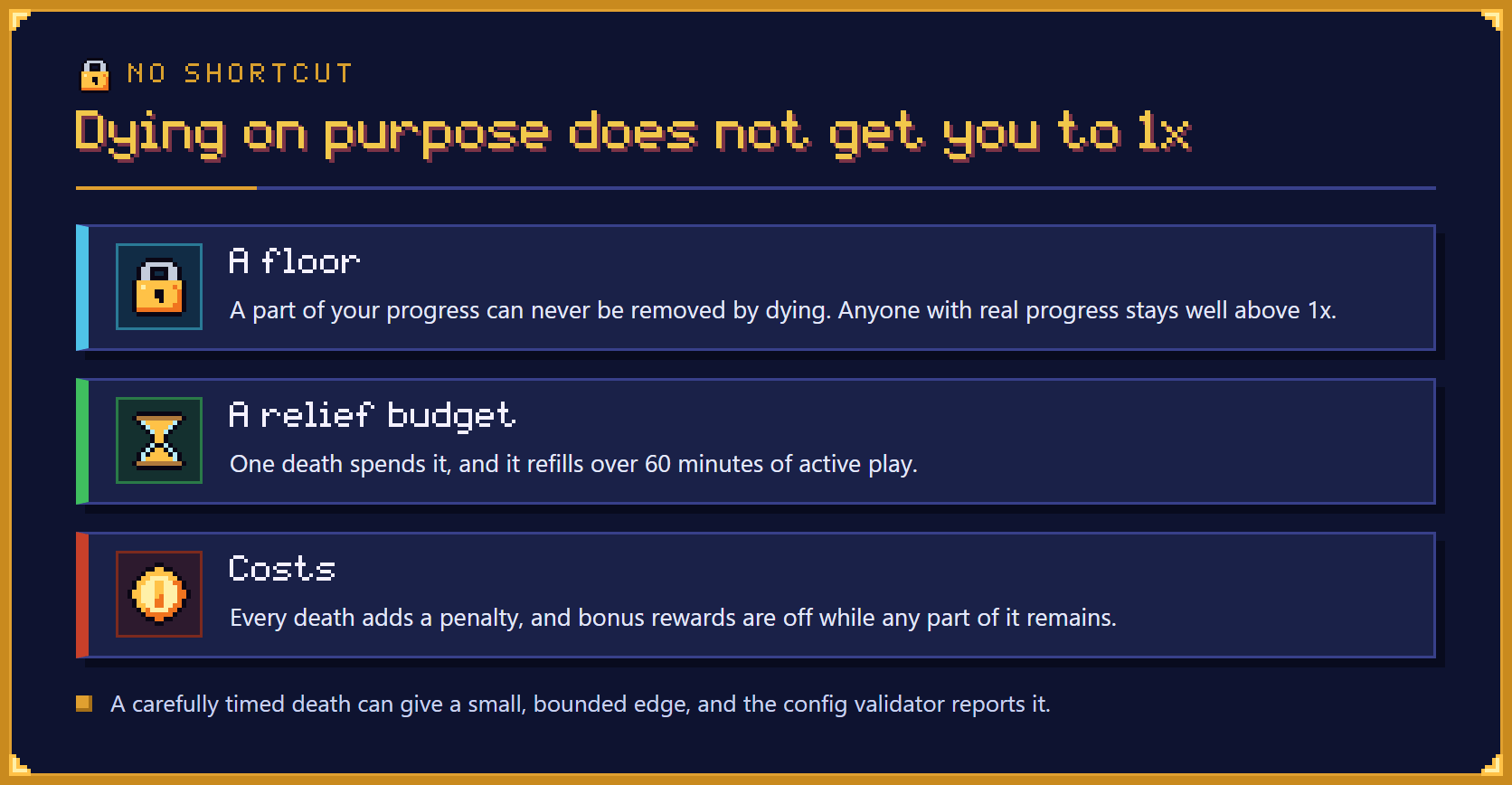
The mod does not guess whether a death was an accident. It limits what any pattern of deaths can achieve with a floor, a relief budget that refills slowly and a penalty on every death. A carefully timed death can still give a small, bounded edge, and the config validator reports it.
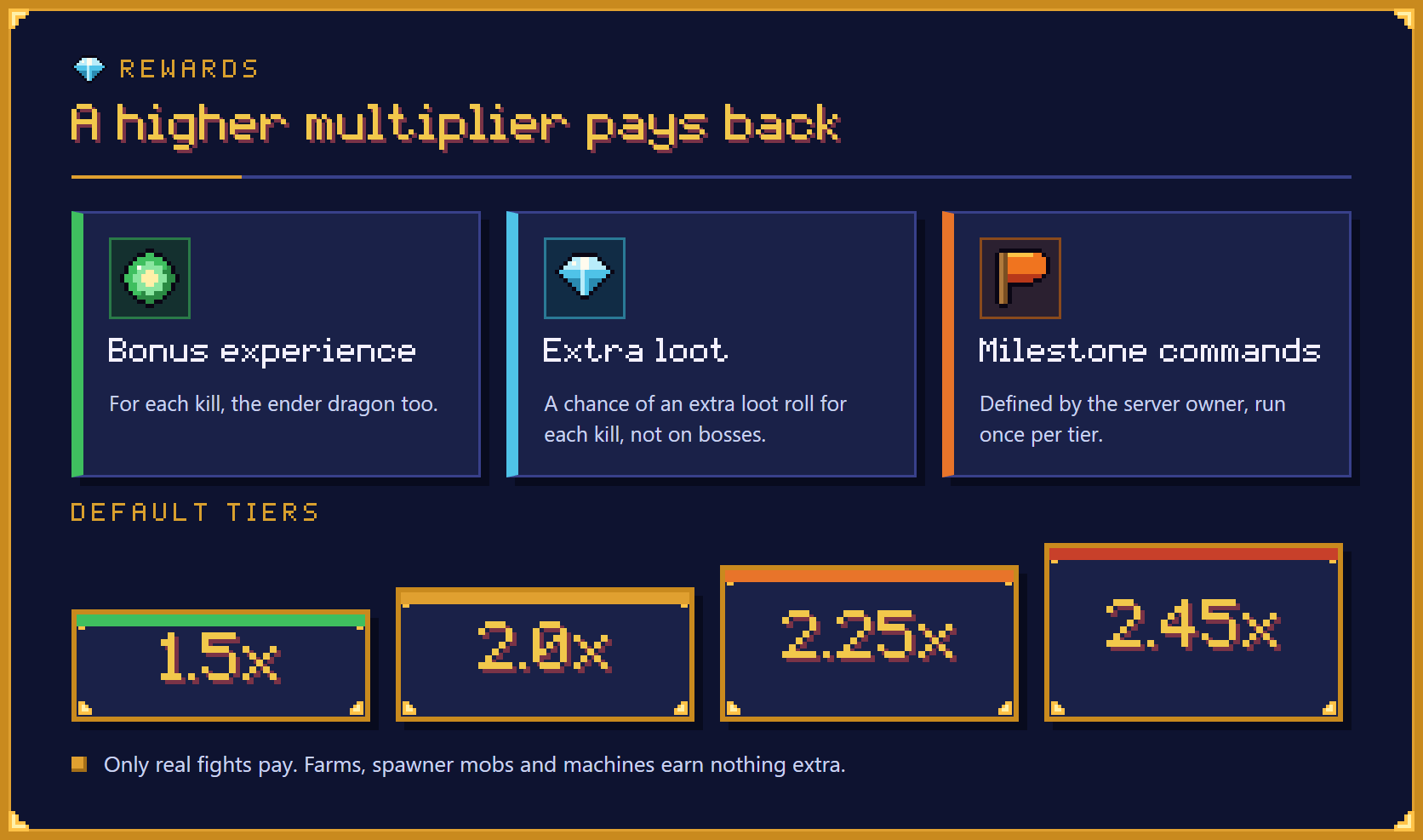
A higher multiplier pays back with bonus experience for each kill, a chance of an extra loot roll (not on bosses) and milestone commands that the server owner defines, which run once per tier. The default tiers are 1.5x, 2.0x, 2.25x and 2.45x. Only real fights pay: farms, spawner mobs and machines earn nothing extra.
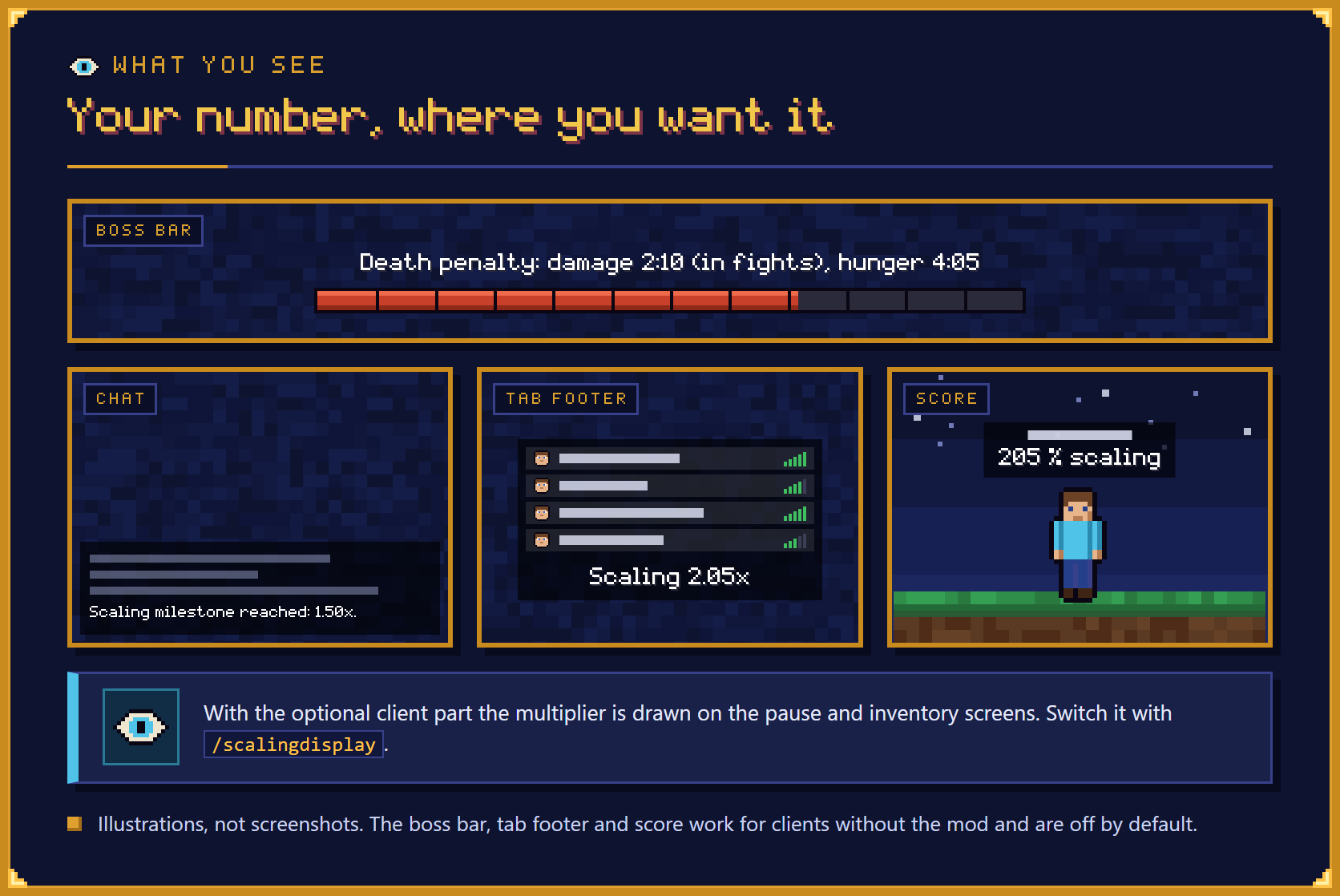
The multiplier is shown where you choose. With the optional client part it is drawn on the pause and inventory screens, and /scalingdisplay switches that. The boss bar, the tab list footer and the score under the name work for clients without the mod and are off by default.
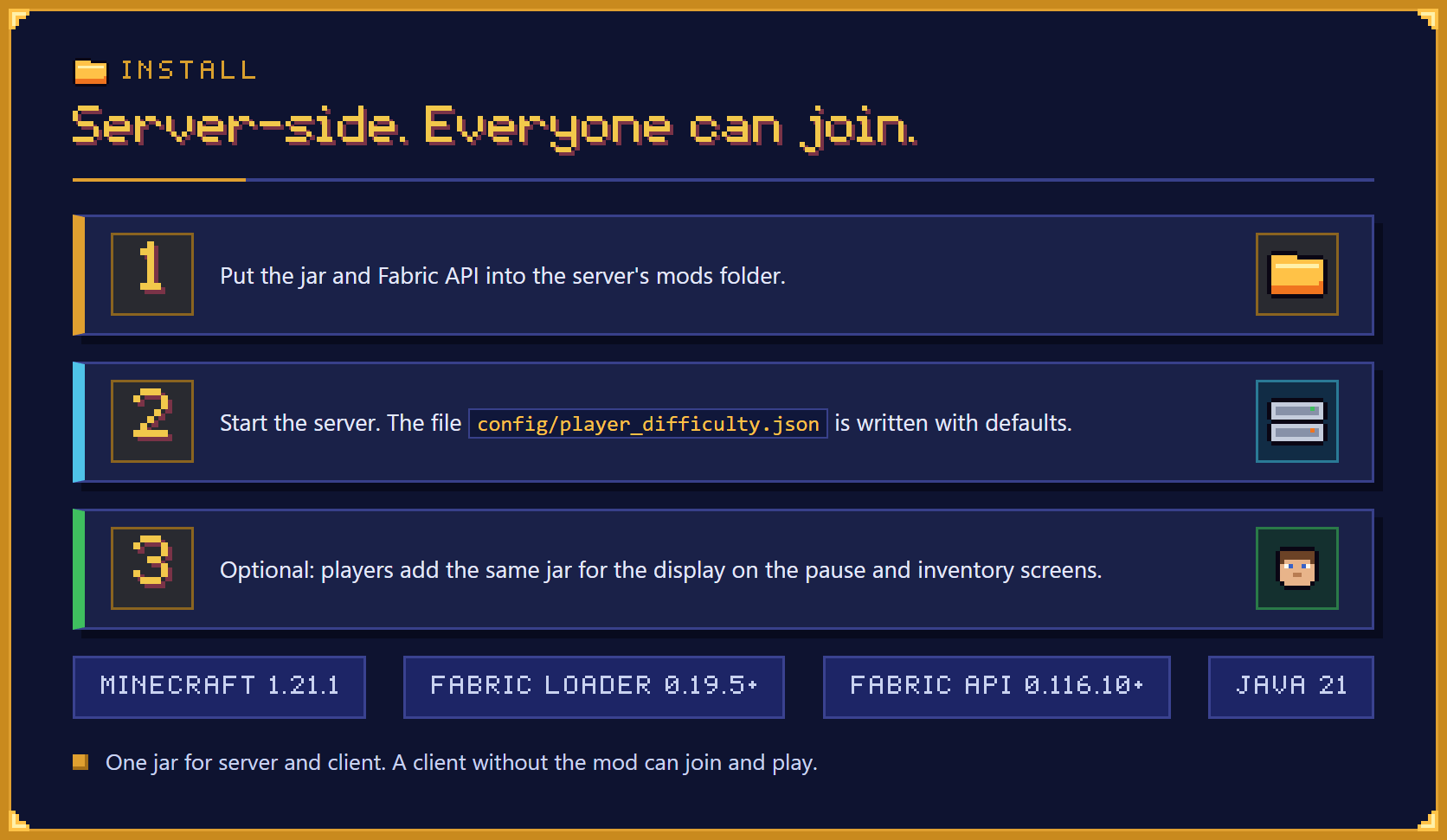
Put the jar and Fabric API into the server's mods folder and start the server. The config file config/player_difficulty.json is written with defaults. Players can optionally add the same jar for the display. It is one jar for server and client, and a client without the mod can join and play.
What is Player Difficulty?
Player Difficulty is a Fabric 1.21.1 mod that gives every player their own difficulty multiplier, so the game gets harder for the players who fight and gear up and stays gentle for those who build. The multiplier starts at 1.00x, grows as you play, and stops at a cap of 2.50x.
- Per player. The multiplier belongs to you alone and monster health is never changed, so another player hitting the same monster is not affected by your number.
- Earned by playing. It grows with time in fights, kills and gear, and it eases off for a while after a death that a monster caused.
- A death never throws you back to the start. When you die the game eases off for a while and you get a short penalty, so a death hurts a little.
- Server-side. It runs on the server, so players do not need to install anything.
How does the multiplier grow?
Three things push your multiplier up. Each one levels off, so no single one can run away.
- Time played in and around fights. Only active play counts. Standing still, being AFK, waiting on the death screen or being logged out does not count at all. Time spent fighting counts in full; time spent doing something else counts for much less.
- Kills. Each kill is worth something based on how tough and dangerous the monster is. Only real fights pay: a monster that never noticed you, one you barely scratched, mobs from spawners and the thousandth zombie of the hour are worth little. Kill stealing steals nothing; the damage you actually did decides your share.
- Gear. Your armour, max health and best weapon are rated by what they actually do, so modded gear and accessories count automatically. The rating remembers your best gear and fades very slowly, so taking your armour off does not help.
You can read your own breakdown at any time with /scaling.
If you mostly build and rarely fight, you will stay low, without turning any setting on. Time without fighting counts only a small fraction toward your multiplier. Your gear only counts in full once you have shown that you fight, either through kills or through hours spent in fights. The death penalty is also weaker for players with a low multiplier. What you do decides, not what you declare.
What does a higher multiplier do?
It makes monsters tougher and their hits harder. The number you see is exactly how many times the normal damage a monster needs from you.
| Your multiplier | Damage you need to deal | Damage monsters deal to you |
|---|---|---|
| 1.00x | normal | normal |
| 1.75x | 1.75 times | 1.5 times |
| 2.50x (cap) | 2.5 times | 2 times |
Values in between follow a straight line. This holds for every armour set and every mob, because it is applied after armour and enchantments are worked out. Your pets and summons count as you.
- Never scaled: damage between players, fall, lava, drowning and other damage that no monster caused, knockback, and effect durations.
- No single hit takes most of your health because of scaling. The extra damage from scaling is capped at a set share of your maximum health (a config value), and a hit that was already bigger before scaling passes unchanged.
What happens when I die?
A death costs a little and eases the game off for a while. A death caused by a monster (or by something a monster started, such as a wither effect) gives you relief: your multiplier drops a little, and the drop fades back over about 30 active minutes. The drop is modest in size. It is also a budget: one relief spends it, and it refills over 60 minutes of active play, so dying again right away gives nothing extra.
Every death except one caused by another player or by a command also brings a penalty in two parts:
- 50 % more hunger for 5 minutes of play.
- 30 % less damage dealt for 5 minutes of fighting. This part only runs down while you actually fight. If you do not fight at all, it is dropped after 45 minutes of active play.
Those are the full-strength values. The penalty is weaker while your multiplier is low, and slightly stronger and longer (with caps) for several deaths in quick succession. Deaths caused by other players bring no relief and no penalty. A totem that saves you is not a death.
Nothing runs down while you are AFK, dead or offline. The penalty, the relief and the refill of the relief budget all count active play only, so you cannot wait them out.
Why can't I die on purpose to get back to 1x?
Because the system does not try to guess whether a death was an accident. It limits what any pattern of deaths can achieve:
- A floor. Deaths can never remove 75 % of your gear part or 40 % of your time and kill parts. Anyone with real progress stays well above 1x.
- A relief budget. One death spends the relief and it refills slowly, while relief wears off faster than it can be bought. No sequence of deaths can push you more than one relief step below your ceiling.
- Costs. Every death adds a penalty, and bonus rewards (below) are switched off while any part of a penalty remains.
To be honest about what is left: relief lasts long enough that a carefully timed death is not a clear loss in every respect. In the best case it can make some fights a little easier, for example one death shortly before a boss fight, but it costs you rewards and gains only a small, bounded edge. The server owner can shorten the relief with two config values if that matters to them. The config validator reports such cases.
How are bosses and the ender dragon handled?
Bosses are scaled at half weight in both directions, and the ender dragon is not scaled at all. At the cap a boss is 1.75 times as tough and deals 1.5 times the damage.
- Bosses. Boss fights are already long, and mob healing cannot be scaled per player. Bosses are recognised through the shared
c:bossestag and the mod's own tags. - The ender dragon. It is not scaled, but it does pay the bonus experience described below: the kill is credited at the lethal hit, and the bonus comes at each of the 11 awards of its death animation.
What rewards does a high multiplier give?
A higher multiplier pays back through three rewards:
- Bonus experience for each kill, paid straight to you. For the ender dragon it is paid at each award of its death animation.
- A chance of an extra loot roll for each kill (not on bosses).
- Milestone commands. The server owner can define commands that run once when a player first reaches a tier, for example quest coins or a rank. The default tiers are 1.5x, 2.0x, 2.25x and 2.45x, with no commands set. You also get one chat line,
Scaling milestone reached: 1.50x.
Rewards only apply to real fights, are reduced while relief is active, and are zero while any part of a death penalty remains. Farms, spawner mobs and machines earn nothing extra.
What do players see?
/scalingshows your multiplier, its breakdown (time, kills, gear), how many times the damage monsters need from you and deal to you, your penalty and relief, and your reward state.- After a death, one chat line explains what penalty you got and whether you got relief, and why not if you did not.
- When a milestone tier is reached, one chat line says so. When an admin changes your values with a command, one chat line tells you (for example
An admin changed your scaling values (relief grant 1 step). Scaling 1.86x -> 1.80x.). Both can be switched off in the config. - Without the client part, optional and off by default: a personal boss bar that counts a death penalty down (
Death penalty: damage 2:10 (in fights), hunger 4:05), the multiplier in the tab list footer (Scaling 2.05x) and a public score under the name (205 % scalingat 2.05x). They use vanilla features, so a client without the mod shows them. They update about every 20 seconds. - With the optional client part, the multiplier is drawn on the pause screen and the inventory screen, and nowhere else by default. Hovering over it shows the breakdown. Players can switch it off, or add a permanent line in the game, with the client command
/scalingdisplay(modesscreens,hudandoff).
Do players need to install it?
No. The mod adds no items, blocks, effects or commands that need a matching client, so a client without the mod can join and play, including vanilla clients.
- Without the mod, players see their multiplier through
/scaling, the chat lines, and the optional boss bar, tab list footer and below-name score if the server owner switches them on. - With the mod, players also get the display on the pause and inventory screens and the
/scalingdisplaycommand. - One jar. The same jar is used on the server and on the client; there is no separate client file.
How do I install it on a server?
Put the jar and Fabric API into the server's mods folder and start the server.
- Put
player-difficulty-1.1.0.jarand Fabric API into the server'smodsfolder. - Start the server.
config/player_difficulty.jsonis written with defaults. - Optional: players add the same jar to their own game for the display on the pause and inventory screens.
Commands
| Command | Permission | What it does |
|---|---|---|
/scaling |
everyone | Your multiplier and its breakdown |
/scaling top [page] |
everyone | The highest multipliers, ten to a page; at most display.leaderboardSize places are listed (0 switches it off) |
/scalingdisplay |
client with the mod, runs locally | Shows where the display is drawn |
/scalingdisplay <screens or hud or off> |
client with the mod | Changes where the display is drawn |
/scalingdisplay reload |
client with the mod | Reads the client options file again |
/scaling admin get <player> |
admin | Status of another player |
/scaling admin explain <player> |
admin | Every input, factor and clock |
/scaling admin history <player> |
admin | Stored death decisions and admin changes |
/scaling admin set <player> <field> <value> |
admin | Set a value |
/scaling admin add <player> <field> <delta> |
admin | Change the same values by an amount |
/scaling admin reset <player> |
admin | Back to a new record, milestones kept |
/scaling admin reset <player> milestones |
admin | Back to a new record, milestones reset too |
/scaling admin bootstrap <player> |
admin | Seed the record again from vanilla statistics (the player may be online or offline) |
/scaling admin freeze <player> <true or false> |
admin | Stop all changes to a player's multiplier |
/scaling admin exempt <player> <true or false> |
admin | Treat a player as 1.00x and record nothing |
/scaling admin penalty clear <player> |
admin | Clear a death penalty |
/scaling admin penalty apply <player> [minutes] [level] |
admin | Apply a death penalty |
/scaling admin relief grant <player> [steps] |
admin | Grant relief (capped, never below the floor) |
/scaling admin reload |
admin | Reload the config file |
/scaling admin check |
admin | Run the config validator |
/scaling admin config get <key> |
admin | Read a config value |
/scaling admin config set <key> <value> |
admin; permission level 4 for rewards.milestones |
Change a config value |
The fields of set and add are activeHours, combatHours, killScore, gearPeak, pressure, token (the relief budget) and offset.
"Admin" means permission level 2 (operators, the console, command blocks), or the permission node player_difficulty.command.admin when a permissions API (fabric-permissions-api-v0) is installed; that node falls back to level 2. Admin commands are meant to be usable as quest rewards too, for example scaling admin relief grant {p} 1.
Changing rewards.milestones through config set needs permission level 4, because its commands later run as the server console. Only the vanilla level counts for that, never the permission node. You can still edit the key in the config file by hand.
If you use FTB Ranks, note that it falls back to the parent node: a rank given command.scaling is also treated as having command.scaling.admin. Grant the player commands more narrowly.
Configuration
One JSON file, config/player_difficulty.json, written with defaults on the first start. Everything that tunes the system is a setting: the weights of time, kills and gear, the cap, the strength of the effects, relief size and length, penalty strength and length, rewards, the activity detection, the tags that decide which mobs count as bosses or are left unscaled, and what is shown to players. A reference file listing every key, its default and its range (config/player_difficulty.reference.txt) is rewritten on every start, so it is never out of date. Every key is also in the repository's docs/config-reference.md.
display.leaderboardSize (default 10) limits how many places /scaling top lists, still in pages of ten; 0 switches the command off. general.debugLog (off by default) writes one line to the server log per recorded death decision and per kill credit, never per hit.
A setting with a wrong type or an out-of-range number is replaced by the default or clamped, with a warning in the log; the file is never refused or deleted. /scaling admin reload applies changes without a restart. /scaling admin check runs the validator, which tells you in plain words when a change would make relief accumulate or make dying on purpose more attractive.
Player data is stored in the world folder (player_difficulty/players), one small file per player, with a backup of the previous version. Players who already have a world history are seeded once from their vanilla statistics and current gear, so nobody starts from nothing. An admin can seed a player again with /scaling admin bootstrap, also while that player is offline (the statistics file of the world is read).
Compatibility
Built and tuned for the Nytheria modpack, and written to be safe in large packs: it registers no items, blocks or effects, uses a few small hooks, and its per-tick work is a handful of field reads per online player. It does not change mob health, spawning, AI or knockback.
- Damage is scaled at the last moment, after armour, enchantments, Resistance and the other mods' own changes, so those keep their normal relative effect.
- Machines that act as a fake player (such as automatic mob killers) are never scaled and earn no credit.
- Totems and similar items that prevent death are not deaths.
- Graves and
/back-style mods are assumed: a death by itself costs nothing in items. - Designed to sit next to mods brought to Fabric through Sporran: the damage hook runs at the last step of the damage calculation. Not every combination of mods has been checked in play.
- Placeholders
%player_difficulty:multiplier%(for example2.05x) and%player_difficulty:tier%(the highest milestone tier reached, for example2.00x, ornone) are added when Text Placeholder API is installed. - A permissions API (
fabric-permissions-api-v0) is used for the admin node when it is installed; without it the admin commands need permission level 2.
On other packs it works as a general difficulty scaler for Fabric 1.21.1, but the defaults were calibrated for the Nytheria pack and server owners may want to adjust them.
Known limits
- No Mod Menu screen. Server settings are the config file and the admin commands; client settings are the options file and
/scalingdisplay. - The boss bar, the tab list footer and the below-name score step about every 20 seconds. The tab list has one footer per client, so another mod that sets it overwrites this one and the other way round. The below-name score is public, and an objective of another mod that already holds the slot is left alone. None of the three has been looked at in the real pack.
- The ender dragon is not scaled. Its bonus experience lives in memory: a dragon whose chunk unloads in the middle of its death animation pays no bonus after it is loaded again, and if another mod replaces one of the two experience awards of the death animation, that award pays no bonus.
/scaling admin bootstrapfor an offline player needs the statistics file of the world and keeps the stored gear peak.- Boss kill values are the configured overrides, not values measured from play.
- A deliberate death is not a loss in every respect (see above). It is bounded and the validator reports it.
- Gear rating looks at attributes only: bows, active abilities, dodge chances, potions and items in storage are not rated.
- Damage that skips the normal damage handling (some mods set health directly) is neither scaled nor counted.
- Summons that do not declare an owner cannot be linked to a player and stay unscaled.
- Mob healing is not scaled, so a boss that heals recovers more against a high-multiplier player.
- Activity detection can be fooled by a macro or a modified client; doing so only raises the multiplier.
- Fighting alongside a low-multiplier player makes the high-multiplier player's fights easier. This follows from the idea that the multiplier is per player.
- The optional display is not drawn on the Accessories screen unless its class name is added to the client option
extraScreens. - In single player without cheats there are no admin commands.
Frequently asked questions
Does Player Difficulty change monster health?
No. Player Difficulty never changes monster health. It makes a monster need more damage from you and deal more damage to you, and it does so per player, so another player hitting the same monster is not affected by your number.
Can players without the mod join a server that uses Player Difficulty?
Yes, including vanilla clients. Player Difficulty adds no items, blocks, effects or commands that need a matching client. Those players see their multiplier through /scaling and the chat lines.
Does AFK time count toward the multiplier?
No. In Player Difficulty only active play counts. Standing still, being AFK, waiting on the death screen or being logged out counts nothing, and nothing in a death penalty or relief runs down during that time either.
What is the highest multiplier?
The cap is 2.50x. At the cap a monster needs 2.5 times the damage from you and deals 2 times the damage to you. Bosses count at half weight, and the ender dragon is not scaled.
Will a player who mostly builds get harder monsters?
A builder stays low. In Player Difficulty, time without fighting counts only a small fraction, gear only counts in full once the player has shown that they fight, and the death penalty is weaker at a low multiplier. No setting needs to be turned on.
Can I get back to 1x by dying on purpose?
No. Player Difficulty keeps a floor of 75 % of your gear part and 40 % of your time and kill parts, relief is a budget that refills slowly, and every death adds a penalty and switches bonus rewards off. A carefully timed death can give a small, bounded edge, and /scaling admin check reports such cases.
How do I lower a player's multiplier?
Use the admin commands of Player Difficulty. /scaling admin relief grant <player> [steps] grants relief (never below the floor), /scaling admin set and /scaling admin add change the stored values, /scaling admin reset <player> starts a new record, and /scaling admin exempt <player> true treats a player as 1.00x and records nothing.
How do I give quest rewards at a tier?
Define commands for a tier in rewards.milestones in config/player_difficulty.json. Player Difficulty runs them once when a player first reaches that tier, for example to hand out quest coins or a rank. The default tiers are 1.5x, 2.0x, 2.25x and 2.45x, with no commands set; changing rewards.milestones through config set needs permission level 4.
Can I turn the display off?
Yes. The boss bar, the tab list footer and the score under the name are off by default and can be switched on in the config of Player Difficulty. Players with the client part can switch their own display off with /scalingdisplay off, and the chat lines can be switched off in the config.
How do I change the settings without restarting the server?
Edit config/player_difficulty.json and run /scaling admin reload, or change a single key with /scaling admin config set <key> <value>. /scaling admin check then runs the validator, which says when a change would make dying on purpose more attractive.
Does Player Difficulty work outside the Nytheria modpack?
Yes. On other packs it works as a general difficulty scaler for Fabric 1.21.1. The defaults were calibrated for the Nytheria pack, so server owners may want to adjust them.
Does modded gear count?
Yes. Player Difficulty rates armour, max health and your best weapon by what they actually do, so modded gear and accessories count automatically. Bows, active abilities, dodge chances, potions and items in storage are not rated.
Where does Player Difficulty store player data?
In the world folder, under player_difficulty/players: one small file per player, with a backup of the previous version. Players who already have a world history are seeded once from their vanilla statistics and current gear, so nobody starts from nothing.
Does a death cost me items?
No. Player Difficulty itself takes no items on death; it assumes graves or /back-style mods. A death brings a short penalty (more hunger and less damage dealt), and a death caused by a monster also brings relief.
Requirements
- Minecraft 1.21.1
- Fabric Loader 0.19.5 or newer
- Fabric API 0.116.10+1.21.1 or newer
- Java 21
Optional: Text Placeholder API (adds placeholders for other mods) and a permissions API (fabric-permissions-api-v0) for the admin permission node. Neither is needed.
Licence
MIT.
Player Difficulty Team

Owner