Planet War
- By
Build your own planet colony in Minecraft: mine resources, research technologies, build fleets and defences, colonize new worlds, form alliances and wage space wars against other players.
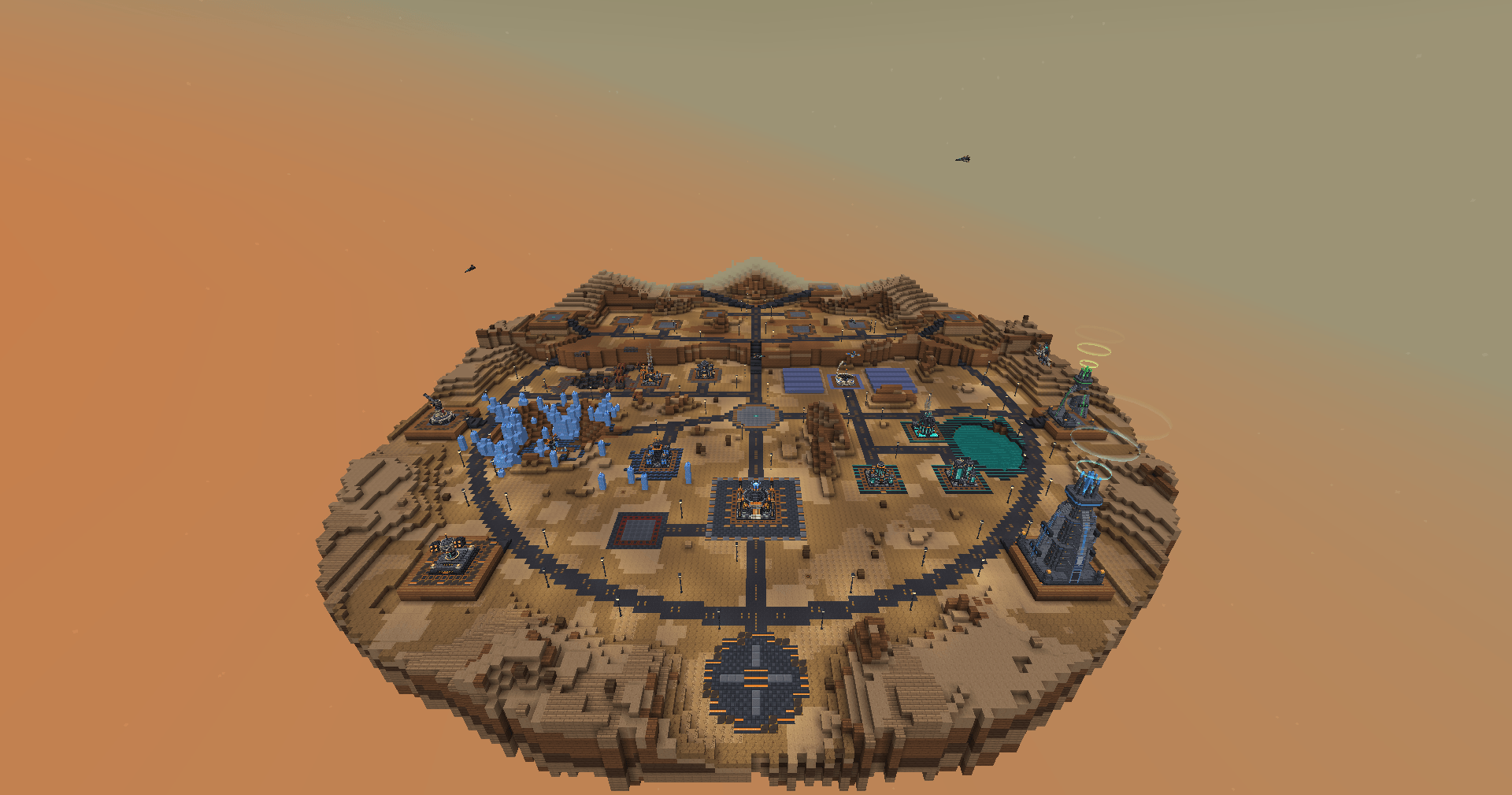
image-1794560235363.png
2026-11-13_10.01.23.png
2026-11-13_10.01.30.png
2026-11-13_10.01.33.png
2026-11-13_10.02.02.png
Description
# 🪐 Planet War
Turn Minecraft into a space strategy game. Found your own planet colony, build a working economy, research technologies, assemble fleets and fight other players for resources and dominance – all inside the game, with real 3D buildings, ships and live space battles.
---
## 🌍 Your Own Planet
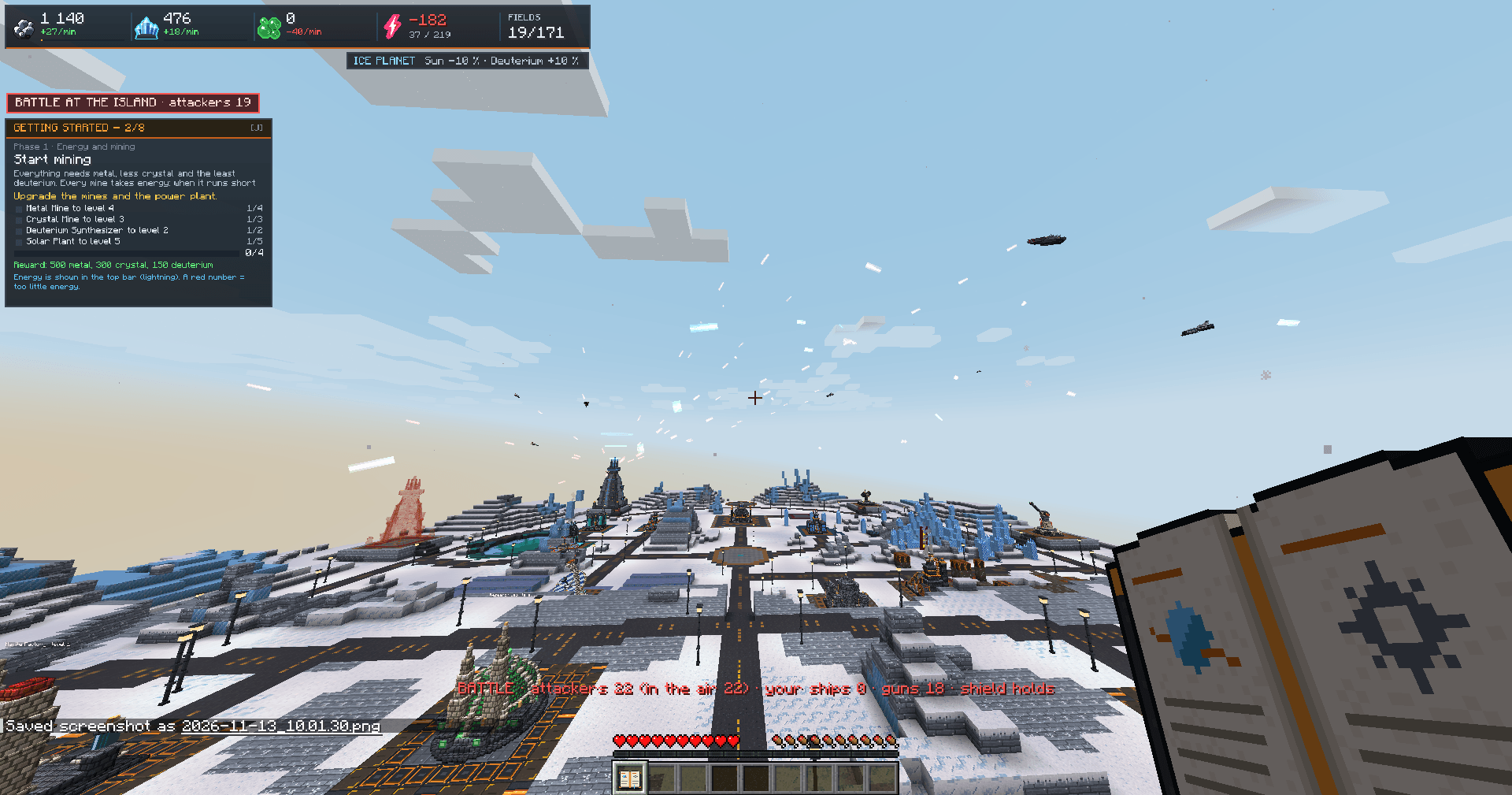
- Every player gets a floating island colony in a dedicated colony dimension.
- 4 planet types with their own look, atmosphere and bonuses:
- 🏜️ Desert – more solar energy, less deuterium
- ❄️ Ice – less sun, more deuterium
- 🌿 Green – balanced, no bonuses
- 🔥 Fire – strong solar energy, little water
- Limited building fields – plan your colony wisely or expand it with the Terraformer.
## 🏗️ Buildings & Economy
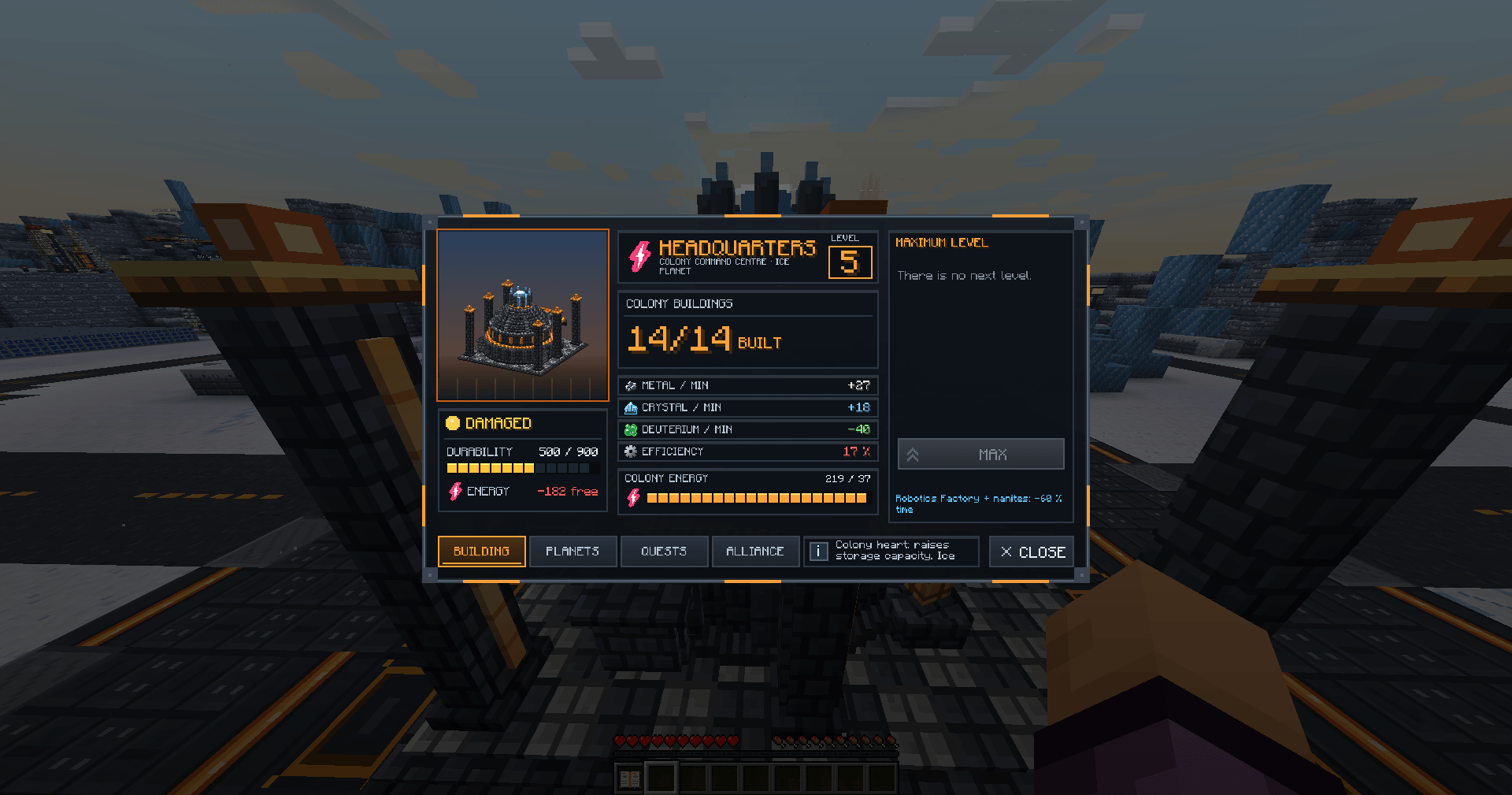
- Metal Mine, Crystal Mine, Deuterium Synthesizer – three resources that are produced every minute, even while you are offline.
- Solar Plant, Fusion Reactor and Solar Satellites – every mine needs energy; without enough power production slows down.
- Storages for each resource, Robotics Factory and Nanite Factory to speed up construction.
- Headquarters, Research Lab, Hangar, Missile Silo, Terraformer – each with its own animated 3D model and a detailed menu.
- Empty building slots show a hologram of the building you can build there.
## 🔬 Research
- 16 technologies: energy, lasers, ions, plasma, hyperspace, drives, espionage, computers, astrophysics, weapons, shields, armour and more.
- Research unlocks new buildings, ships and defences and improves your units.
- Clear tech tree showing exactly what you still need.
## 🚀 Ships & Fleets
- 13 ship types built in the hangar – from Light Fighters and Cruisers to Battleships, Bombers and Destroyers, plus Cargo ships, Recyclers, Espionage Probes and the Colony Ship.
- Fleet missions:
- Transport resources between planets
- Espionage – scout other players' planets
- Attack – battle and plunder
- Colonize – found new planets
- Recycle – collect debris fields after battles
- Expedition – explore the unknown: resources, abandoned ships… or pirates
- Defend – station your fleet at an ally's planet
- Flight time and fuel depend on ship speed, distance and planet type.
- A ship log keeps reports of every mission and battle.
## ⚔️ Real-Time Space Battles
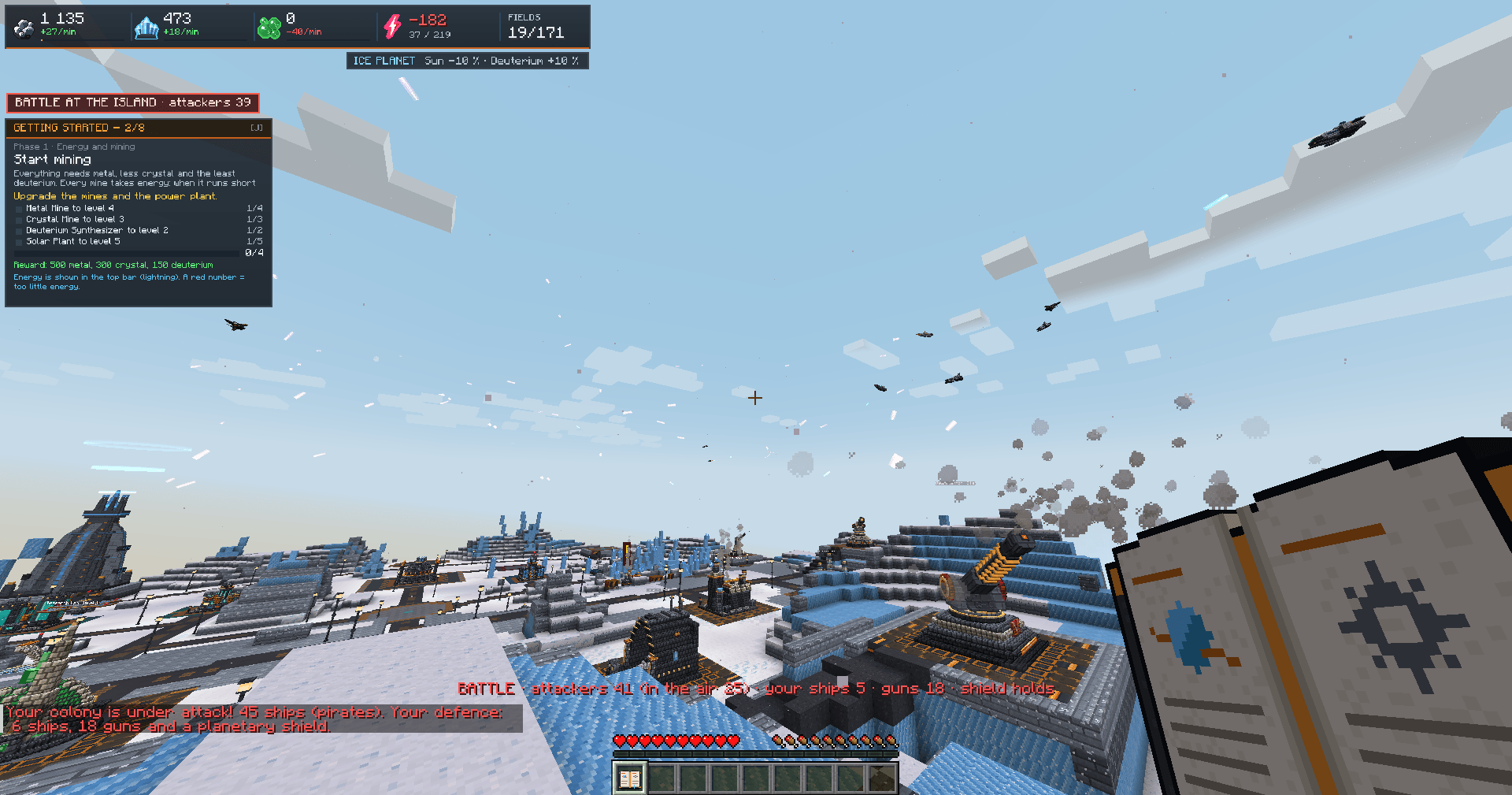
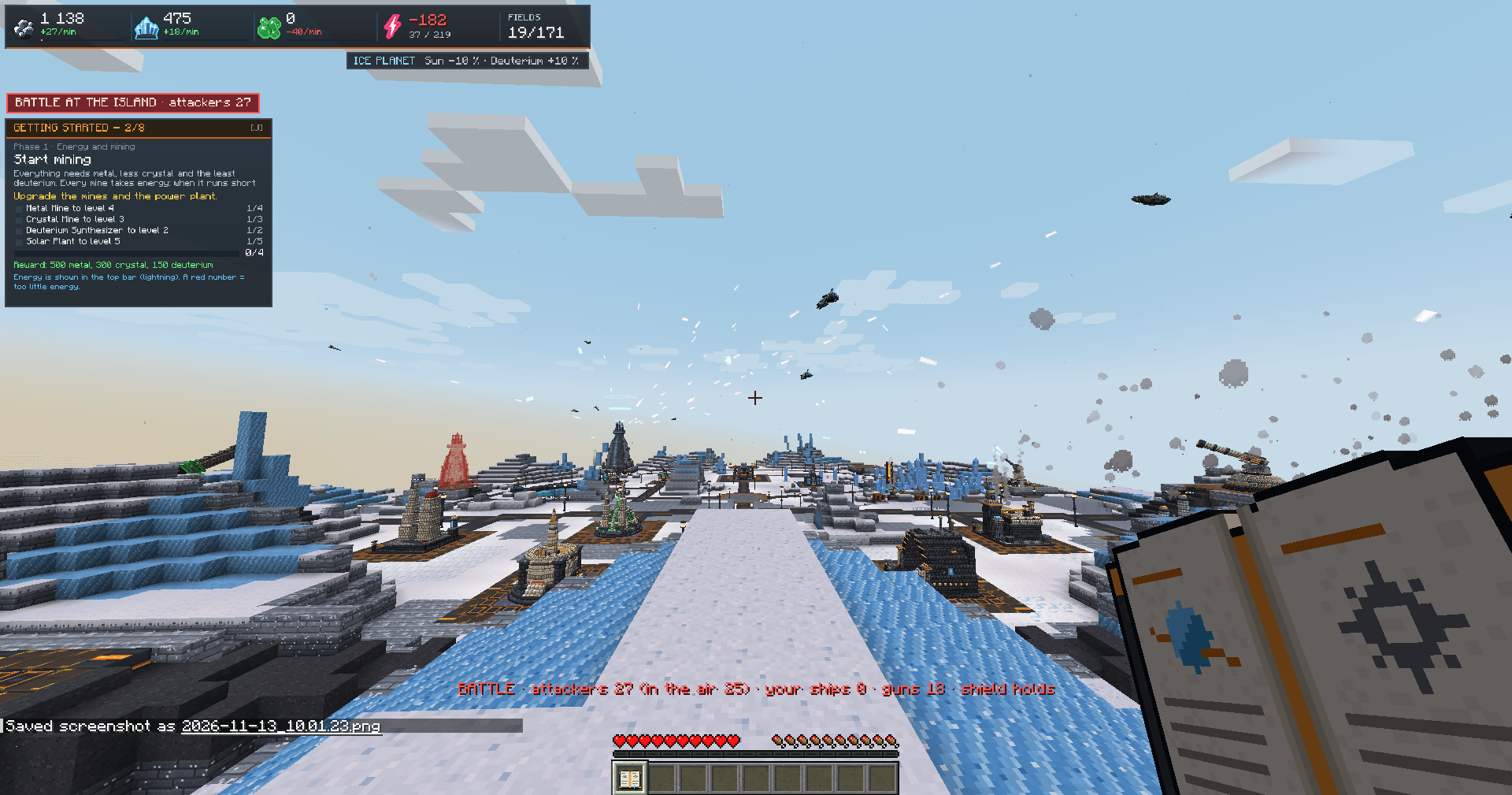
- Battles happen live above the island – ships fly, fire lasers, ion and plasma shots, explode and leave debris fields.
- Every unit fights on its own: shields, hull and weapons per ship and per tower.
- Defence towers (rocket launchers, lasers, Gauss and ion cannons, plasma turrets) and planetary shield domes.
- Interplanetary missiles and anti-ballistic missiles.
- Watch your own attack as a spectator with /colony watch.
- Newbie protection for new players.
## 🤝 Alliances
- Found an alliance with a name and one of 120 banners – the banner appears before your name everywhere.
- Custom positions and rights, invitations, applications with a cover letter, recruitment settings.
- Alliance chat with history, circulars to all members, shared espionage reports.
- Diplomacy: non-aggression pacts, alliances and wars between alliances.
- Alliance treasury, points and ranking.
## 📜 Quests
- Getting Started – a short guided tutorial that teaches you the basics step by step, from your first power plant to your first expedition.
- Side quests and colony quests for every newly founded planet, with resource rewards.
- Quest panel on screen and yellow markers above the buildings you need.
## 🌐 Languages
- Fully playable in English, Czech and Slovak.
- Switch the language at any time in the Settings Book (or /planetwar`) – every menu, message and item name changes instantly.
## ⚙️ For Server Owners
- Built for multiplayer servers; colonies keep working while players are offline.
- Configurable game speed (easy / medium / hard), building costs, production and more in the config files.
- Admin commands for resets, resources, research, raids and diagnostics (/colonyadmin memory shows what the mod keeps in memory).
- Lightweight: nothing runs in the colony dimension when no player is there.
---
## 📦 Requirements
- Fabric Loader
- Fabric API
- GeckoLib
- owo-lib
- Java 21
## 🎮 Getting Started
1. Join the world or server.
2. Type /colony create – your island is built and you are taken there.
3. Follow the Getting Started quests in the top-left corner.
4. Right-click any building to open its menu.
Build. Research. Colonize. Conquer. 🚀
## ⌨️ Commands
### Player commands
| Command | Description |
| /colony create | Found your colony – your island is built and you are taken there. |
| /colony home | Teleport to your home planet. |
| /colony lobby | Go back to the lobby. |
| /colony planets | List all your planets with their numbers. |
| /colony planet <number> | Travel to one of your planets. |
| /colony watch | Watch your fleet's ongoing attack as a spectator. |
| /colony reset | Start your colony over (asks for confirmation). |
| /colony reset confirm | Confirm the colony reset within 30 seconds. |
| /colony kniha | Get a new Settings Book. |
| /planetwar | Open the mod settings (same as the Settings Book). |
| /planetwar jazyk <sk\|cs\|en> | Switch the mod language instantly. |
| !<message> in chat | Send a message to your alliance chat. |
### Admin commands (permission level 2)
| Command | Description |
| /colonyadmin reset <player> | Hard reset of a player's colonies, fleets, reports and quests. |
| /colonyadmin resources <player> <metal> <crystal> <deut> | Set the resources on a player's planet. |
| /colonyadmin research <player> <research> <level> | Set a research level (e.g. `astrophysics 4`). |
| /colonyadmin ships <player> <ships> | Add ships to a player's hangar (e.g. `light_fighter:10,cruiser:2`). |
| /colonyadmin defense <player> <spec> | Set defence counts (e.g. `rocket_launcherx10+light_laserx5`). |
| /colonyadmin planet <player> <type> | Change the planet type (`desert`, `ice`, `green`, `fire`) and rebuild the island. |
| /colonyadmin protect <player> <hours> | Set newbie protection (0 = off). |
| /colonyadmin difficulty <easy\|medium\|hard> | Set the game speed for all timers, builds and flights. |
| /colonyadmin raid <player> <count> | Send a pirate raid of light fighters at a player's colony. |
| /colonyadmin raidfleet <player> <ships> | Send a mixed pirate fleet (e.g. `light_fighter:20,cruiser:3`). |
| /colonyadmin fire <player> | Make every defence tower of a player fire a test salvo. |
| /colonyadmin showcase <player> | Build every building (level 1, Headquarters 5) for testing or presentation. |
| /colonyadmin lineup <player> | Place all towers, shields, ships and missiles in front of you to view the models. |
| /colonyadmin memory | Show loaded chunks, entities, mod data and RAM use for diagnostics. |
Planet War Team