PixelForge Create your Shield, Elytra, Banner, Painting wth AI or pixelart!
- By
Create custom pixel art and AI-generated textures for Shields, Elytras, Banners, and Paintings with live 3D preview.
Minecraft_ Forge 1.20.1 - Tek Oyunculu 7.09.2026 19_52_28.png
Minecraft_ Forge 1.20.1 - Tek Oyunculu 7.09.2026 19_52_13.png
Description
# ✦ PixelForge: In-Game Custom Art & AI Texture Studio ✦
**PixelForge** transforms your Minecraft world into an interactive digital art studio. Design custom, dynamic textures for **Shields**, **Elytras**, **Banners**, and **Paintings** either by hand on a high-precision canvas or by harnessing the power of **AI prompt generation** — all without ever leaving your game!
---
### ✨ Key Features
* **🎨 In-Game Pixel Art Studio:**
A sleek, responsive workshop GUI equipped with essential creator tools: **Pencil**, **Eraser**, **Color Picker (Eyedropper)**, and **Bucket Fill (Flood Fill)**. Includes 60-step Undo/Redo history, smooth pan & zoom, and a 20-color quick palette.
* **🤖 Built-in AI Texture Generator:**
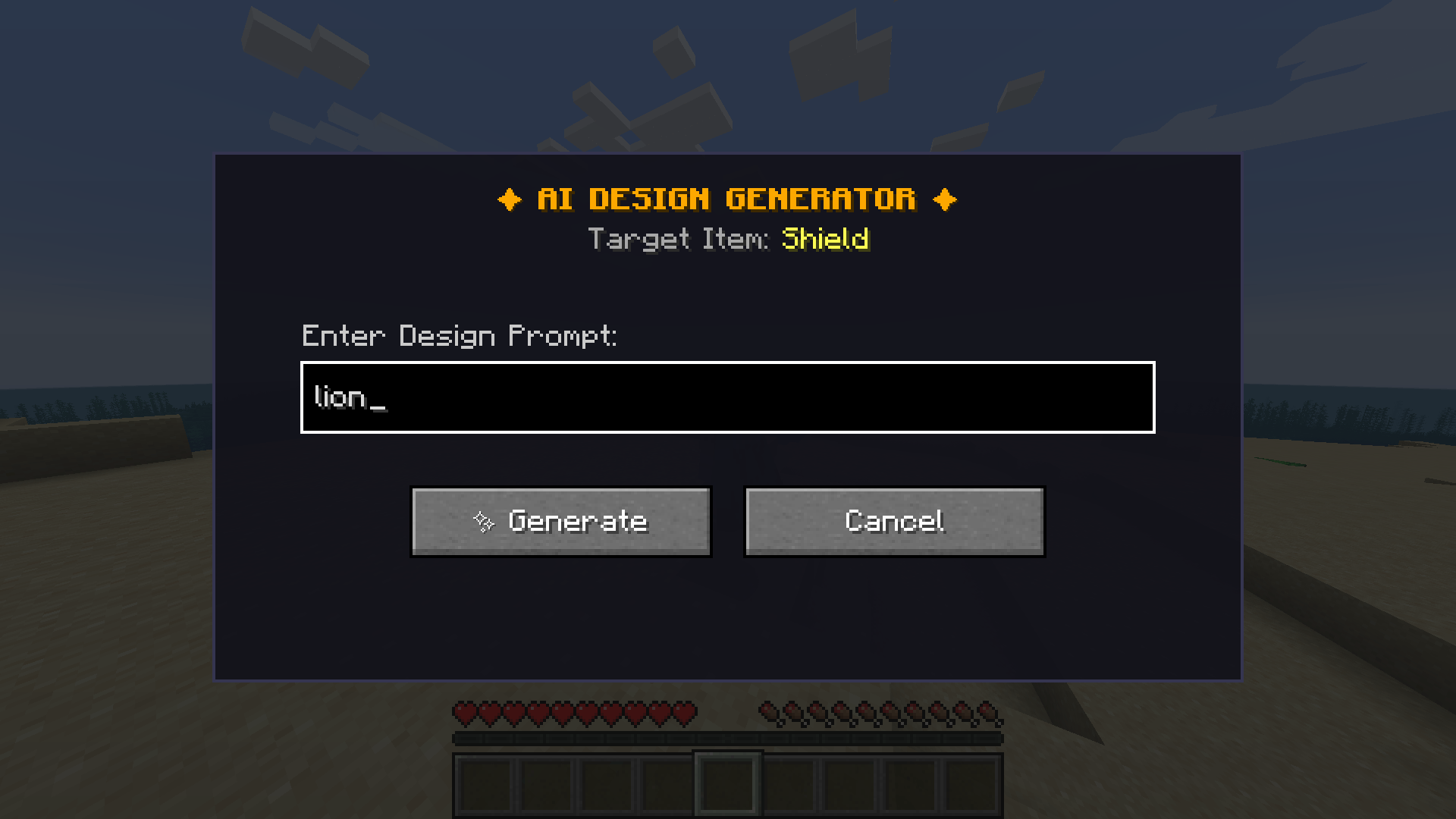
Simply describe what you want (e.g., *"cyberpunk dragon emblem"*, *"golden celestial star"*, *"frost phoenix wings"*) and watch PixelForge craft your design directly into an in-game texture in seconds.
* **🔍 Real-Time 3D Isometric Preview:**
Inspect your creation on a rotatable 3D item model before applying it. See exactly how your artwork wraps around a curved shield, flows across elytra wings, or waves in the wind on a banner.
* **🛡️ Full Equipment Support:**
* **Custom Shields:** Perfectly mapped 12:22 front heraldry with realistic wooden handles and rims.
* **Custom Elytras:** Vibrant wing textures rendered seamlessly in first-person, third-person, and on player back models with no texture clipping.
* **Custom Banners:** Full vanilla-standard banner integration! Place them on floors (16-angle rotation) or hang them on walls with natural wind-sway physics.
* **Custom Paintings:** Choose from 9 authentic frame sizes (from `1x1` up to `4x4`) with custom wooden backboard framing and zero Z-fighting/flicker.
* **✨ Dual Resolution Engine:**
Toggle effortlessly between **Authentic Retro Pixel Art** (crisp 16x Minecraft aesthetic) and **Crystal-Clear HD** mode (high-definition detail) with a single click.
* **💾 Built-in Design Library & Survival Integration:**
Save your favorite artworks to your local library, search them in the Creative tab by prompt name, or craft them in Survival using the **Design Scroll** recipe!
---
### 🕹️ How to Get Started
1. **Open the Workshop:** Press **`O`** on your keyboard (configurable in Controls) or right-click while holding a **Design Scroll**.
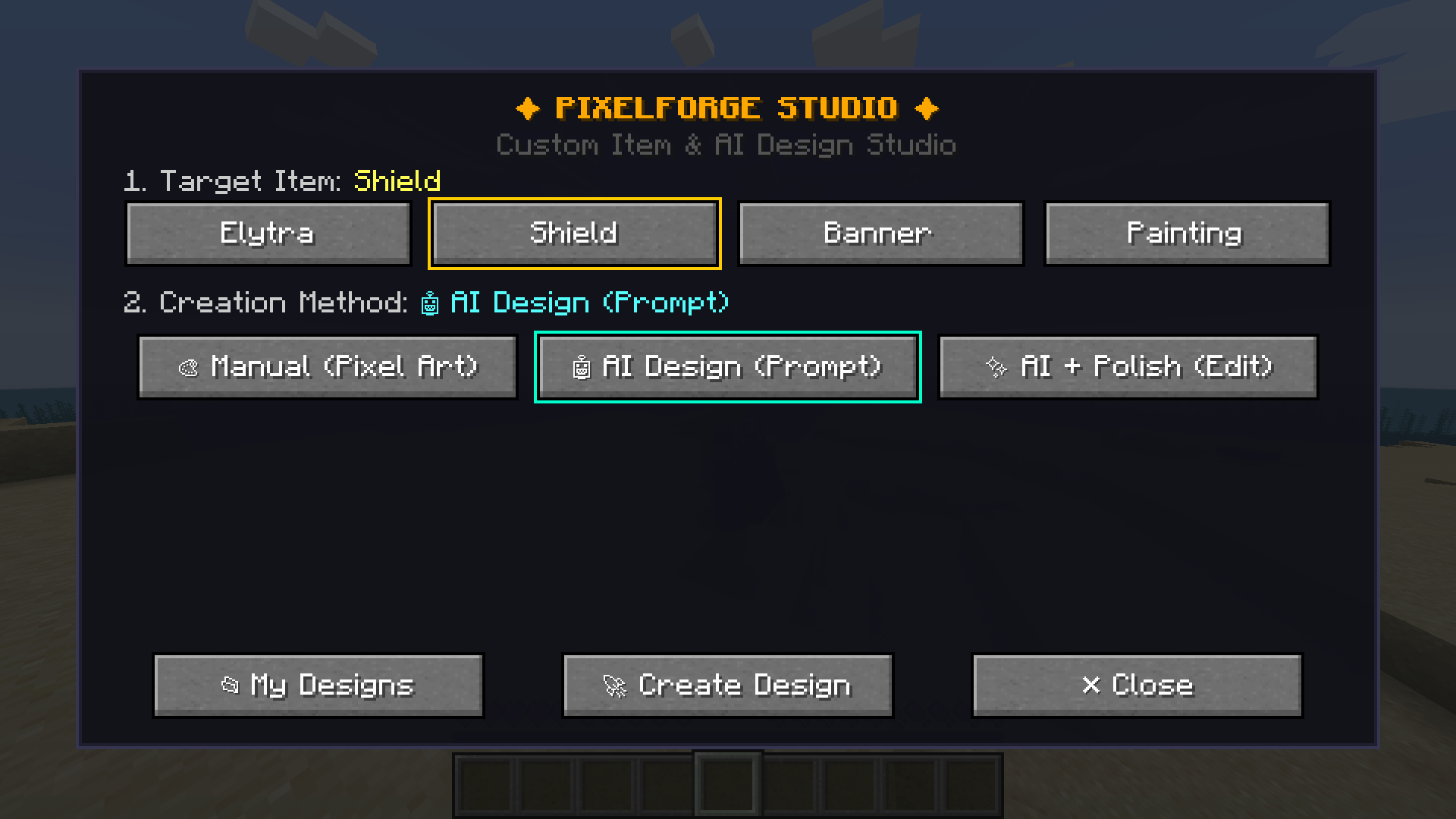
2. **Choose Your Item:** Select Shield, Elytra, Banner, or Painting (and pick your desired canvas size).
3. **Create:**
* **Manual Mode:** Draw freely on the canvas with color tools.
* **AI Mode:** Type any prompt and click **Generate**.
4. **Apply & Wear:** Click **Apply to Item** to bind the design directly to the gear in your hand, or save it for later!
---
### 🛠️ Crafting Recipes (Survival Mode)
* **Design Scroll:** `2x Paper` + `1x Ink Sac` (Shapeless) ➔ Yields `2x Design Scrolls`
* **Custom Gear:** Combine any vanilla Shield, Elytra, Banner, or Painting with a **Design Scroll** in a Crafting Table!
---
### 📦 Compatibility & Technical Details
* **Minecraft Version:** 1.20.1
* **Mod Loader:** Forge (47.x+)
* **Dependencies:** None! Fully standalone and lightweight.
* **Multiplayer:** Compatible with dedicated servers and LAN.
PixelForge Create your Shield, Elytra, Banner, Painting wth AI or pixelart! Team