PixelCross
- By
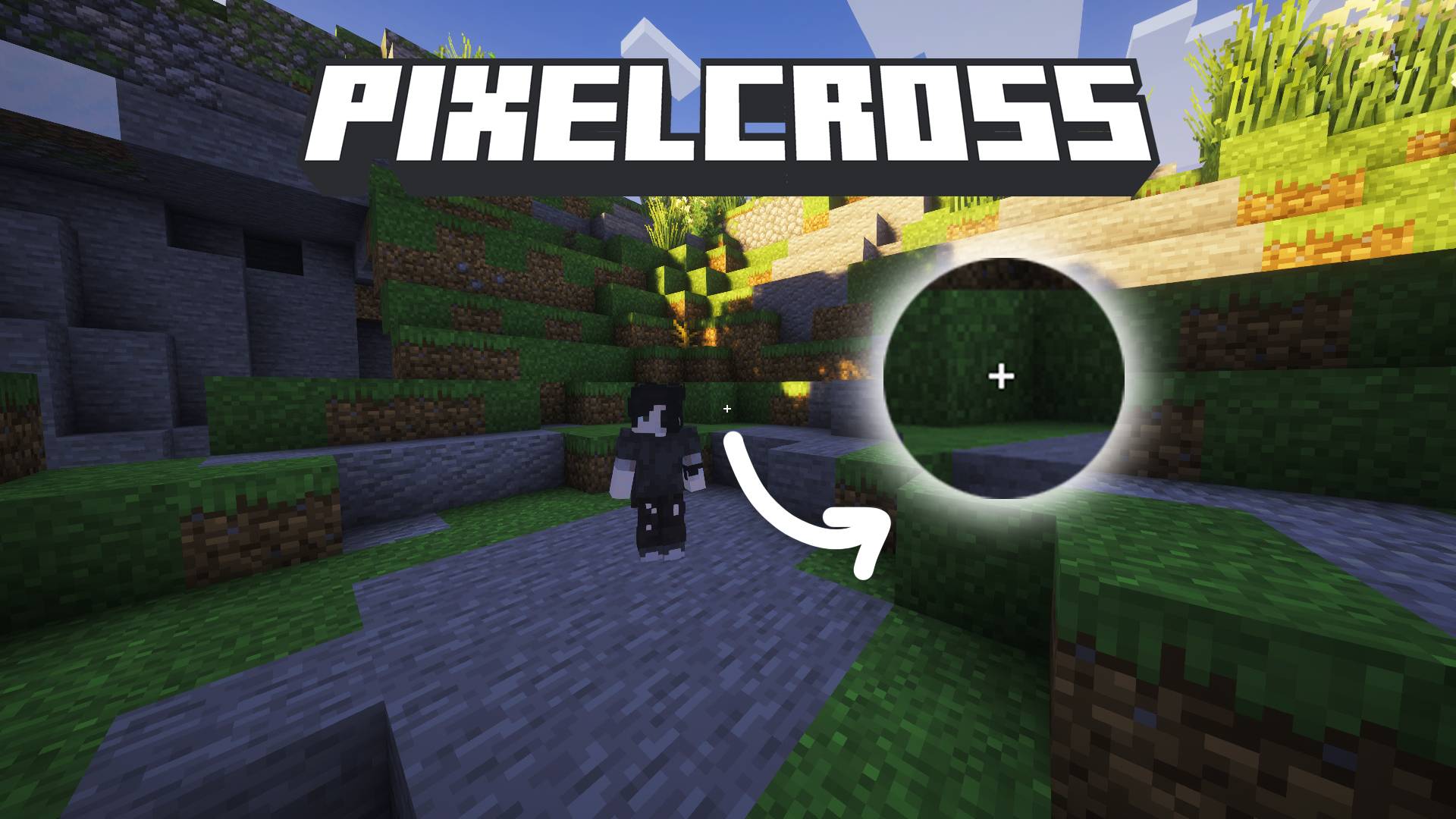
Draw a custom pixel-art crosshair right in-game — no resource packs needed. Optionally hide the whole HUD for clean footage. Fabric, MC 26.2.
ÐнÑмок екÑана 2026-09-27 170534.png
ÐнÑмок екÑана 2026-09-27 170551.png
ÐнÑмок екÑана 2026-09-27 170656.png
Description
PixelCross
Draw your own crosshair. No resource packs, no restarts — see it in-game instantly.
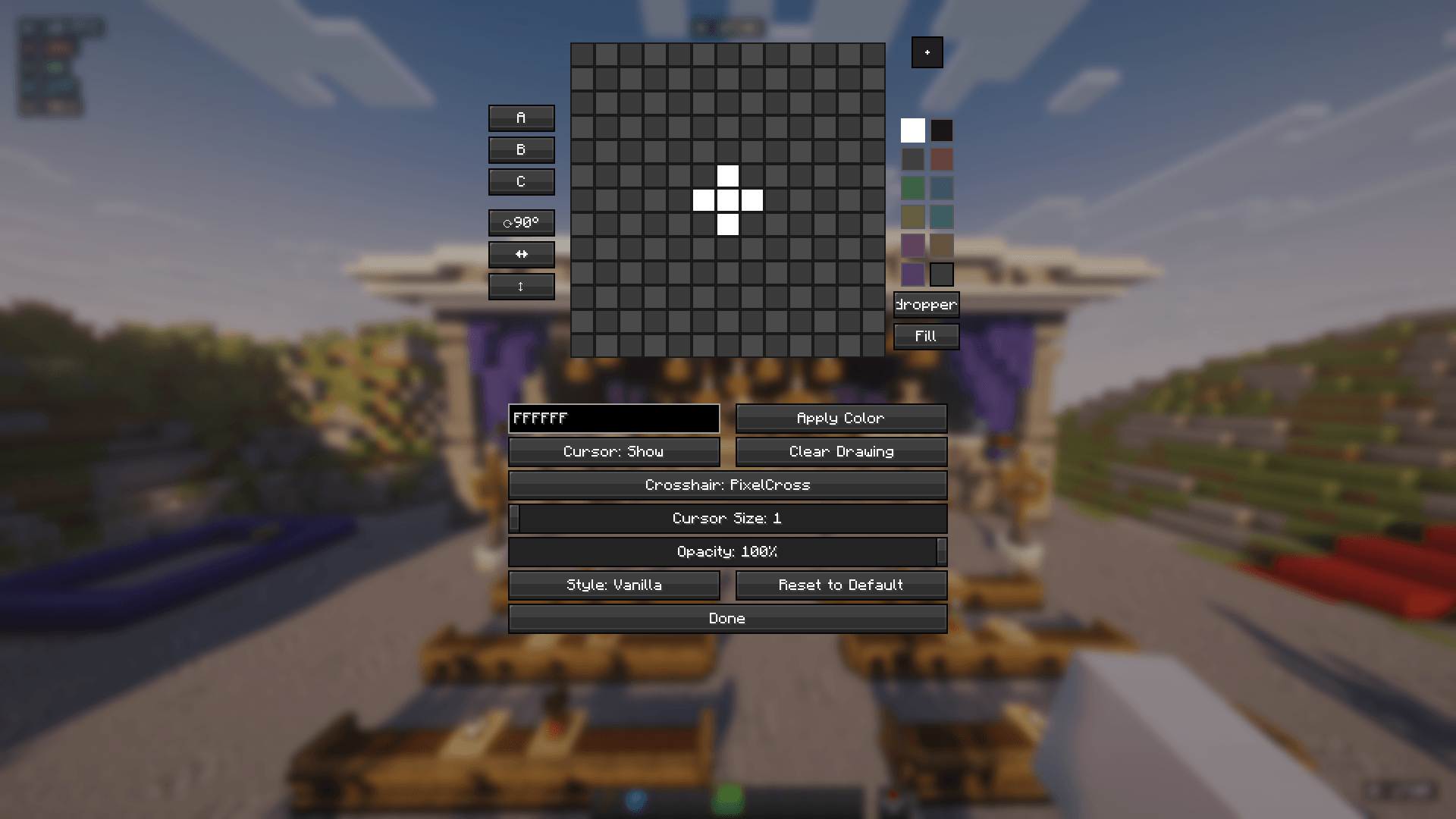
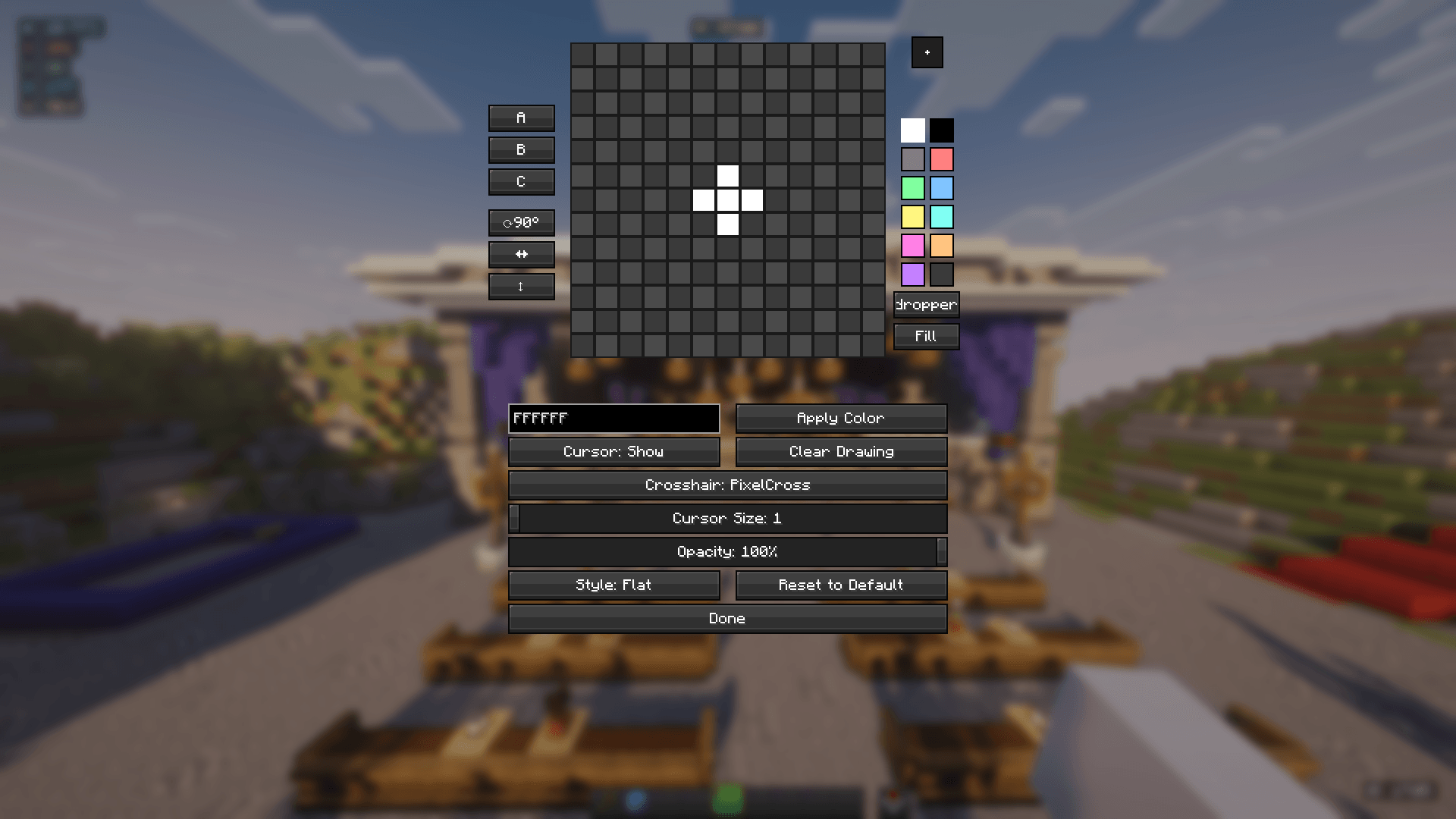
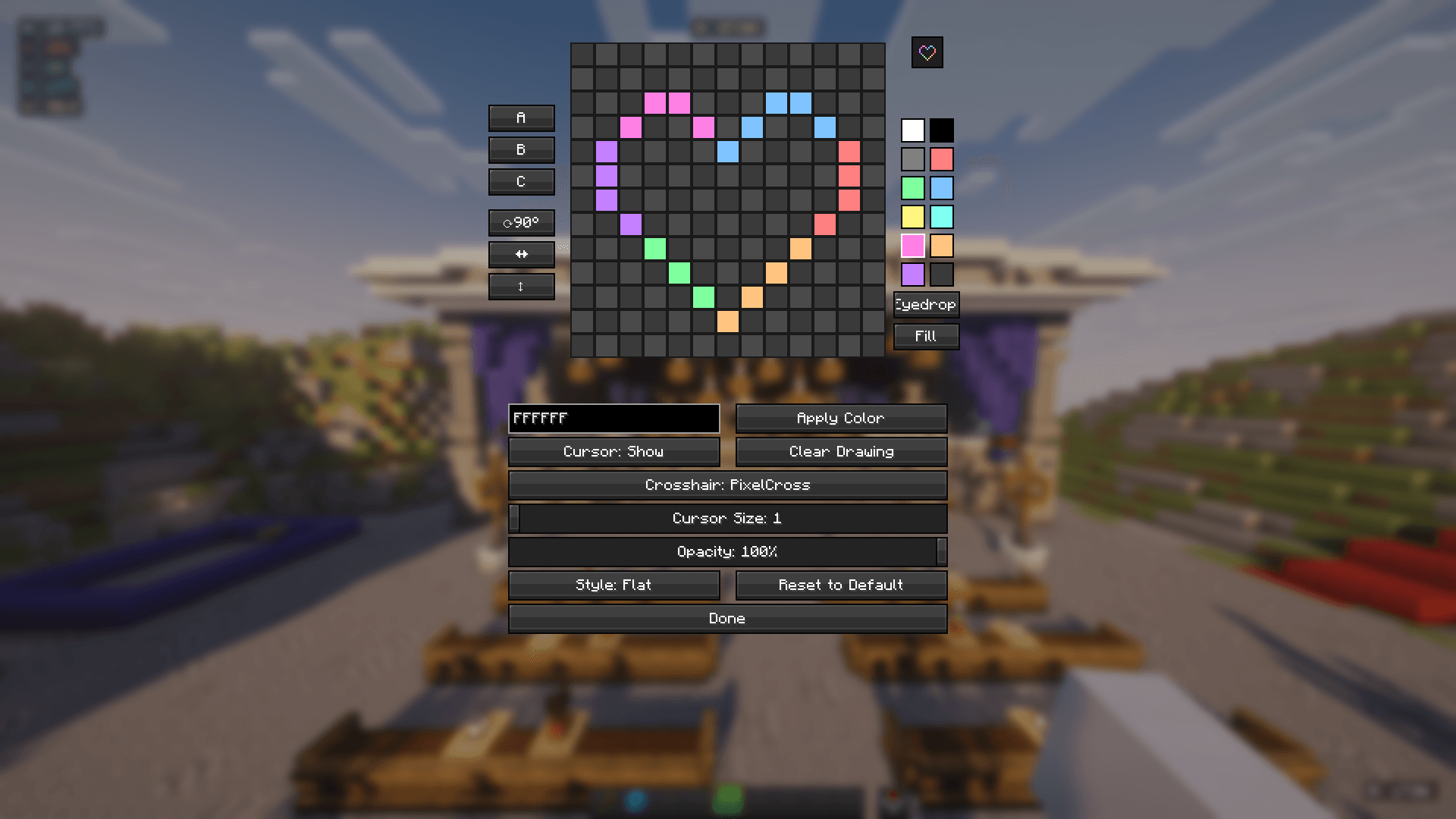
PixelCross adds a built-in pixel-art editor for designing your own crosshair and, separately, a way to hide the entire vanilla HUD while keeping just your drawn cursor on screen. Everything is done from an in-game settings screen — no texture files to create, package, or install.
Features
Cursor editor
- 13×13 pixel drawing grid
- 11-color built-in palette, plus a transparent "eraser" swatch
- Direct hex color entry (6 or 8-digit, with alpha)
- Eyedropper — sample any color already on the grid
- Bucket — flood-fill a connected area with the current color
- Rotate 90°, mirror horizontally, mirror vertically
- 3 preset slots (A/B/C) to save and switch between designs
- Reset to the default design at any time
- Live preview panel, scaled and with opacity applied, next to the grid
Display options
- Adjustable cursor scale (1×–6×)
- Adjustable opacity (0–100%)
- Two render styles:
- Vanilla — same invert-blend look the real crosshair uses (limited to white / transparent, so it reads correctly against any background)
- Flat — plain alpha-blended fill, full color palette
- Cursor on/off toggle, independent of everything else
HUD & crosshair control
- Full HUD-hide toggle — flips the same flag
F1does, so other HUD mods (minimaps, status overlays, etc.) that check it hide right along with it. Your drawn cursor keeps rendering even with the rest of the HUD gone. - Permanent crosshair replacement — swap the real crosshair for your drawn one during normal play, on its own switch, independent of the HUD-hide toggle.
Other
- ModMenu integration
- Localized into 14 languages
- Client-side only — safe to use on any server
Controls
In-game keybinds (both unbound by default — set them in Controls) | Action | Default key | |---|---| | Toggle full HUD hide (cursor stays visible) | Unbound | | Open PixelCross settings | Unbound |
Inside the cursor editor | Action | Control | |---|---| | Draw with the current color | Left-click on the grid (click-drag to paint continuously) | | Erase a pixel | Right-click on the grid (click-drag to erase continuously) | | Pick a palette color | Left-click a palette swatch | | Sample a color already on the grid | Click Eyedropper, then left-click the grid | | Flood-fill a connected area | Click Bucket, then left-click the grid | | Enter a custom color | Type into the hex field, click Apply color | | Save current drawing to a preset | Shift + Click preset A/B/C | | Load a saved preset | Click preset A/B/C | | Rotate the drawing 90° | Click ⟳90° | | Mirror horizontally / vertically | Click ↔ / ↕ | | Show/hide the drawn cursor | Click the Cursor toggle | | Clear the entire grid | Click Clear | | Enable/disable the crosshair replacement | Click the Crosshair toggle | | Adjust size | Scale slider (1×–6×) | | Adjust transparency | Opacity slider (0–100%) | | Switch render style | Click the Style toggle (Vanilla / Flat) | | Restore defaults | Click Reset | | Scroll the settings screen (if it overflows) | Mouse wheel | | Save and close | Click Done |
Requirements
- Minecraft 26.2
- Fabric Loader 0.19.3+
- Fabric API
- Java 25+
The PixelCross Team