Pitch Craft
- By
Turn Minecraft sounds into music by importing an MP3 or WAV and playing its melody through bells, blocks, mobs, and more.
2026-08-25_18.47.49.png
2026-08-25_18.47.55.png
2026-08-25_18.48.11.png
Description
PitchCraft
PitchCraft turns music into playable Minecraft sound pitches.
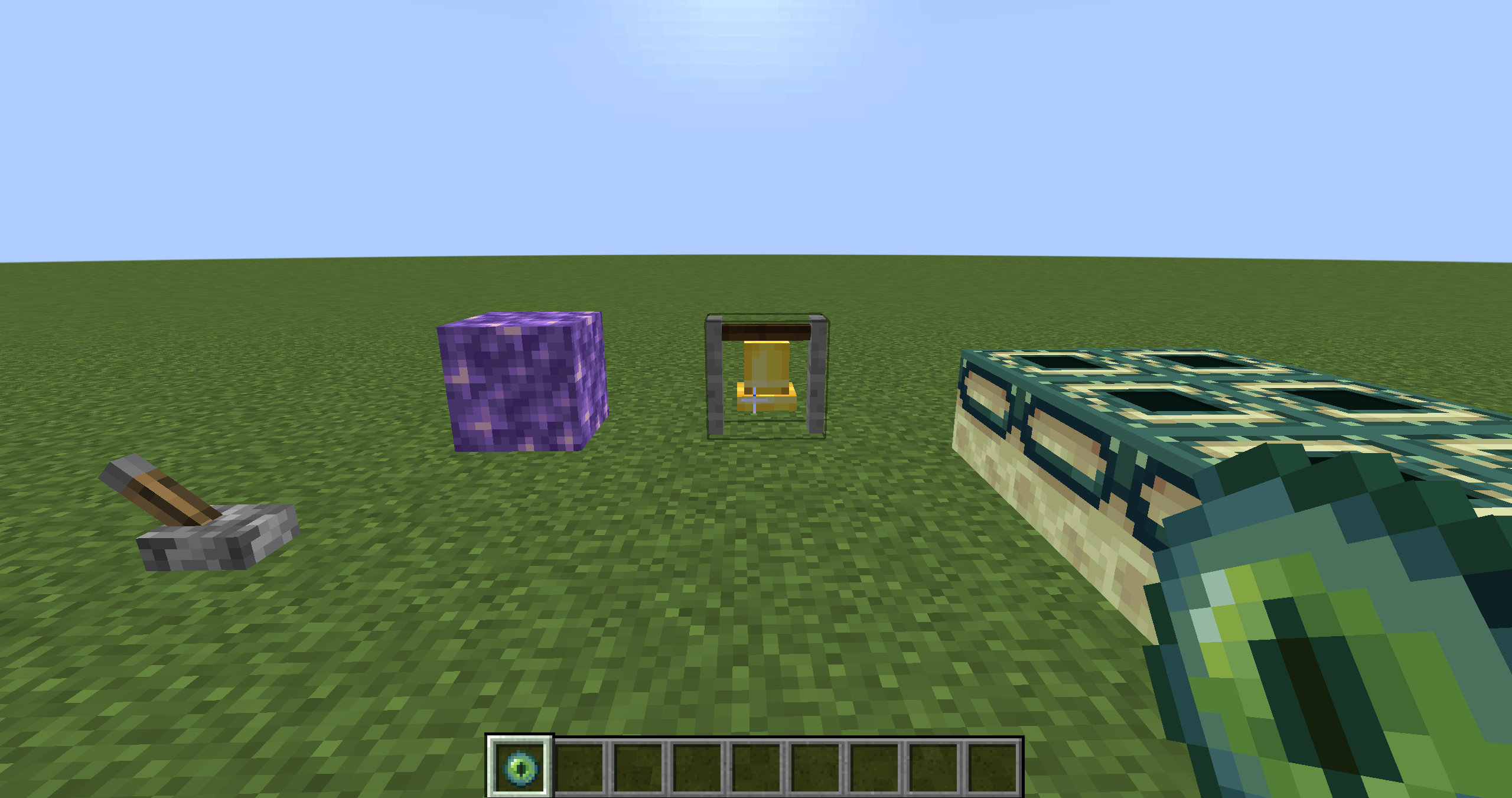
Import an MP3 or WAV file, analyze its melody, and perform it using bells, amethyst blocks, doors, levers, and other Minecraft interactions. You can play notes manually or let PitchCraft perform the analyzed melody automatically.
⚠️ Important: Audio Requirements
PitchCraft works best with simple, monophonic audio.
For the most accurate analysis, please import:
- A piano melody played with only one finger
- A single instrument playing one note at a time
- Simple music made from clean, isolated tones
- Audio without chords, vocals, drums, or background instruments
Complex full songs are not guaranteed to analyze correctly.
Music containing multiple instruments, chords, heavy reverb, drums, vocals, or background noise may produce inaccurate notes or fail to analyze.
If possible, prepare a clean melody track before importing it into PitchCraft.
Features
- Import MP3 and WAV files
- Convert melodies into Minecraft-compatible pitches
- Play melodies by interacting with Minecraft blocks
- Automatic timed performance mode
- Player-controlled rhythm mode
- Bell and amethyst pitch playback
- Support for various Minecraft interaction sounds
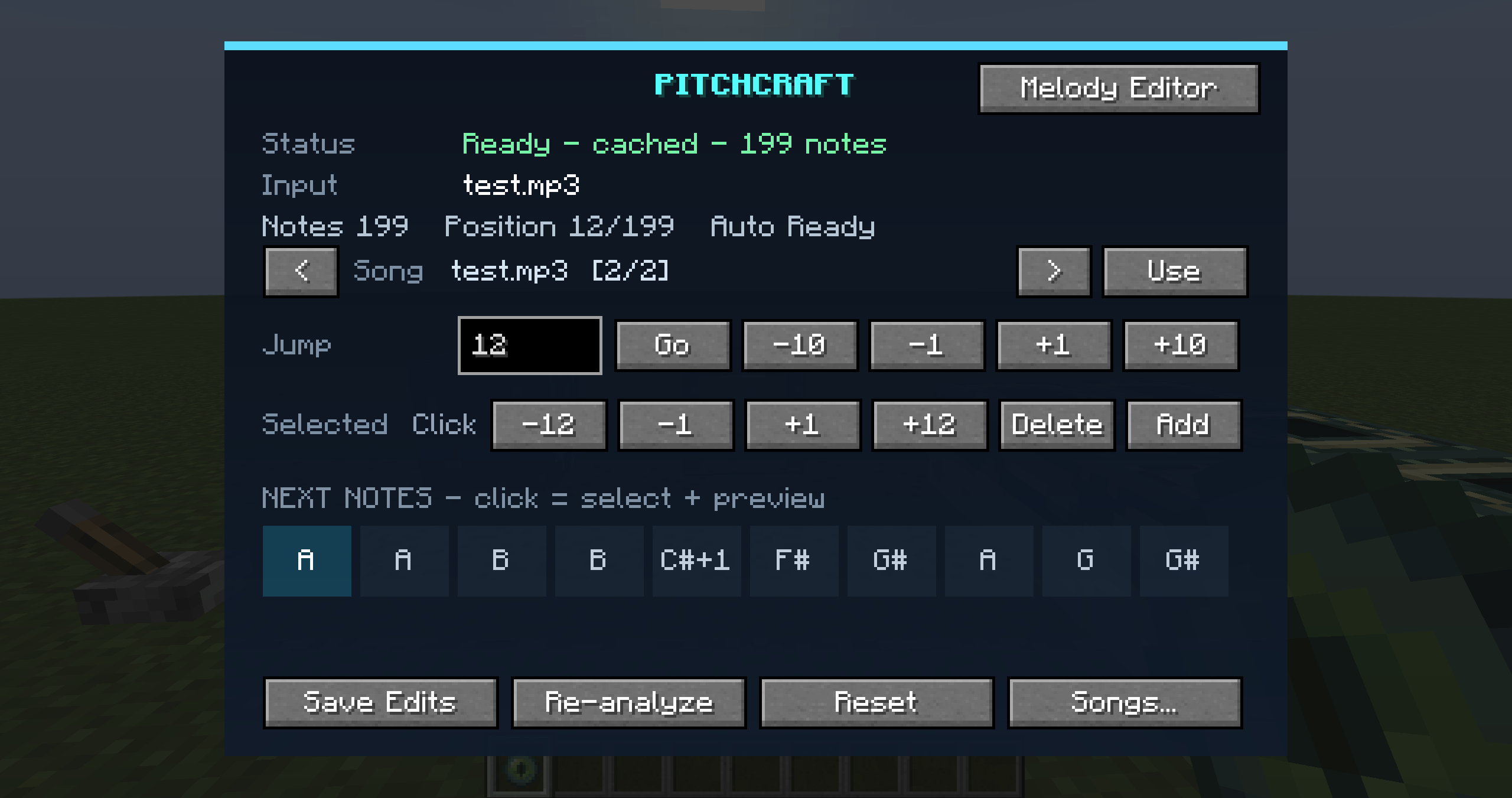
- Multiple-song library
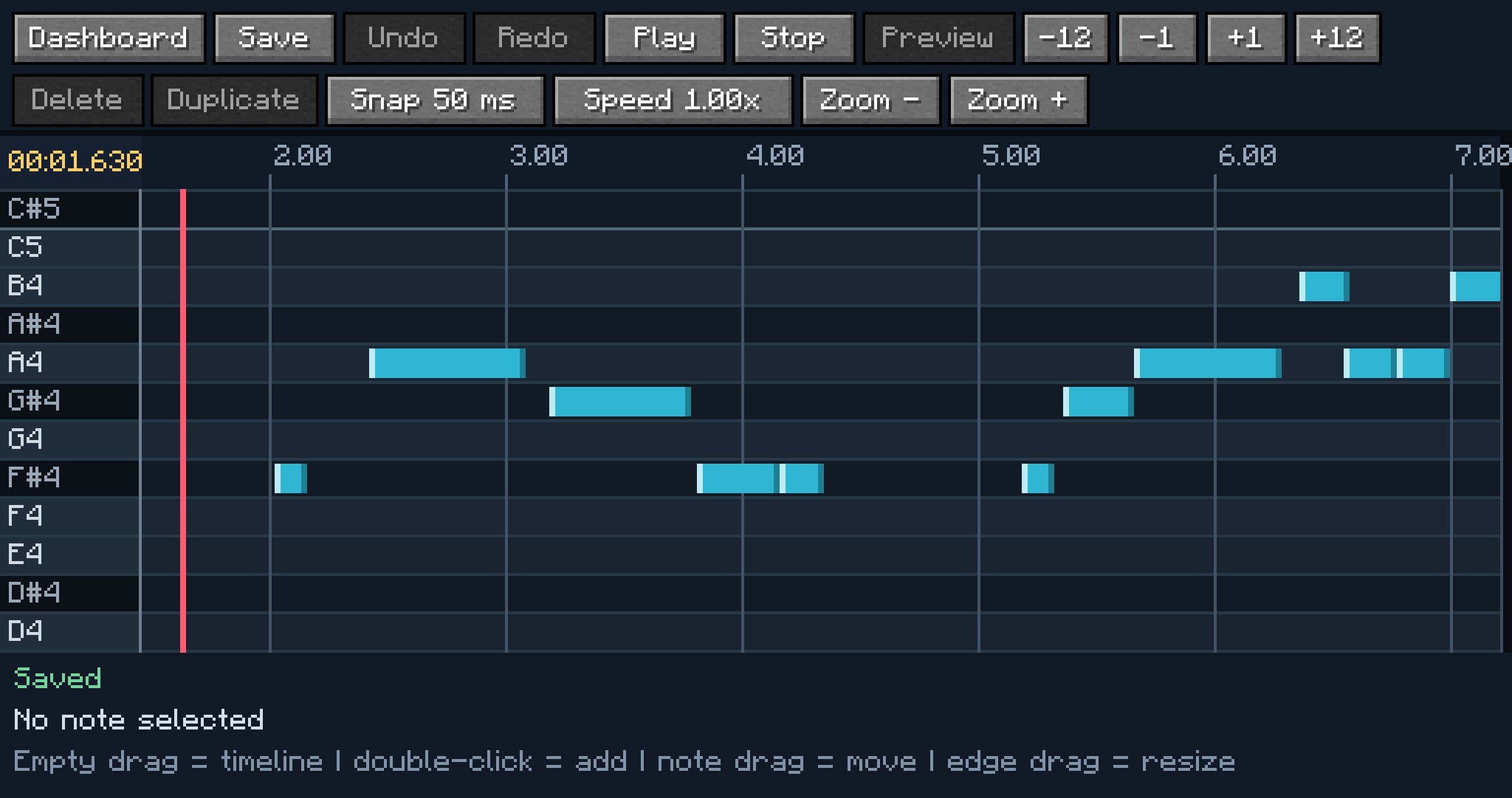
- Piano-roll melody editor
- Move notes vertically to change pitch
- Move notes horizontally to change timing
- Resize, add, delete, duplicate, undo, and redo notes
- Save edited melodies
- Playback timeline with a movable playhead
- Cached analysis for previously imported songs
- Experimental AI analysis for more complex audio
How to Use
- Open the PitchCraft dashboard in Minecraft.
- Import an MP3 or WAV file.
- Select an analysis mode.
- Wait for the melody analysis to finish.
- Edit the detected notes in the Melody Editor if necessary.
- Enter Player Rhythm or Auto Rhythm mode.
- Interact with supported blocks to perform the melody.
The first AI analysis may take longer because PitchCraft may need to prepare its local analysis model.
Recommended Audio
For the best results, use audio similar to:
- A one-finger piano performance
- A simple music-box melody
- A clean sine-wave melody
- A solo bell melody
- A single-note MIDI melody exported as MP3 or WAV
Avoid:
- Chords
- Multiple simultaneous notes
- Full band recordings
- Vocals
- Drums
- Loud background noise
- Strong echo or reverb
Requirements
- Minecraft Java Edition 1.20.1
- Minecraft Forge 47.3.0 or a compatible Forge 1.20.1 version
- 64-bit Windows is recommended for AI analysis
Experimental Feature Notice
AI melody analysis is experimental. Accuracy depends heavily on the imported audio. Even when analysis succeeds, manual corrections may be needed in the Melody Editor.
PitchCraft is designed primarily for clear, single-note melodies, not complete commercial songs.
The Pitch Craft Team