promotional bannermobile promotional banner

Raith's PiShock [NeoForge]

PiShock Minecraft Integration
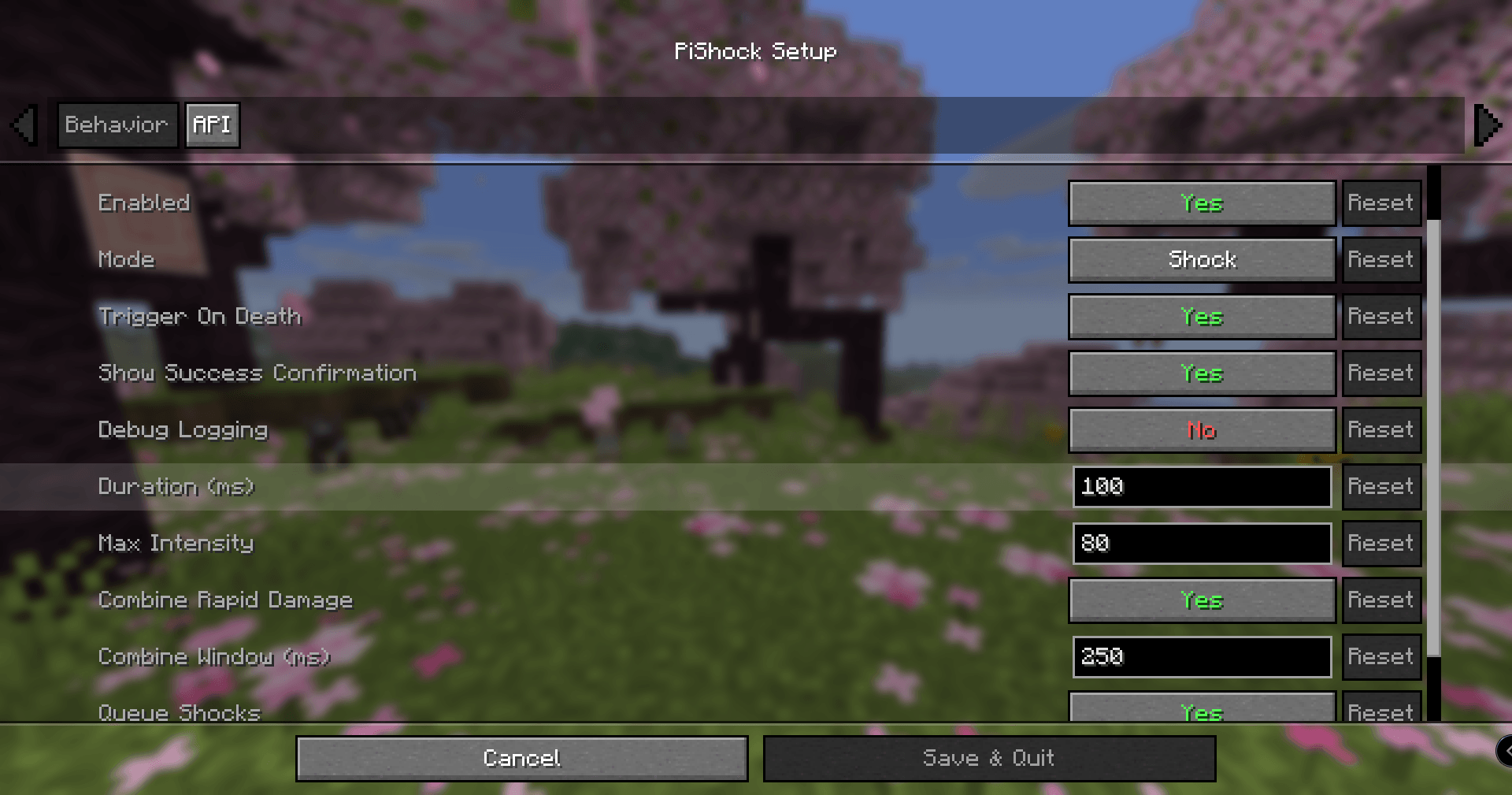
Minecraft_NeoForge_26.1.2-IdealVixen.png
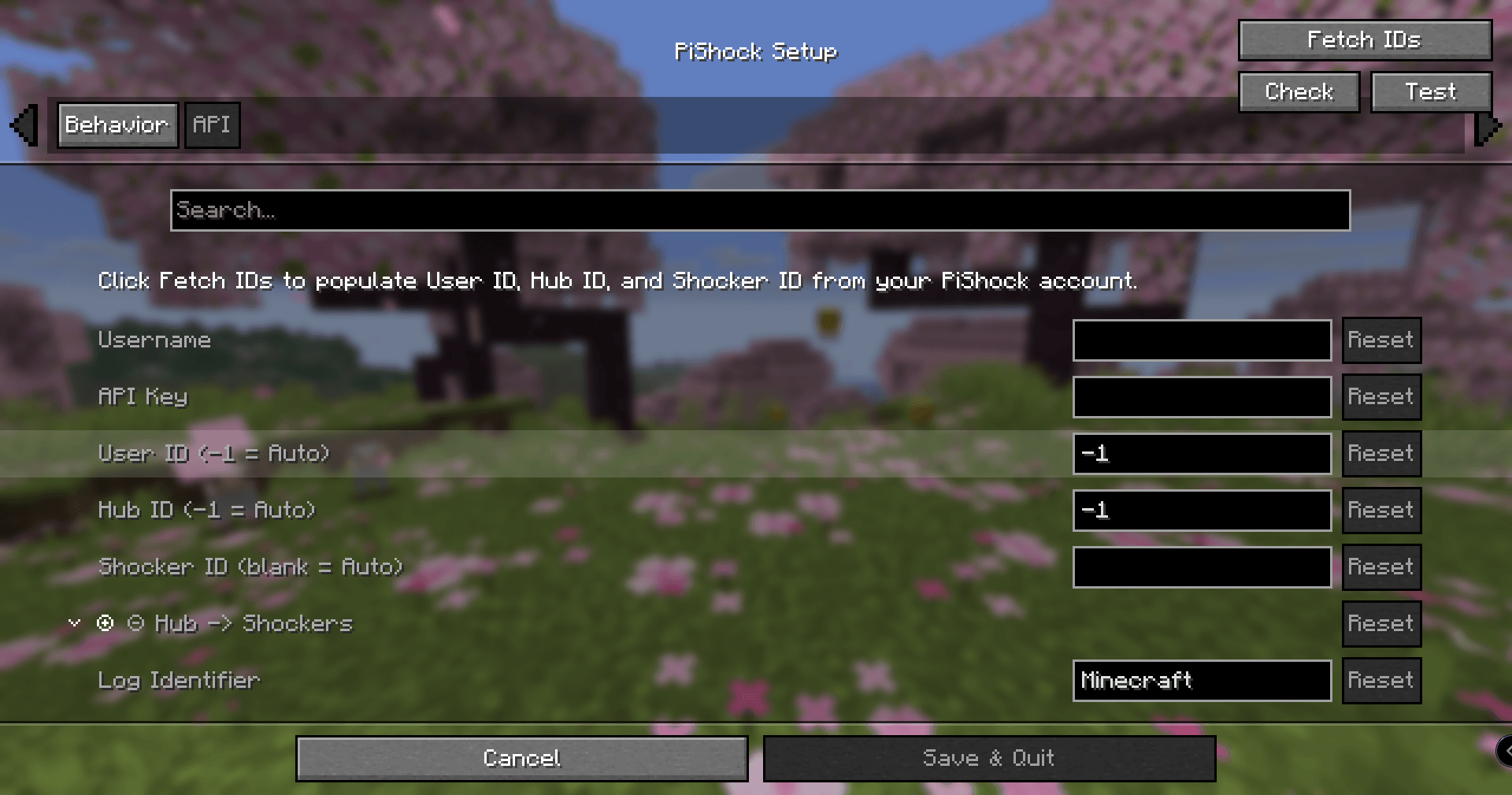
Minecraft_NeoForge_26.1.2-IdealVixen.png

Minecraft_NeoForge_26.1.2-PlasticIsopod.png

Minecraft_NeoForge_26.1.2-PlasticIsopod.png

Description

PiShock Minecraft Integration

Build and unit tests

Features

  • Works in multiplayer, including non-modded servers.
  • Uses PiShock's current websocket broker API (wss://broker.pishock.com/v2).
  • Supports local serial communication with PiShock V3 hubs over USB.
  • Supports Shock, Vibrate, and Beep modes.
  • Millisecond-precise duration settings (100ms to 15000ms).
  • Queues and combines damage events that occur in quick succession.
  • Limit-respecting failsafes at dispatch time.
  • Broker error reporting in chat with anti-spam throttling.
  • Optional success confirmation in chat, including intensity and duration.
  • Includes death-trigger support.
  • Auto-discovery for UserId, HubId, and ShockerId (/Account + /Shockers).
  • In-game setup UI with:
    • Fetch IDs
    • Check
    • Test
    • Serial
  • Quick enable/disable hotkey (default F12).
  • Client debug command:
    • /pishock debug
    • /pishock debug true
    • /pishock debug false
  • Config entry points:
    • Main menu icon button
    • Pause menu icon button
    • Mod config screen integration

Before You Use

  • If you need to stop immediately, close the game (Alt+F4 on Windows).
  • Test your emergency stop path before real use.
  • Set up and test the quick toggle hotkey (F12 by default).
  • Start with conservative intensity and duration values and verify behavior in a safe test world first.
  • Confirm your PiShock API key was generated on or after 2024-10-15 (required by websocket API login).

Setup

  • Launch Minecraft and open PiShock Setup from the main menu icon.
  • Enter your PiShock username and API key.
  • Use Fetch IDs to pull account/device routing values.
  • Use Transport to choose WebSocket or Serial.
  • For serial transport, open the Serial tab, connect a PiShock V3 hub over USB, set Serial Port or leave it blank for auto-detection, then use Serial to read firmware/device info and populate Hub/Shocker IDs when available.
  • Optionally use Check to validate the selected transport before live use.
  • Save config, then test with low values first.

The Raith's PiShock [NeoForge] Team

profile avatar
  • 5
    Projects
  • 2.6K
    Downloads
Donate

More from RaithSphereView all

  • CytraX Pack project image

    CytraX Pack

    • 102
    • Modpacks

    A modpack built for the CytraX community, featuring extensive use of the Create Mod and its mechanical automation systems, designed to enhance creativity, engineering, and large-scale builds, offering players a rich and immersive modded experience

    • 102
    • April 24, 2026
    • Modpacks
    • +1
  • The Bubz Pack 3 - CreateTech project image

    The Bubz Pack 3 - CreateTech

    • 610
    • Modpacks

    This is a Tech Create created for the community of Mr Bubblez, mostly fun mods added along the way. More mobs for you to have issues with and also some selected UI tweaks to help with the user experience

    • 610
    • November 29, 2024
    • Modpacks
    • +1
  • The Bubz Pack 2 [Forge] project image

    The Bubz Pack 2 [Forge]

    • 929
    • Modpacks

    This is a simple modpack created for the community of Mr Bubblez, mostly based on vanilla with some QoL and fun mods added along the way. More mobs for you to have issues with and also some selected UI tweaks to help with the user experience

    • 929
    • October 12, 2024
    • Modpacks
  • The Bubz Pack [Forge] project image

    The Bubz Pack [Forge]

    • 474
    • Modpacks

    Mod Pack created for the community of Mr Bubbles, taking vanilla and dialling it up slightly

    • 474
    • September 13, 2024
    • Modpacks
  • CytraX Pack project image

    CytraX Pack

    • 102
    • Modpacks

    A modpack built for the CytraX community, featuring extensive use of the Create Mod and its mechanical automation systems, designed to enhance creativity, engineering, and large-scale builds, offering players a rich and immersive modded experience

    • 102
    • April 24, 2026
    • Modpacks
    • +1
  • The Bubz Pack 3 - CreateTech project image

    The Bubz Pack 3 - CreateTech

    • 610
    • Modpacks

    This is a Tech Create created for the community of Mr Bubblez, mostly fun mods added along the way. More mobs for you to have issues with and also some selected UI tweaks to help with the user experience

    • 610
    • November 29, 2024
    • Modpacks
    • +1
  • The Bubz Pack 2 [Forge] project image

    The Bubz Pack 2 [Forge]

    • 929
    • Modpacks

    This is a simple modpack created for the community of Mr Bubblez, mostly based on vanilla with some QoL and fun mods added along the way. More mobs for you to have issues with and also some selected UI tweaks to help with the user experience

    • 929
    • October 12, 2024
    • Modpacks
  • The Bubz Pack [Forge] project image

    The Bubz Pack [Forge]

    • 474
    • Modpacks

    Mod Pack created for the community of Mr Bubbles, taking vanilla and dialling it up slightly

    • 474
    • September 13, 2024
    • Modpacks