Ping It!
- By
09b98021d7a030f84661e45df629659903b2bc74.png
ec68142cafb2b43ee6963ad3441aa94ebf1cd0e5.png
232a5d42995a248f0d77bde8ea0538ef3be0026f.png
e28ec871a7c70812c4910681eb9e39c5de2fd8d8.png
ee152f7a6b66ebef04401e0e97e356d1168dee68.png
Description

Ping It!
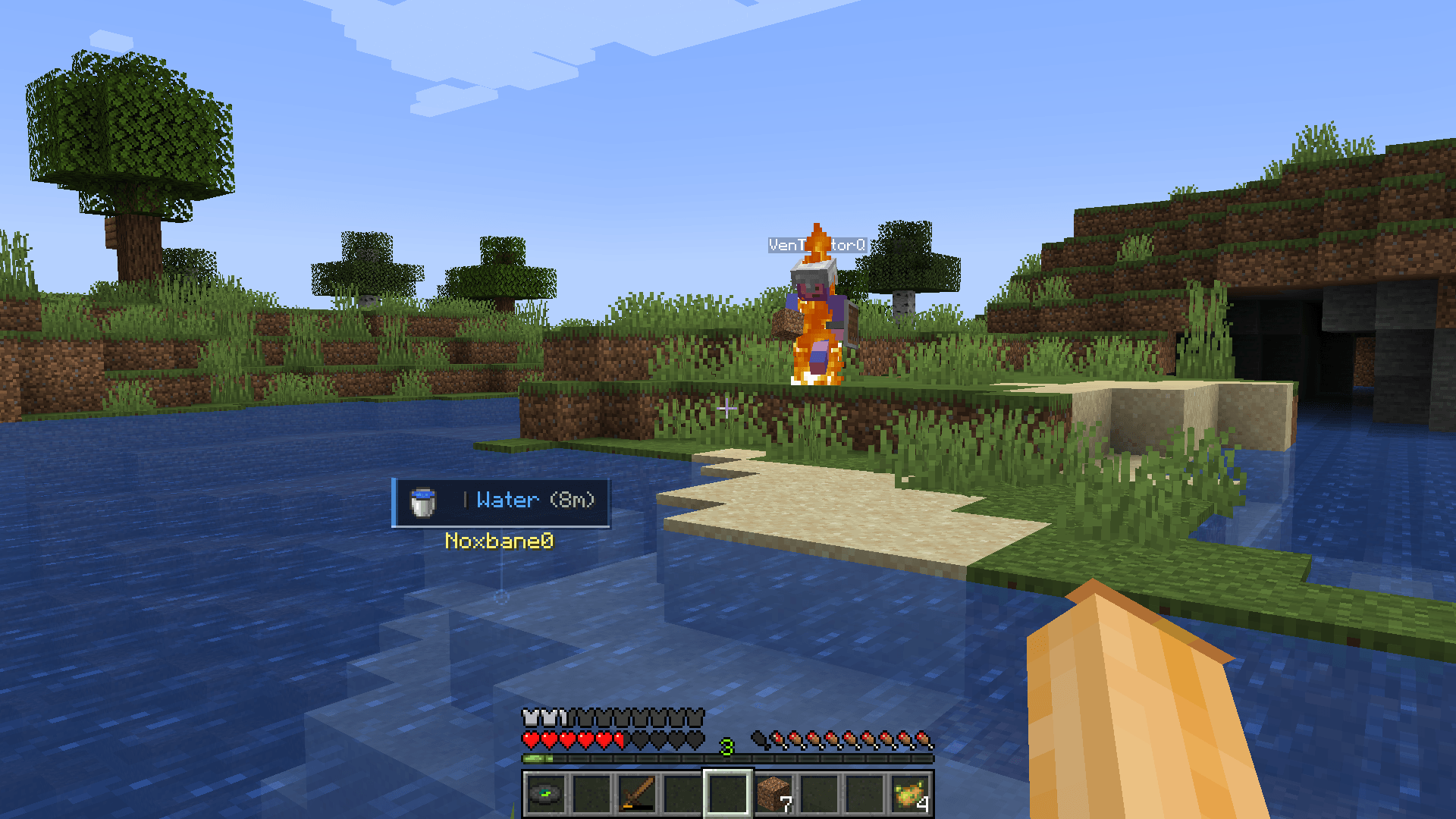
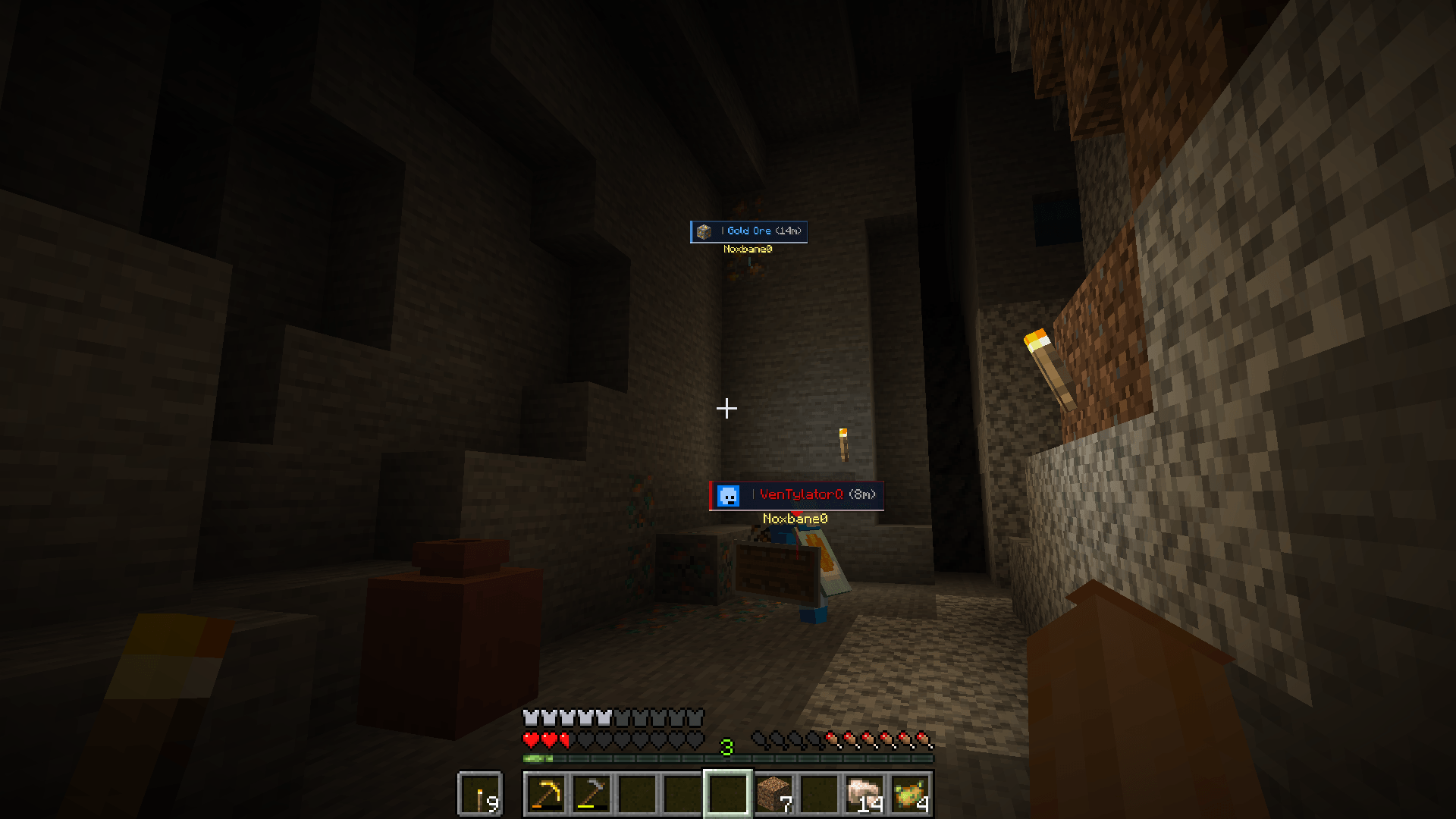
Ping It! is a fast, configurable communication tool for Minecraft. Point at a block, mob, player, or item—or open a container and ping an item in one of its slots—to share a clear marker with your team without stopping to type in chat.
Features
- Quick pings: Tap the ping key to mark what you are looking at. The mod chooses Look, Alert, or Danger automatically.
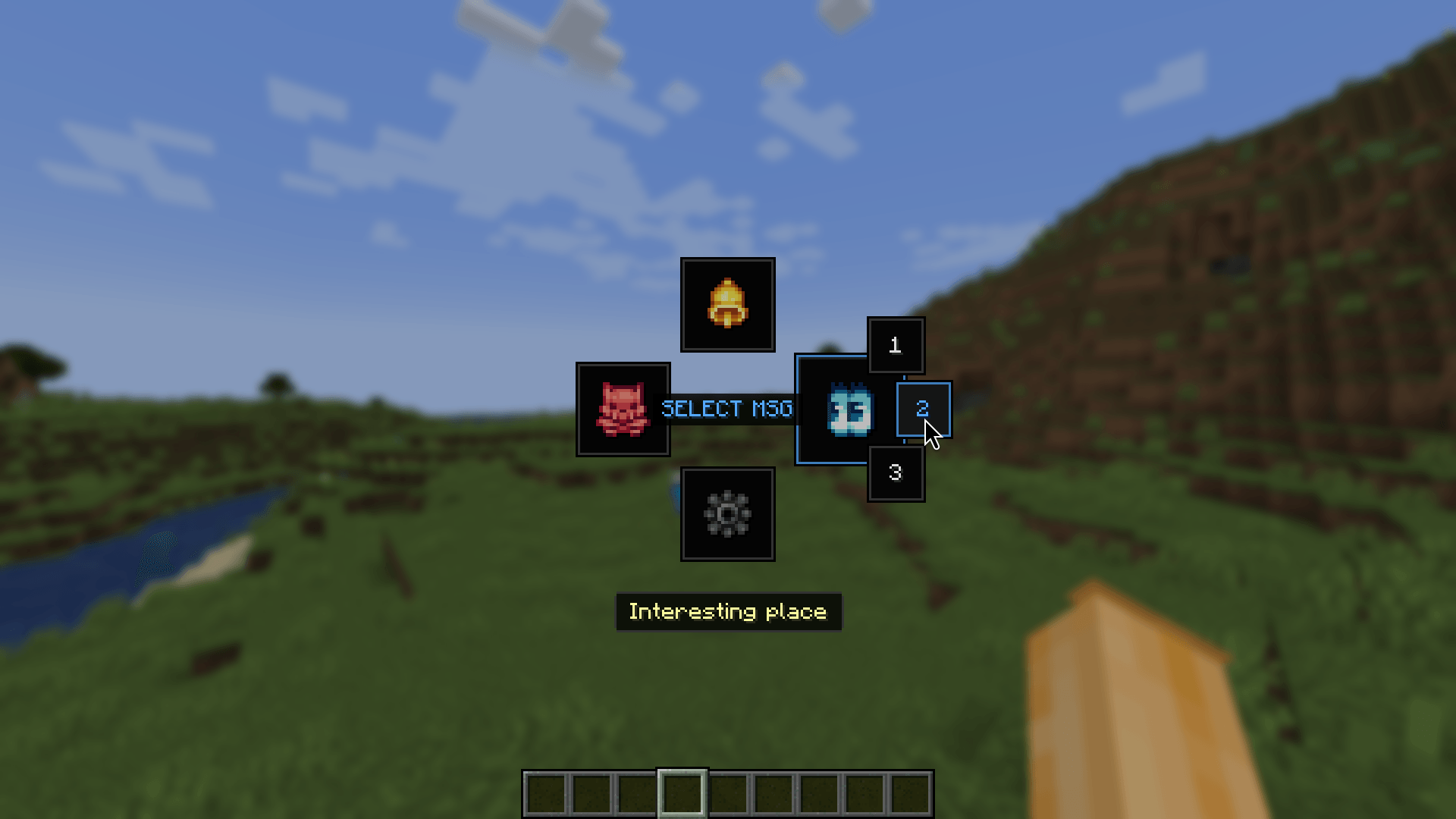
- Radial communication: Hold the ping key to open either the Classic or Wheel radial menu. Choose a ping type, attach a quick phrase to a new ping, or reply to an existing ping with one.
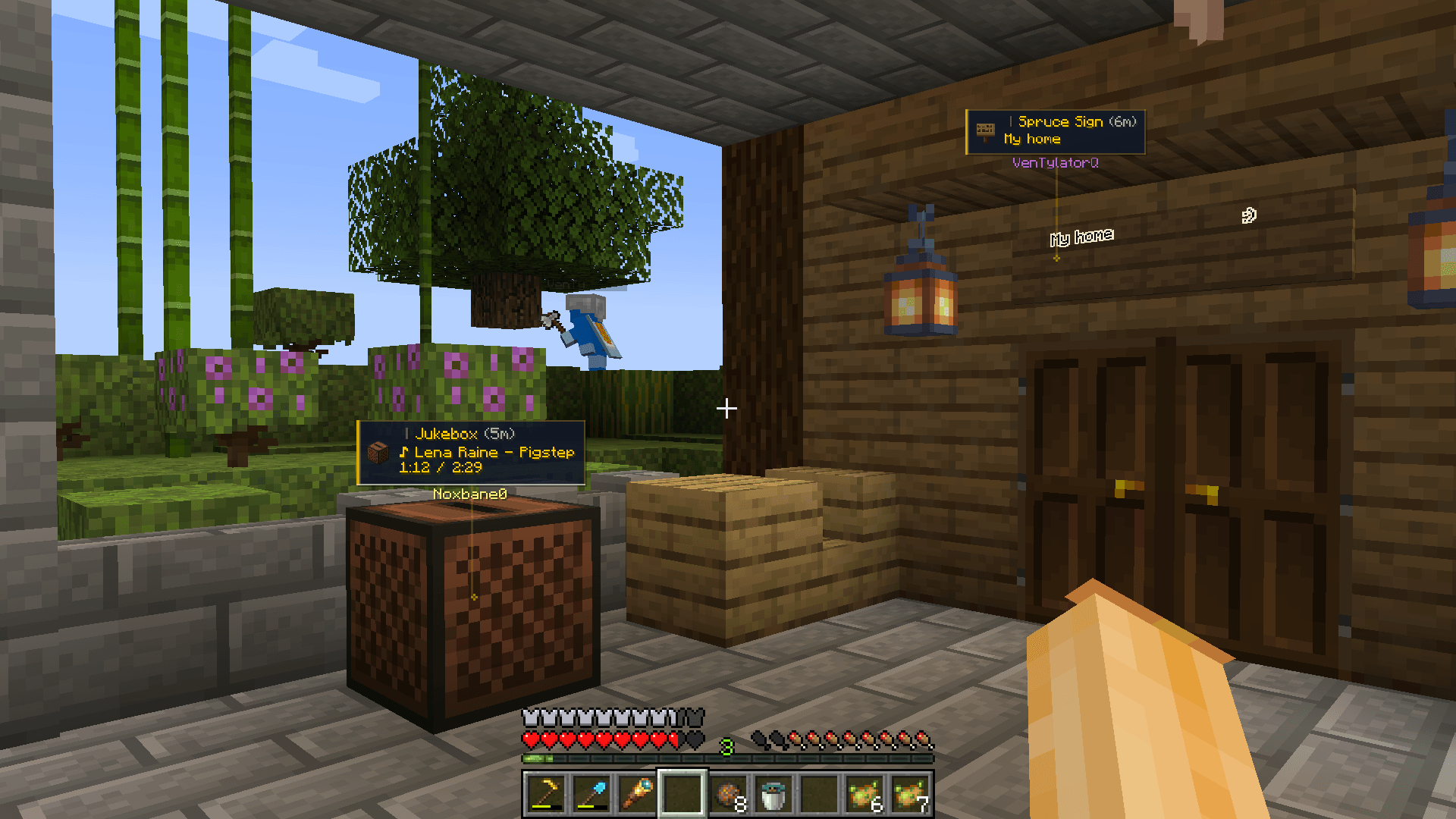
- Blocks, entities, and items: Mark locations, blocks, players, mobs, dropped items, and other useful world targets. Smart Raycast can ignore visual clutter such as grass, vines, torches, glass, and barriers.
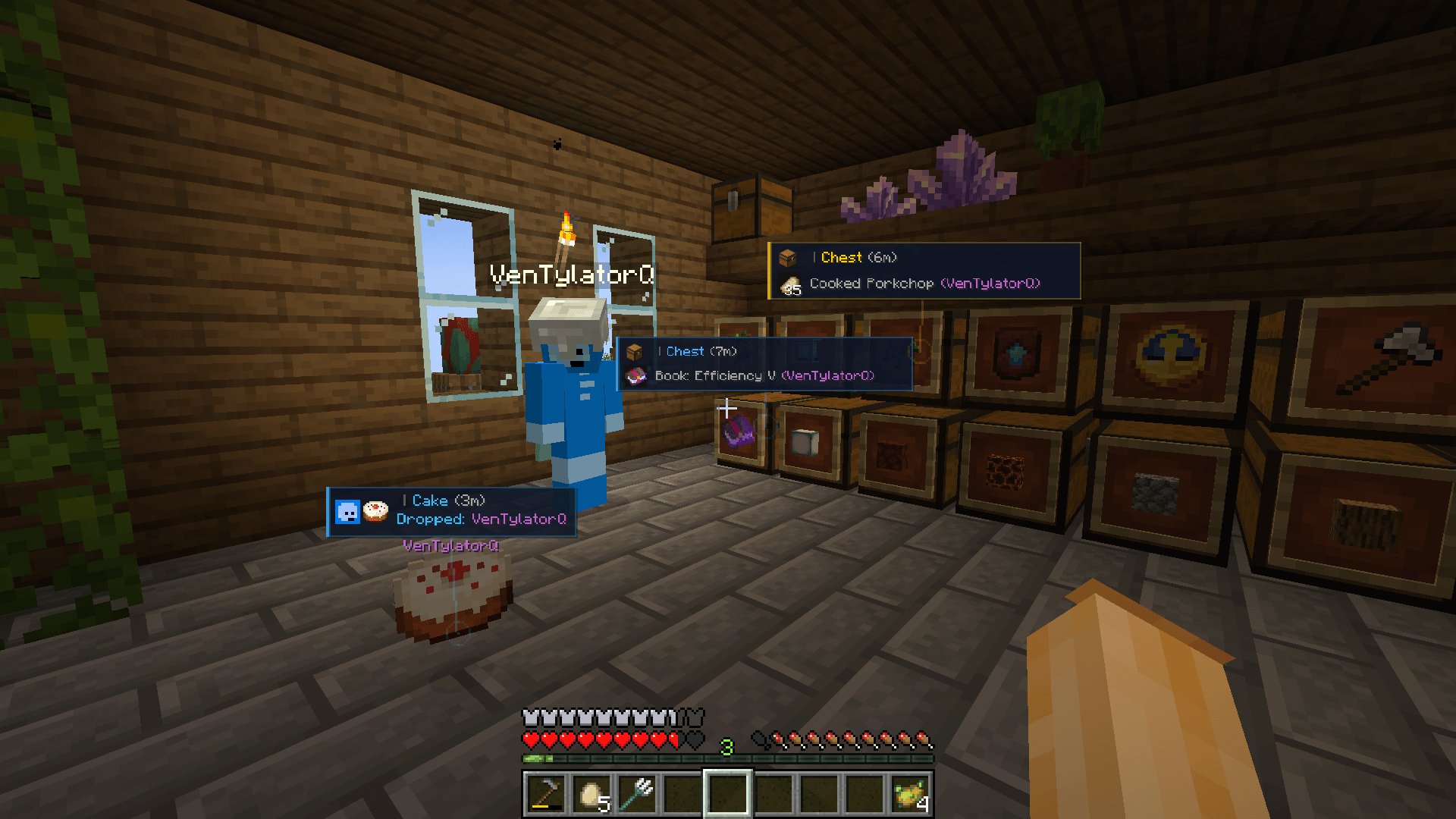
- Container and inventory pings: Open a chest, hopper, barrel, storage entity, or your own inventory. Move the cursor over a non-empty item slot and press the ping key to share that exact item with other players. Press it again to cycle the slot between Look, Alert, and Danger. Several marked slots are grouped into one readable card.
- Readable ping cards: Use detailed, compact, or adaptive cards with the target name, author, player face, distance, note, lifetime bar, and a stem to the marked location. Nearby pings can be grouped to reduce screen clutter.
- World and off-screen guidance: Optional compass, sonar waves, block outlines, edge arrows, edge sonar, behind-wall fading, and distance display help you find pings in busy scenes.
- Sounds and visual customization: Configure separate sounds and colors
for each ping type, distance-based volume, card size, display range, fading,
sonar shapes, and more. Local custom OGG sounds can be loaded from
config/ping-it/audio. - Team-friendly multiplayer: When Ping It! is installed on the server, the server validates, synchronizes, refreshes, merges, and removes shared pings. Server operators can configure limits, range, lifetime, and replies.
- Personal controls: Searchable settings, advanced options, language selection, quick-phrase editing, a local player blocklist, import/export, temporary ping hiding, and configurable keybinds are included.
How to use
- Tap the ping key (V by default) to place a quick ping.
- Hold the ping key to open the radial menu and choose a ping type or quick phrase.
- Open an inventory, hover over an item slot, and press the ping key (V by default) to mark that exact item. Empty slots and crafting/result slots are ignored.
- Hold Shift and tap the ping key while looking at your own ping to remove it.
All keybinds can be changed in Minecraft's Controls menu or in Ping It!'s settings.
Multiplayer
For shared multiplayer pings, install Ping It! on both the clients and the server. The server-side component keeps target validation, ping lifetime, duplicate merging, replies, and server limits consistent for everyone. Client preferences such as colors, language, sounds, visibility, and the blocklist remain local.
Credits
- Noxbane — Developer
- Kylon — Artist
- VenTylator — Tester
Ping It! Team