Pick’n’Pack
- By
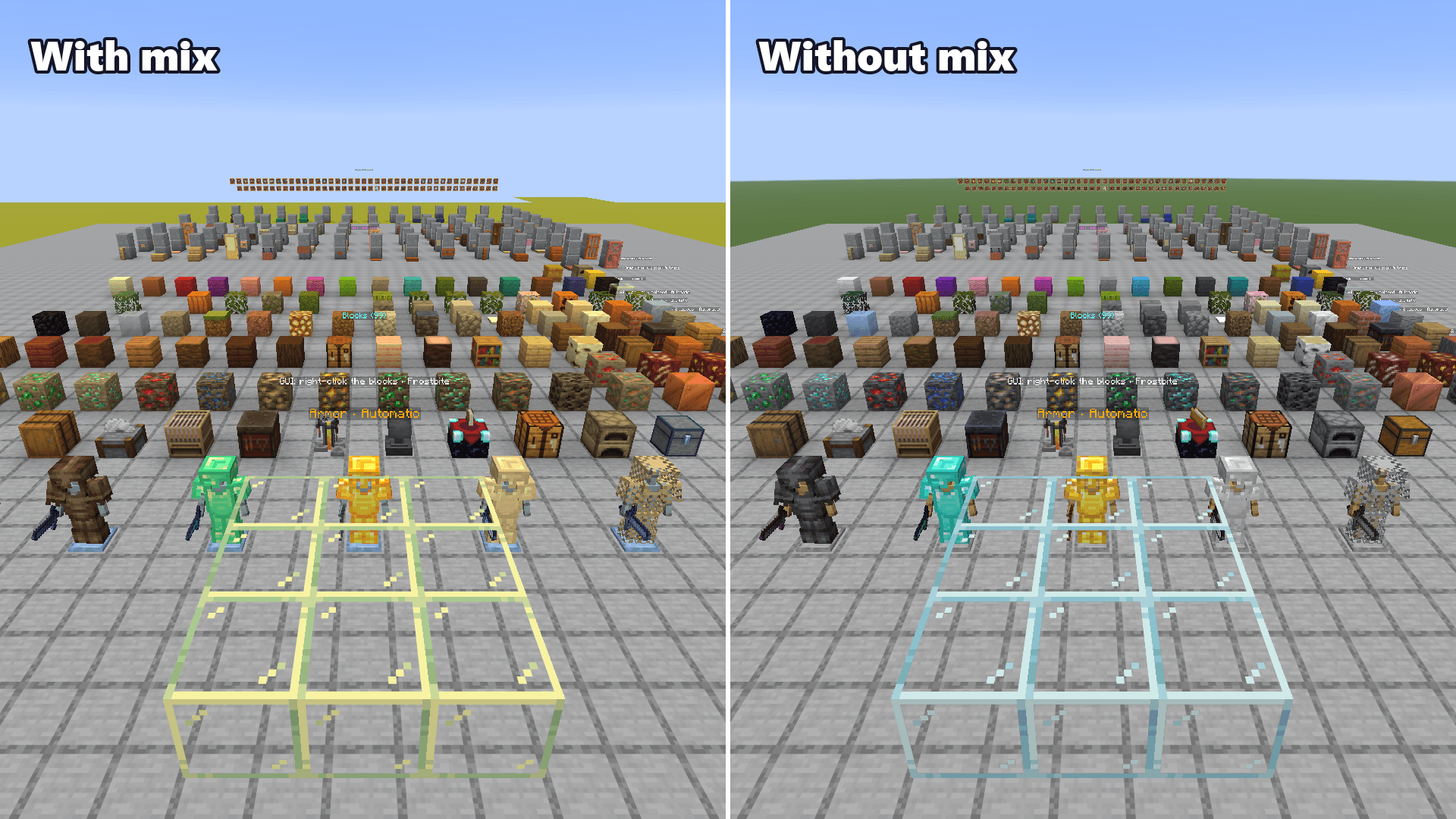
02-before-after.png
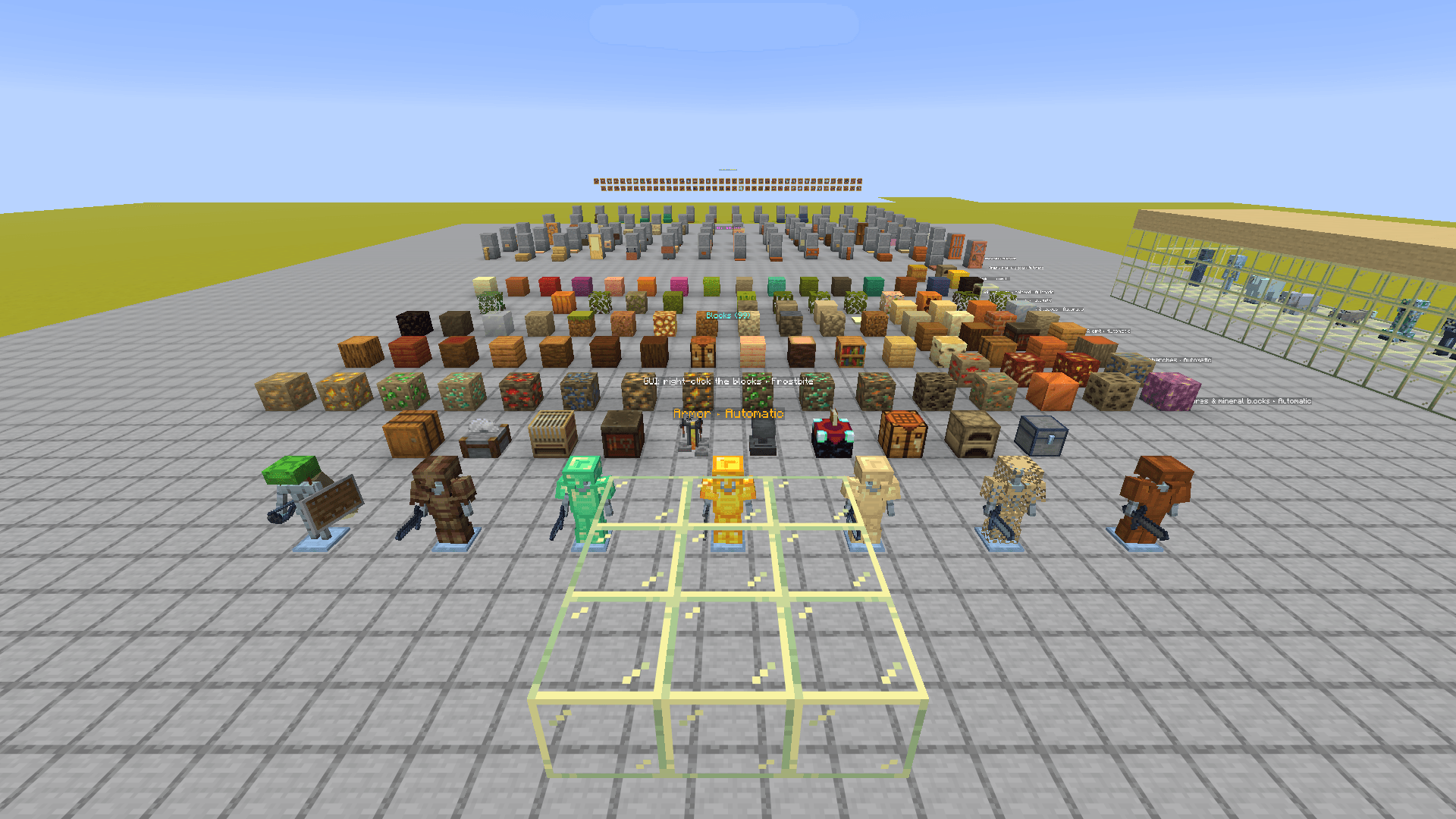
01-showroom.png
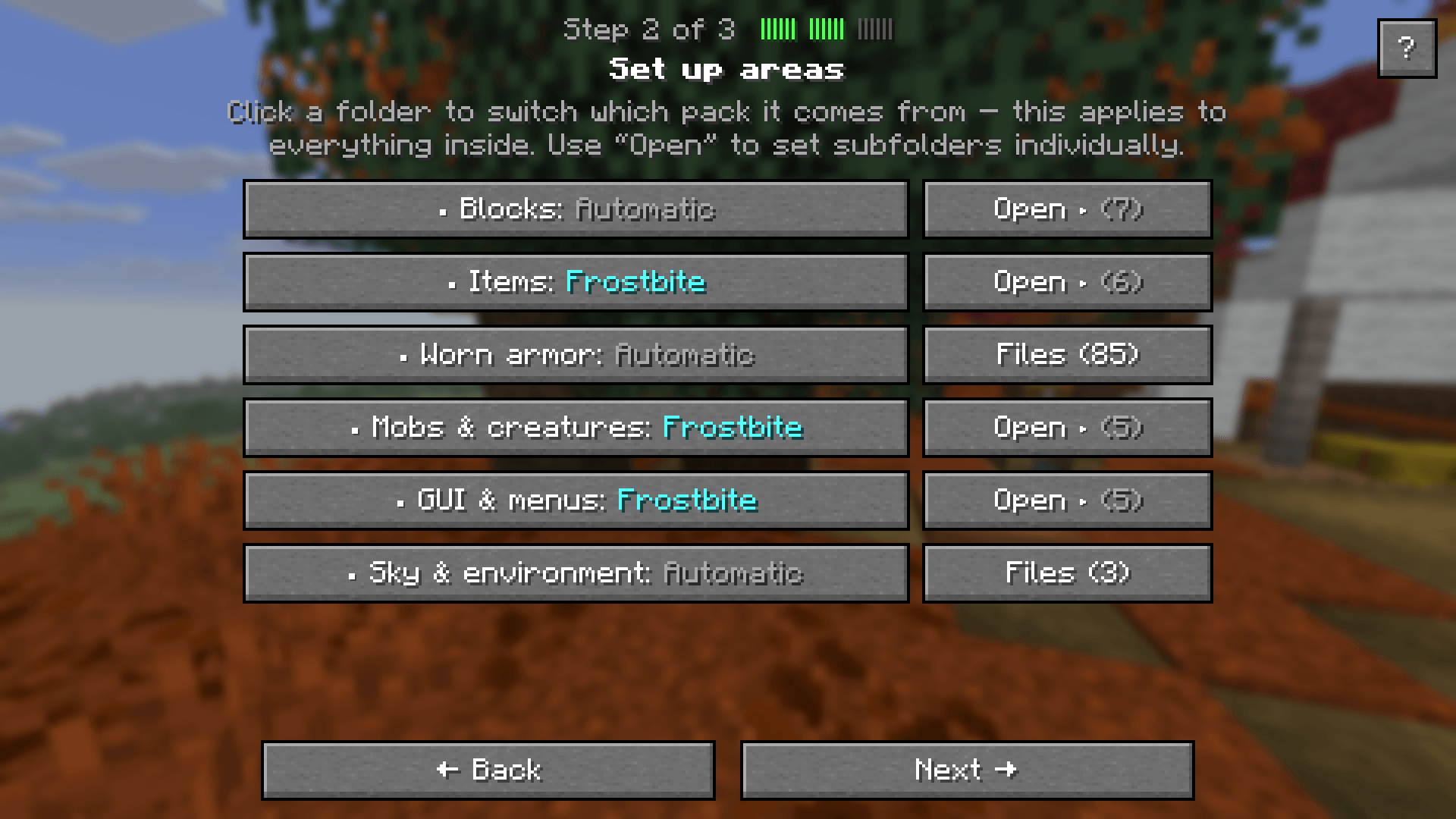
03-areas.png
05-finish.png
06-change-mix.png
07-search.png
08-armor.png
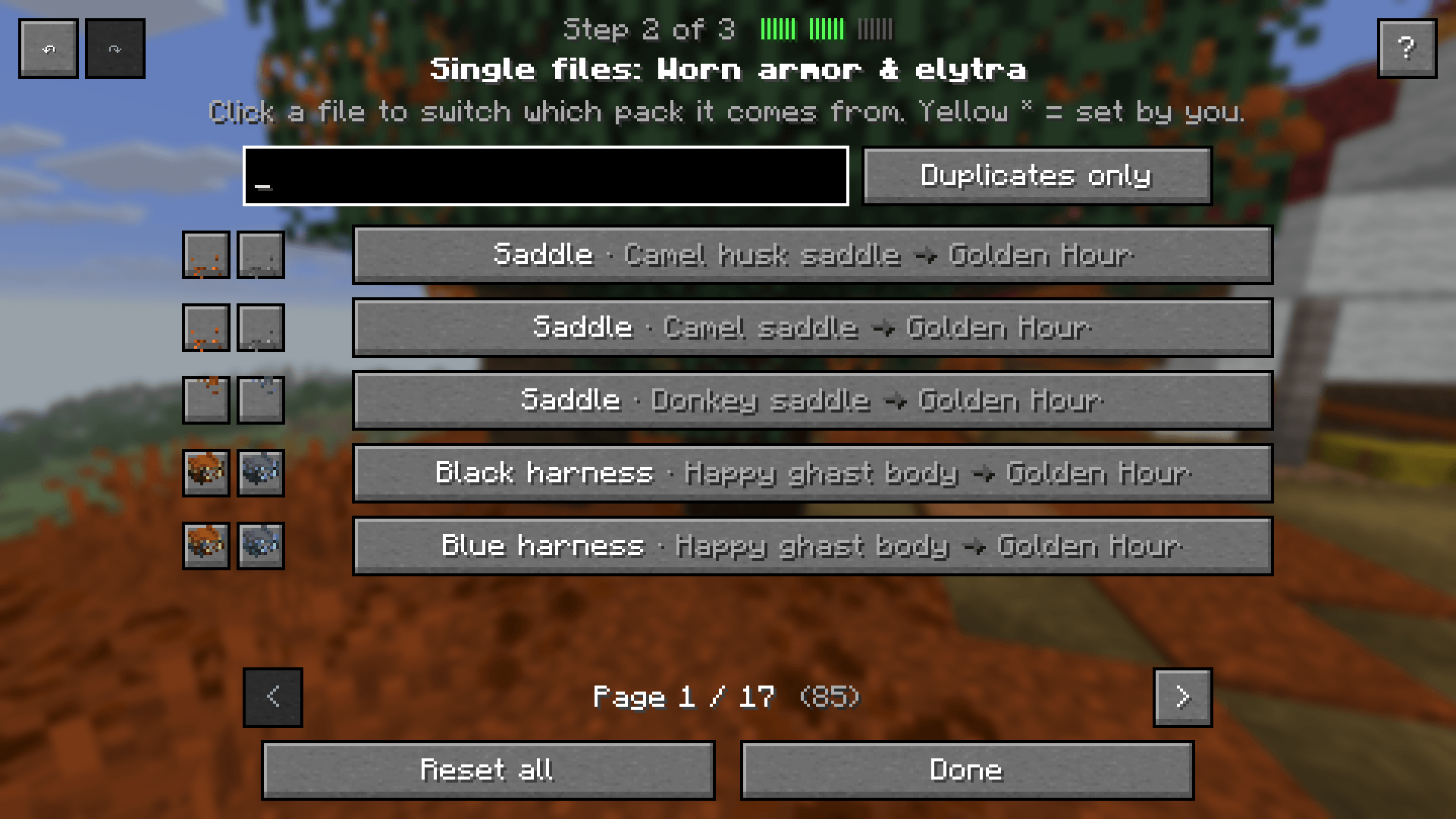
04-single-files.png
Description
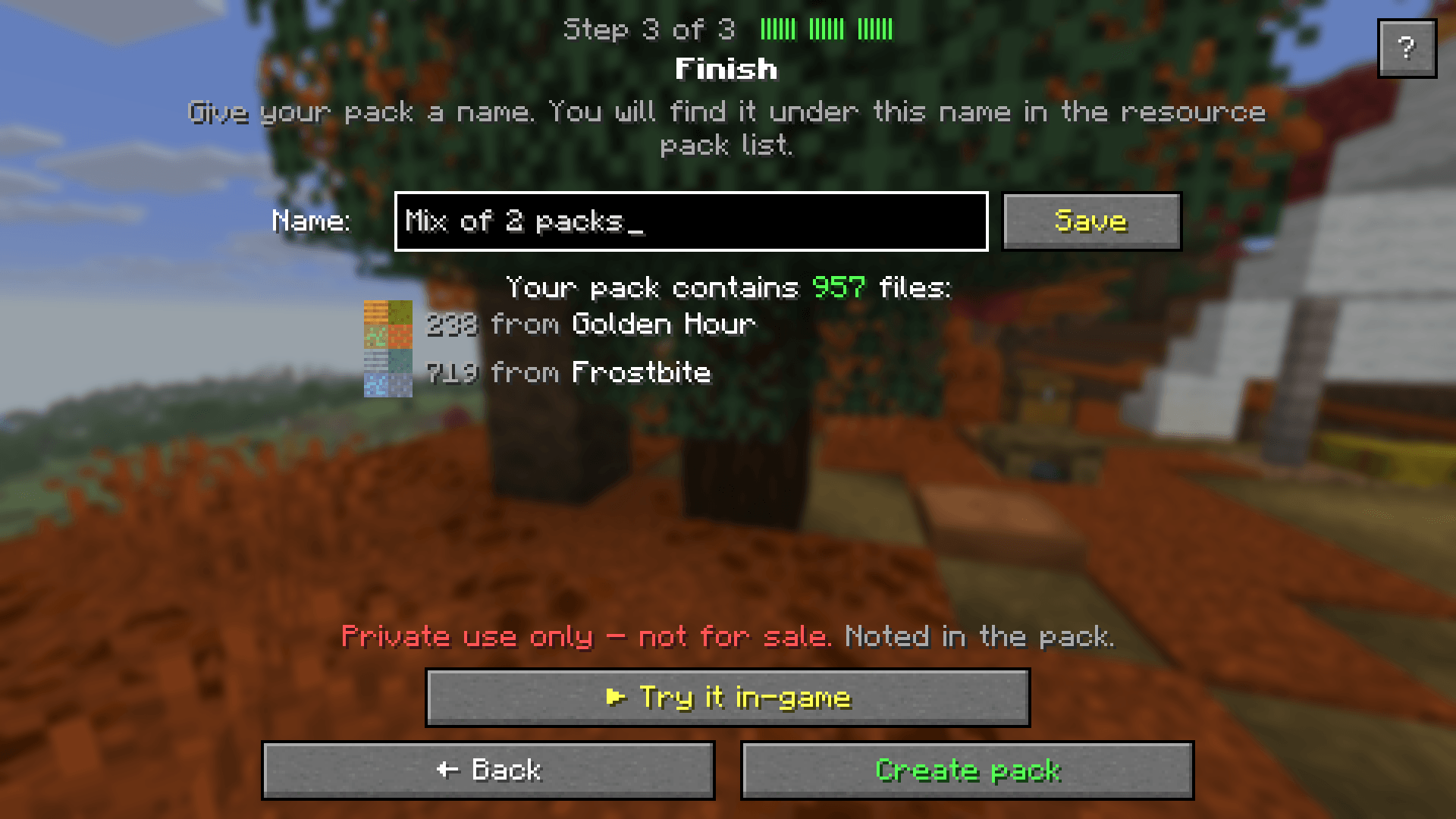
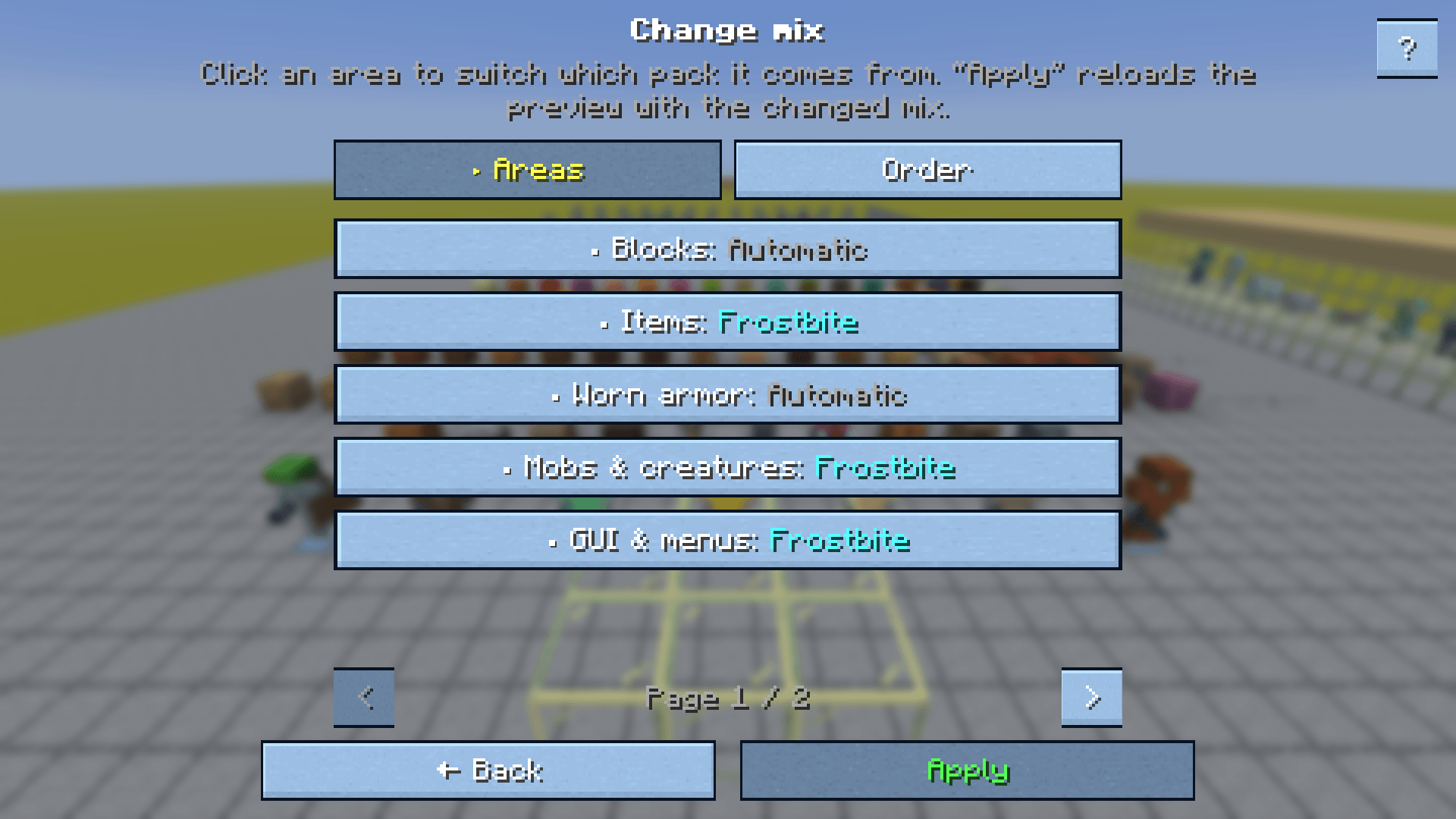
Love the blocks from one resource pack, the items from another, and the GUI from a third? Pick ’n’ Pack combines them into a single pack of your own – right inside Minecraft. Choose for every area (blocks, items, mobs, GUI, sky, sounds …) or even for every single file which pack it comes from, try the result in-game, and save it as a normal resource pack.
✨ Features
- Two ways to mix
- Quick mix: pick and sort your packs – done. The upper pack wins where packs overlap.
- Fine-tune: decide per area, per subfolder or per single file. A “duplicates only” filter shows just the files that several packs change.
- Comfortable to use
- Undo / redo (Ctrl+Z / Ctrl+Y) for every change.
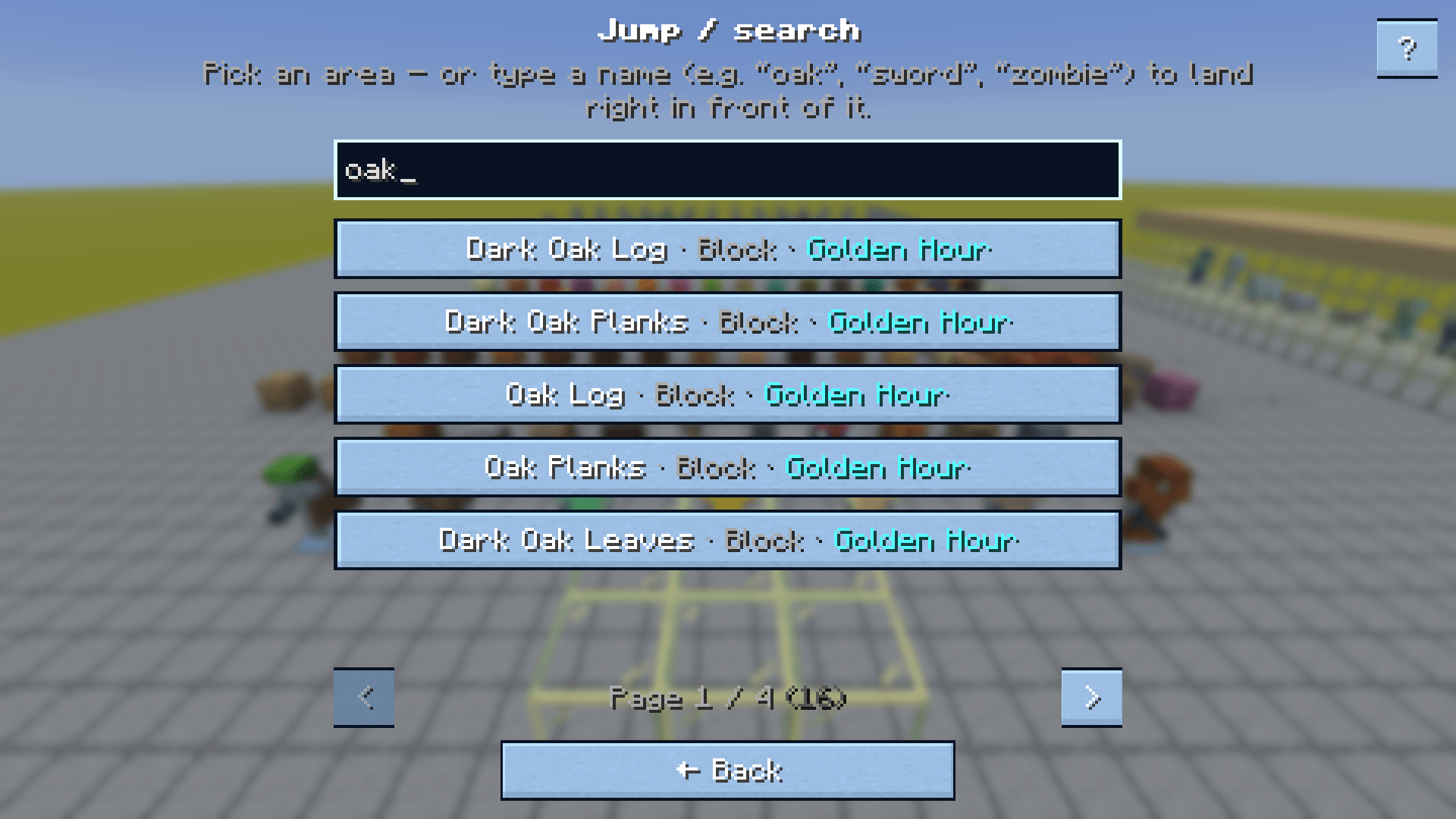
- Search in all areas (Ctrl+F): find files or blocks by name and choose one pack for all matches at once.
- The scroll wheel switches through the packs, Page Up / Page Down turn pages, Enter goes to the next step.
- Clean mixing: language files, sounds, texture atlases and fonts are merged from all packs; animations and extra textures (
_e,_n,_s) stay with their texture; before creating, a check warns when something points to a missing file. - Live in-game preview
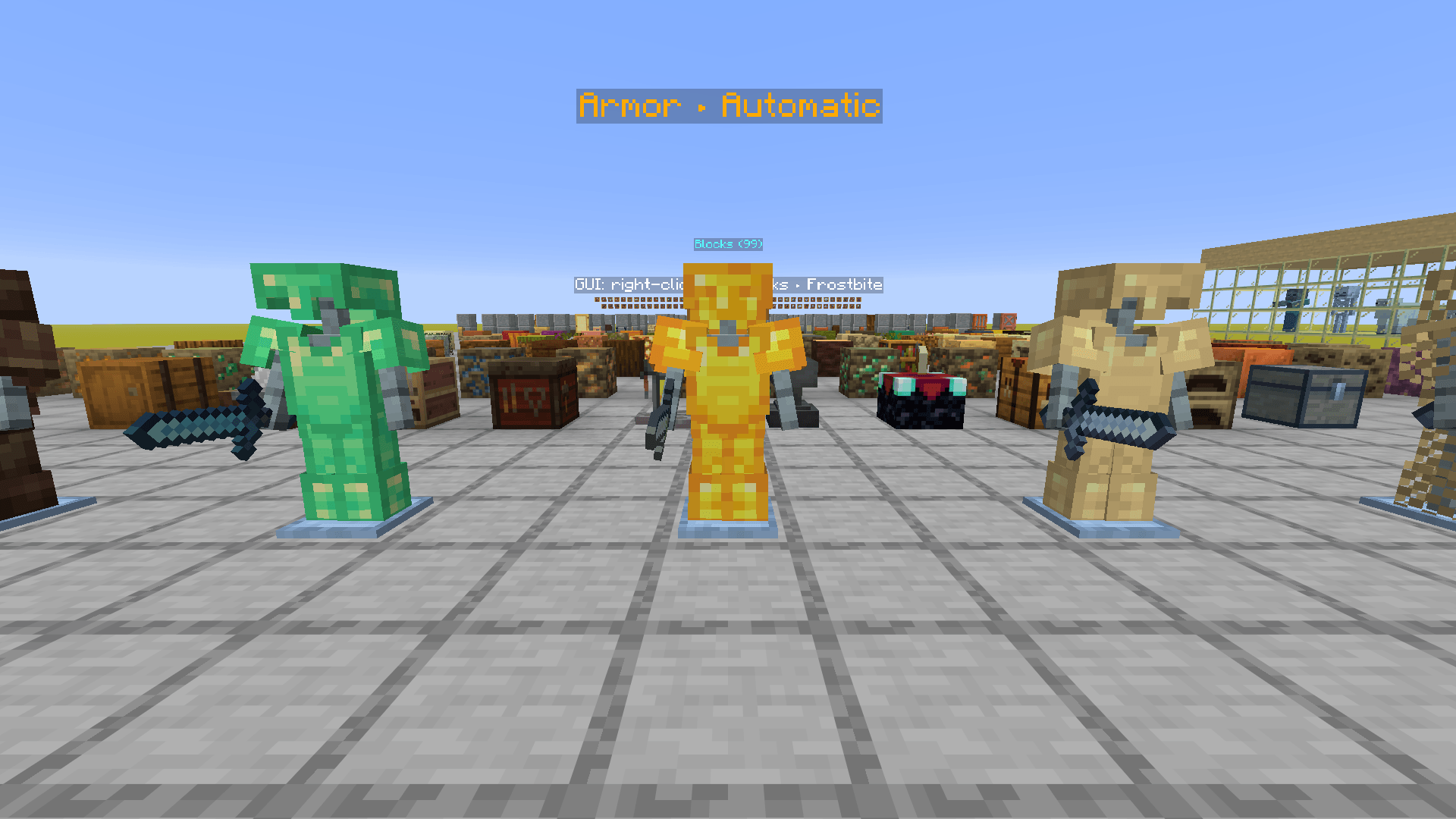
- From the main menu: a flat showroom world with your blocks, 3D models (stairs, doors, fences …), armor on stands, mobs behind glass, an item wall and clickable chests, furnaces and crafting tables.
- From your own world: the mix is switched on right where you are.
- Pause menu: change the mix and reload instantly, compare without the mix, jump / search to any block, item or mob. Right-click a sign in the showroom to switch that area to the next pack.
- The preview is temporary and never saved in your options.
- Recipes: every mix is remembered. When a pack gets an update, the mod tells you and rebuilds the mix with one click – or you can share it as a code.
- Helpful warnings
- Packs made for other Minecraft versions are marked “too old” / “too new”.
- Content that needs an extra mod (OptiFine-style sky, connected textures, CIT, entity models, custom GUIs …) is detected, and the mod lists which mods make it work – with a button to their Modrinth page.
- Respects pack authors: every mixed pack is marked “Private use only – not for sale” (pack description, a ribbon on the pack icon, a license note and a hidden origin record). Your original packs are never changed.
- Languages: English and German, plus machine-translated French, Spanish, Portuguese (Brazil), Polish, Russian and Chinese (Simplified). Or simply follow your game language.
📦 Installation
- Install Fabric Loader and Fabric API – or NeoForge (Minecraft 1.21.1 only).
- Download the file for your Minecraft version and put it into your
modsfolder. - Start the game → Options → Resource Packs → click Pick ’n’ Pack in the top-left corner.
Pick ’n’ Pack is client-side only. It is not needed on servers.
🔗 Dependencies
| Loader | Required |
|---|---|
| Fabric | Fabric API |
| NeoForge | nothing else |
Optional: the mods the mix screen suggests for special content (e.g. Continuity, Entity Texture Features, Entity Model Features, CIT Resewn, OptiGUI, Polytone).
🧩 Compatibility
| Minecraft | Fabric | NeoForge |
|---|---|---|
| 1.21 – 1.21.1 | ✅ | ✅ |
| 1.21.2 – 1.21.4 | ✅ | – |
| 1.21.5 | ✅ | – |
| 1.21.6 – 1.21.8 | ✅ | – |
| 1.21.9 – 1.21.10 | ✅ | – |
| 1.21.11 | ✅ | – |
| 26.1.x | ✅ | – |
| 26.2 | ✅ | – |
| 26.3 | ✅ | – |
Each version has its own file – pick the one that matches your game.
❓ FAQ
Can I upload or sell a pack I mixed? Only with permission from the authors of every original pack. That is why each mixed pack is marked “Private use only – not for sale”.
Does it change my original packs? No. Pick ’n’ Pack only reads them and writes a new pack.
Do I need it on a server? No, it is client-side only.
Where are my recipes stored?
In config/picknpack/rezepte/. You can also copy a recipe as a code and paste it on another computer.
A translation sounds odd. The non-English/German languages are machine-translated (DeepL). Corrections are very welcome.
🙏 Credits
- Made by SoooFly
- Translations: DeepL (French, Spanish, Portuguese, Polish, Russian, Chinese)
- Screenshots show two demo packs made by recoloring vanilla textures.
Licensed under the MIT License. Not an official Minecraft product. Not approved by or associated with Mojang or Microsoft.
Pick’n’Pack Team