Picture Axe
- By
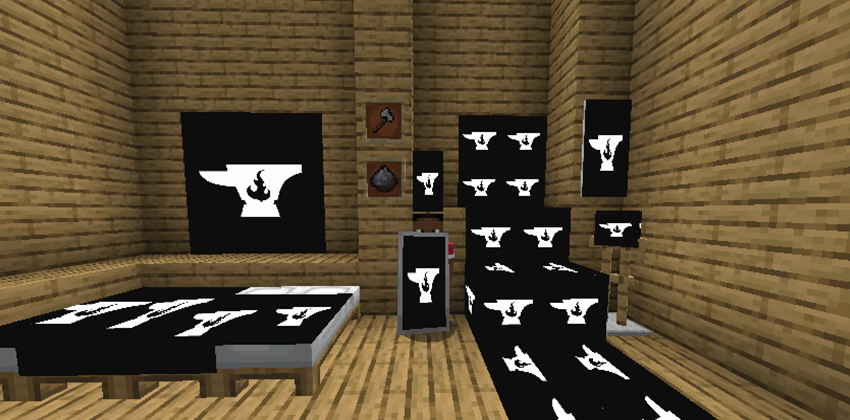
PicAxe (Picture Axe) can put images from the internet onto beds, banners, a custom 6 sided block, and a sizable image frame.
⚠ Dependency Required:
PicAxe needs Architectury API or Balm depending on your Minecraft version.
Scroll to the Installation section below for exact matches.
Decorate your world with any image from the web!
PicAxe is the ultimate decoration mod that gives you the power to bring any image from the internet directly into your Minecraft world. Personalize your base like never before by applying custom textures to beds, banners, shields, and a variety of versatile blocks. Make your world uniquely yours!
Features
- The PicAxe Tool: A special tool used to copy and paste image URLs. Right-click in the air to open the URL screen and store your link.
- Image Configurator (v1.1 & Up): A powerful secondary tool for advanced editing. Use it on image blocks to open a modern tabbed interface where you can precisely control size, alignment, stretching behavior, rotation, position offsets, and block-specific options.
- Image Beds: Convert any vanilla bed into a canvas! Apply your image and customize how it renders with multiple display styles and appearance options.
- Image Banners & Shields: Turn a banner into a high-definition picture that waves in the wind. Combine it with a shield in a crafting grid to take your art into battle!
- 6-Sided Image Block: A creative block that can have a different, unique image applied to each of its six faces. Includes optional lighting controls — apply glowstone to make it emit light, and use a stick to remove the glowstone.
- Resizable Image Frame: A dynamic frame block that can be resized from 1x1 up to 6x6. Use the configurator for advanced alignment, transformation, and offset controls, or choose to stretch the image or preserve its aspect ratio.
- Modern & Consistent System: Store a link on the PicAxe and apply it anywhere. Use the Image Configurator whenever you want deeper precision.
How to Use
- Copy an Image URL: Find an image on the web and copy its link. (Pro-tip: URLs ending in .png or .jpg work best!)
- Store the URL: Hold your PicAxe and right-click in the air. Paste the link and confirm.
-
Apply the Image:
- Right-click on beds, banners, or any image block to apply the stored link.
- For the 6-sided block, click specific faces to set them individually.
-
Advanced Configuration (v1.1 & Up):
- Use the Image Configurator on any image block.
- Adjust layout, scaling, alignment, rotation, and offsets.
- Access special styling options depending on the block type.
Crafting Recipes
For always up-to-date recipes, please visit the GitHub documentation:
https://github.com/Jacobwasbeast/PicAxe/blob/1.21.1/RECIPES.md
Inspiration
This mod was inspired by the original Images mod.
Installation
Be sure to install the correct dependency for your version:
- Fabric 1.20 – 1.21: Architectury API
- NeoForge 1.20 – 1.21: Architectury API
- Fabric 1.21.5+: Balm
- NeoForge 1.21.5+: Balm
Picture Axe Team