

Photo Chat
- By
Send real images into Minecraft chat — inline previews, a zoom/pan viewer, and spoiler photos that stay hidden until clicked.
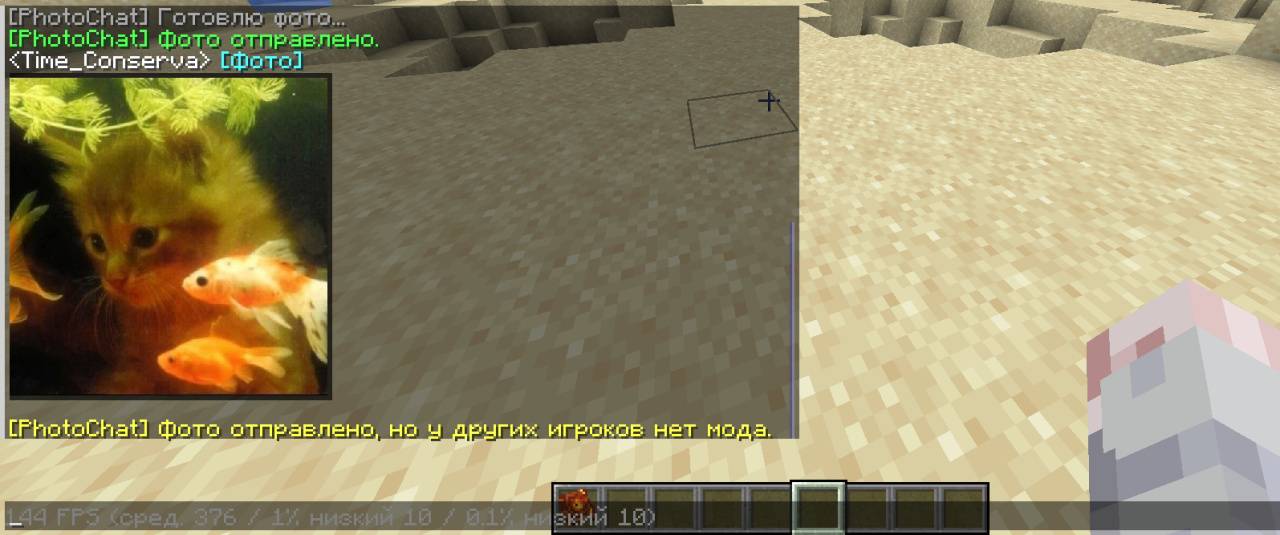
Example
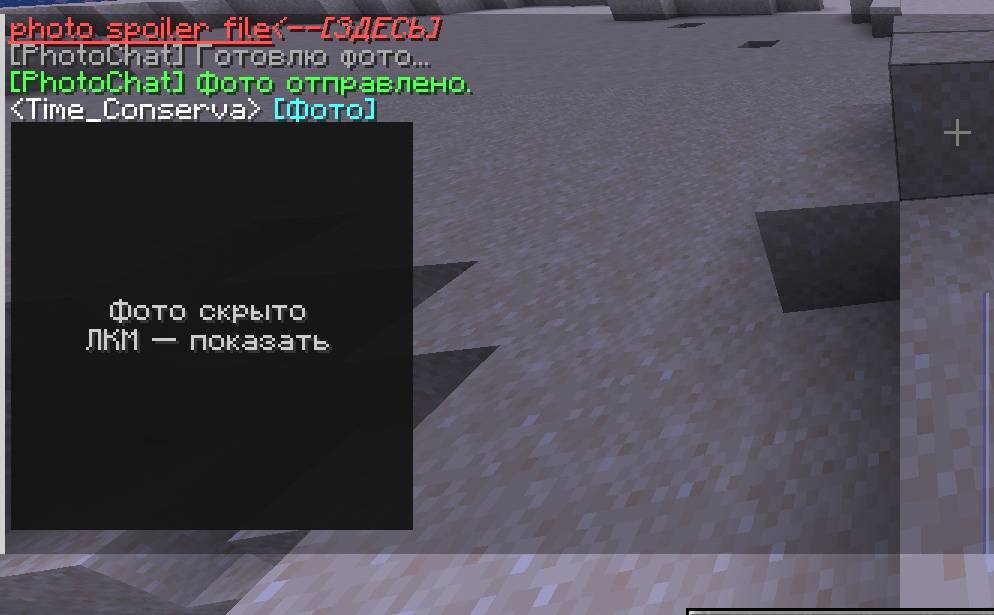
Example (Spoiler)
Description
📸 PhotoChat
Send real images straight into Minecraft chat.
PhotoChat renders pictures inline in the chat window — right under a <player> [Photo]
line. Previews scroll and fade together with normal messages, open in a full viewer with
zoom and pan, and can be sent as spoilers so sensitive images stay censored until the
viewer chooses to reveal them.
Players without the client mod can still join — they simply get a short text notification instead of the picture.
✨ Features
- 🖼️ Inline previews — images appear directly in chat and scroll/fade like real messages
- 🔍 Full viewer — click a photo to open it with zoom and pan
- 🙈 Spoilers — send a photo already hidden behind a censor plate; reveal on click
- 👁️ Hide / reveal any received photo with a right-click toggle
- 📂 Native file picker — pick an image through your OS dialog
- 🔗 URL support — send images from a direct link
- 🌐 Multiplayer relay — the server forwards photos to everyone
- 💬 Graceful fallback — players without the mod get a text message
- ⚙️ Automatic resize & compression — keeps packets, memory and GPU usage in check
💻 Commands
| Command | Description |
|---|---|
/photo select |
Open a file picker and send the chosen image |
/photo select spoiler |
Same, but send it hidden (spoiler) |
/photo file <path> |
Send an image from a local file path |
/photo url <url> |
Download and send an image from a direct URL |
/photo spoiler select |
File picker → send hidden |
/photo spoiler file <path> |
Send a local file hidden |
/photo spoiler url <url> |
Send from a URL hidden |
Examples
/photo file /home/user/Pictures/cat.png
/photo url https://example.com/image.png
/photo spoiler url https://example.com/secret.png
⌨️ Keybinds
| Key | Action |
|---|---|
P |
Open the file picker and send a photo |
Shift + P |
Same, but send it hidden (spoiler) |
The key can be rebound in Options → Controls → PhotoChat.
🖱️ Clicking photos in chat
Available while the chat window is open.
| Action | Result |
|---|---|
| Left-click a normal photo | Open the viewer (zoom / pan) |
| Left-click a hidden photo | Reveal it |
| Right-click a photo | Hide / show toggle |
🔎 Image viewer
| Action | Result |
|---|---|
| Mouse wheel | Zoom |
| Left-click + drag | Move the image |
R |
Reset zoom and position |
Esc |
Close |
📦 Requirements
Server — PhotoChat must be installed for photos to be relayed.
Client — optional, but required to see image previews. Players without it only receive a text fallback message.
Dependencies
- Minecraft 26.1.2
- Fabric Loader
- Fabric API
🗜️ Image handling & limits
- Source files up to 32 MB are accepted
- Images are re-encoded to JPEG ≤ 2 MB, max edge 512 px, before sending
- The chat keeps the last 30 photos in history
- Supported formats: PNG, JPG/JPEG, WEBP, BMP, GIF
- URLs must be direct image links
🧩 Compatibility notes
PhotoChat modifies the chat UI to render previews. Most mods work fine, but behavior with chat-UI mods may vary.
If you use mods that merge, compact, replace, or heavily redesign chat messages, image spacing or previews may behave differently.
⚠️ Known limitations
- Early beta release.
- Image previews require the client mod.
- Some chat-UI mods may conflict with image layout.
- Very large or unsupported image formats may fail to send.
The Photo Chat Team

