Photo Album Camera
- By
camera 1.png
Capture d'écran_20260924_123857.png
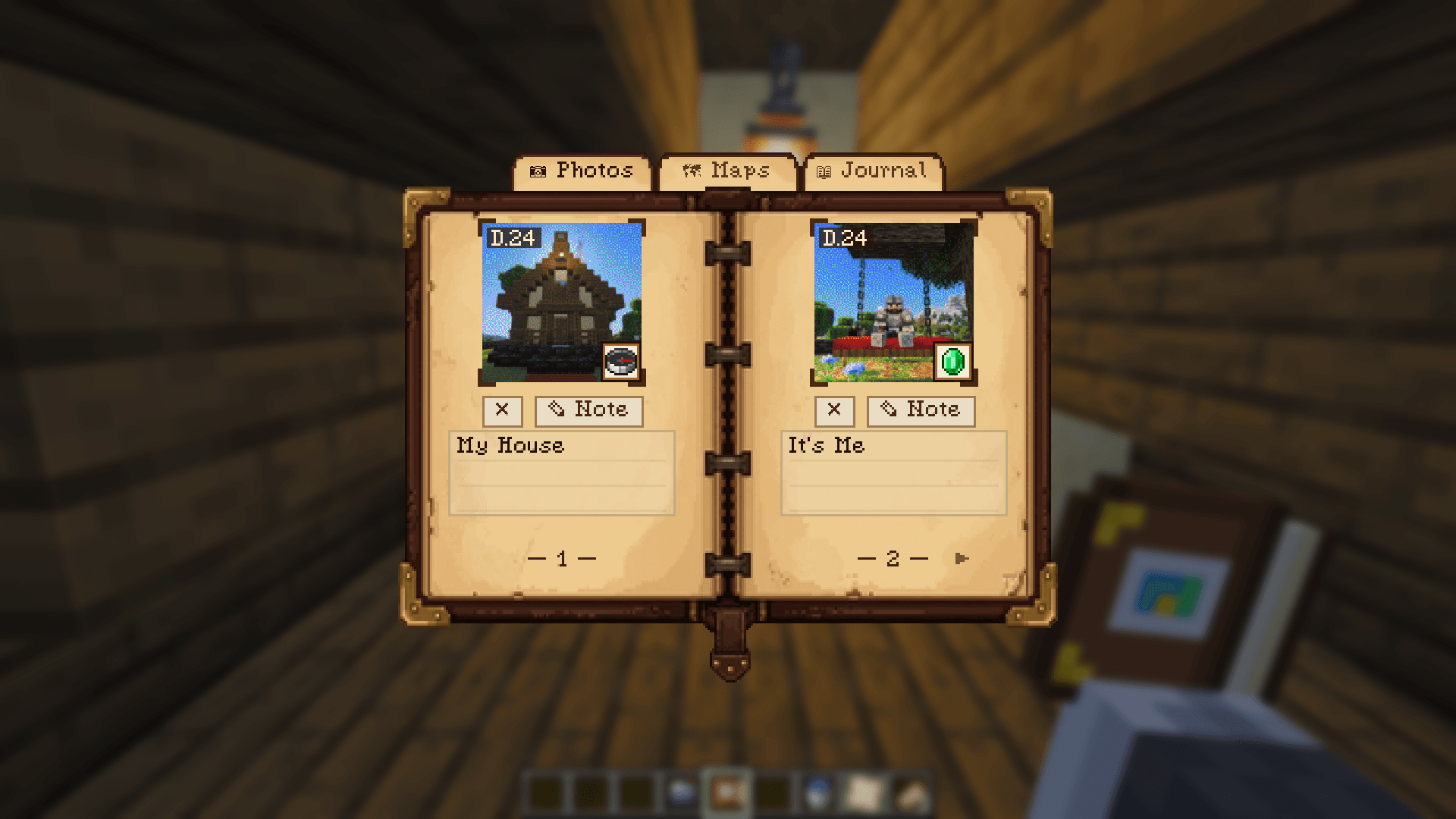
photo 1.png
4.png
bloc.png
Description




Stop losing your F2 screenshots in an unsorted folder!
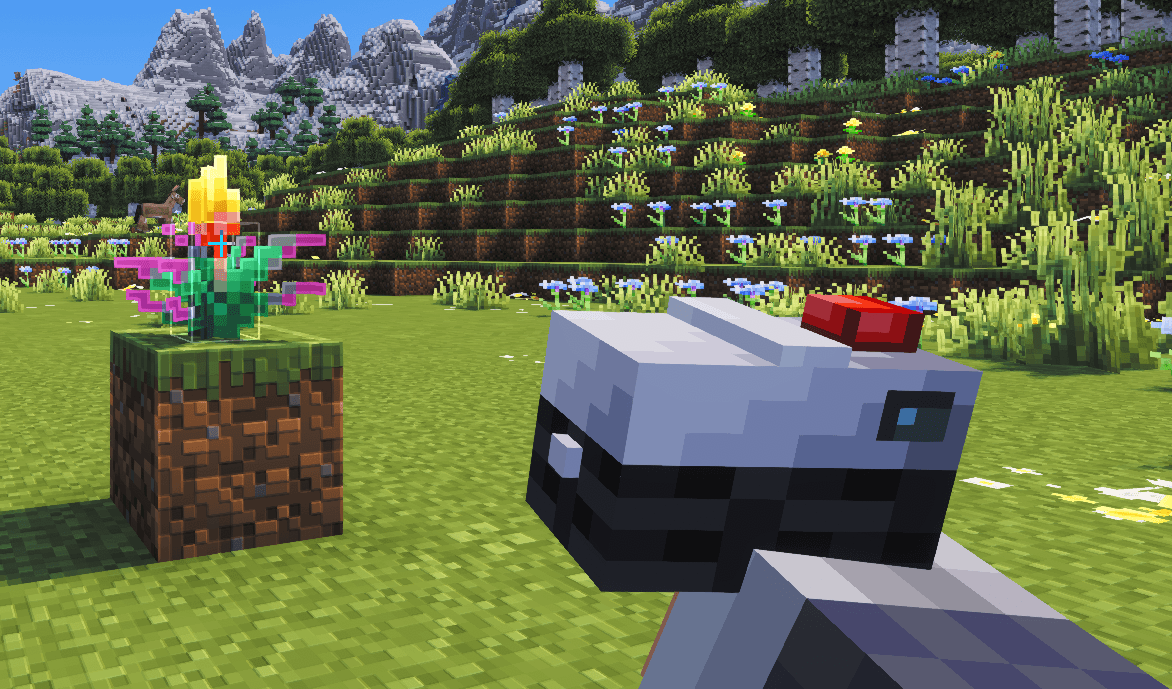
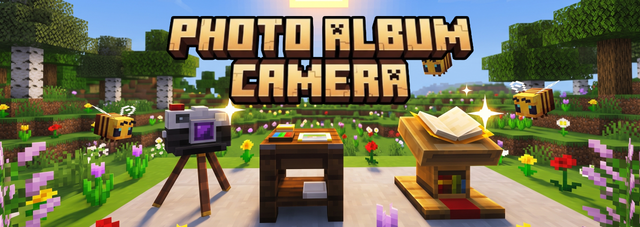
Photo Album Camera brings physical photography to your survival world: take photos, set up the camera on a block for group shots, develop and retouch your prints in a darkroom studio, and showcase your albums on a lectern.

📸 Features
1. The Instant Camera & Viewfinder
- Viewfinder & Framing: Hold Right-Click to look through the lens. Use WASD / Arrow Keys to adjust your framing.
- Zoom: Adjust focal length smoothly to capture landscapes or close-ups.
- Selfie Mode: Press F5 or Tab while aiming to flip the lens toward yourself.
- Flash System: Switch between AUTO, ON, and OFF. In AUTO, the camera senses darkness and illuminates dark caves and night scenes with real multiplayer light burst and particles.
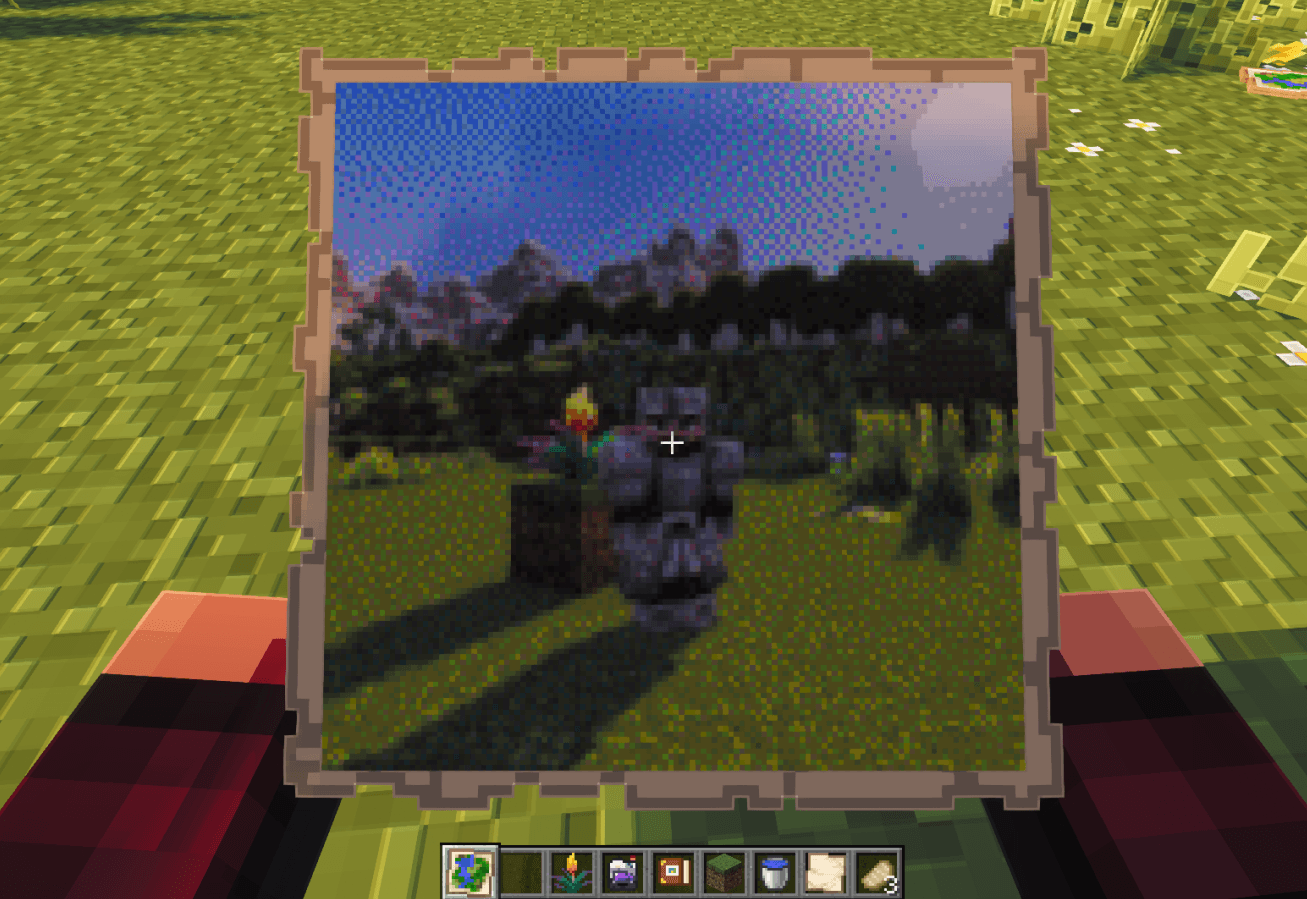
- Print: Press SPACE to shoot. Prints directly onto a piece of Paper from your inventory.

2. Camera Placement & 10-Second Timer
Take group photos without leaving anyone behind:
- Placeable on Any Block: Hold your camera and Shift + Right-Click to set it down. Supports 16 rotation angles (just like player heads) to get the angle right.
- 10s Timer: Right-Click the placed camera while holding a piece of Paper (consumed on use) to start the countdown. Walk over, pose with your friends, and the camera takes the shot automatically.
- Pickup: Shift + Right-Click the placed camera anytime to pick it back up.

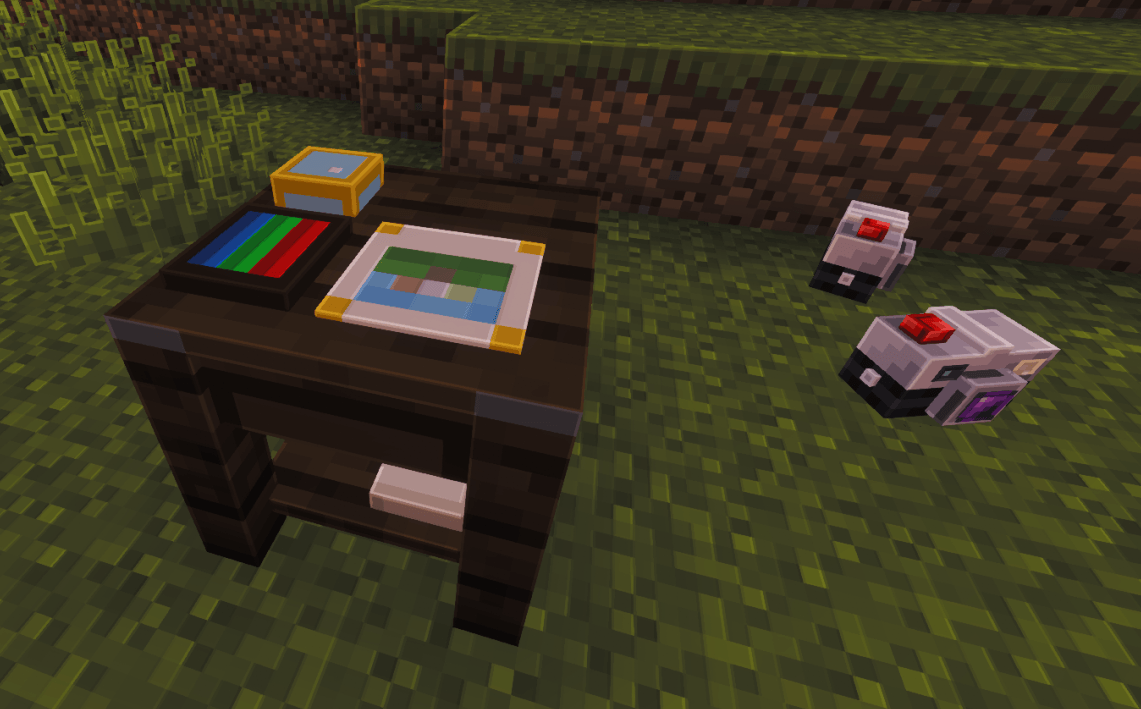
3. The Photo Studio
A dedicated workstation to develop and retouch your pictures:
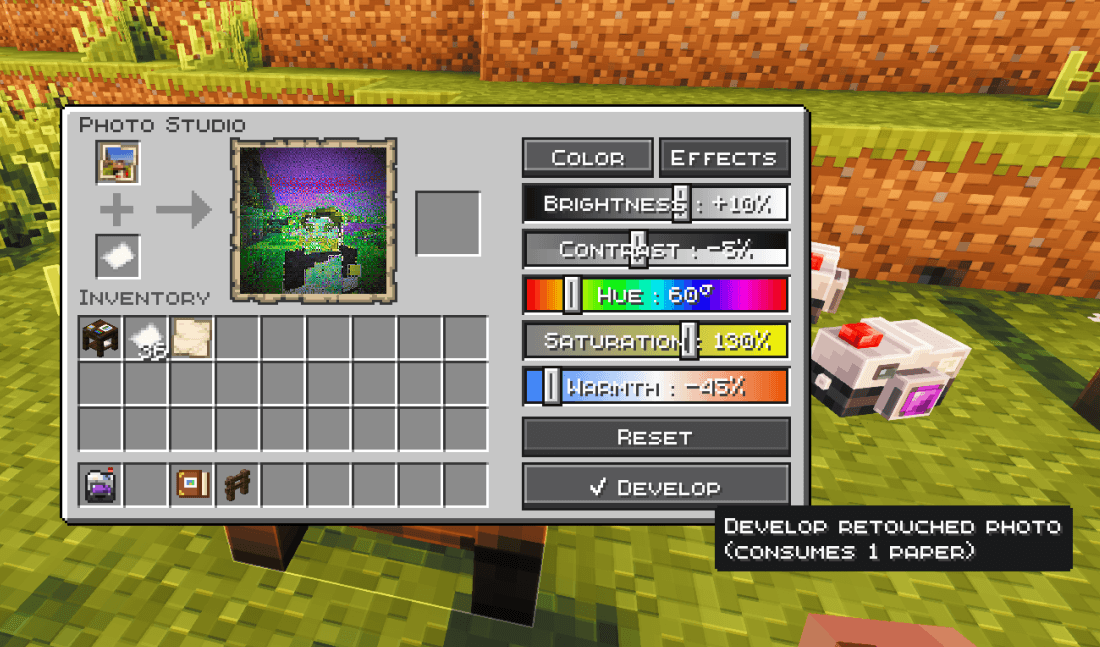
- Adjustments: Modify Brightness, Contrast, Saturation, Temperature, Film Grain, and Vignetting.
- Filters: Cycle through Natural, Cyanotype, Retro, Sepia, Black & White, and Night Vision.
- Inspect & Reprint: Click any photo to preview it full-size on parchment, or spend a sheet of paper to print a revised copy.

4. The Photo Album
- 3 Tabs: Store your printed Photos, archive your Exploration Maps (with live previews), and write notes in your Travel Journal.
- Captions & Stamps: Click under any slot to write descriptions, record the current in-game day, or stamp your page.
- Lectern Sharing: Place your album on a Lectern so anyone on your server can flip through your travels.

5. In-Game Calibration & Privacy (ModMenu)
- Live Settings Preview: Uses your last shot as an instant preview inside the settings menu.
- Color Engines & Dithering: Choose between Oklab (natural tones) and RGB, and adjust dithering (Floyd-Steinberg, Blue Noise, Bayer) to your liking.
- SMP Privacy Mode: Hide X/Y/Z coordinates on prints so you don't leak secret base locations on multiplayer servers.
🛠️ Crafting Recipes
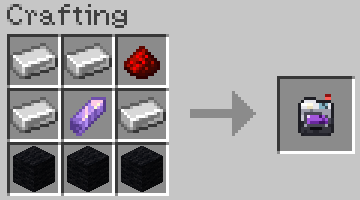
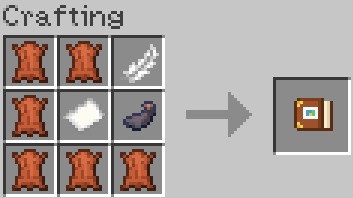
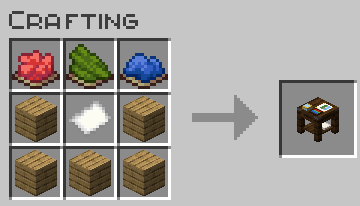
| Camera | Photo Album | Photo Studio Workstation |
|---|---|---|
 |
 |
 |
Note: Always keep Paper in your inventory — the camera needs it to print photos.
🎮 Quick Start
- Craft your Camera, Album, and keep some Paper in your inventory.
- Aim with Right-Click and shoot with SPACE (or Shift + Right-Click to place it on a block with the 10s timer).
- Bring your photo to the Photo Studio if you want to tweak colors, exposure, or apply filters.
- Place your prints in your Photo Album, write captions, and put it on a Lectern for other players to read!
⚙️ Requirements & Compatibility
- Minecraft: 1.21.11 | 26.3+
- Loader: Fabric
- Dependencies: Fabric API & Java 25+
- Multiplayer: Required on both client and server.
- As for version 1.21.11, it won't receive any future updates. It will remain on mod version 1.4.1, except for bug fixes.
☕ A Note from the Author
I’m an amateur developer and originally put this mod together simply because I really wanted these features for my own survival adventure. Since I don't have deep modding experience, I used AI tools to help me write the code and bring the mechanics to life.
It turned out to be super fun in my own world, so I decided to polish it up and share it with the community. If you run into any bugs or quirks, feel free to report them—I'm learning as I go!
Photo Album Camera Team