Persistent Block Damage
- By

Tired of block breaking progress resetting every time you stop mining?
# Persistent Block Damage - Hytale-Style Mining
📦 Persistent Block Damage 1.0.2 — What's New
A global particle system was added that can be activated by both the administrator (global) and the player (personal).
/pbd particles✅/pbd particles status✅/pbd particles personal on|off✅/pbd radio 32,/pbd densidad 50,/pbd max 100✅


Tired of block breaking progress resetting every time you stop mining?
Persistent Block Damage brings a Hytale-inspired mining system to Minecraft. Block damage remains visible and persists for a configurable amount of time, allowing you to continue mining exactly where you left off.
🎮 What Does It Do?
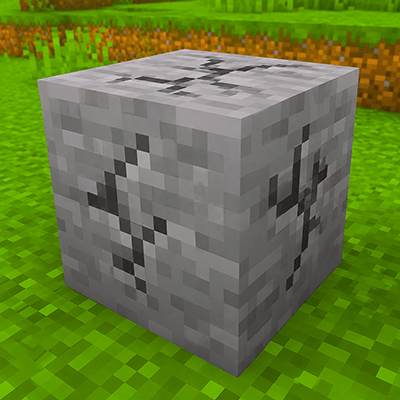
When you mine a block, its cracks remain visible even after you stop mining. If you return before the configured timeout expires, you continue from the exact same progress.
The total number of hits required to break a block never changes. Vanilla balance is fully preserved.
Vanilla:   ████████████ (12 consecutive hits or progress resets)
PBD:       ██████ pause ██████ = 12 hits ✨
✨ Features
- Configurable persistent block damage (1–300 seconds)
- Visible cracks remain after mining stops
- Optional smooth decay system
- Instant reset mode available
- Fully multiplayer compatible
- Server-authoritative synchronization
- Real-time admin commands
- Optimized for large servers
- No additional dependencies required
- Dedicated server support
🎯 How It Works
- Start mining a block
- The block accumulates damage and displays cracks
- Stop mining
- The cracks remain visible
- Return before the timeout expires
- Continue mining from the same progress
- If the timeout expires, the damage resets
⚙️ Configuration
The configuration file is automatically generated at:
config/persistentblockdamage-server.tomlExample:
[general]

# Seconds before damage begins to decay
blockDamagePersistenceSeconds = 10

# true = smooth decay
# false = instant reset
smoothDecay = true

# Ticks between decay steps
# 20 ticks = 1 second
decayIntervalTicks = 20

# Maximum tracked damaged blocks
maxTrackedBlocks = 10000

# Maximum crack render distance
renderDistance = 64
🛠️ Commands (OP Only)
| Command | Description |
|---|---|
/pdb |
Displays the current persistence time |
/pdb 30 |
Sets persistence to 30 seconds |
/pdb 60 |
Sets persistence to 1 minute |
/persistentblockdamage |
Displays full mod information |
/persistentblockdamage time <seconds> |
Changes persistence time |
/persistentblockdamage smooth |
Toggles smooth decay |
Examples:
/pdb 5
Cracks disappear after 5 seconds

/pdb 120
Cracks remain for 2 minutes

/pdb 300
Maximum persistence time (5 minutes)
📦 Installation
- Install NeoForge 21.1.233 or newer for Minecraft 1.21.1
- Download
PersistentBlockDamage-x.x.x.jar - Place the file inside your
modsfolder - Launch the game or server
The mod works immediately with default settings.
🌍 Dedicated Server Support
Persistent Block Damage is fully synchronized by the server.
If one player leaves a block at 50% progress:
- Other players will see the cracks
- Other players can continue mining it
- Progress is shared and synchronized automatically
Perfect for multiplayer survival servers.
🔧 Requirements
- Minecraft 1.21.1
- NeoForge 21.1.233+
- Dedicated Server or Singleplayer
- No additional mods required
❓ Frequently Asked Questions
Does this reduce the number of hits required to break blocks?
No.
The number of hits remains exactly the same as vanilla Minecraft. The mod only preserves progress between mining sessions.
Does it work with all tools?
Yes.
Mining speed is calculated normally using the currently equipped tool.
Does it affect performance?
No.
The system is optimized to handle thousands of damaged blocks with minimal overhead.
Is it compatible with other mining mods?
Generally yes.
Persistent Block Damage only extends Minecraft's existing block damage system and does not modify tools, blocks, or mining mechanics.
🔊 Material-Based Impact Sounds
- Each block material has a distinct mining sound: stone, metal, wood, sand, dirt, glass, plus an extra tool-specific sound (axe on wood, shovel on sand).
- Customizable mineral sounds with overrides (
block|#tag = sound). - Configurable sound timing (
soundIntervalTicks, 4 = vanilla cadence).
💦 Water Effects
- Splash effect + sound when mining underwater or when water is between your eyes and the block.
✨ Impact Particles
- A burst of block particles occurs each time the crack stage advances.
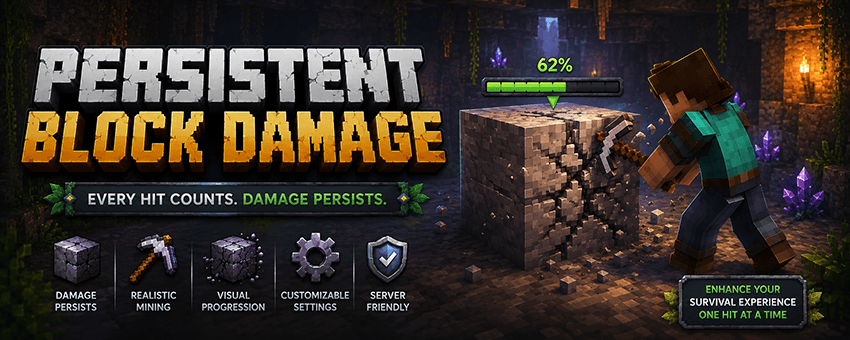
🎚️ HUD Damage Bar (New)
-
Displays the % remaining damage of the targeted block, using colors (green/yellow/red), with amber when damage is being lost.
-
Dual control:
- Global (admin):
/pdb hud global on|offor via the mod config. Disabled by default. - Personal (player):
/pdb hud(toggle), persistent per player even after server restarts.
- Global (admin):
🖥️ Configuration GUI
- Native config screen available from the Mods menu (no longer commands only), with EN/ES translations.
🛠️ New Commands
| Command | Who | Function | |
|---|---|---|---|
/pdb hud |
Anyone | Toggle your damage bar | |
/pdb hud on|off |
Anyone | Enable/disable your damage bar | |
/pdb hud global [on|off] |
Admin | Damage bar for the entire server |
⚙️ New Config (persistentblockdamage-server.toml)
[feedback]
soundEnabled = true
soundIntervalTicks = 4
impactSoundOverrides = []
impactParticles = true
waterSplashEffects = true

[hud]
hudIndicator = false # GLOBAL bar, disabled by default(renderDistance now also limits sound/HUD synchronization.)
💡 Inspiration
This mod is inspired by the persistent mining system showcased in Hytale, bringing a more immersive and forgiving mining experience to Minecraft while preserving vanilla balance.
Created by DeLaRosaPlay
Persistent Block Damage Team