


Peerless
- By
peerless_join.png
peerless_create.png
peerless_settings.png
Description
Peerless — Play with Friends Instantly
No port forwarding. No VPN apps (Hamachi / Radmin). No rented servers.
Open your singleplayer world to friends in seconds using a simple 8-character room code!
Features
- Instant 2-Click Hosting: Open any singleplayer world, click Create Room, and share your code.
- Brand New Tactile UI (Peerless Reborn): Completely redesigned dark-amber interface with smooth animations, glowing status indicators, and responsive controls.
- Works on Any Internet Connection: Direct peer-to-peer connection by default. If your router, dorm Wi-Fi, or mobile provider blocks direct connections (Strict/Symmetric NAT), Peerless automatically switches to high-speed dedicated cloud relays in under 4 seconds!
- Simple Voice Chat Tunneling: Proximity voice chat works out of the box! Zero port forwarding or extra setup needed for Simple Voice Chat.
- Cross-Loader Play: Friends on Fabric, Forge, and NeoForge can all play together in the same world on the same Minecraft version.
- Private & Anonymous: Connections are end-to-end encrypted. Room codes expire automatically, and zero personal data, IPs, or world contents are ever tracked or stored.
- Universal Multiplatform Support: Pre-bundled high-performance native binaries for Windows, Linux, and macOS (Intel & Apple Silicon).
How to Play
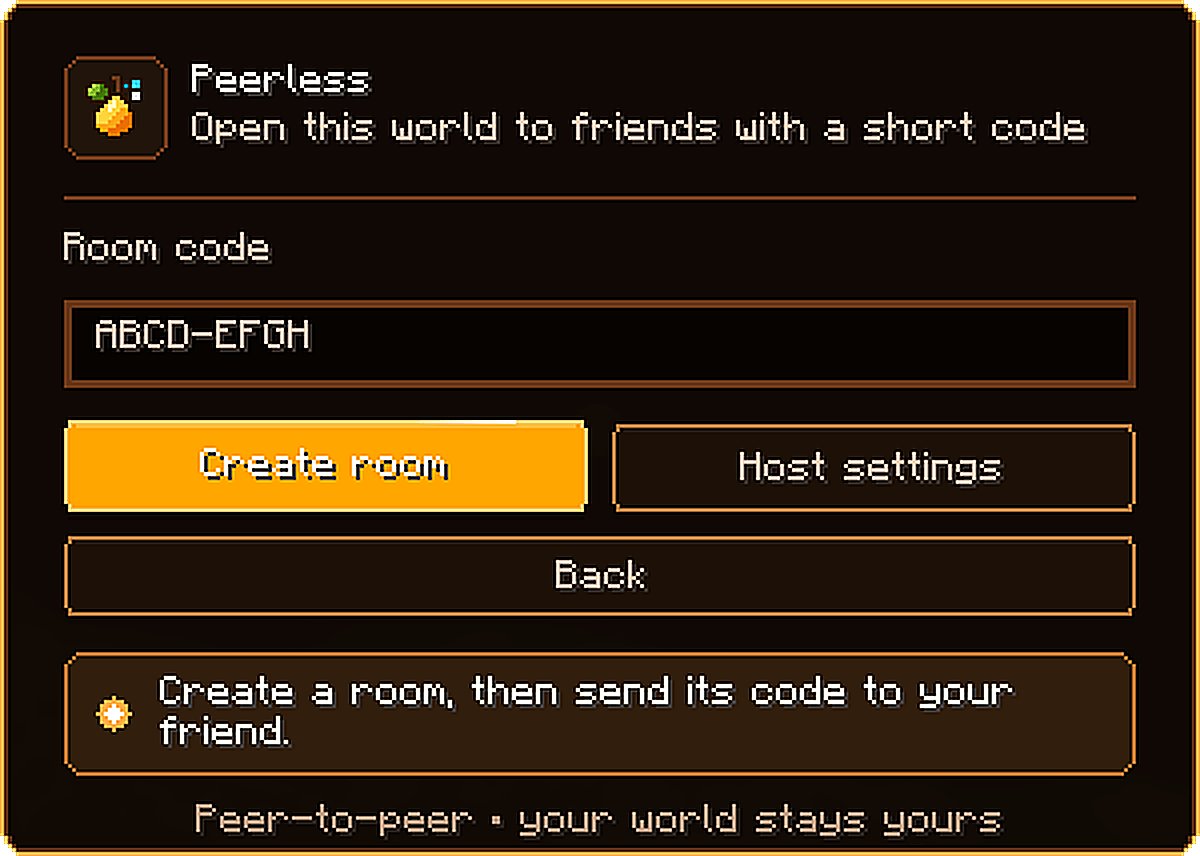
Hosting a World
- Load into any singleplayer world and hit Esc.
- Click the [ Peerless ] button.
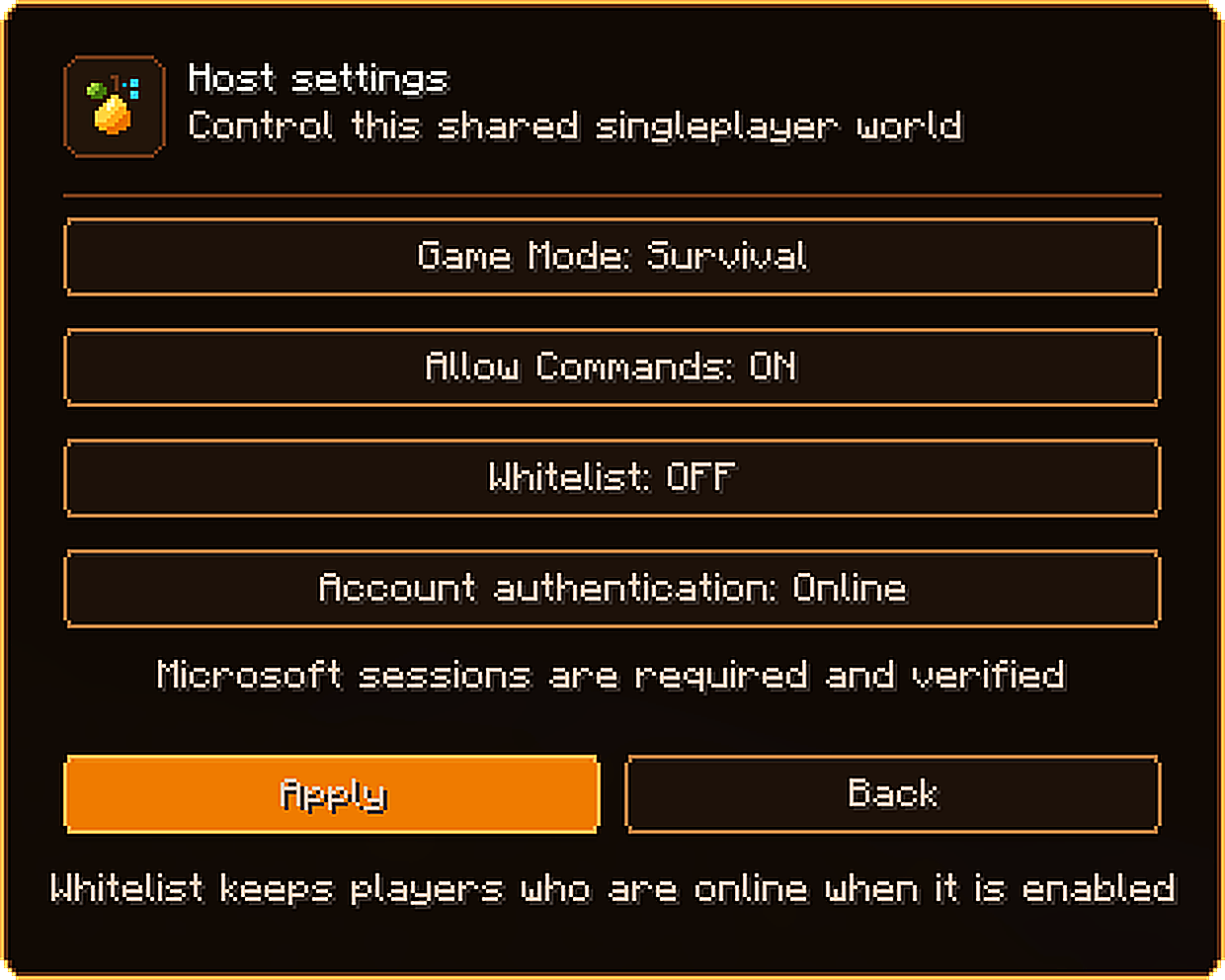
- Configure your world settings (Game Mode, Whitelist, Authentication).
- Click Create Room and send the 8-character room code to your friends!
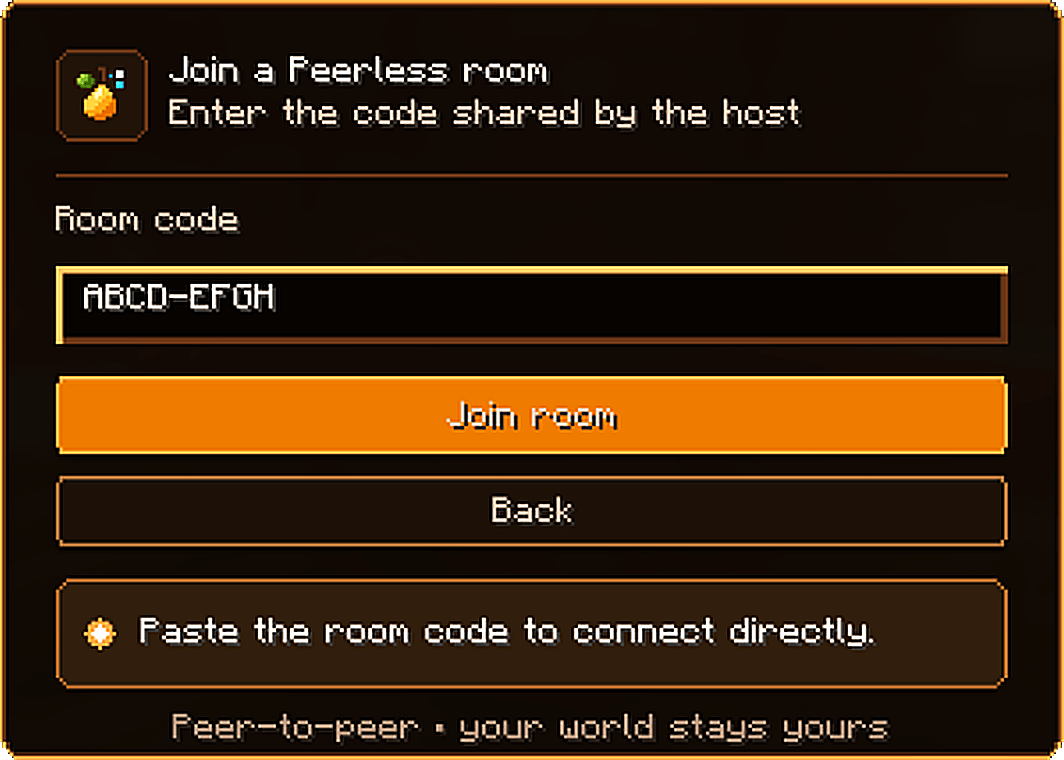
Joining a Friend
- Go to the main menu and click Multiplayer.
- Click the [ 🍐 Peerless ] button in the top-right corner.
- Enter your friend's room code and click Join Room!
Supported Minecraft Versions
- Minecraft 1.21.1 — Fabric, Forge, NeoForge (Requires Java 21; Fabric API for Fabric)
- Minecraft 1.20.1 — Fabric, Forge, NeoForge (Requires Java 17; Fabric API for Fabric)
- Minecraft 26.2 — Fabric, NeoForge (Requires Java 25; Fabric API for Fabric)
Tip: Everyone in the world must have the same Minecraft version, the same Peerless version, and the same gameplay/content mods installed.
Frequently Asked Questions
Do all my friends need to install Peerless?
Yes! Everyone who wants to host or join needs Peerless installed, along with any content/block/item mods the host is using.
Does it work through strict Wi-Fi, CGNAT, or mobile hotspots?
Yes! When a direct peer-to-peer connection is blocked by your ISP or router, Peerless seamlessly routes gameplay traffic through encrypted dedicated cloud relays.
Can I include Peerless in my modpack?
Absolutely! You are free to include Peerless in any CurseForge, Modrinth, or custom modpack.
Does Offline / Cracked mode work?
Yes! The host can choose between Online (verifies Microsoft accounts) and Offline + UUID Fixer (allows offline accounts while safely keeping player inventories, permissions, and advancements mapped to their real profiles).
Permissions & License
- Modpacks: Feel free to include Peerless in any public or private modpack.
- Content Creation: You are fully welcome to record gameplay, make videos, and stream while using Peerless.
Peerless Team
