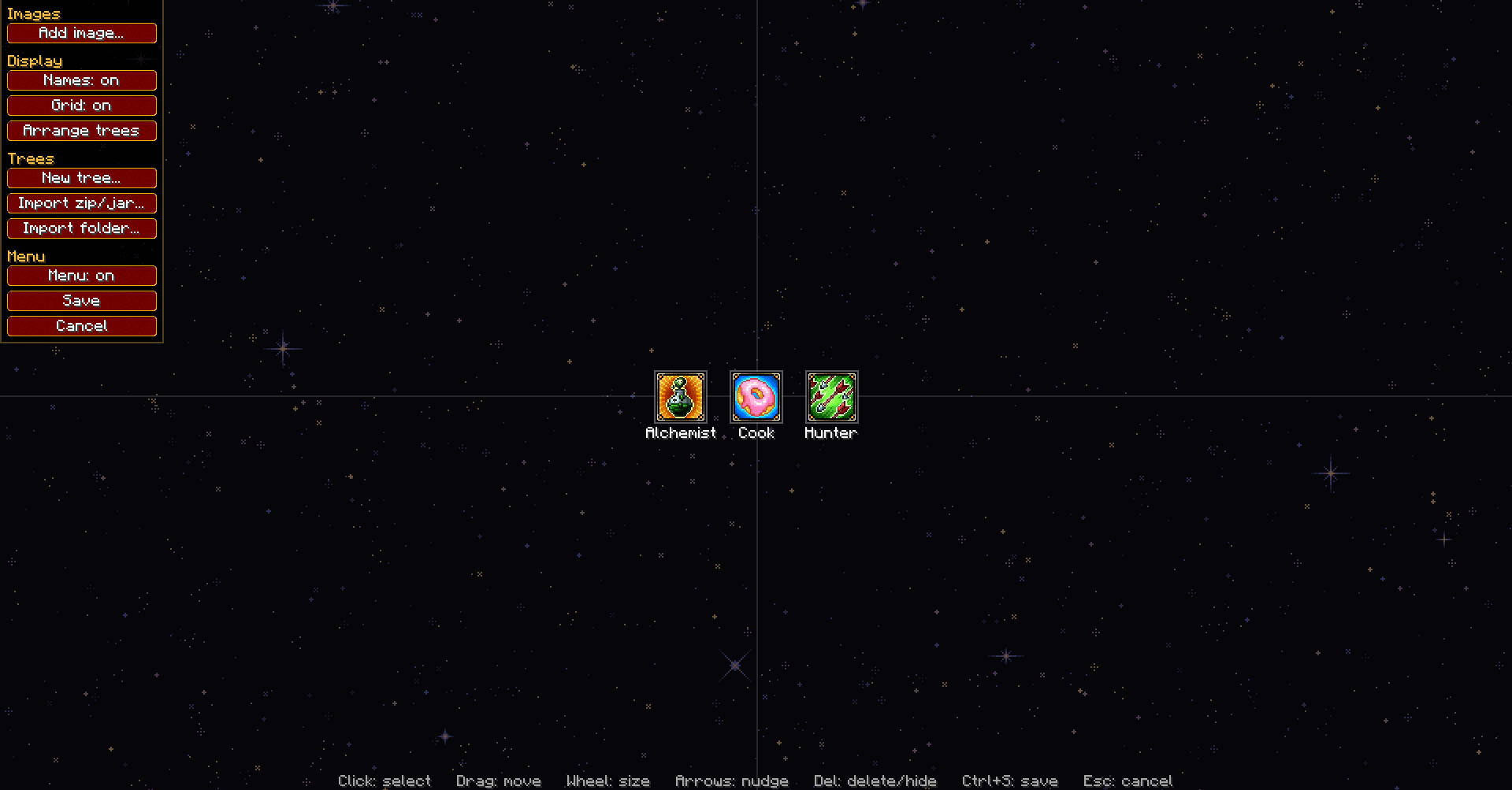
สà¸à¸£à¸µà¸à¸à¹à¸à¸ 2026-11-13 154728 (1).png
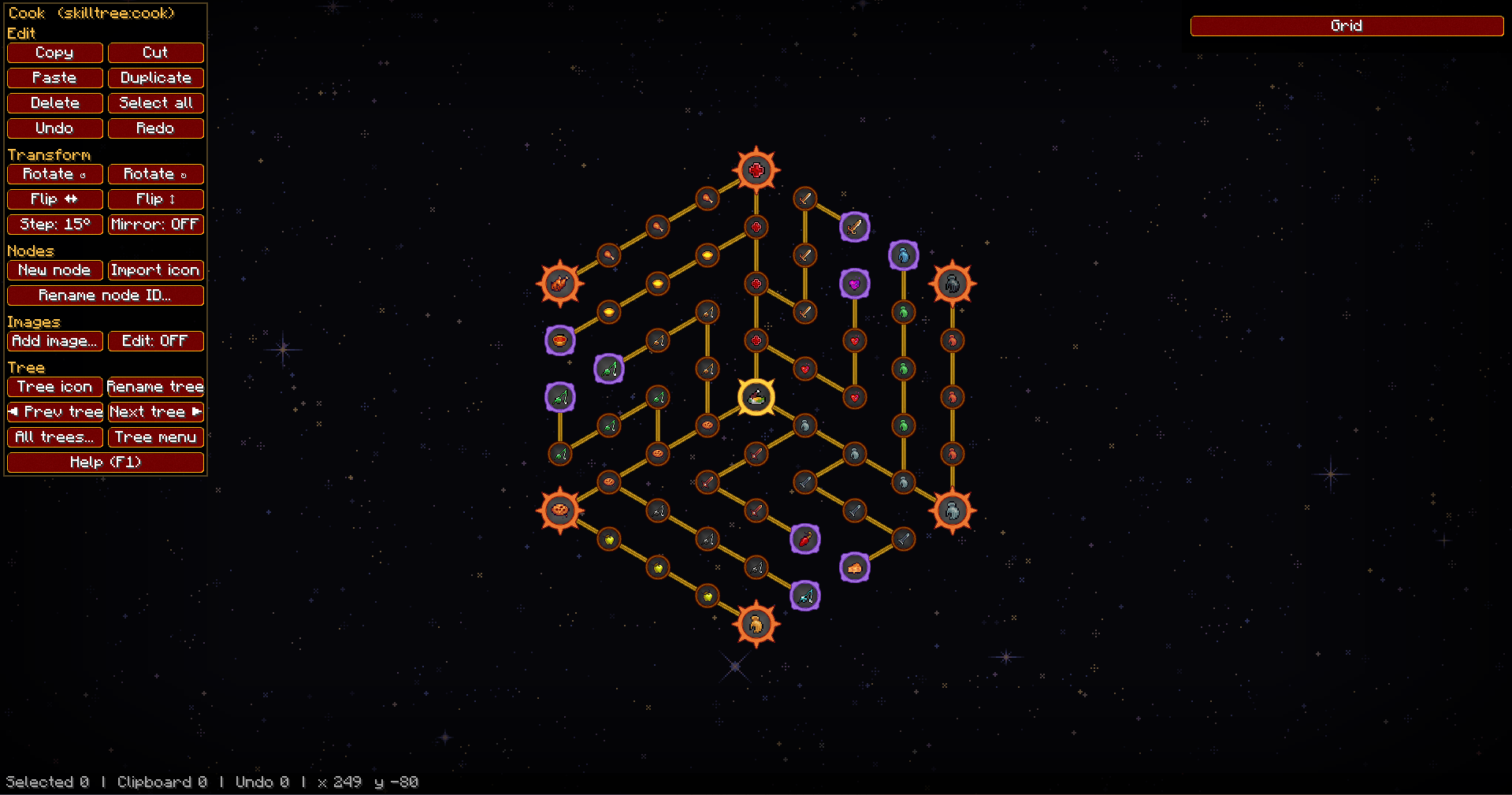
สà¸à¸£à¸µà¸à¸à¹à¸à¸ 2026-11-13 154904.png
Description
Visual editor addon for Passive Skill Tree · v0.1.0 · Minecraft 1.21.1 · NeoForge · client-side only
✦ Credits
Original Mod Creator
Daripher's Profile - Member List - CurseForge
Port & Compatibility
adesanya's Profile - Member List - CurseForge
Open the editor
Click Edit tree on the Passive Skill Tree screen, or use a command:
| Command | Action |
|---|---|
/pstvisual open <tree> |
Open a tree in the editor |
/pstvisual create <id> |
Create a new tree (e.g. mypack:warrior) |
/pstvisual list |
List all trees |
/pstvisual hide / show |
Hide / show a tree on the tree selection screen |
/pstvisual rename <tree> <name> |
Change a tree's display name |
/pstvisual menu |
Arrange the tree selection screen |
/pstvisual export |
Export as a datapack |
Shortcuts
| Action | Input |
|---|---|
| Select | Click (click again to deselect) |
| Box select / Select all | Shift + drag / Ctrl+A |
| Move | Drag selected skills (grid snap applies) |
| Pan / Zoom | Drag empty space / Mouse wheel |
| Copy / Cut / Paste | Ctrl+C / Ctrl+X / Ctrl+V (pastes at cursor) |
| Duplicate / Delete | Ctrl+D / Delete |
| Undo / Redo | Ctrl+Z / Ctrl+Y (or Ctrl+Shift+Z) |
| Rotate | R (right) / Shift+R (left) by the Step value |
| Flip | H (horizontal) / V (vertical) |
| New skill at cursor | Ctrl+N |
| Help overlay | F1 |
Toolbar
- Edit — copy, cut, paste, duplicate, delete, select all, undo, redo
- Transform — rotate, flip, and Step (rotation per click)
- Mirror — when ON, paste, cut, delete, rotate, flip and drag also apply to the mirrored skills in every sector; set sectors, angle and center in PST's New Skill menu
- New node — click the tree to place a skill; Shift+click connects it to the selection; Esc stops
- Import icon — set a PNG as the icon of the selected skills (or drop PNG files onto the window)
- Rename node ID... — rename one selected skill; its links update automatically
- Images — Add image... places a PNG behind the skills; turn Edit on to select, drag, resize (wheel) or delete (Del); also Bring front, Send back, Clone, Remove, Dim
- Tree — Tree icon and Rename tree (shown on the tree selection screen); Prev / Next / All trees to switch trees; Tree menu
IDs accept lowercase a-z 0-9 _ - . / only, e.g. skilltree:archer_damage.
Export
- Run
/pstvisual export— creates the PST_Visual_Editor datapack in the world's datapacks folder. - Run
/reload.
Export works in a singleplayer world only. For a server, copy the exported datapack to its world/datapacks folder. The previous export is backed up automatically.
Tree selection menu (optional)
Open with /pstvisual menu or the Tree menu button. Requires OP level 2.
- Click to select, drag to move, wheel to resize, arrow keys to nudge; hold Alt while dragging to ignore the grid
- Buttons: Open editor, Show / Hide in menu, Reset size, New tree..., Remove tree (click twice to confirm; a backup is kept)
- Ctrl+S saves, Esc cancels
- Turn the Menu switch off and save to return to PST's original selection screen
Passive Skill Tree Addons Team