


Overview:
ParkourUtils is a mod which adds features to help players improve their parkour skills and provide more information on it, the mod is best used on the server BridgerLand but can be used on other places and work well.
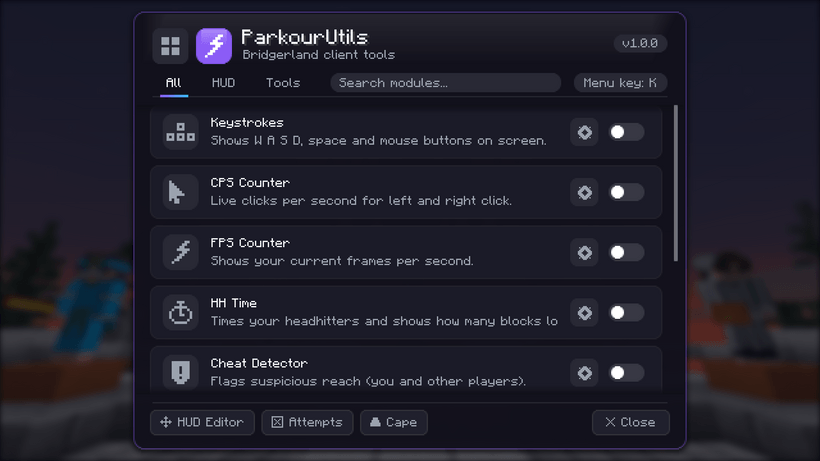
Modules
•Keystrokes: Displays simple keystrokes of WASD, Space and LMB and RMB
•CPS Counter: Displays CPS (Clicks Per Second)
•FPS Counter: Displays FPS (Frames Per Second)
•HH Time: Displays stats about the last HH (Headhitter)
•Cheat Detector: Detect anyone using reach to place blocks regardless of whether your OP or not
•Block Highlighter: Highlight blocks to use later to mark where to place your next block
•Custom Splits: Make splits on any server parkour map to see your time at certain points
Bridgerland Utilites:
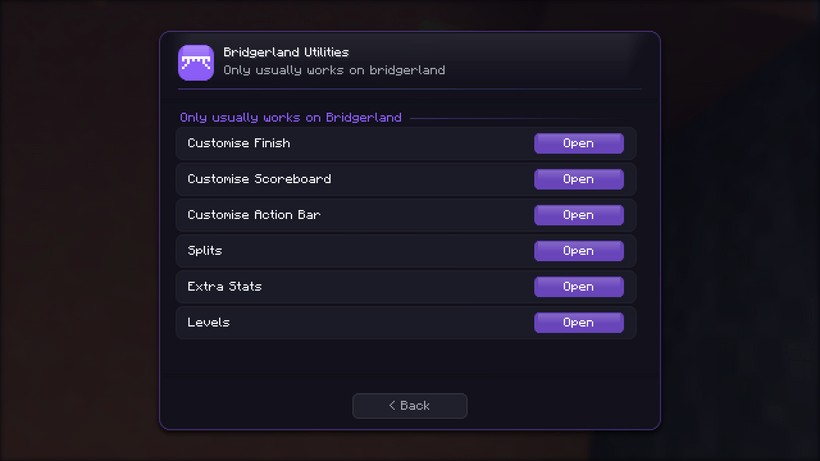 Modules made for bridgerland include:
•Customisation of the colours and font of the title and chat at finish, the scoreboard and action bar
•Splits made for bridgerland based around each parkour to see your time at different places
•Extra stats including if you hit the bed too late on a bedwars parkour, what time you would of gotten if you missed the bed entirely, and the exact time to the ms you got so you can see how close you were to the next time
•Levels that include xp that you gain from playing, dying or finishing
Attempts:
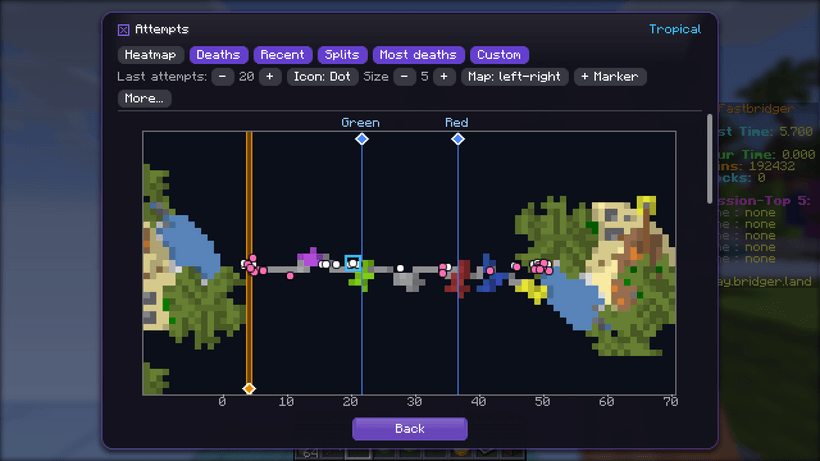 •A map with many options showing where all of your deaths are, your most recent deaths, a heatmap of your most frequent deaths, a line showing where most deaths happen, splits on the map, custom markers and more
•More info on attempts such as when they happened, HHs recorded during that attempt and splits reached during the attempt
•Customisable settings for everything
Cape Editor:
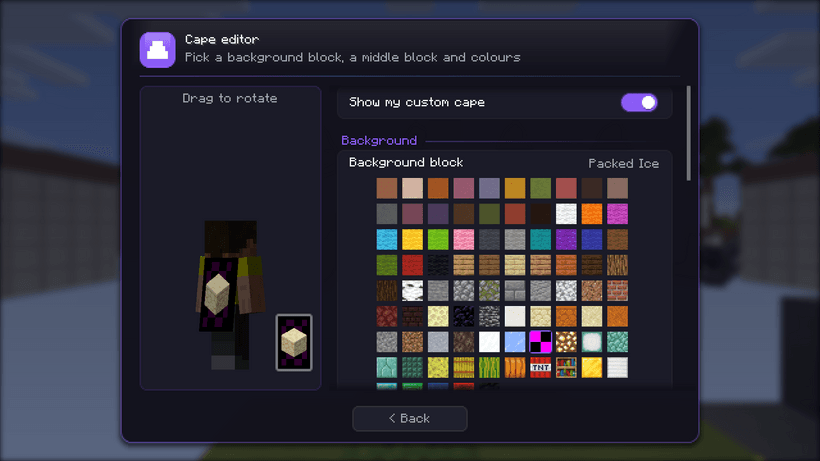 A feature not really based around parkour but I felt like adding it
•Customisable colours
•Customisable background blocks
•Customisable main block
Other Features:
Along with everything listed above the mod is fully customisable including gui colours, hud editor and customisation options on every module.
•For suggestions/bugs dm me on discord (eyedicay) or comment it here
•For a full look into this including help on how to use it and info on stuff like reach detector a video will be on my YouTube channel (eyedicay) soon
ParkourUtils Team
