Pane
- By
A GUI library for Fabric: overlay tool windows over the running game, modal screens, 21 widgets, two-way data binding, and CSS-like theming, rendered entirely through Minecraft's own pipeline. No natives, no conflicts.
Pane5.png
Pane4.png
Pane3.png
Pane2.png
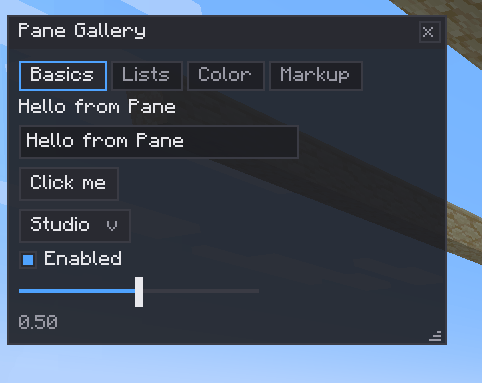
Pane1.png
Description
Pane
A GUI library for Fabric mods that feels like building for the web, rendered entirely through Minecraft's own pipeline.
Most Minecraft UI is written against the vanilla screen API: verbose, version-fragile, and modal-only. The alternatives bring native baggage: bundled renderers, platform jars, cursor fights with other mods. Pane takes a third path: a modern retained component tree, flex layout, two-way data binding and CSS-style theming, drawn with nothing but the same DrawContext the game itself uses. No natives. No renderer. Nothing to conflict with.
Pane was built to power Luminary's editor (three tool windows, a keyframe timeline and a gobo designer, running live in a 150-mod pack next to Axiom and Flashback). It's the library I wanted to exist, extracted and made public.
Two ways to show UI
Overlay windows float over the game while it keeps running. Draggable, resizable from every edge, body scrolling, hardware resize cursors. One key frees the mouse; clicking the world puts you back in the game. This is the mode that makes editor-style tools possible.
Screens are classic modal menus built from the same widgets, hosted in a vanilla Screen. They pause-behave, tab-complete and close exactly like any other menu, because they are one.
Widgets that cover real tools
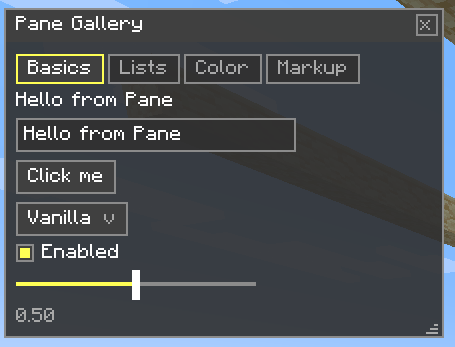
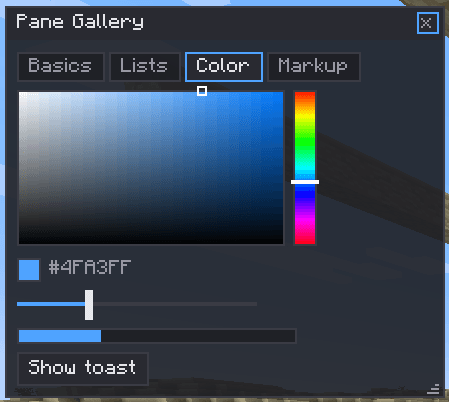
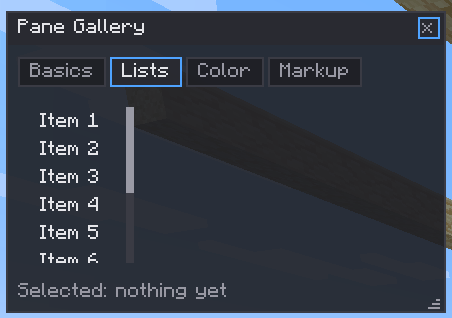
Buttons, checkboxes, sliders, dropdowns, text fields, number fields you can drag to nudge, color pickers, progress bars, tabs, scroll containers, tables, multi-select list views with drag-reorder, keybind capture fields, right-click context menus, confirm dialogs, toasts. Twenty-one widgets, one factory pattern:
Window win = Window.of("My Tool").at(40, 40);
win.add(Label.of("Target"));
win.add(TextInput.of(name));
win.add(Slider.of(speed, 0f, 2f));
win.add(Button.of("Apply").onClick(() -> apply()));
PaneOverlay.addWindow(win);
Data binding, not callbacks everywhere
One primitive, State<T>, connects widgets to your data in both directions. Bind the same state to a slider and a number field and they stay in step for free.
State<Float> radius = State.of(16f);
Slider.of(radius, 0f, 256f);
NumberField.of(radius, 0f, 256f);
radius.onChange(v -> sendToServer(v));
Author in markup, restyle in CSS
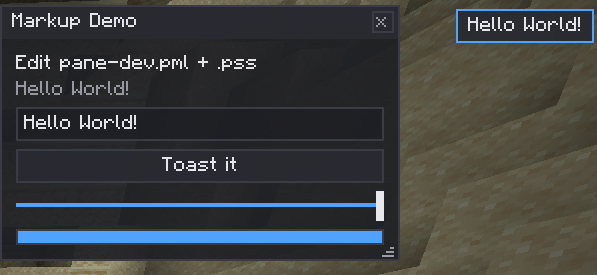
Big layouts can be written declaratively in PML, and styled with PSS: selectors, specificity, #AARRGGBB colors, the things your hands already know.
button   { bg: #292A31; padding: 3; }
.warn    { fg: #FF5555; }
#saveBtn { border-color: #4FA3FF; }
Themes
Eight tokens drive every widget. Three built-ins ship with it: Studio (dark), Paper (light), and Vanilla (blends with the game's own menus). A custom theme is one record away, and the dark/light toggle is a single call.
Headless by design
The core and every widget have zero Minecraft imports. The entire widget layer compiles and its test suite runs on a bare JVM, which is also why the same widgets ship unchanged across Minecraft versions; only a thin runtime layer differs per version.
Get it: Modrinth (soon) · Learn it: the Pane wiki·
Pane Team