Overlay Stats (Original)
- By
Client-side Fabric mod that lets you build a custom in-game HUD with editable overlay elements.
d5295af8301ee23ecc3d1161c8297e5574829a54.png
872f0ad49dca89009ad1fade06a78e35f5b5e771.png
07a1bdb8c85e1c75c8946f77e6cfc532b0180ad8.png
afdbea0b6cfd65b9178a0e233399e603746cb7f5.png
208a5b126e5c3cbc16c73b26c960edbd47f26335.png
Description
Overlay Stats
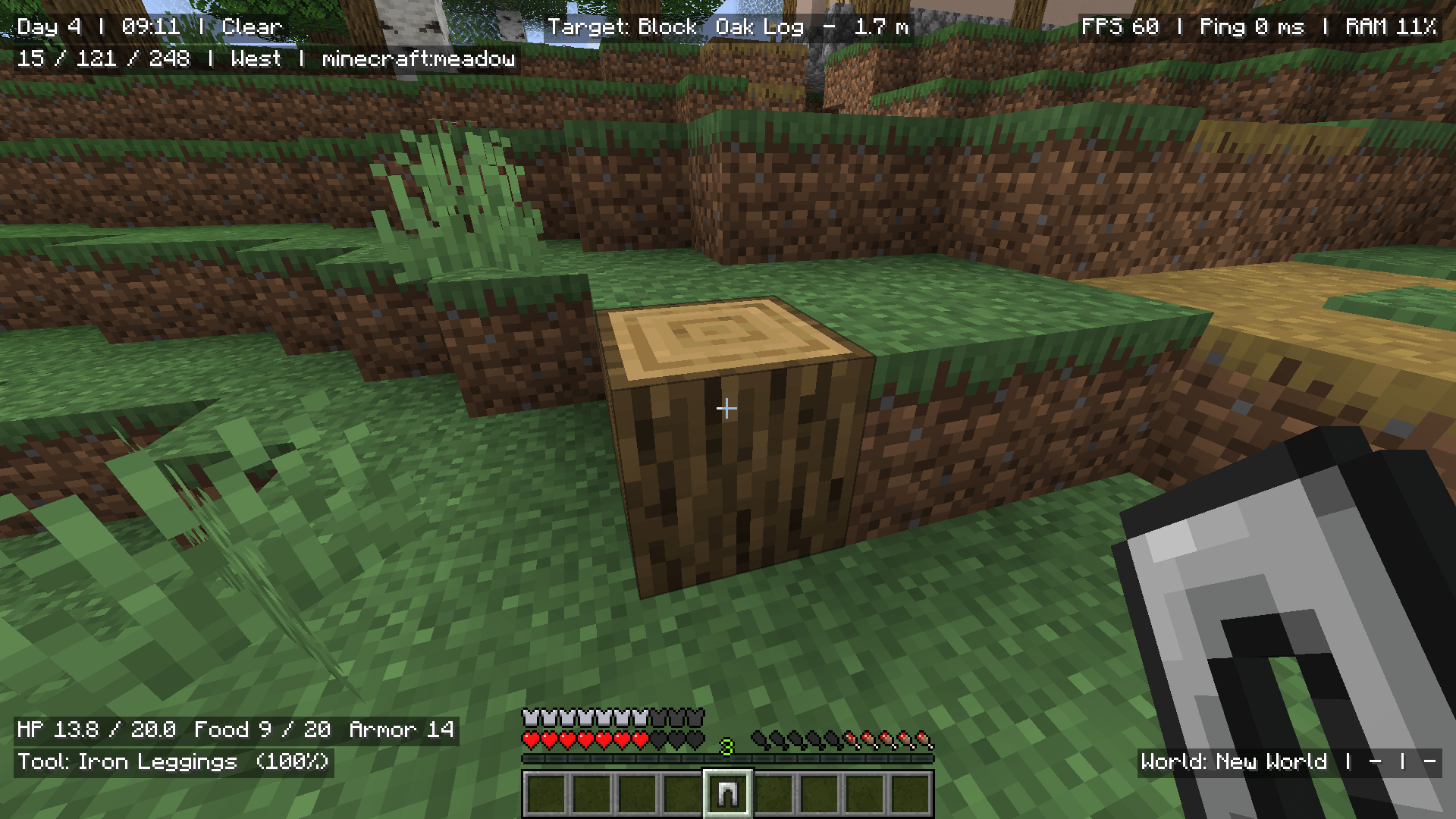
Overlay Stats is a client-side Fabric mod that lets you create your own customizable in-game HUD using editable overlay elements.
Show the information you care about while playing, such as coordinates, FPS, ping, world time, biome, health, equipment, target block/entity data, potion effects, and more.
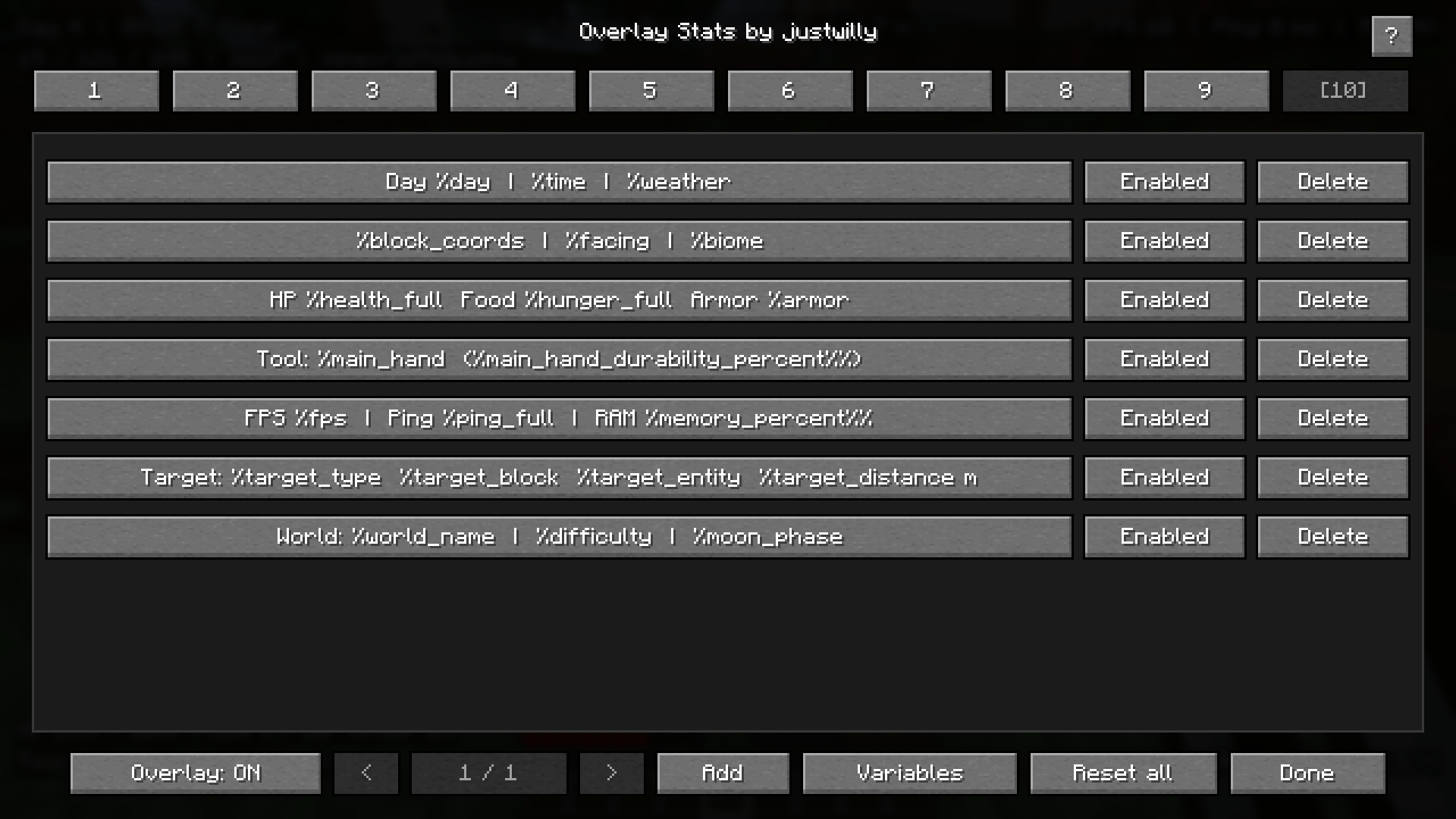
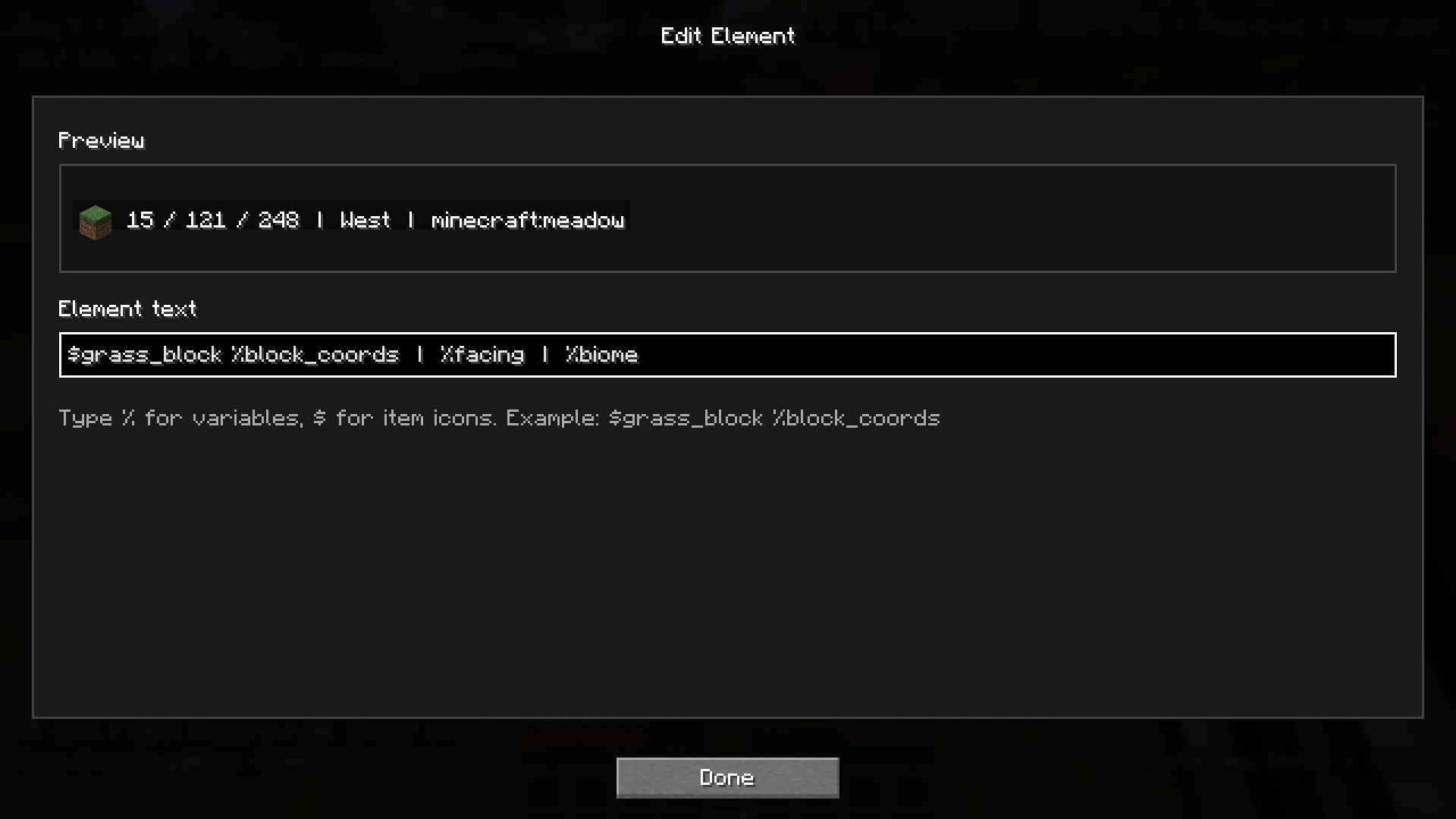
The mod uses simple text-based elements with %variables, so you can mix normal text with live Minecraft data however you want.
Features
- Create multiple custom overlay elements
- Use live
%variablesinside your element text - Render Minecraft item/block icons using
$item_name - Drag elements around the screen to reposition them
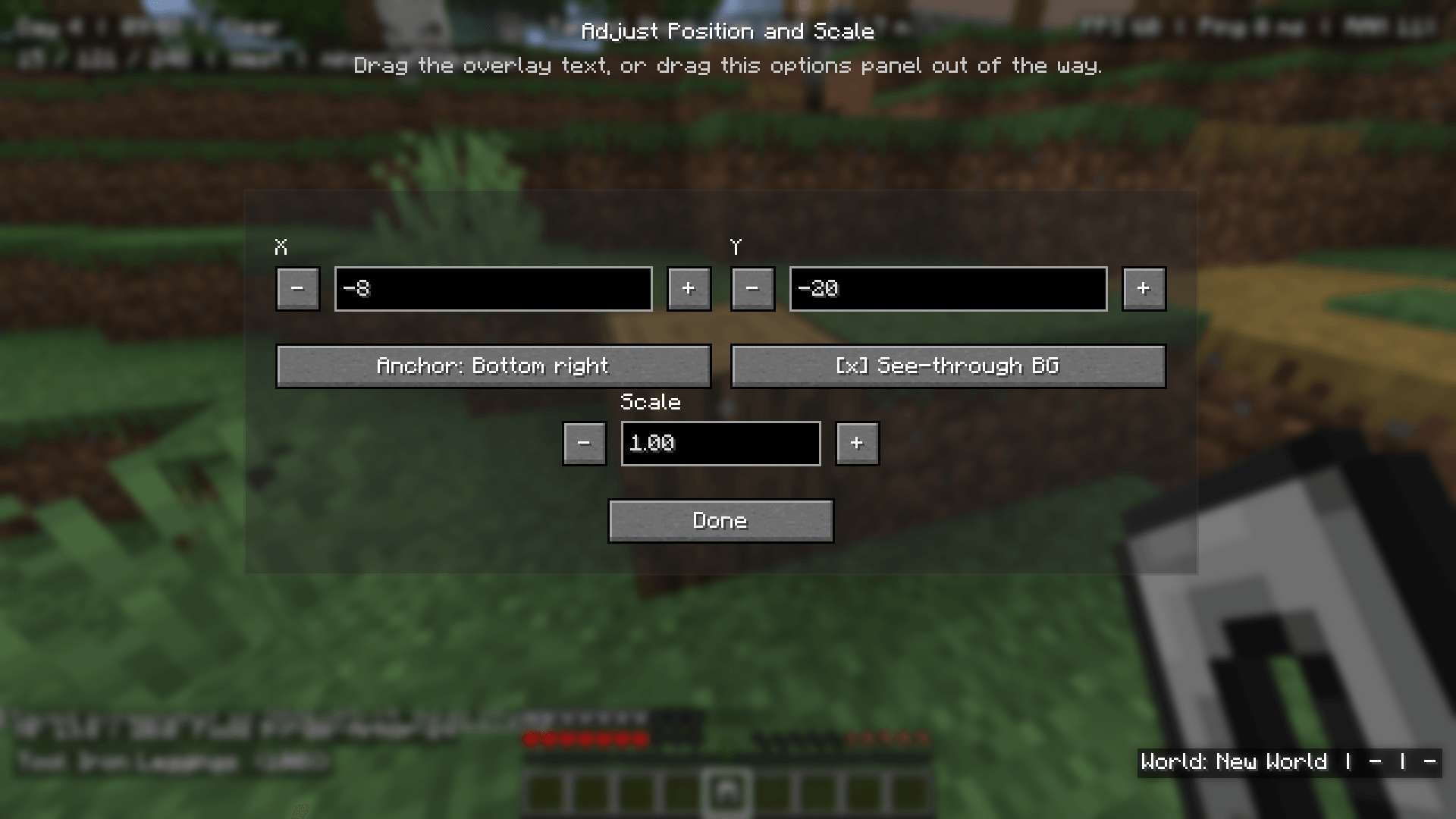
- Adjust X/Y position, anchor, and scale
- Customize text color, opacity, shadow, background color, and background opacity
- Enable or disable each element separately
- Use multiple presets and switch between them
- Includes a showcase preset with ready-made examples
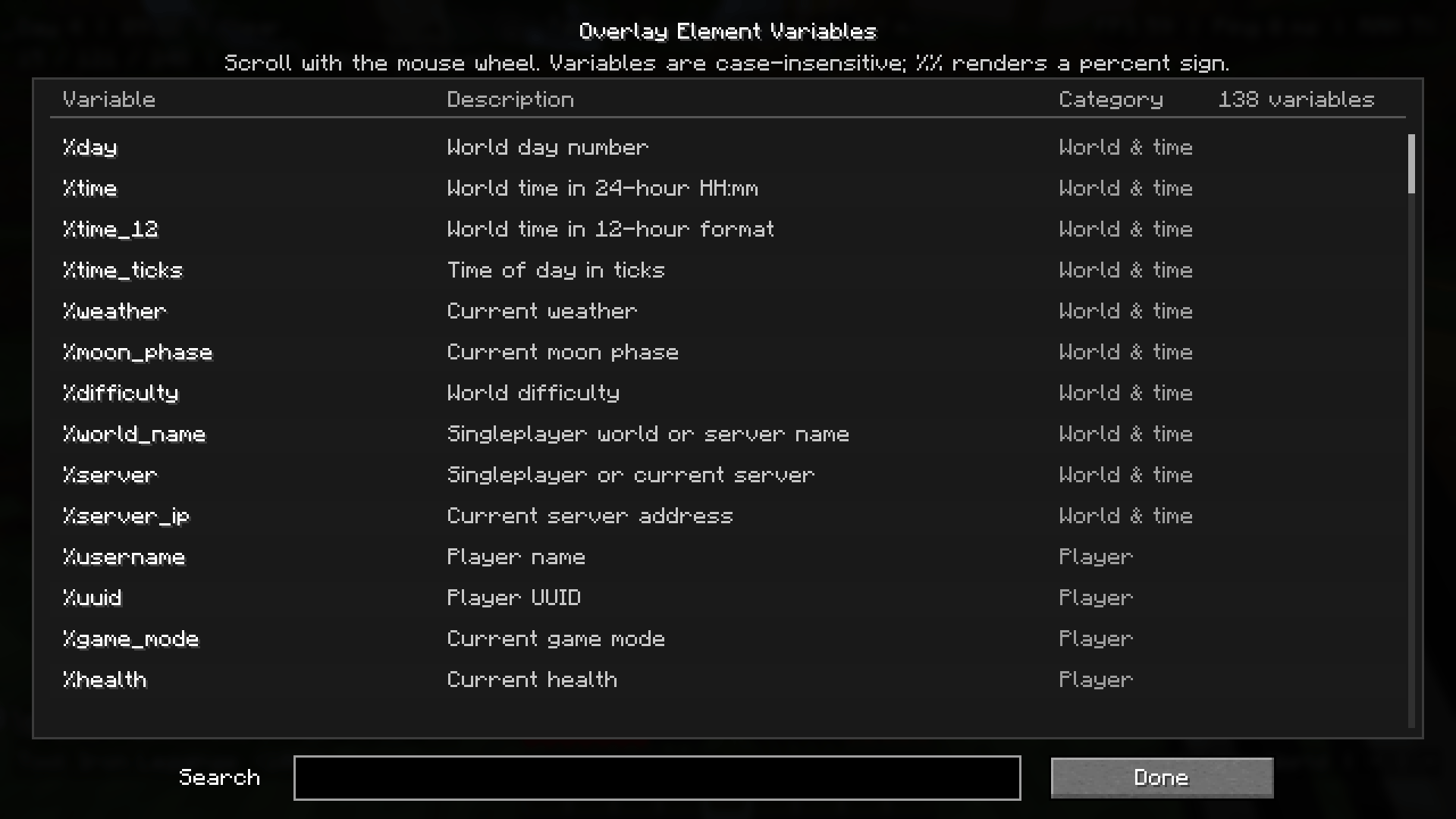
- Searchable variable list
- Variable suggestions while editing
- Item icon suggestions when typing
$ - Template-specific element options, such as hiding air blocks or missing targets
- Client-side only
Examples
You can create simple elements like:
Day %dayXYZ: %x %y %zFPS: %fps | Ping: %ping_fullYou can also combine text, variables, and icons:
$grass_block Looking at: %target_block$clock Time: %time | Day: %day$diamond_sword Target: %target_entity | HP: %target_health_full$compass %direction | %biome | %dimensionItem Icons
Overlay Stats can render Minecraft item and block icons directly inside overlay text.
Use $ followed by an item or block ID:
$grass_block %block_coords$diamond_pickaxe Durability: %main_hand_durability_percent%%When editing an element, typing $ will show icon suggestions.
Variables
Overlay Stats includes many built-in variables for different parts of the game.
Some examples include:
%day
%time
%weather
%x
%y
%z
%coords
%biome
%direction
%fps
%ping
%ping_full
%health
%hunger
%armor
%xp_level
%main_hand
%off_hand
%effects
%target_block
%target_entity
%target_health
%target_effects
%server_ip
Open the Variables screen in-game to browse and search the full list.
Presets
The mod includes multiple preset slots, so you can create different HUD layouts for different situations.
For example:
- A clean survival layout
- A technical/debug layout
- A PvP-focused layout
- A server information layout
- A minimal coordinates-only layout
Only one preset is active at a time, making it easy to switch between setups.
Element Options
Each overlay element can be customized individually.
You can change:
- Text color
- Text opacity
- Shadow
- Background color
- Background opacity
- Position
- Anchor
- Scale
- Enabled state
Some variables also unlock extra options.
For example, %target_block can hide the element when you are looking at air, so your HUD stays clean instead of constantly showing Air.
How To Open
Press J in-game to open the Overlay Stats editor.
From there, you can add elements, edit existing ones, adjust position and scale, browse variables, and manage presets.
Client-Side
Overlay Stats is fully client-side.
It does not need to be installed on the server.
Perfect For
- Survival players who want useful HUD info
- Technical players who need coordinates, biome, light, FPS, and ping
- Content creators who want clean custom overlays
- Players who want a more personal HUD
- Server players who want quick access to ping, server IP, or location info
Author
- Modrinth: https://modrinth.com/user/justwilly
- Curseforge: https://www.curseforge.com/members/real_jw/projects
- Ko-fi: https://ko-fi.com/0willy
Donations help support development, testing, maintenance, and future updates.
The Overlay Stats (Original) Team


Owner