


OryzonLan
- By
Open your LAN world to friends over the internet with a simple shareable address — no port forwarding required.
2026-07-02_05.11.38.png
2026-07-02_05.13.27.png
Description
OryzonLAN
Play Minecraft with your friends over the internet — no port forwarding, no server setup, no headaches.
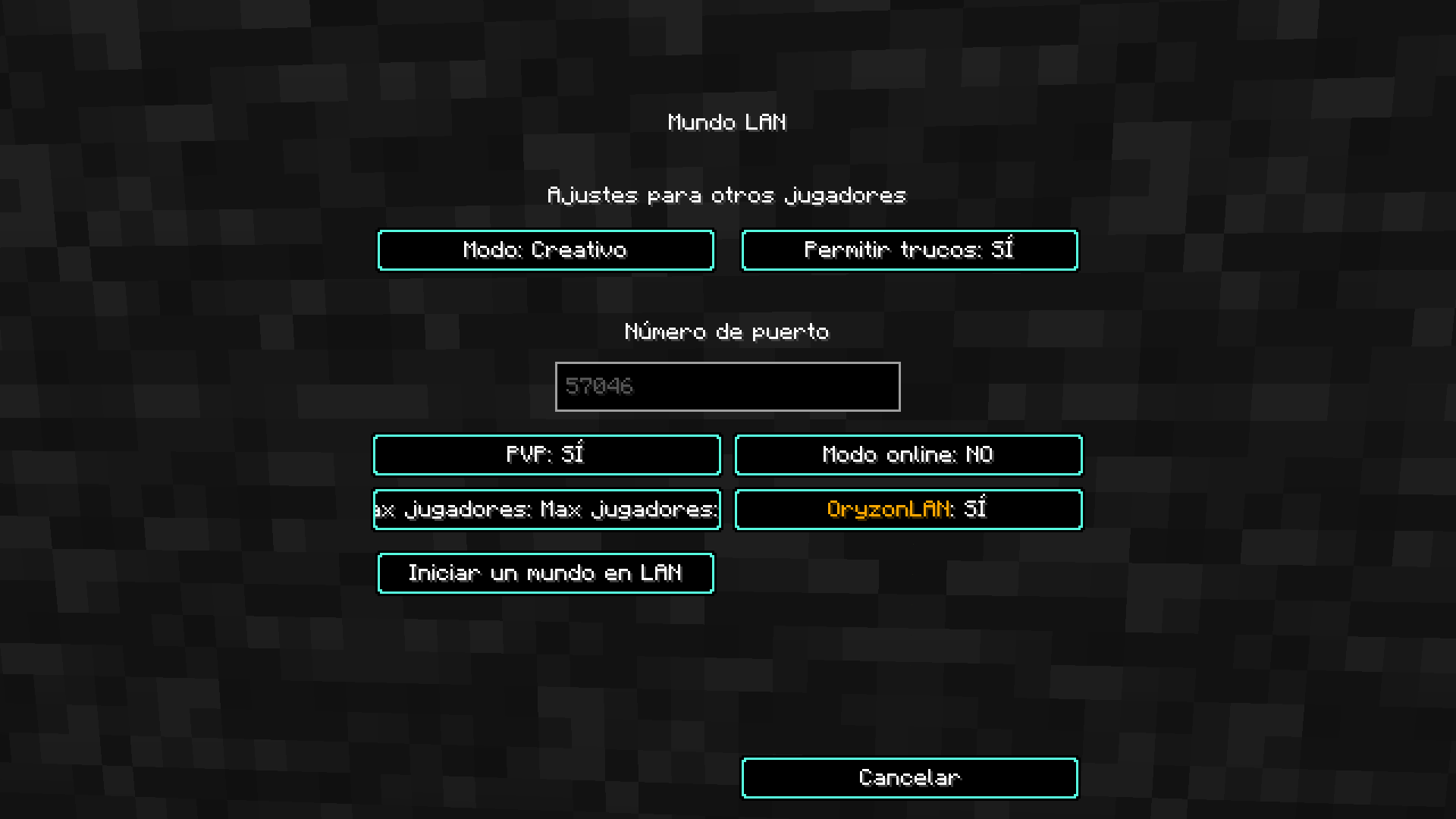
OryzonLAN turns the vanilla "Open to LAN" feature into "Open to the Internet". When you open your single-player world, the mod connects through a relay and gives you a short address you can share with friends anywhere in the world. They paste it into the multiplayer "Direct Connect" screen and join instantly.
No dedicated server. No paid hosting. No technical knowledge required. If you can open a world to LAN, you can host for your friends across the globe.
✨ Core Features
- One-click hosting — open your world to LAN like you always do, and OryzonLAN puts it online automatically.
- No port forwarding — no router configuration, no firewall fiddling, no third-party tools.
- Short, clean addresses — you get a friendly address like
7.2.7.3.9, easy to read and share. Click it in chat to copy it instantly. - Persistent address per world — your world keeps the same address for 5 days, so your friends can save it once and reconnect anytime. Reopen the world and the address stays the same.
- Lightweight — minimal footprint, no impact on performance, works with your existing worlds.
🎛️ In-Game LAN Panel
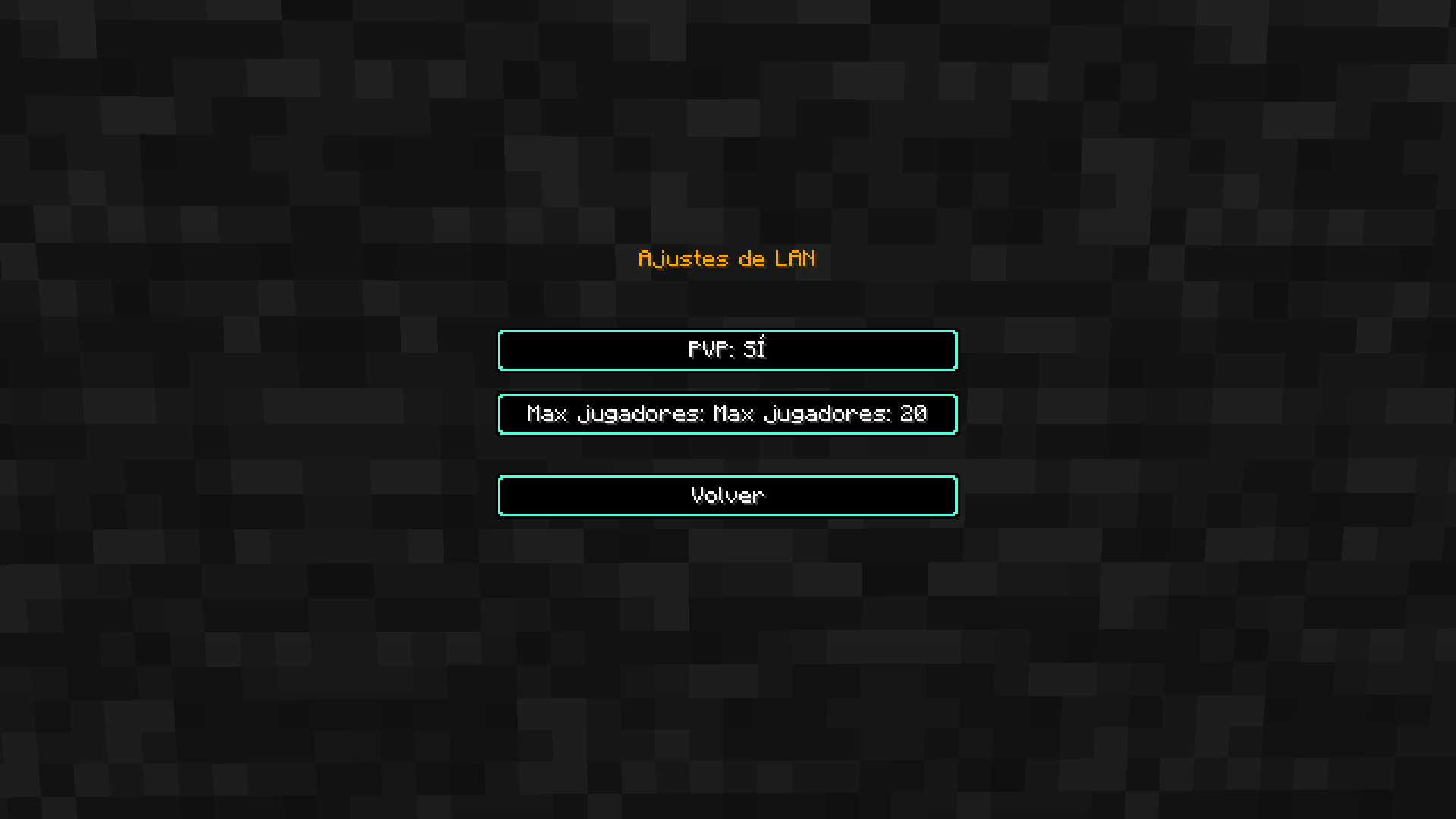
While your world is open, press Esc → ⚙ LAN Settings to open a full host panel — no commands needed:
- 📋 Copy your address and see how many players are connected in real time.
- PVP toggle (applies live).
- Player limit slider — from 2 up to 150 players.
- Difficulty — change it on the fly.
- Keep world alive — choose what happens when you leave (see below).
- Cheat rules (only shown when cheats are enabled and not in hardcore): keep inventory on death, day/night cycle, weather, and mob griefing.
👥 Player Management
- See everyone currently connected.
- Kick or ban any player without leaving your world.
🔄 Host Migration
If you enable "Keep world alive", leaving doesn't end the fun:
- When you (the host) leave, the world is automatically handed over to another connected player and keeps running — the session survives.
- Prefer the classic behavior? Turn it off, and when you leave the session simply closes for everyone.
🔒 Safety & Quality of Life
- Hardcore protection — in hardcore worlds, cheats are automatically locked off so nobody can break the challenge.
- Online mode toggle — require verified Mojang accounts, or let anyone join.
🚀 How to Use
- Install the mod with Forge 1.20.1.
- Open your single-player world.
- Press Esc → Open to LAN, enable OryzonLAN, and click Start LAN World.
- Copy the address that appears in chat and share it with your friends.
- Your friends open Multiplayer → Direct Connect, paste the address, and join!
❓ FAQ
Do my friends need the mod too? Yes. Everyone — host and players — needs OryzonLAN on the same version.
Do I need to forward ports or configure my router? No. That's the whole point. OryzonLAN handles the connection for you.
Is it free? Completely free.
Does it work with other mods? Yes, as long as all players have the same mod set, just like any multiplayer world.
How many players can join? Up to 150 — you set the limit from the LAN panel.
Is my world safe? The world always stays on your machine — you're the host, exactly like a normal LAN world.
📦 Requirements
- Minecraft 1.20.1
- Minecraft Forge 47.4.10 (or compatible)
- Java 17
- All players need the mod installed.
❤ Credits
Developed by Oryzon. Part of the OryzonHosting project.
OryzonLan Team


