OreVision | X-Ray
- By
OreVision is a client-side Fabric mod that helps you locate Minecraft ores
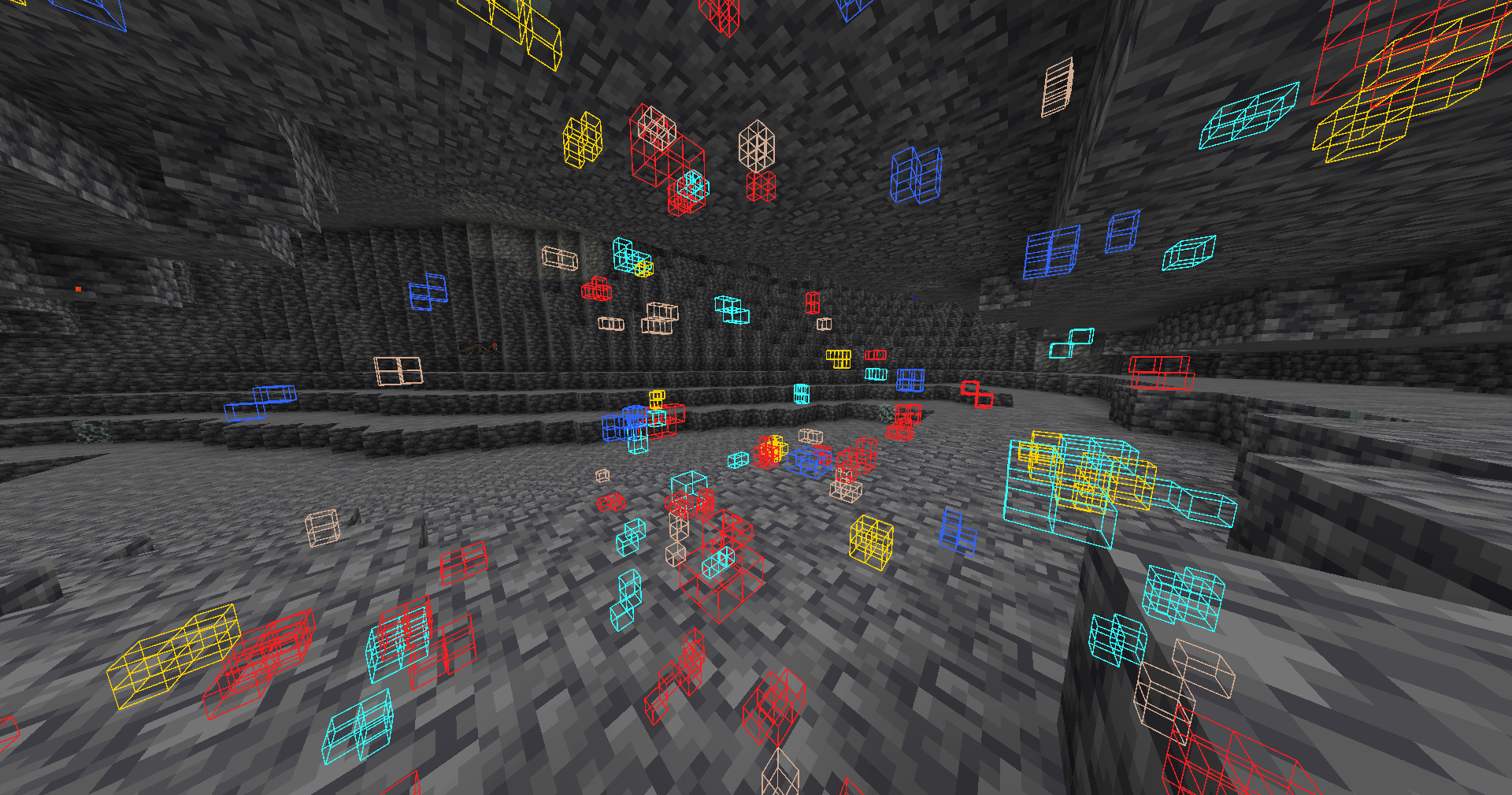
visible blocks.png
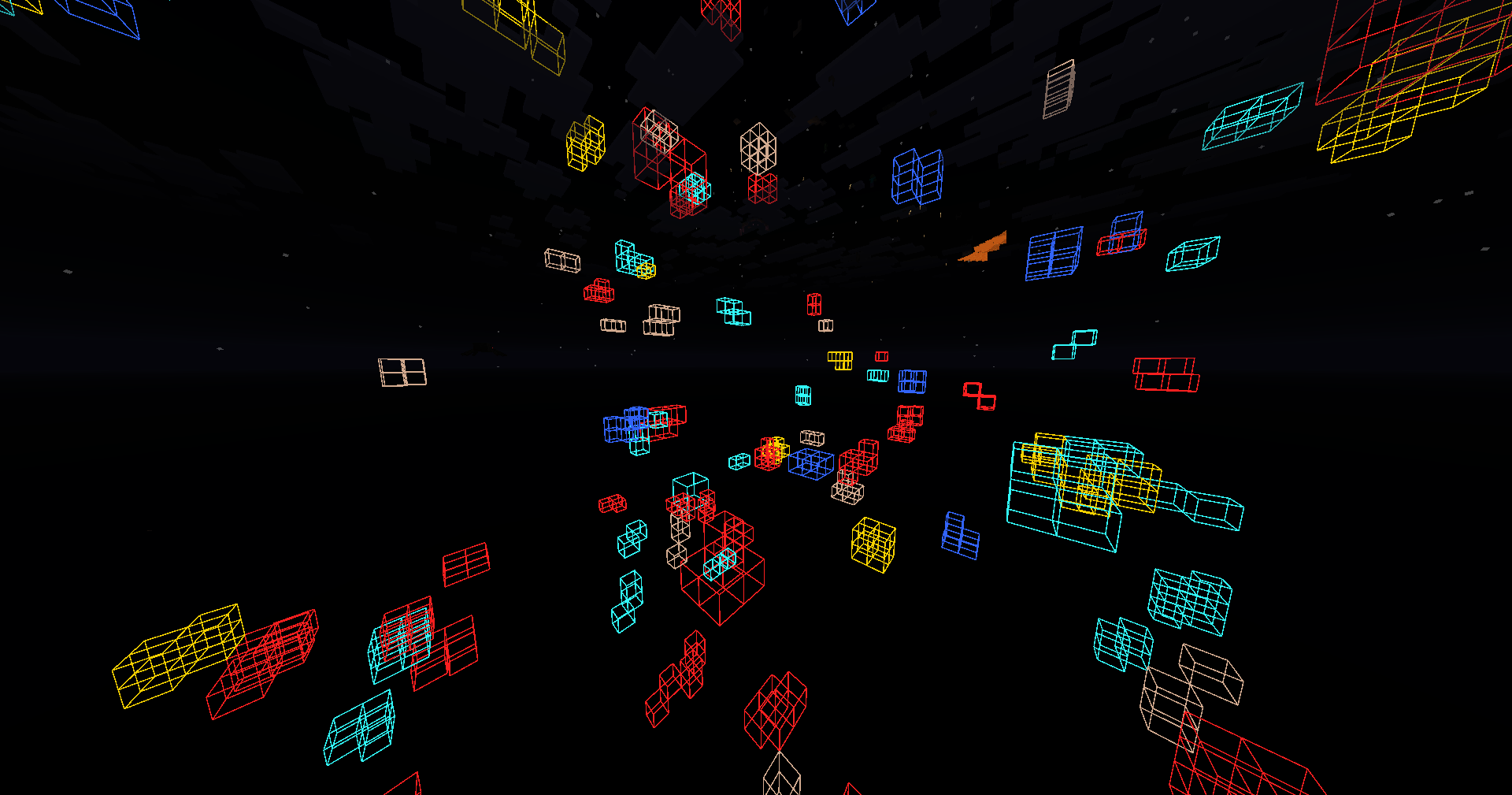
invisible blocks.png
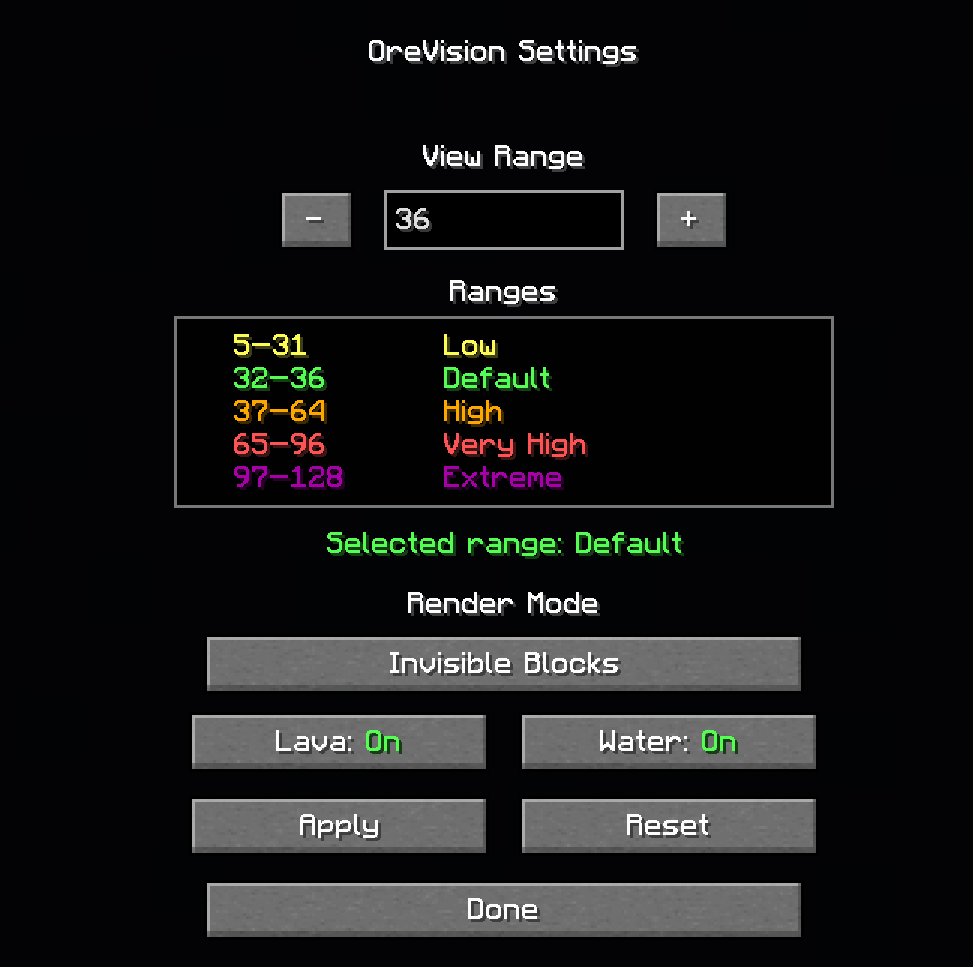
menu.png
Description
⛏️ OreVision | X-Ray
OreVision is a client-side Fabric mod that helps you locate Minecraft ores with customizable colored outlines. Easily switch between Visible and Invisible X-Ray modes, customize water and lava rendering, adjust the scan radius, and personalize your keybinds for the best mining experience.
✨ Features
- 🔍 Highlights ores with customizable colored outlines.
- 👁️ Two X-Ray modes:
- Visible Mode – Keep normal blocks visible while displaying ore outlines.
- Invisible Mode – Hide most blocks to easily locate ores.
- 🌊 Toggle Water rendering on or off.
- 🌋 Toggle Lava rendering on or off.
- 📏 Adjustable ore scan distance.
- ⌨️ Fully customizable keybinds.
- 💾 All settings are automatically saved and restored after restarting Minecraft.
- 🌎 It works on servers!
🎨 Ore Colors
🟢 Emerald
🔵 Diamond
🔴 Redstone
🟡 Gold
🟠 Copper
⚪ Quartz
🟤 Ancient Debris
⚫ Coal
⌨️ Default Keybinds
O → Open the OreVision configuration menu.
0 (Zero) → Toggle OreVision ON/OFF.
All keybinds can be changed anytime in Esc → Options → Controls → Key Binds.
📦 Dependency
⚠️ Important Notes
- ❌ Shaders are not supported.
If OreVision does not work while shaders are enabled, disable your shaders and try again. - ⏳ When enabling OreVision, it may take a few seconds for ore outlines to appear. This is completely normal while nearby chunks are being scanned.
- 💻 For the best performance, it is recommended to keep the default scan distance. Increasing the scan radius may reduce FPS depending on your computer's hardware.
- 💾 Your settings are automatically saved. Even if you close Minecraft, your configuration will remain exactly as you left it until you change it again.
💬 Feedback
Found a bug? Have a suggestion? Need help?
Feel free to leave a comment. I'll do my best to respond and resolve any issues as quickly as possible.
The OreVision | X-Ray Team