


Ore Radar
- By
JEI-description.png
radar-dashboard.png
radar-dashboard-all.png
radar-dashboard-favourites.png
radar-dashboard-settings.png
Description
Ore Radar
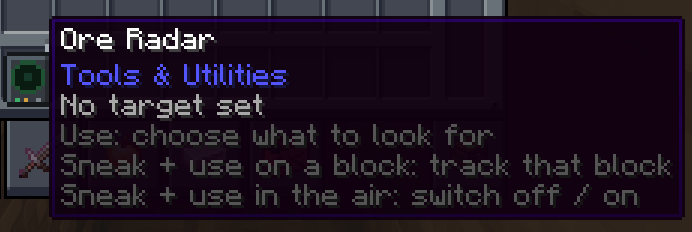
A handheld radar that finds the nearest block of a selected type, such as iron ore, ancient debris, or a modded ore, and guides you to it with:
- See-through outlines showing the vein
- An arrow showing direction, distance, and height difference
- A beep that speeds up as you get closer
Scanning runs on the server, which sends each player only what they're allowed to see. The radar never loads chunks, and all players' scans share a small time budget per server tick.
Downloads and installation
| Server | File | What players need |
|---|---|---|
| Forge 1.20.1 (47.4+) | oreradar-2.0.0+1.20.1-forge.jar |
The same jar |
| Fabric 1.20.1 | oreradar-2.0.0+1.20.1-fabric.jar + Fabric API |
The same jar and Fabric API |
| NeoForge 1.21.1 | oreradar-2.0.0+1.21.1-neoforge.jar |
The same jar |
| Fabric 1.21.1 | oreradar-2.0.0+1.21.1-fabric.jar + Fabric API |
The same jar and Fabric API |
| Paper 1.20.1–26.3 (tested on 1.20.1, 1.21.1, and 26.3) | oreradar-2.0.0-paper.jar |
Nothing. Players use vanilla clients |
Modded servers: Install the mod on the server and on every client. Players without the mod can't load chunks containing a Charging Station: Forge turns them away at login, while Fabric and NeoForge let them join but leave holes in the world. For unmodded clients, use the Paper plugin instead.
Singleplayer: Install the mod as usual. Team Reborn Energy is bundled with the Fabric jars.
Paper servers: Install only the plugin. Players connect with vanilla clients. A player who has the mod installed can still join; the mod simply stays idle.
Crafting
Ore Radar
 .  L  .      L = Lightning rod
 I  G  I      I = Iron ingot
 R  C  R      G = Glass pane
              R = Redstone
              C = Compass
              . = Empty
Charging Station
 I  L  I      I = Iron ingot
 C  B  C      L = Lightning rod
 I  I  I      C = Copper ingot
              B = Block of redstone
Using the radar
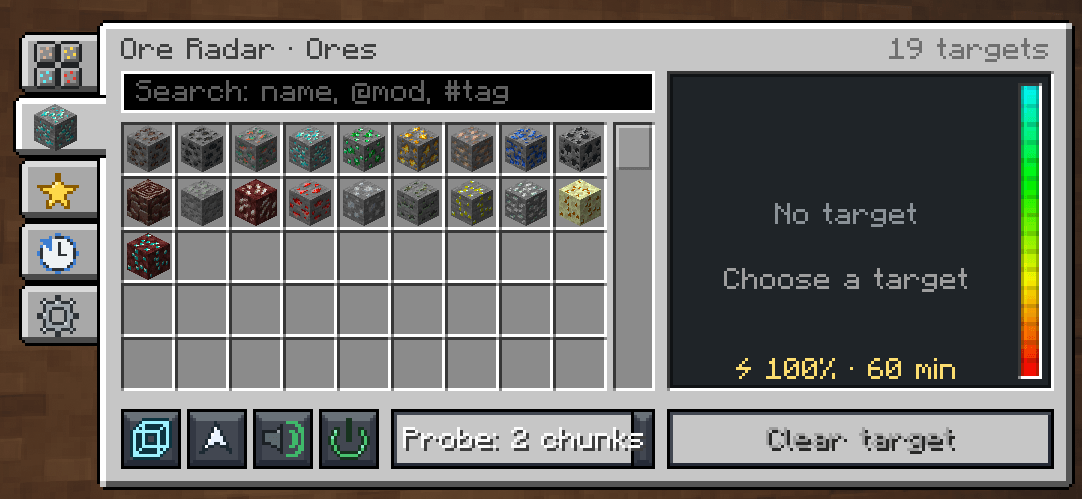
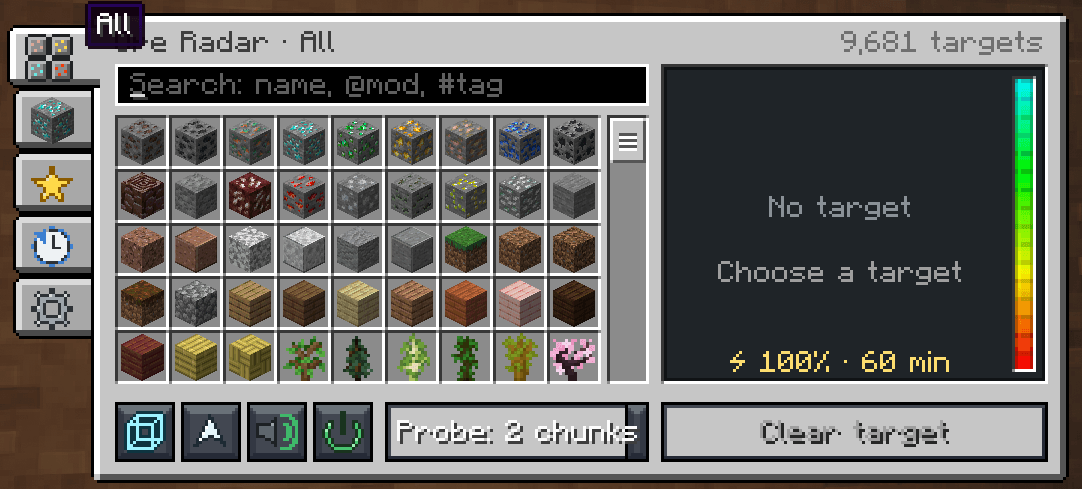
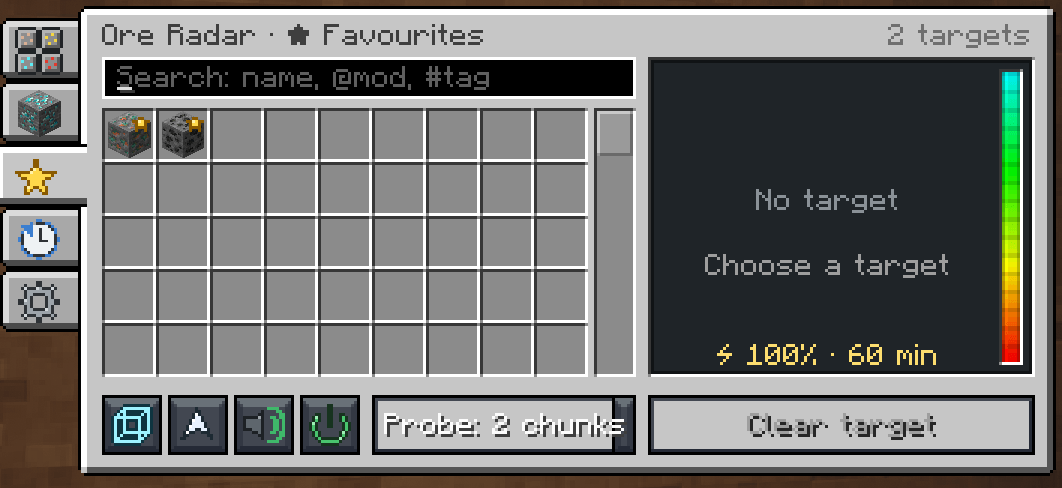
- Use (right-click) to open the radar screen. Choose a target, search with
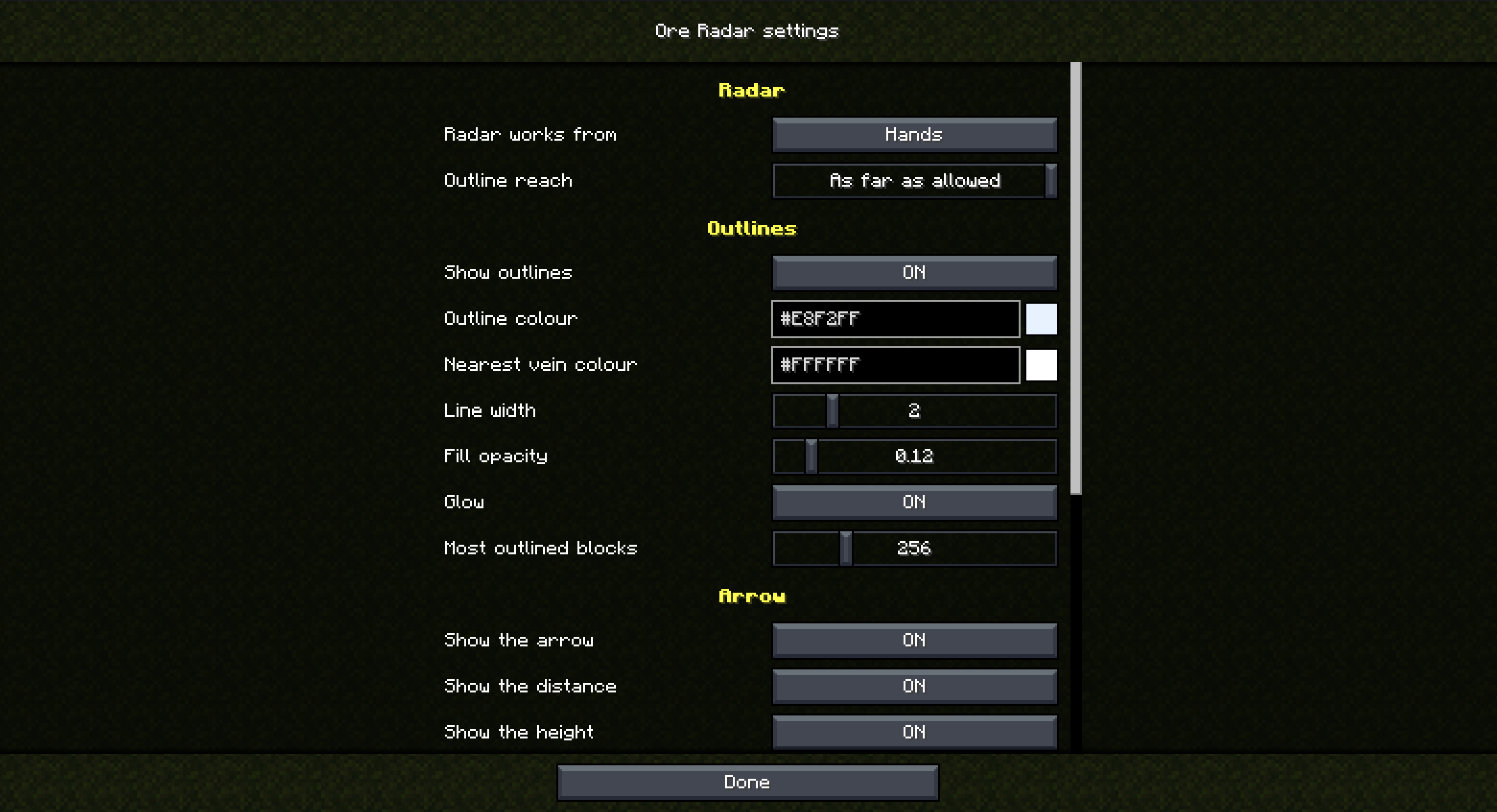
@modor#tag, right-click to mark favourites, and toggle outlines, the arrow, and the beep. - Open the ⚙ settings tab to adjust colours, HUD position, beep sound and volume, and whether the radar works from your hands, hotbar, or inventory.
- Sneak + use on a block to track that block.
- Sneak + use in the air to turn the radar off or on.
- Press the Open Ore Radar key to open the screen without right-clicking. The key is unbound by default.
Charging
A full radar lasts one hour of searching; the item bar shows the remaining charge. Recharge it in a Charging Station using redstone, coal, charcoal, glowstone dust, or energy supplied through compatible cables and chargers. FE is supported on Forge and NeoForge; Team Reborn Energy is supported on Fabric.
Paper controls
On Paper, the radar is a compass. Right-click it to open a chest menu. The needle points toward the nearest match, matching blocks glow, and the action bar shows distance and charge.
The Charging Station is a lodestone with its own menu: put the radar on the left and fuel on the right.
Server configuration
Settings are in config/oreradar-server.toml. On Paper, the file is at plugins/OreRadar/oreradar-server.toml. Each setting has a comment, and /oreradar reload applies changes.
Categories
The [categories.*] sections define the radar screen's tabs and the blocks radars are allowed to track. A new configuration contains only ores. Example categories for stone, wood, nature, fluids, and utility blocks (such as spawners and chests) are included as comments; remove the # at the start of a table's lines to enable one.
To add a custom tab:
[categories.loot]
name = "Loot"
icon = "minecraft:chest"
blocks = ["minecraft:chest", "minecraft:trapped_chest", "#minecraft:shulker_boxes"]
Other settings
allowAll = trueallows tracking every block. In a large modpack, each player with the mod will then receive about 1 MB of data when joining and after each reload.denyListlists blocks and#tagsthat can never be tracked. The#oreradar:untrackabletag is always excluded too.groupscombines blocks found together into one target, e.g.[["#c:ores/zinc", "create:zinc_ore"]]. Ore tags already create one target per ore, and the mod also reads datapacks' Vein Mining groups.[features.*]can disable outlines, the arrow, or the beep for everyone.precisionBlockscontrols the arrow's precision;16means it points to the chunk.[radar]includesmaxRadius(96 blocks) anddimensionsDeny, e.g.["minecraft:the_end"].[energy]includesenabled = falseto make radars free, pluscapacityanddrainPerSecondto set battery life.[station]includesfuels, which sets the value of each fuel item.
Players' personal settings are in config/oreradar-client.toml and can also be changed in the ⚙ tab. Players can reduce settings, but can't enable features the server has disabled.
Commands
| Command | Who can use it |
|---|---|
/oreradar info |
Everyone |
/oreradar reload |
Operators |
/oreradar target <block> |
Operators |
/oreradar charge <amount> |
Operators |
/oreradar give [radar|station] |
Operators (Paper only) |
Paper permissions: oreradar.use (everyone) and oreradar.admin (operators).
Paper notes
- The radar is a compass with CustomModelData
7701, so a resource pack can give it a custom model. The plugin does not send a resource pack. - Only the plugin can read the contents of a Charging Station. Before removing the plugin, take the radar and fuel out; otherwise they'll only be recoverable after reinstalling it.
- Folia is not supported.
## License and building
Ore Radar is licensed under the MIT License. To build from source, see BUILDING.md in the GitHub repository.
For creators
If you're a Minecraft content creator and think this mod is worth showcasing, go for it! You're more than welcome to test it and use it in your videos.
A note from the author
Thank you for coming here. It means a lot!
I've been looking for a way to express my gratitude to the community. FOSS culture has made so much knowledge freely available, and creating little goodies and utilities that make our lives easier felt like a good way to give some of it back.
I'm a doctor by trade, but my country doesn't pay well for it, so I've taken up development in my free time. I don't charge for my projects and sincerely don't intend to, so if you like the mod, please consider buying me a coffee! I also take requests and commissions.
I'm by no means well-versed in Java, so while I learn and improve, these mods contain AI-generated code. The idea, creation, and testing were done by me and my wife, though.
Disclaimer
This description was mostly generated by AI. The author revised each claim; Claude handled the Markdown structure and spelling corrections.
Ore Radar Team
