
Orbital Atlas
- By
A 3D minimap and world map with cave views, waypoints, trails, radar, and optional claim and team tools.
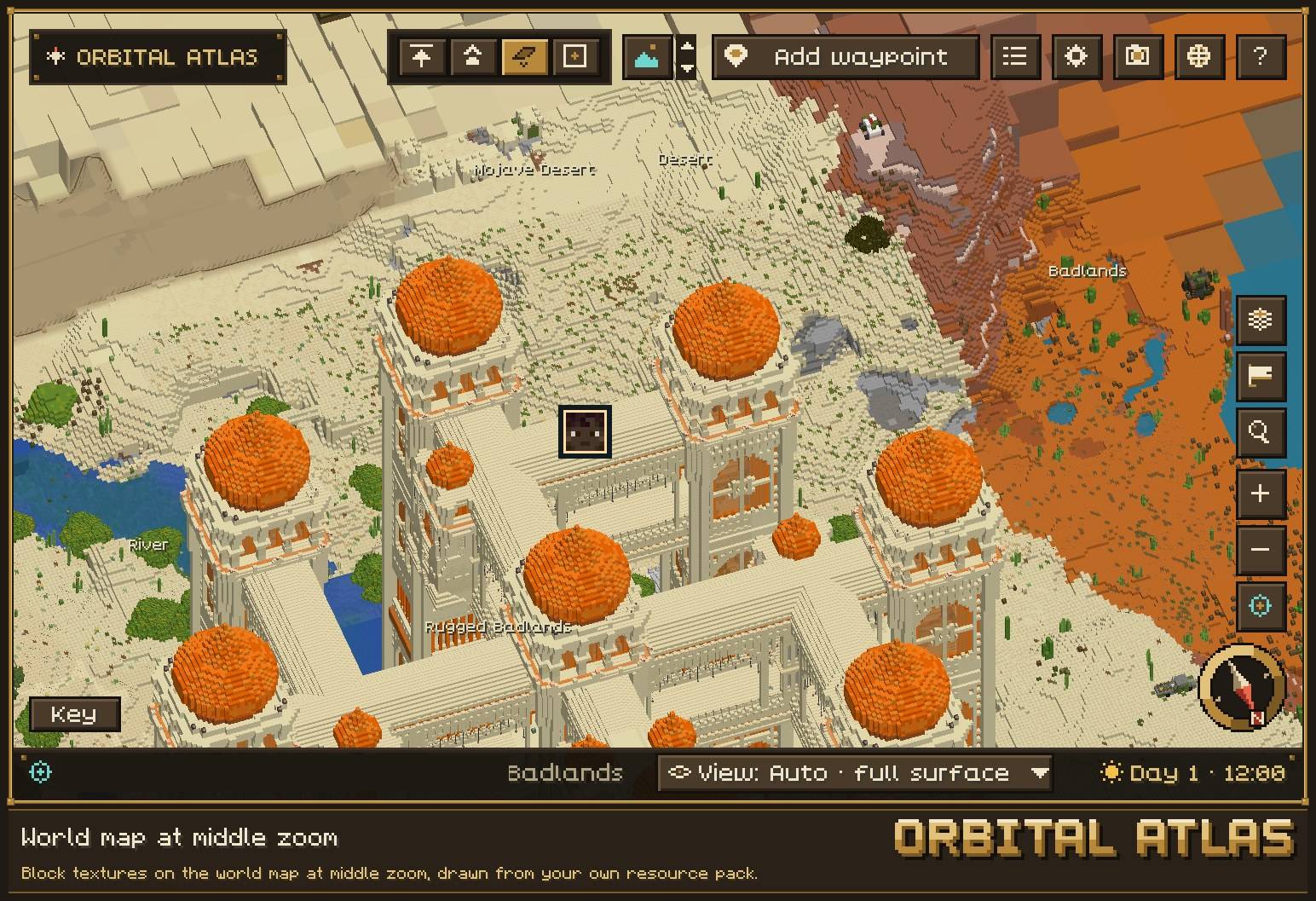
Block textures on the world map at middle zoom, drawn from your own resource pack.
Description
Orbital Atlas is a 3D minimap and world map for Minecraft 1.21.1 on NeoForge. It builds the land you explore into a 3D map, in your own resource pack's textures, that you can tilt, turn and zoom.

Beta. Back up the orbitalatlas/ folder and the config/orbitalatlas* files in your instance folder before each update.
Join the community in Orbital's Lounge on Discord for help, bug reports and news.
Open source, coming soon. The source code will be published under the LGPL 3.0 licence; until then, Orbital Atlas is All Rights Reserved.

- A real 3D world, not a flat picture. Hills, cliffs, rivers and buildings keep their height and shape on both the minimap and the world map. Tilt and turn the map to look at them from any side.
- Textured blocks. Up close and at middle zoom, the map is drawn in the block textures of your resource pack, high-resolution packs included.
- Detail where it matters. Each level of zoom gets its own level of detail: full blocks around you and simpler shapes farther out. Zoom from a single room out to your whole world, and the land around you keeps its detail.
- A round 3D minimap with compass, heading and coordinates, and a full-screen world map you can pan, orbit, tilt and zoom.
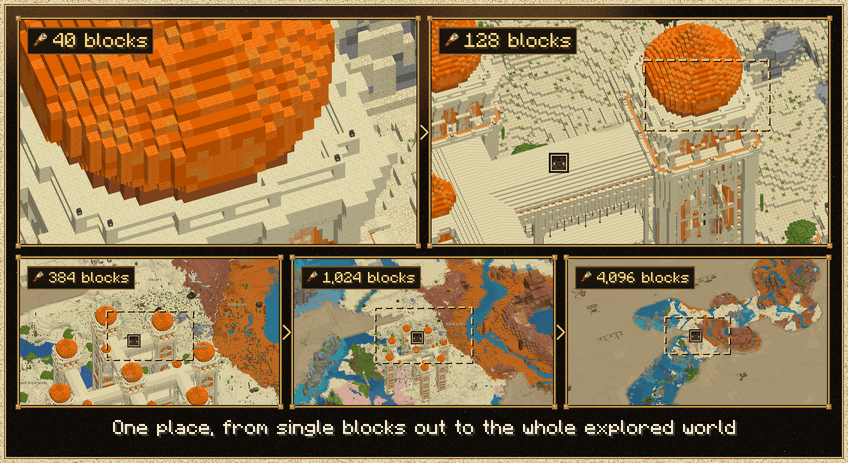

- Works with any mod. Mob icons are made in game from each mob's own model and textures, so mobs from any mod get a proper face, drawn in your resource pack.
- Bosses stand out. A boss gets a violet outer ring and a slow pulse, and stays visible even behind cover.
- Easy to read. Players, bosses, hostile, passive and pet mobs each have their own colour. Crowds of the same mob stack into one icon with a count, and you can hover an icon for its name.
- Seek lists the mobs near you. The radar shows only what your own game has loaded, and server operators can limit it.
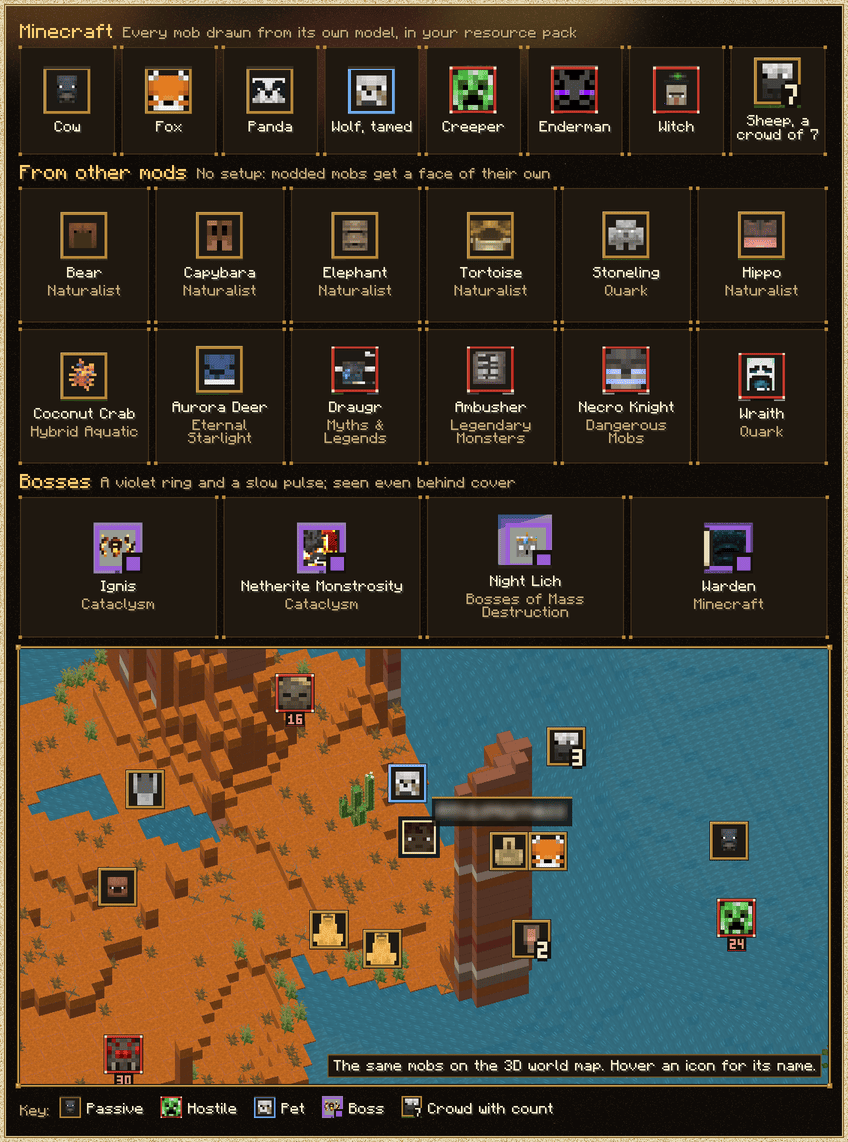

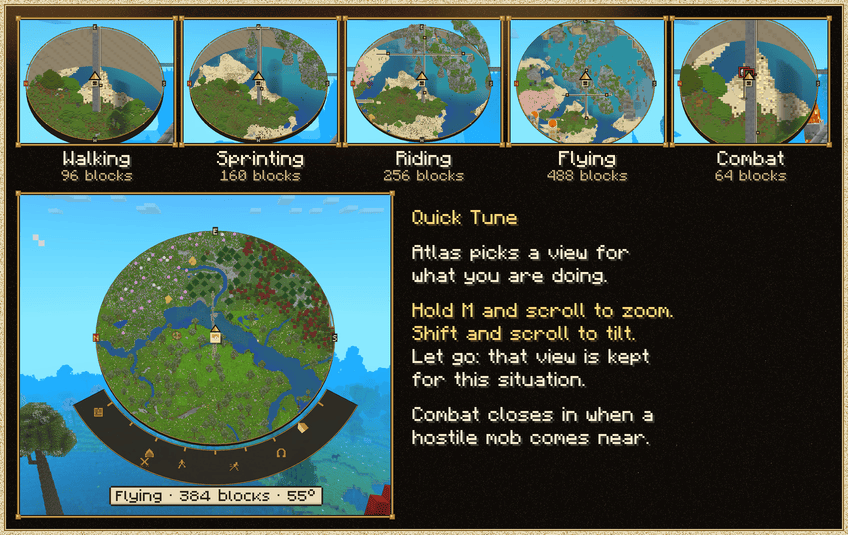
- A view for every situation. The minimap keeps its own zoom and tilt for walking, sprinting, riding and flying, and changes between them as you move.
- Combat mode. When a hostile mob comes close or you take a hit, the minimap closes in on the fight.
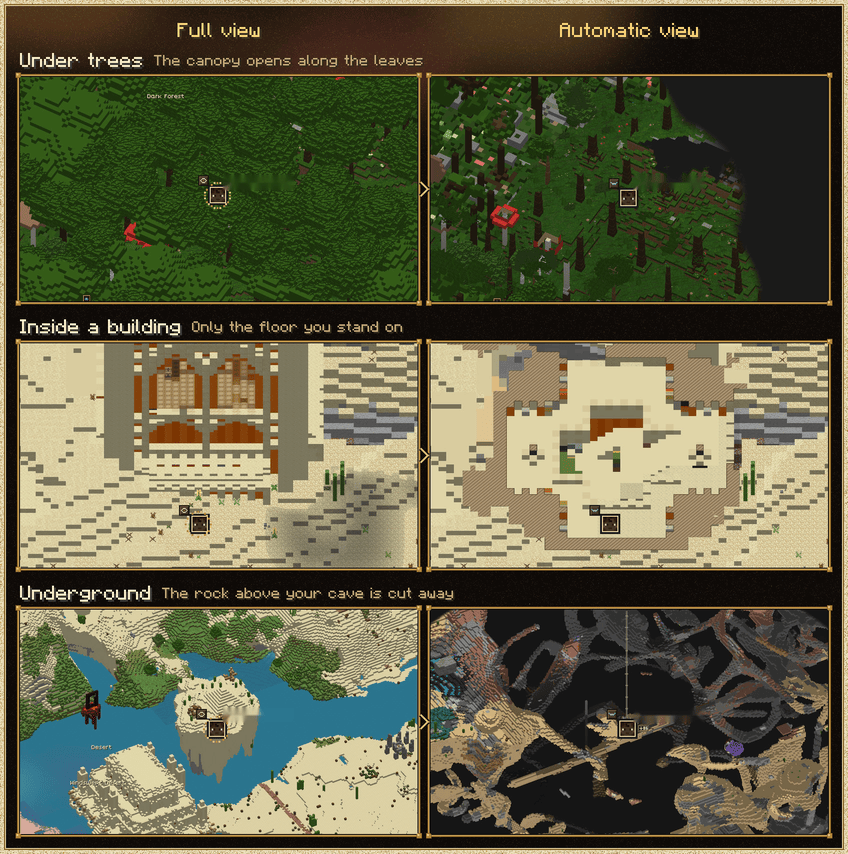
- Automatic cuts. Underground, the rock above you is cut away to show your cave. Under trees, the canopy opens along the real outline of the leaves. Inside a building, the map shows the floor you stand on, like a floor plan.
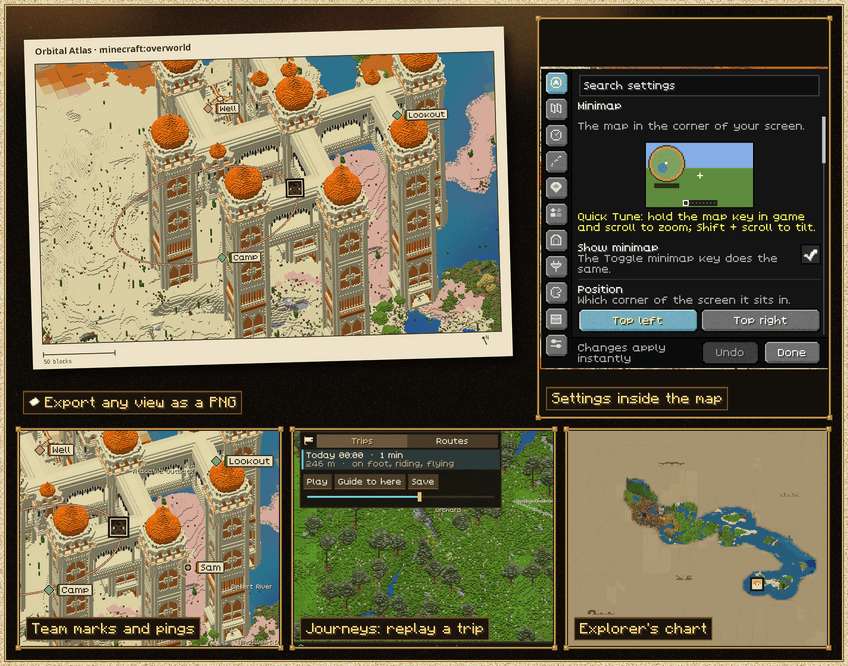
- Quick Tune. Hold the map key in game and scroll to zoom, or Shift and scroll to tilt. Let go and the minimap keeps that setting for what you are doing now. Every view is yours to set.

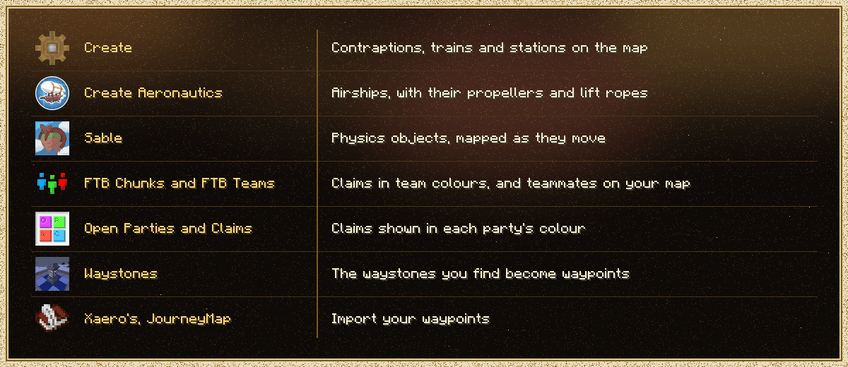
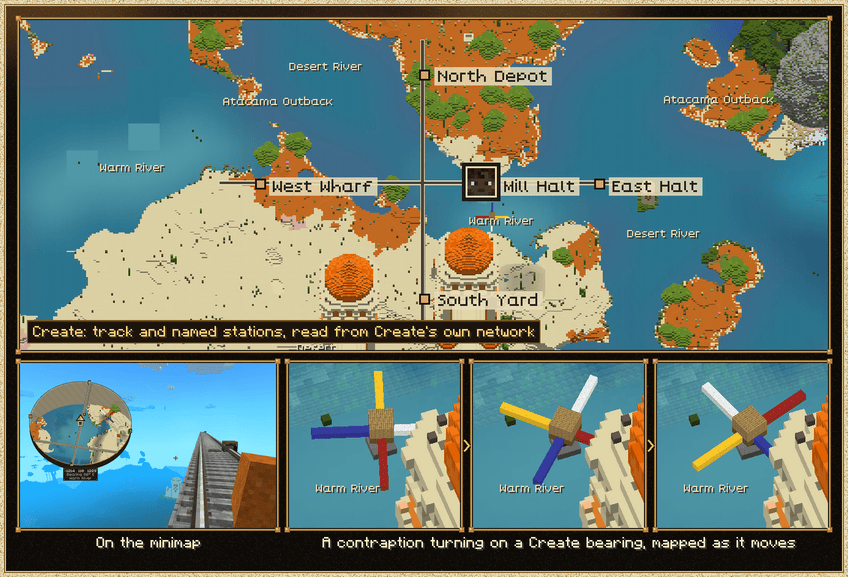
Works with Create, Create Aeronautics, Sable, FTB Chunks, Open Parties and Claims, FTB Teams and Waystones, and imports waypoints from Xaero's Minimap and JourneyMap.

- Export images: save any map view as a PNG, up to 2048 px.
- Journeys: your past trips are kept. Replay them, save them as routes, and let the map guide you back.
- Team play (optional server install): with Atlas on the server, ping spots, set team marks and share routes and region names with your team. Players without Atlas join as usual.
- Explorer's chart style: unexplored ground is drawn as a hand-illustrated chart, with its own look in each dimension.
- Settings inside the map: change everything from a drawer on the world map, without leaving it.
- Region and biome names: hover the map for the biome name, and right-click to name a region yourself.
- Waypoints with icons and colours, death points and in-world markers.

- Minecraft: 1.21.1
- Loader: NeoForge 21.1.248 or newer (21.1.x)
- Java: 21
- Memory: give the game at least 4 GB
- Other mods: none required
- Where to install: client. A server install is optional and adds team play.
Install: put the jar in your instance's mods folder and start the game.

If another mod also uses M, give one of them another key under Options > Controls > Key Binds.

- Privacy: Atlas sends nothing on its own. Your map, waypoints and settings stay in your instance folder. A diagnostic report leaves only when you press Send an Atlas report and confirm it.
- Fair play: ores below the surface are always drawn as their host rock, so the map is no x-ray. Server operators can switch off cave views, radar and other features.
- If Atlas hits an internal error, it switches the map off with a message instead of crashing the game.
/atlas reenableturns it back on. - Tested in depth on Windows with NVIDIA graphics and on Apple silicon Macs. AMD, Intel and Linux are supported on a best-effort basis; shader packs are lightly tested.
AI disclosure. Orbital Atlas is designed, directed and tested by its author. Most of its code was written with AI coding assistants under that direction, and every build is tested in game before release.
Not an official Minecraft product. Not approved by or associated with Mojang or Microsoft.
Orbital Atlas Team


