OptimizeMod
- By
Reduces server lag by throttling distant entity ticks, suspending mob AI, and limiting particles.
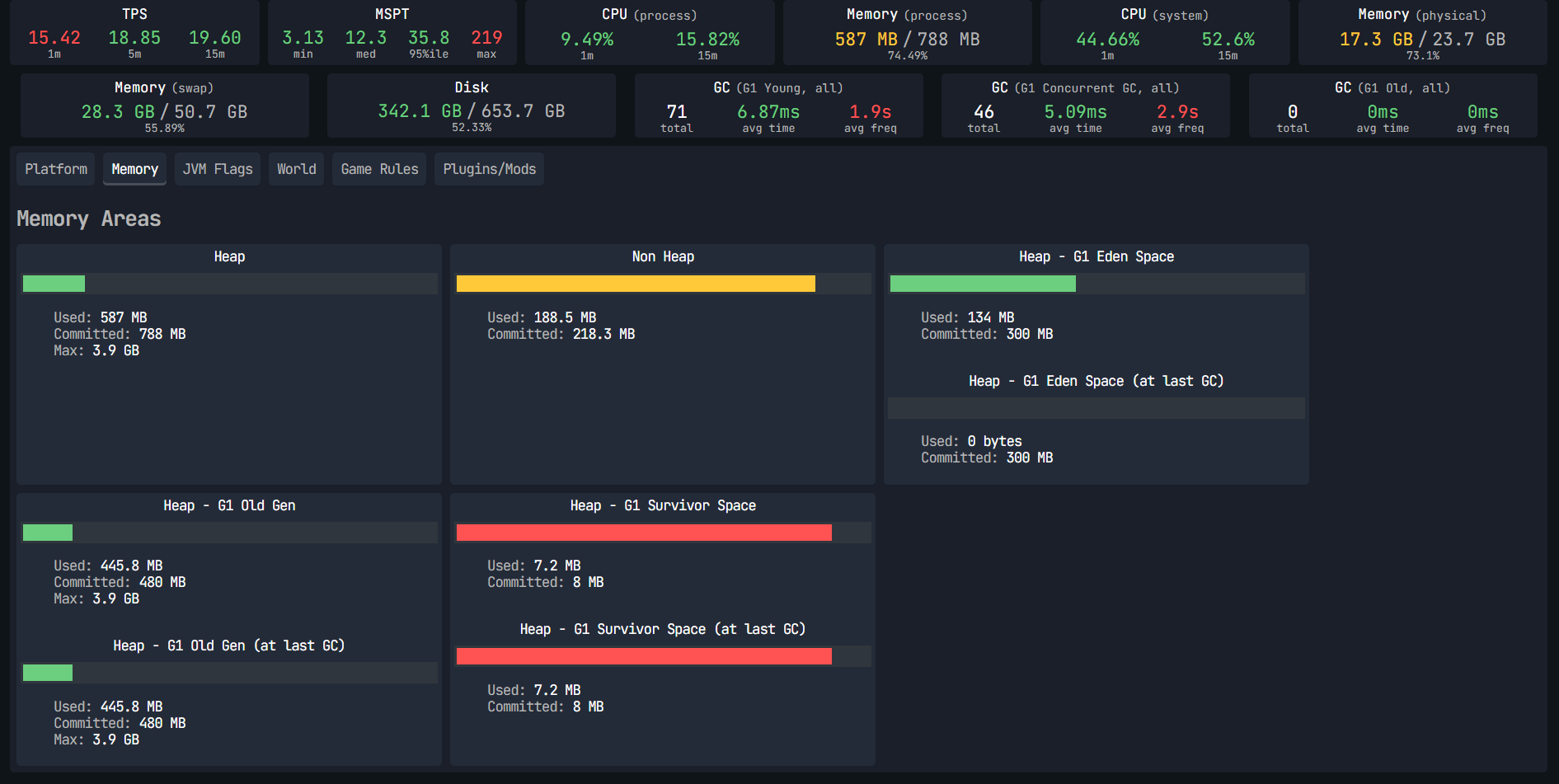
Report Spark Without Mod
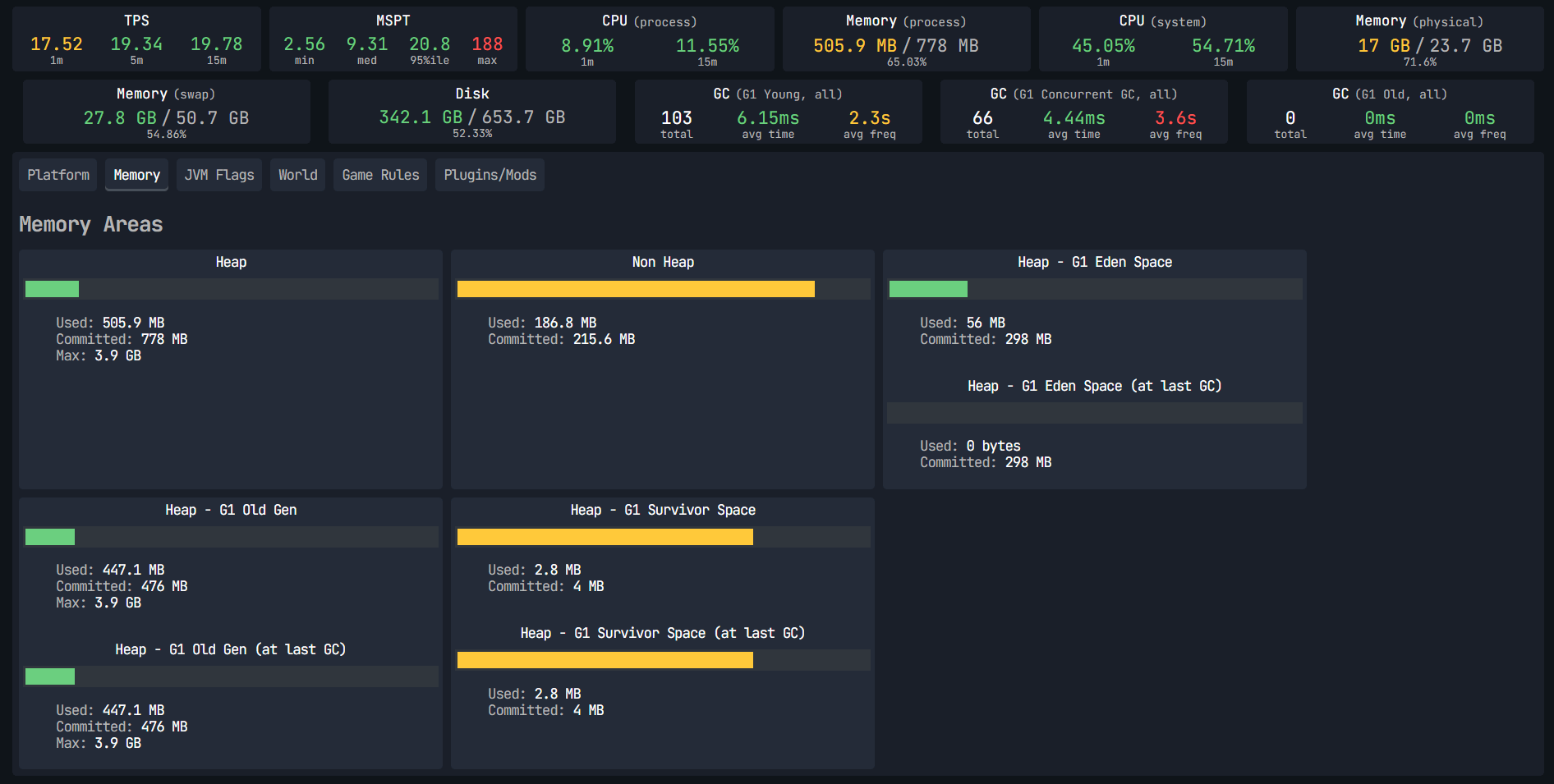
Report Spark With Mod
Description
⚡ OptimizeMod
Reduce lag. Sleep distant mobs. Boost FPS. No config needed.
OptimizeMod is a lightweight Fabric optimization mod designed for large modpacks and heavily modded servers. It intelligently reduces CPU and GPU load by throttling entities and AI that no player is watching — because why waste resources on mobs nobody can see?
🚀 What does it do?
🧠 Smart Entity Tick Reduction
Entities far from players don't need to run at full speed. OptimizeMod automatically slows down their processing based on distance:
| Distance from player | Tick rate |
|---|---|
| 0 – 48 blocks | Normal (20/s) |
| 48 – 96 blocks | Reduced (10/s) |
| 96+ blocks | Minimal (5/s) |
💤 Mob AI Sleep
Pathfinding and combat AI are among the most expensive operations on a server. Mobs that no player is near simply stop thinking — they stand still until someone gets close again.
| Distance from player | AI behavior |
|---|---|
| 0 – 32 blocks | Full AI |
| 32 – 48 blocks | AI updated every 2 ticks |
| 48+ blocks | AI fully suspended |
✨ Particle Limiter (Client-side)
Large modpacks often add dozens of new particle effects. OptimizeMod caps active particles at 4,000 simultaneously, preventing sudden FPS drops from particle-heavy mods.
📈 Performance Impact
The more entities and mods you have, the bigger the gain. On a server with 300+ mobs spread across the world, you can expect:
- 30–60% reduction in entity-related CPU usage
- Smoother TPS on heavily loaded servers
- Fewer FPS drops on the client from particles
🔧 Compatibility
OptimizeMod is designed to complement other optimization mods, not replace them:
| Mod | Compatibility |
|---|---|
| ✅ Sodium | Full |
| ✅ Lithium | Full |
| ✅ Krypton | Full |
| ✅ FerriteCore | Full |
| ✅ Most content mods | Full |
⚠️ Mobs at long distances will stand still (intentional — this is the source of the performance gain). Hostile mobs still despawn normally per vanilla rules.
🔬 How It Works (Technical)
OptimizeMod uses three Fabric Mixins that intercept core Minecraft methods at runtime:
EntityTickMixin
- Target:
LivingEntity.tickMovement() - Injection:
@InjectatHEADwithcancellable = true - Calls
ServerWorld.getClosestPlayer()every tick to find the nearest player - If no player is within 96 blocks → cancels the tick 3 out of every 4 calls (
world.getTime() % 4) - If player is between 48–96 blocks → cancels every second tick (
world.getTime() % 2) - Players (
PlayerEntity) are always excluded from throttling
MobEntityAIMixin
- Target:
LivingEntity.tickNewAi() - Injection:
@InjectatHEADwithcancellable = true - Same distance check as above
- If no player is within 48 blocks → AI goal update is fully cancelled (no pathfinding, no combat calculations)
- Between 32–48 blocks → AI cancelled every other tick
- Also resets
despawnCounterto 0 via@Shadowto prevent unintended despawning of passive mobs
ParticleManagerMixin
- Target:
ParticleManager.addParticle() - Injection:
@InjectatHEADwithcancellable = true - Maintains an internal counter per
ParticleManagerinstance - Cancels particle creation once the counter exceeds 4,000, returning
null - Counter resets automatically to prevent permanent particle blocking
All three mixins operate purely through method injection with no reflection, no ASM bytecode manipulation beyond what Mixin provides, and no thread-unsafe operations.
📦 Installation
- Install Fabric Loader for Minecraft 1.21.1
- Install Fabric API
- Drop
OptimizeMod.jarinto yourmods/folder - Launch and enjoy the extra performance!
📋 Requirements
- Minecraft 1.21.1
- Fabric Loader 0.16+
- Fabric API
- Java 21+
Made with ❤️ for the modded Minecraft community. Small mod, big difference.
OptimizeMod Team

Owner