BudgetGamer1503 | Optidum
Create your game server with 

Description
Optidum is a performance optimization mod for Minecraft Fabric designed to synergize cleanly with Sodium and Titanium.
What It Does
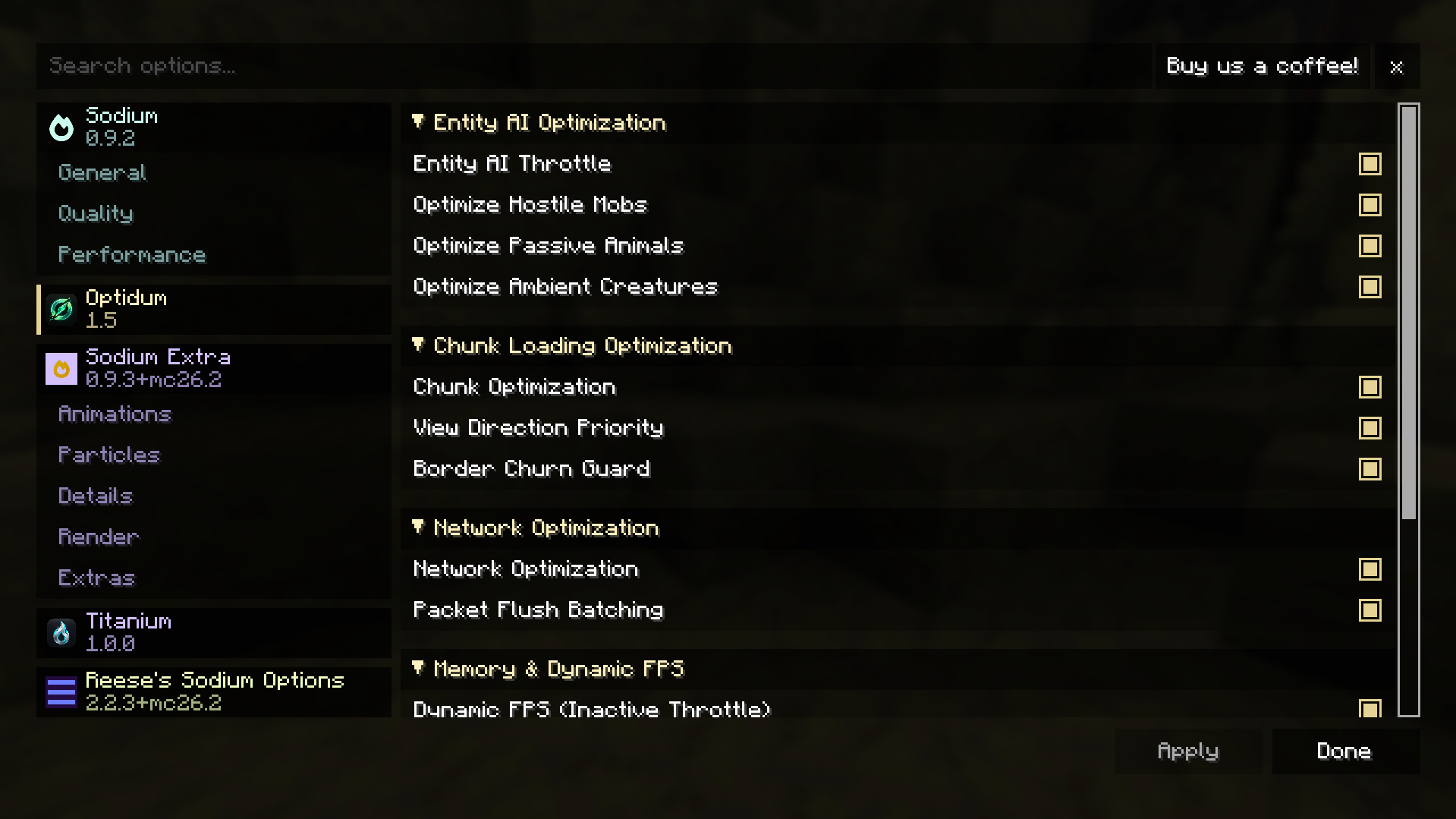
- Entity AI Optimization: Throttles expensive AI goal and pathfinding evaluation for distant mobs, animals, and ambient creatures without affecting gravity, velocity, item despawning, or combat physics.
- Smart Chunk Prioritization: Prioritizes chunk loading and transmission in the direction the player is looking, and prevents chunk load/unload churn along chunk borders.
- Netty Packet Flush Consolidation: Consolidates small, rapid Netty network packets into batched flushes, cutting socket syscall overhead and reducing ping jitter.
- Low-Overhead Memory Management: Monitors JVM heap pressure on a 30-second interval, freeing transient caches and clearing level caches on dimension changes to prevent GC stutter and memory leaks.
- Dynamic FPS & Inactive Power Saver: Automatically throttles framerate to a configurable cap (5–60 FPS) when the window is unfocused (Alt-Tabbed) or minimized, cutting GPU power draw, heat, and fan noise. Seamlessly yields to the
dynamic_fpsmod if installed.
Non-Overlapping Architecture (Synergy with Titanium)
Optidum is designed to be fully compatible alongside Titanium:
| Optimization Area | Handled By |
|---|---|
| Frustum & Distance Entity Culling | Titanium |
| Tile Entity Culling (Chests, Hoppers, Signs) | Titanium |
| Particle Culling | Titanium |
| Dynamic Frame Pacing | Titanium |
| Entity AI Pathfinding Throttling | Optidum |
| Smart Chunk View Prioritization | Optidum |
| Netty Packet Batching & Flush Consolidation | Optidum |
| Dynamic FPS & Inactive Power Saver | Optidum |
| Dimension Cache Cleanup | Optidum |
Requirements
- Minecraft:
26.2 - Fabric Loader:
>=0.19.3 - Fabric API
- Sodium:
>=0.8.0(Required dependency) - Java:
25or newer
Configuration
Optidum stores its configuration at:
config/optidum.jsonAll settings can be adjusted in-game directly through Options > Video Settings > Optidum
License
Optidum is licensed under the GNU Lesser General Public License v3.0 (LGPL-3.0). See LICENSE for details.
The Optidum Team


Owner