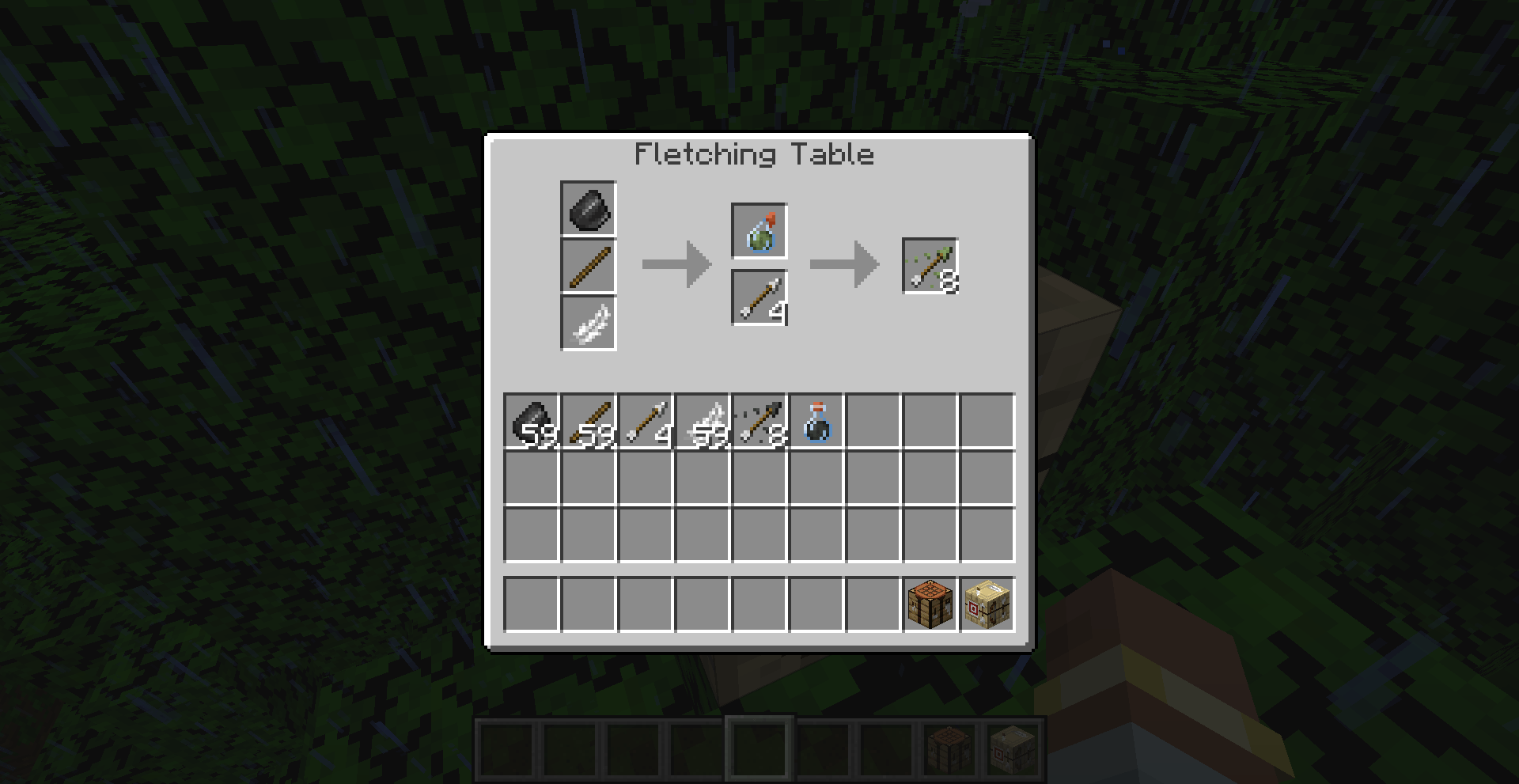
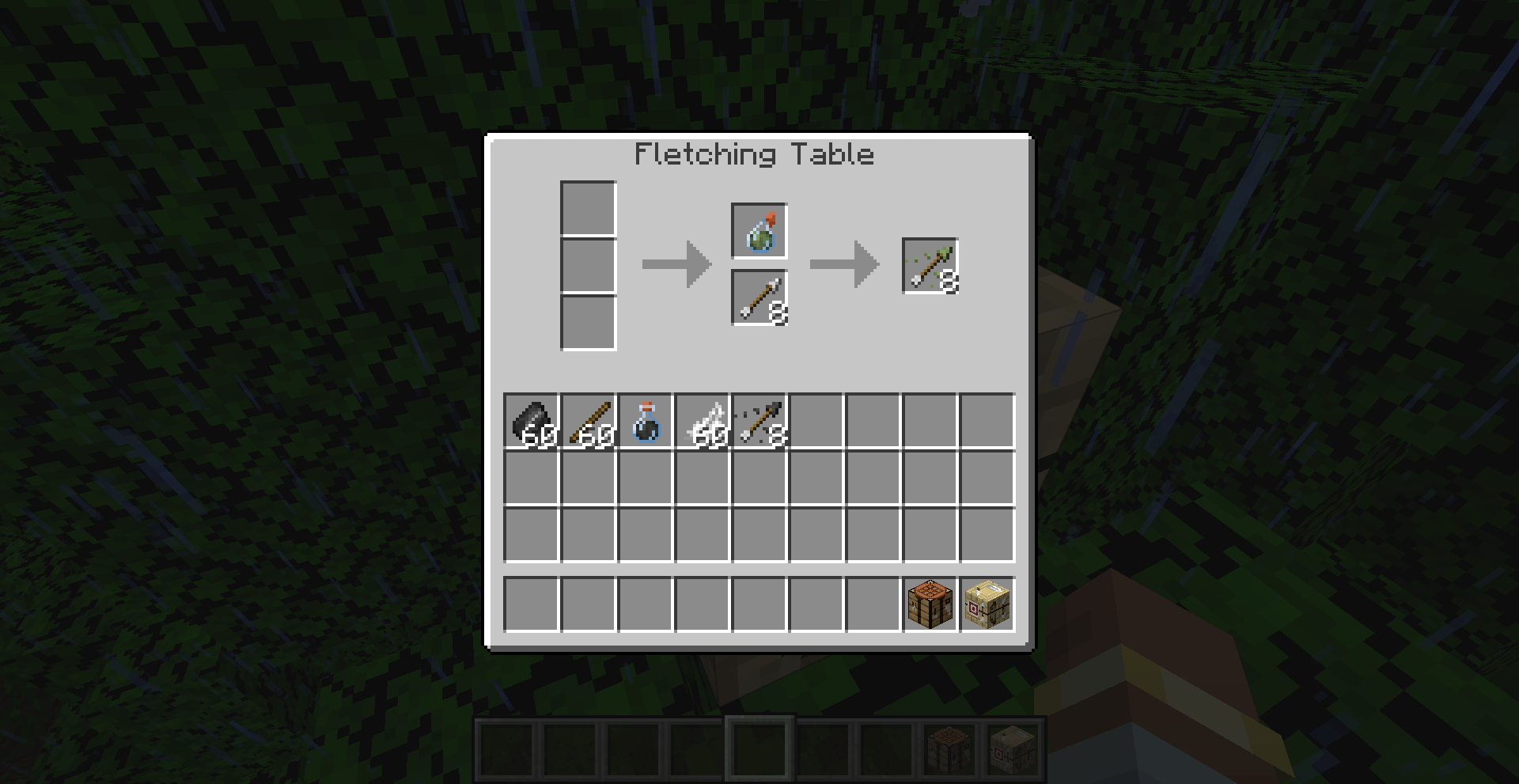
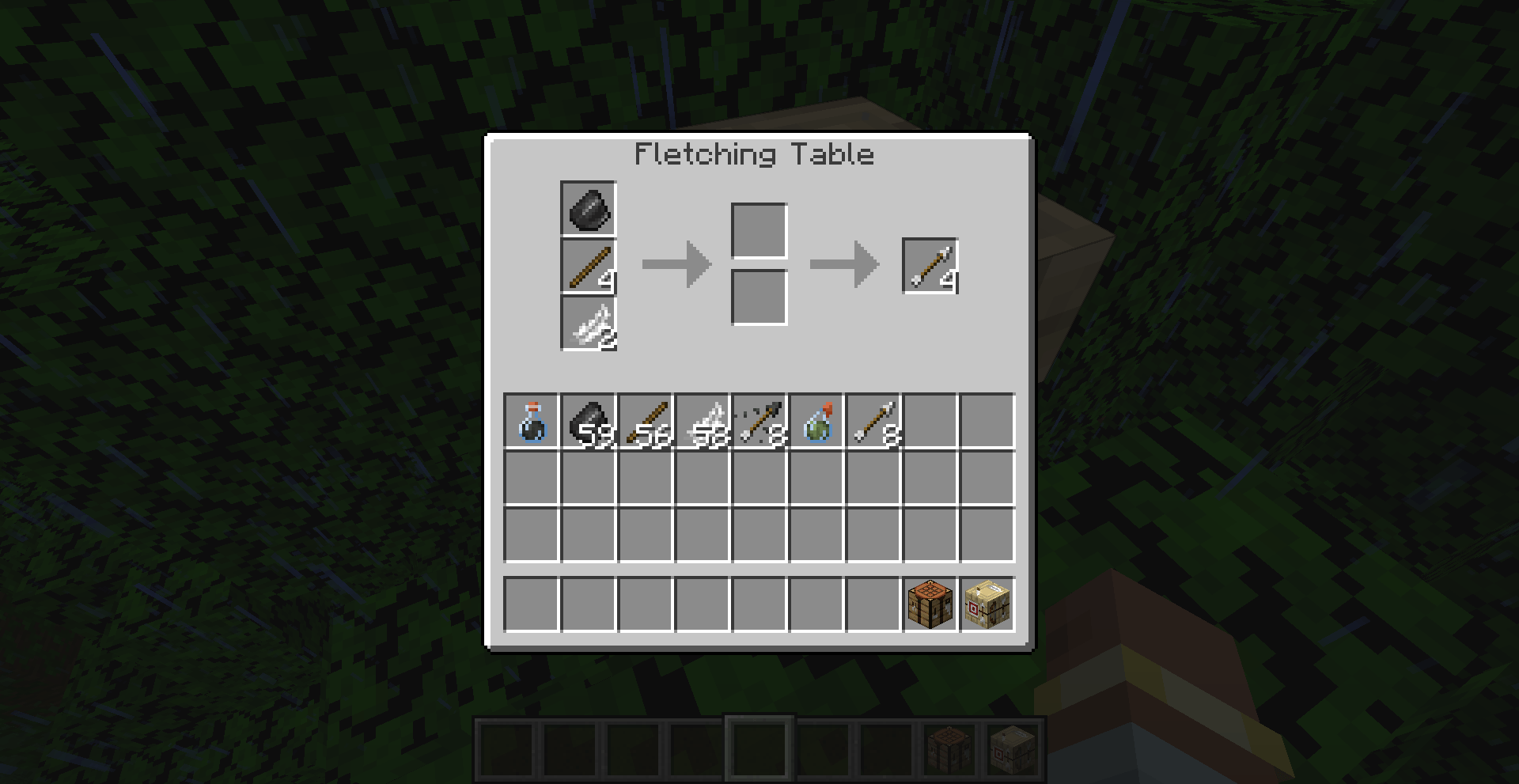
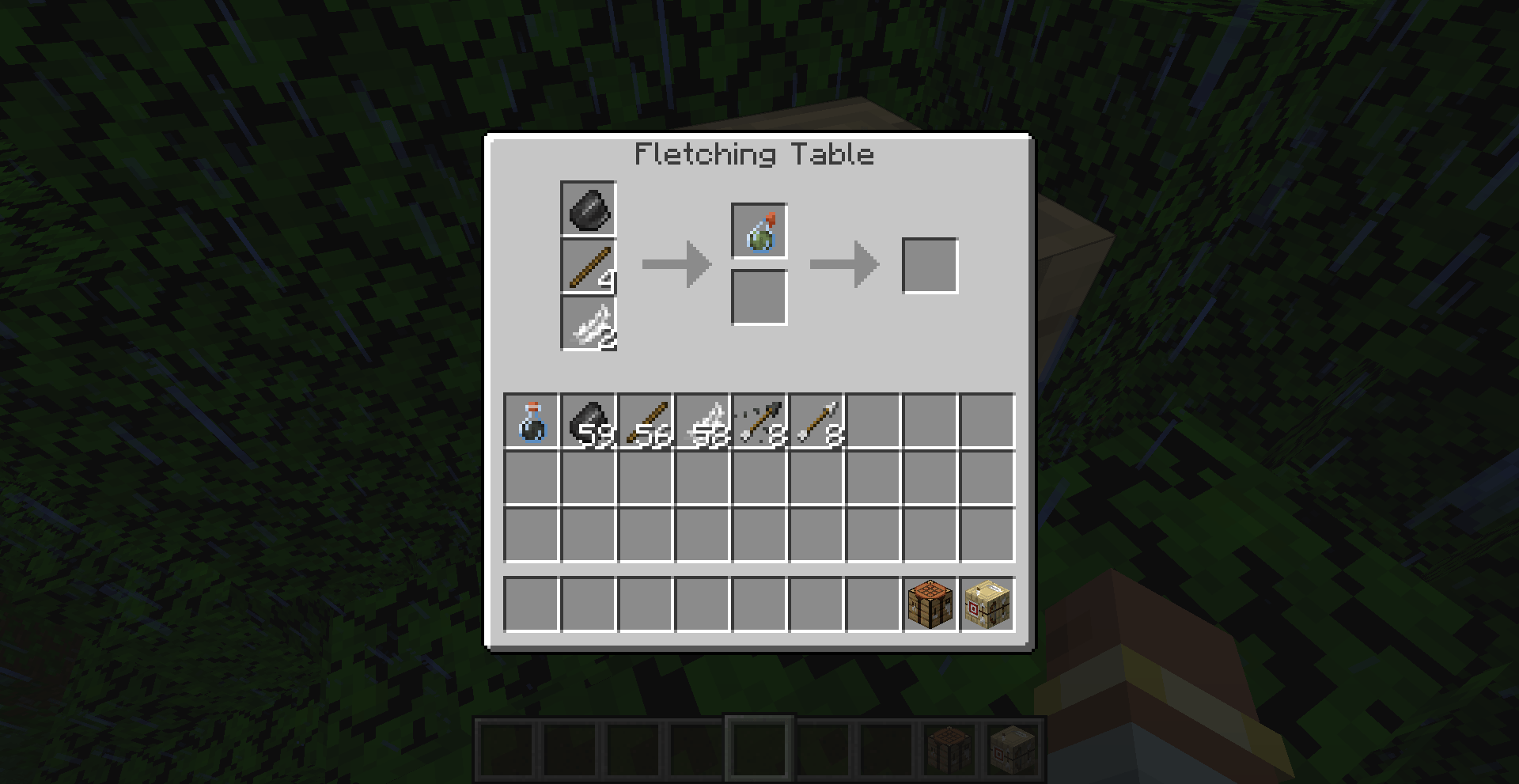
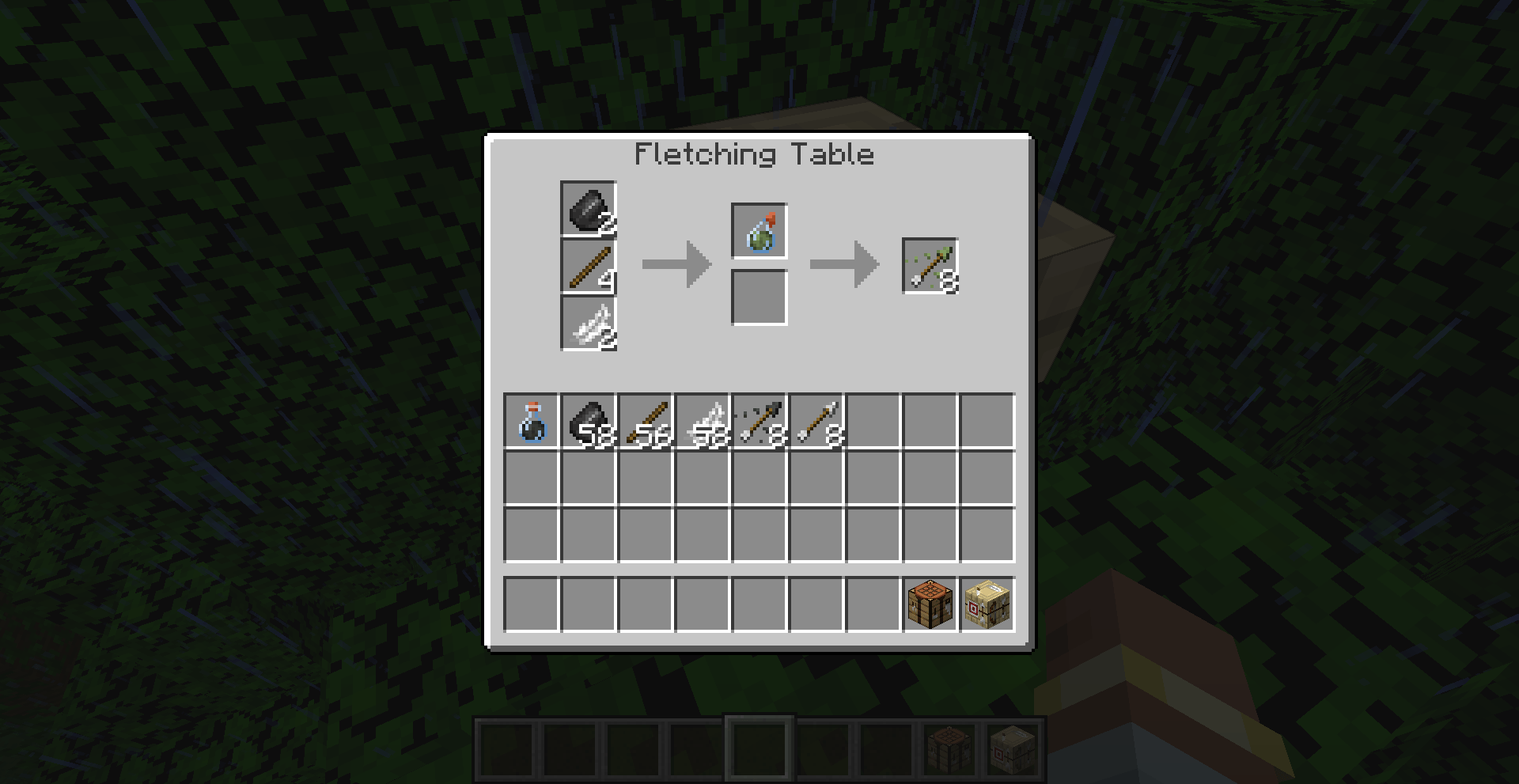
This mod adds a GUI that opens when right-clicking a Fletching Table. It uses custom recipes with the recipe type fletching:fletching.
Custom Fletching Tables
Tag location: tags/blocks/fletching_tables.json
All blocks registered in this tag will open the OpenFletching GUI when right-clicked. This includes Minecraft's vanilla Fletching Table.
[!] Warning: Avoid adding blocks that already have their own GUI or right-click interactions, as this may cause conflicts.
Potion Slot Configuration
The potion ingredient supports several configuration options.
1. Accept any potion
"potion": {
  "any_potion": true,
  "count": 1
}
Allows any potion to be used in the recipe.
2. Accept a specific item
"potion": {
  "item": "minecraft:torch",
  "count": 1
}
Allows a specific item instead of a potion. For example, this can be used by mods that add torch arrows.
3. Accept specific potion effects
"potion": {
  "items": [
    {
      "item": "minecraft:potion",
      "nbt": "{Potion:\"example:explode\"}"
    },
    {
      "item": "minecraft:splash_potion",
      "nbt": "{Potion:\"example:lightning\"}"
    },
    {
      "item": "minecraft:lingering_potion",
      "nbt": "{Potion:\"example:shocking\"}"
    }
  ],
  "count": 1
}
Allows only the specified potion items and their corresponding NBT data.
This is useful when you want a recipe to accept only specific potion effects.
Recipe Customization
Custom potion effects on tipped arrows
If a potion effect exists only as a potion bottle and does not have a corresponding tipped arrow, the result will use Minecraft's vanilla tipped arrow with the custom potion effect.
Recipe example4.json – Any Potion to Tipped Arrows
Added in version 1.0.1.
Converts 8 regular arrows and 1 potion into 8 tipped arrows. The potion effect is copied to the resulting arrows.
{
  "type": "fletching:fletching",
  "arrow":{
    "item": "minecraft:arrow",
    "count": 8
  },
  "potion": {
    "any_potion": true,
    "count": 1
  },
  "result": {
    "item": "minecraft:tipped_arrow",
    "count": 8,
    "copy_potion": true
  }
}
Recipe example5.json – Custom Arrow Crafting with Any Potion
Added in version 1.0.1.
Combines arrow materials, regular arrows, and any potion to produce 8 tipped arrows with the potion effect copied to them.
{
  "type": "fletching:fletching",
  "head": {
    "item": "minecraft:flint",
    "count": 1
  },
  "stick": {
    "item": "minecraft:stick",
    "count": 1
  },
  "feather": {
    "item": "minecraft:feather",
    "count": 1
  },
  "arrow":{
    "item": "minecraft:arrow",
    "count": 4
  },
  "potion": {
    "any_potion": true,
    "count": 1
  },
  "result": {
    "item": "minecraft:tipped_arrow",
    "count": 8,
    "copy_potion": true
  }
}
Recipe example1.json – Default Arrow
A basic recipe for crafting 4 regular arrows using the Fletching Table.
{
  "type": "fletching:fletching",
  "head": {
    "item": "minecraft:flint",
    "count": 1
  },
  "stick": {
    "item": "minecraft:stick",
    "count": 1
  },
  "feather": {
    "item": "minecraft:feather",
    "count": 1
  },
  "result": {
    "item": "minecraft:arrow",
    "count": 4
  }
}
Recipe example2.json – Tipped Arrow
A recipe for crafting 8 tipped arrows using specific potion effects.
The potion slot accepts regular, splash, and lingering Regeneration potions.
{
  "type": "fletching:fletching",
  "head": {
    "item": "minecraft:flint",
    "count": 2
  },
  "stick": {
    "item": "minecraft:stick",
    "count": 2
  },
  "feather": {
    "item": "minecraft:feather",
    "count": 2
  },
  "potion": {
    "items": [
      {
        "item": "minecraft:potion",
        "nbt": "{Potion:\"minecraft:regeneration\"}"
      },
      {
        "item": "minecraft:splash_potion",
        "nbt": "{Potion:\"minecraft:regeneration\"}"
      },
      {
        "item": "minecraft:lingering_potion",
        "nbt": "{Potion:\"minecraft:regeneration\"}"
      }
    ],
    "count": 1
  },
  "result": {
    "item": "minecraft:tipped_arrow",
    "nbt": "{Potion:\"minecraft:regeneration\"}",
    "count": 8
  }
}
Recipe example3.json – Apply Any Potion to Custom Arrows
This example demonstrates how to apply any potion effect to a custom arrow added by another mod.
In this case, the recipe creates 8 custom Rocket Arrows using diamonds, Blaze Rods, and Gunpowder. The potion effect is copied to the resulting arrows.
{
  "type": "fletching:fletching",
  "head": {
    "item": "minecraft:diamond",
    "count": 2
  },
  "stick": {
    "item": "minecraft:blaze_rod",
    "count": 2
  },
  "feather": {
    "item": "minecraft:gunpowder",
    "count": 2
  },
  "potion": {
    "any_potion": true,
    "count": 1
  },
  "result": {
    "item": "mod_id:rocket_arrow",
    "count": 8,
    "copy_potion": true
  }
}
Recipe Properties Explained
-
type – Defines the recipe type. Use fletching:fletching to register a recipe for the Fletching Table.
-
count – Defines how many items are required in each ingredient slot to craft the recipe.
-
head – The arrowhead ingredient.
-
stick – The stick ingredient.
-
feather – The feather ingredient.
-
arrow – An optional regular arrow ingredient.
-
potion – An optional potion or custom ingredient slot. It can also accept multiple items.
-
result – Defines the crafted item, its quantity, and optional NBT data.
-
copy_potion – When set to true, copies the potion's NBT data to the resulting item. This allows arrows that normally don't support potion effects to inherit potion data and use Minecraft's tipped-arrow functionality.
Additional recipe behavior:
Ingredient counts determine the required quantities for crafting. For example, in Recipe example2, each material requires 2 items. If the required ingredients are not available, the recipe cannot be crafted.
When a potion is supplied, the potion recipe can be used. Without a potion, a matching recipe that does not require a potion can be used instead (for example, Recipe example1).
The items property allows multiple items to be registered in a single ingredient slot, including items with specific NBT data.
Recipe Matching and Fallback:
Recipes can share the same material requirements while producing different results depending on whether a potion is supplied.
For example, using the materials from Recipe example1 without a potion produces regular arrows.
When a potion is added to the potion slot, the matching potion recipe takes priority and produces tipped arrows instead.
This allows players to use the same arrow materials for both regular and potion-enhanced arrows.
License & Credits
Development:
- GUI, TAG and procedures created using MCreator.
- Java code developed with assistance from OpenAI Codex.

Credits:
- Ideas: ArthurVesta (MNTS).
- Logo generated using Google Gemini.

License:
- No formal license currently provided.