


Nono's Leaderboards
- By
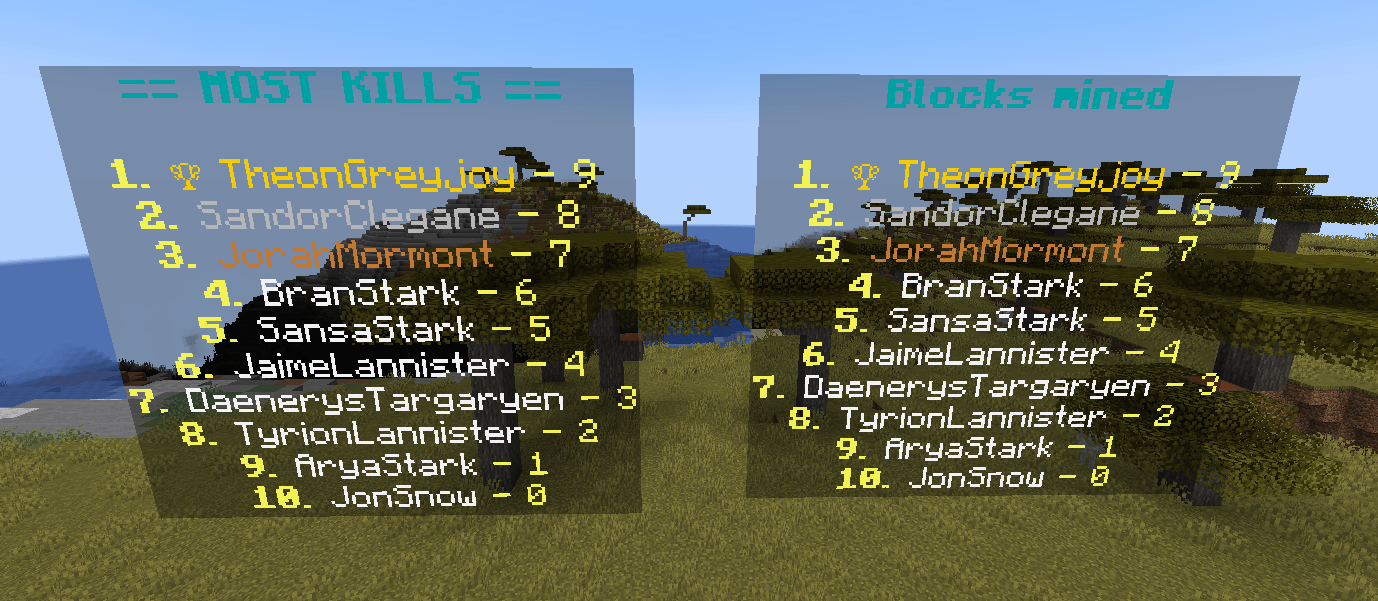
Screenshot_16.png
Description
Nono's leaderboards for 1.20.1
- Display any Minecraft scoreboard as a floating leaderboard.
- Holograms created using Minecraft text display entities.
- Leaderboards can be moved, rotated, updated and are persistents.
- Placement of the leaderboards needs to be done only once at the beginning.
List of commands:
After creating a dummy scoreboard using /scoreboard objectives add myObjectiveKills dummy
/lbnono add myObjectiveKills "<header>": Adds the objective (scoreboard) myObjectiveKills to the list of tracked objectives. The <header> will be used as the header of the scoreboard (in blue)./lbnono create: Spawns all the tracked objectives at the current position of the player./lbnono move <objective>: Moves the leaderboard of the specified objective to the player./lbnono reset: Despawns all the leaderboards./lbnono rotate <objective> <right|left>: Rotate the leaderboard of the specified objective 90° to the left or to the right./lbnono test: Adds fake players to the leaderboard for testing purposes. Fake players can be removed with/lbnono test clear./lbnono update: Updates the text of all leaderboards./lbnono type <objective> <money|date|distance>: Sets the type of data displayed by the leaderboard. Allows formating the data correctly (e.g. transforming ticks into hours, minutes, seconds).
The maximum number of player displayed on the leaderboards can be modified in nonomod-server.toml. Default value is 10.
The Nono's Leaderboards Team
