Screenshot 2026-11-24 185939.png
Screenshot 2026-11-24 185956.png
Screenshot 2026-11-26 215031.png
Screenshot 2026-11-26 215225.png
Screenshot 2026-11-26 215145.png
Description
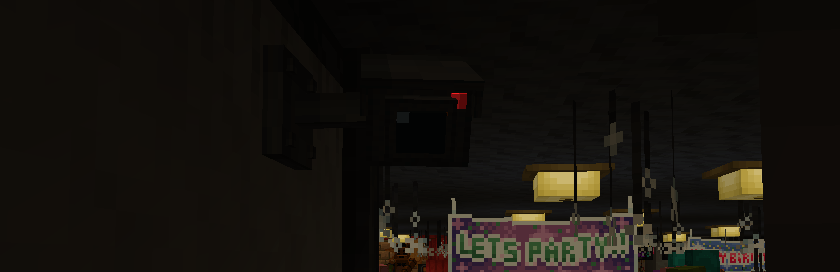
Nightwatch CCTV adds atmospheric, retro-style live security cameras to Minecraft
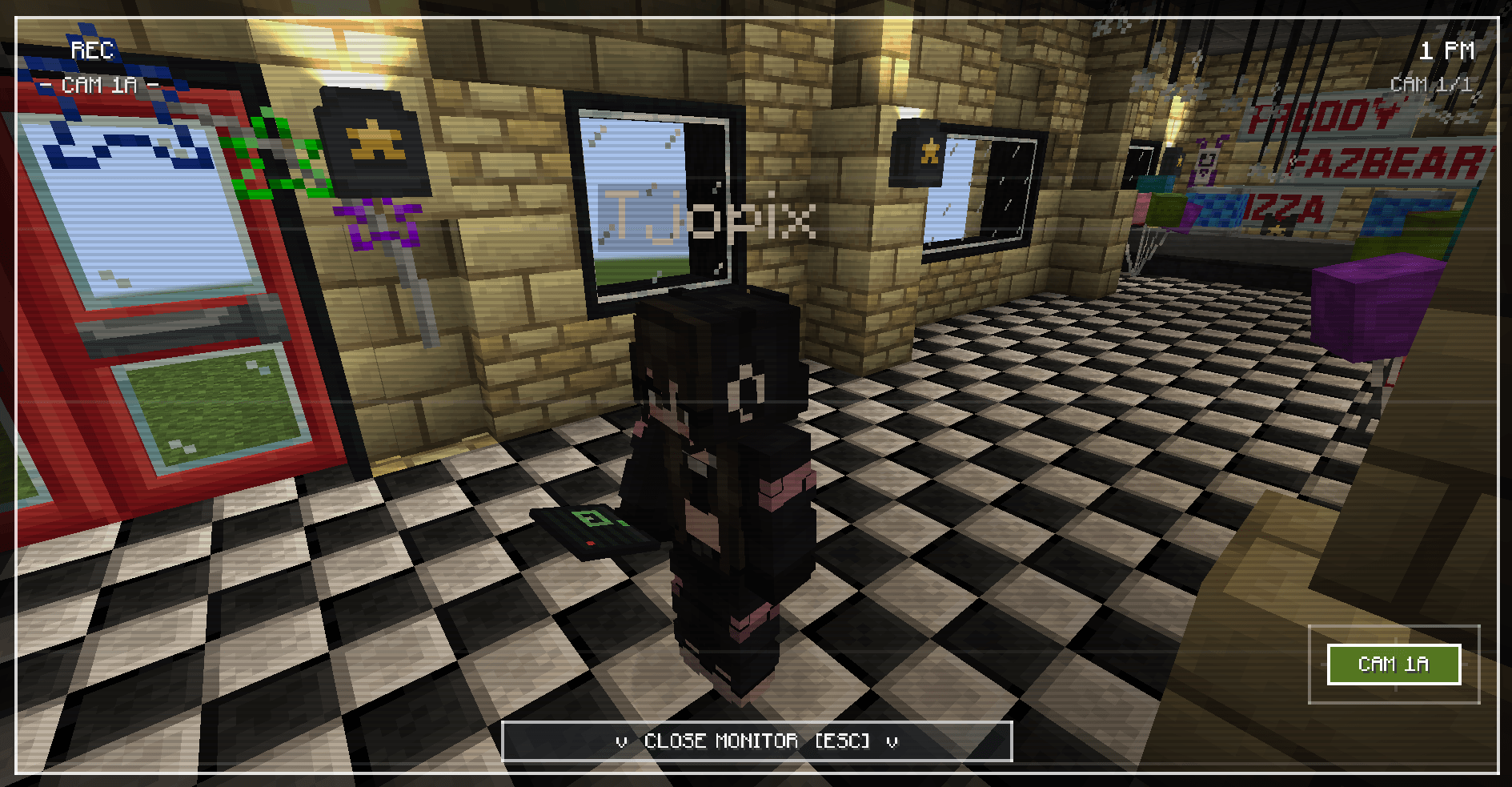
Unlike camera mods that teleport your player or hide your body in spectator mode, Nightwatch CCTV keeps your real player standing right where you opened the monitor. Your skin stays visible, mobs and horror entities continue targeting you (not the camera), and if you take damage, the monitor snaps shut immediately so you can react!
Key Features
1. Security Cameras & Blueprint CAD Configurator
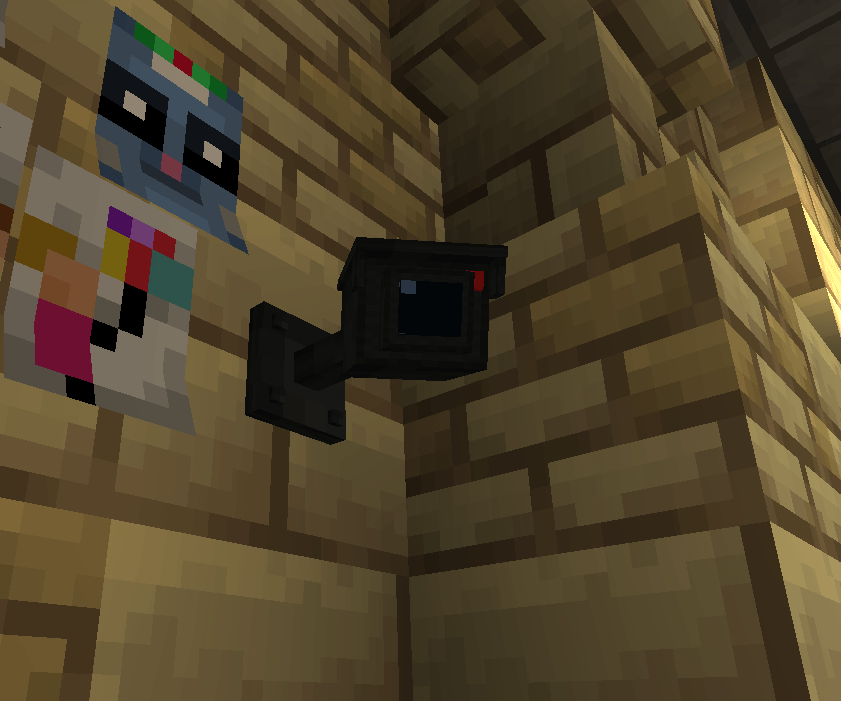
- Place Security Cameras on walls or ceilings — they keep their chunks active while viewed so mobs, players, and animatronics stay 100% live.
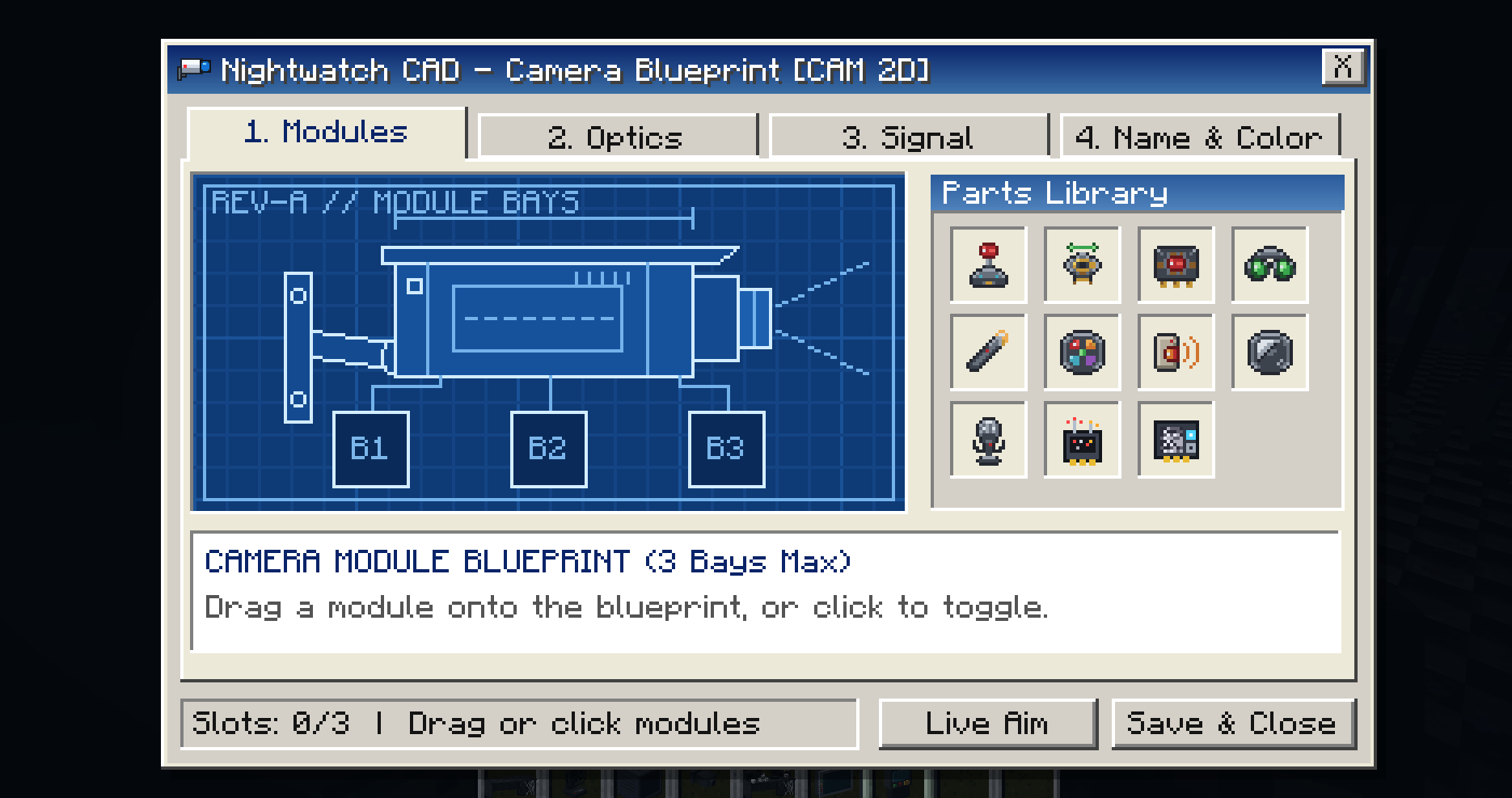
- Right-click any camera with the Camera Configurator item (works in Survival & Creative!) to open the Nightwatch CAD Blueprint menu with 3 tabs:
- 1. Modules: Drag & drop up to 3 Camera Modules directly onto the camera blueprint schematic (or click to toggle).
- 2. Aim & Optics: Aim Yaw directly on a live top-down radar, adjust Pitch & Zoom (
1.0x – 3.5x), match your current view, or jump into Live Aim mode. - 3. Name & Color: Rename the camera and pick a custom lens tint color.
2. 9 Camera Modules (up to 3 per camera)
- Manual Pan Module – Manually rotate and tilt the camera live using
WASDor Arrow keys. - Auto Pan Module – Automatically sweeps the camera left and right.
- Redstone Module – Trigger a short Redstone pulse around the camera with
[R]or from the PC. - Nightvision Module – Adds classic green phosphor night vision to see clearly in the dark.
- Flashlight Module – Toggle a short-range spotlight in front of the camera with
[F]or from the PC. - Color Filter Module – Apply a custom color tint (Red, Amber, Cyan, Blue, Purple, Green, Pink, Sepia) to the feed.
- Motion Detector Module – Detects nearby movement, plays an alert sound, and notifies your Tablet & Monitors.
- B&W Lens Module – Turns the camera feed into classic monochrome black & white.
- Microphone Module – Lets you hear Jukeboxes, ambient sounds, mobs, and players through the camera, Monitors, and PCs (while muting block placing/breaking noise).
3. Security Tablet
- Right-click any Security Camera with the Security Tablet to link it.
- Right-click in the air to open the live full-screen CCTV feed, switch cameras, pan (
WASD/Arrows), trigger Redstone ([R]), or toggle Flashlight ([F]). - Your player stays physically standing in the world and remains vulnerable — taking damage immediately closes the monitor so you can react!
4. Four Live 3D Security Monitors
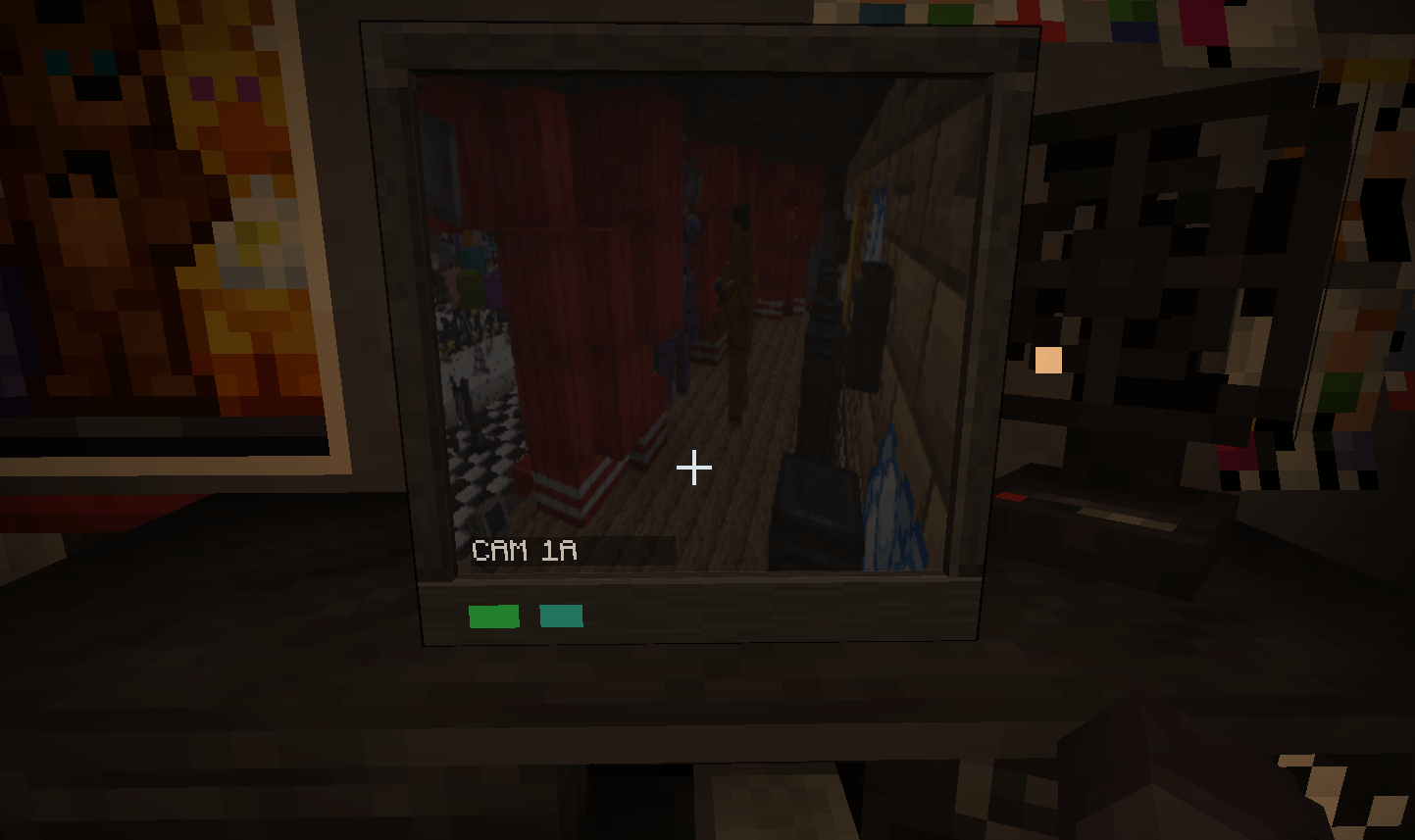
Watch real-time camera feeds directly in the 3D world — no GUI required:
- Retro CRT Monitor
- Modern PC Monitor
- Wall Security Monitor
- Modern Monitor Block
Right-click a monitor with a Security Tablet to link its cameras, right-click with an empty hand to cycle cameras, or power it via Redstone. If the displayed camera has a Microphone Module, nearby players hear audio directly from the monitor.
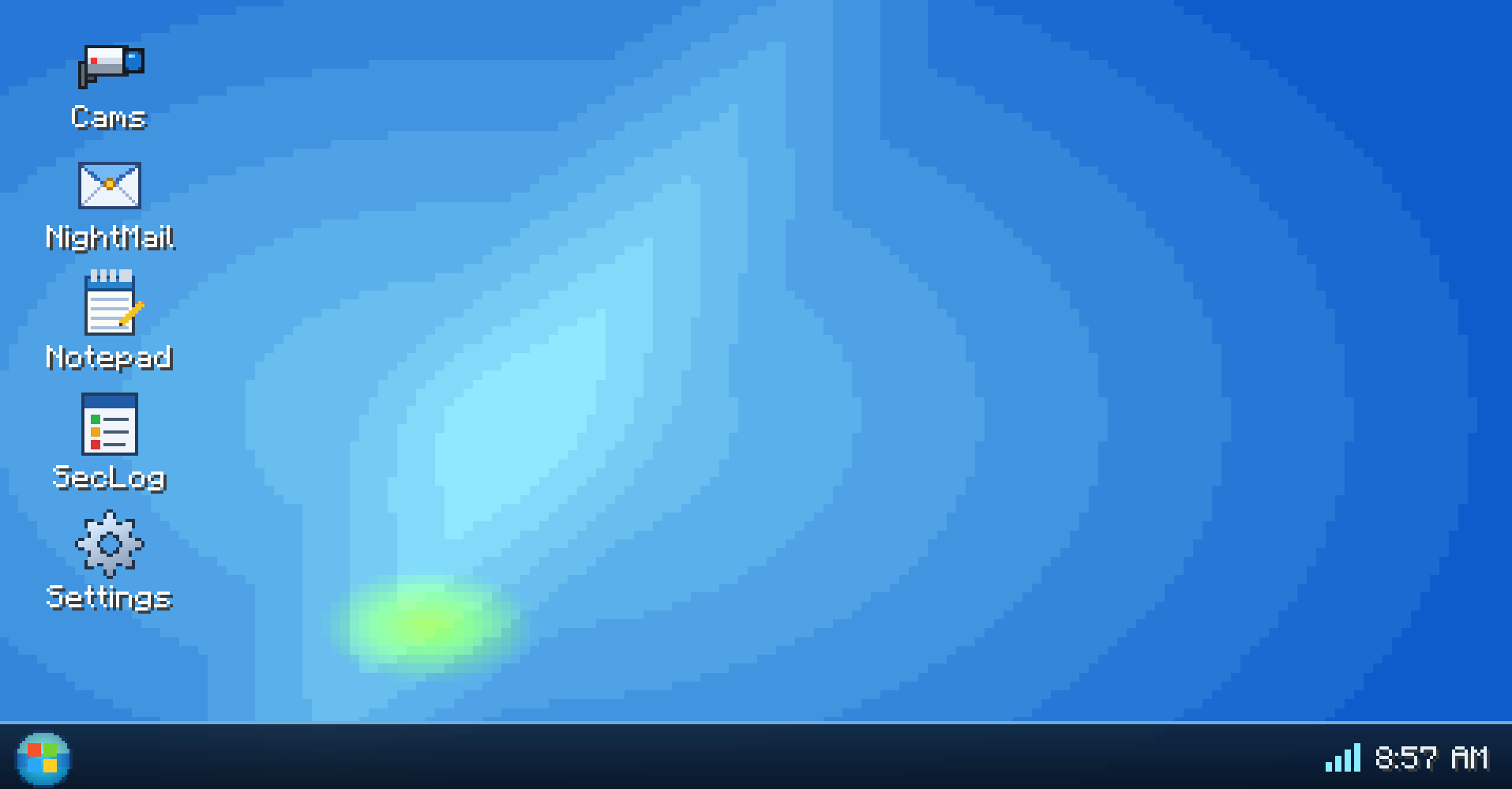
5. Working Windows-7-Style Security PCs (Modern & Retro)
Choose between the Security PC (modern flatscreen workstation) and Retro Security PC (90s beige CRT workstation):
- Smooth Sit-Down Animation: Right-click a PC to smoothly zoom into the screen (your character remains physically at the desk and vulnerable to damage).
- Live 3D In-World Screen: Other players see in real time whether the PC is locked, on the desktop, showing Notepad/NightMail, or displaying a live camera feed.
- Classic Desktop & Draggable Windows:
- Camera System: Right-click the PC with a Security Tablet to link cameras, then watch live feeds directly inside the desktop window, trigger Redstone/Flashlight, or jump into Full Screen.
- Notepad: Write and save shift logs, codes, or notes (first lines appear live on the 3D screen).
- NightMail: World-wide persistent email network — send and receive messages between any PCs in your world.
- Settings & Password Lock: Customize your PC network address and set an optional password. Locked PCs show a login screen, cannot be broken in Survival until unlocked, and automatically re-lock when clicking Shut Down / Exit.
Quick Start
- Place Security Cameras around your building.
- Right-click each camera with the Camera Configurator to rename it, aim it, and install up to 3 modules.
- Right-click each camera with the Security Tablet to link them.
- Use the Tablet directly, or right-click any 3D Monitor or Security PC with the Tablet to transfer all linked cameras!
Nightwatch CCTV Team

Owner