NewChat | Modern Chat Overhaul - No Restrictions, Voice Notes, Private Groups & Screenshot Sharing
- By
Universal Minecraft chat overhaul with unrestricted chat, a resizable HUD, themes, private groups, DMs, voice notes, screenshots, GIFs, emoji reactions, @mentions, item links, clickable coordinates, and reporting to server admins.
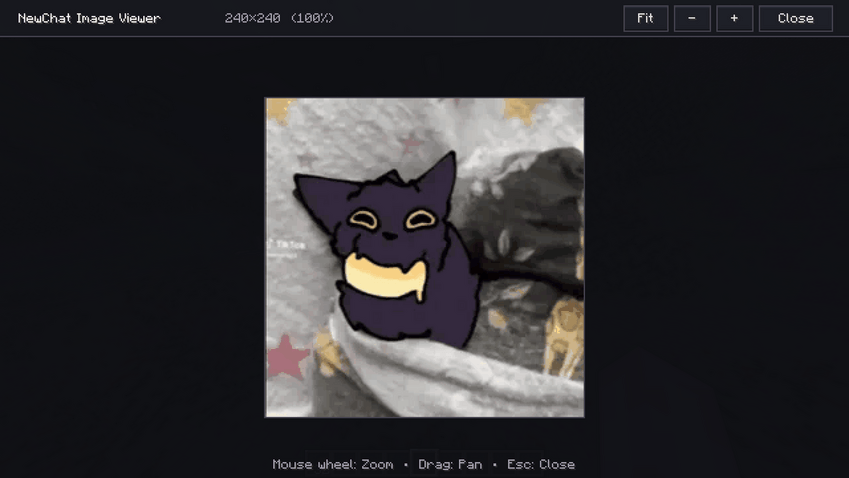
18-GIF-in-Full-Screen-Viewer.png
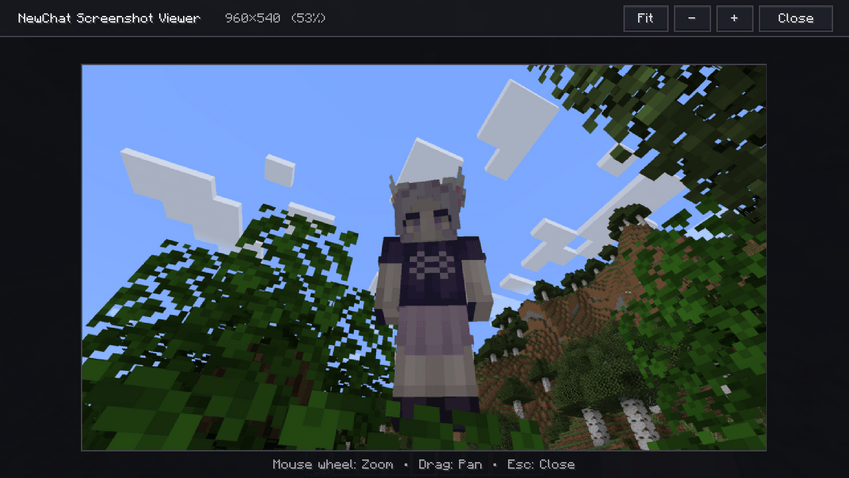
19-Full-Screen-Screenshot-Viewer.png
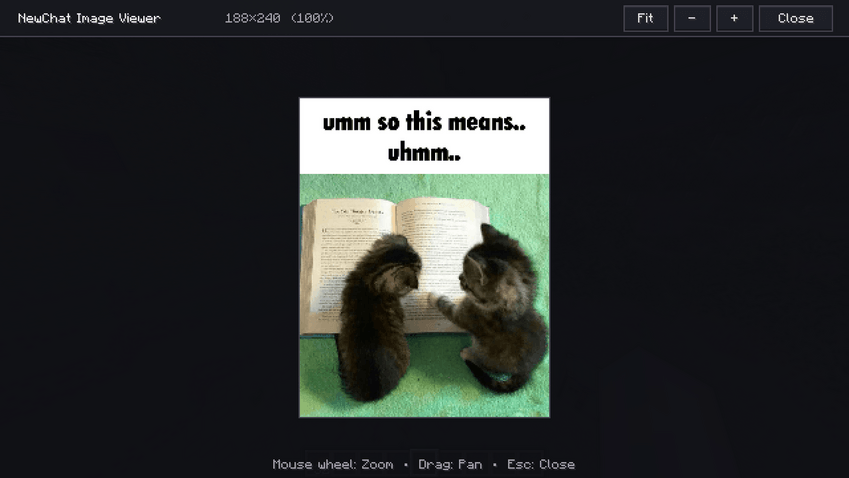
20-Portrait-Media-in-Image-Viewer.png
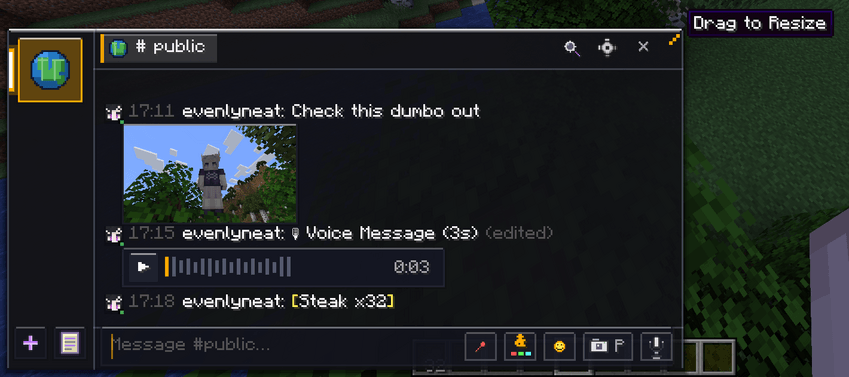
01-Resizable-Chat-Window.png

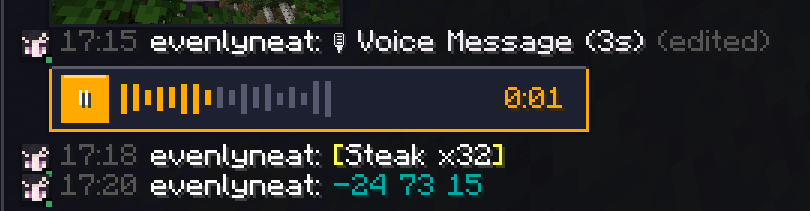
02-Insert-Coordinates.png
Description
Ports are currently in Beta! the fully working and playtested version is for Forge 1.20.1 
Forge 1.20.1 (for now) · No Restrictions
I wanted to send my friend a screenshot, drop my coords, or leave a voice note without tabbing out of Minecraft. So I made NewChat. You can drag chat wherever you want, resize it when it gets in the way, and make a private group for your friends. It still feels like Minecraft chat, just with a bunch of stuff I kept wishing it had.
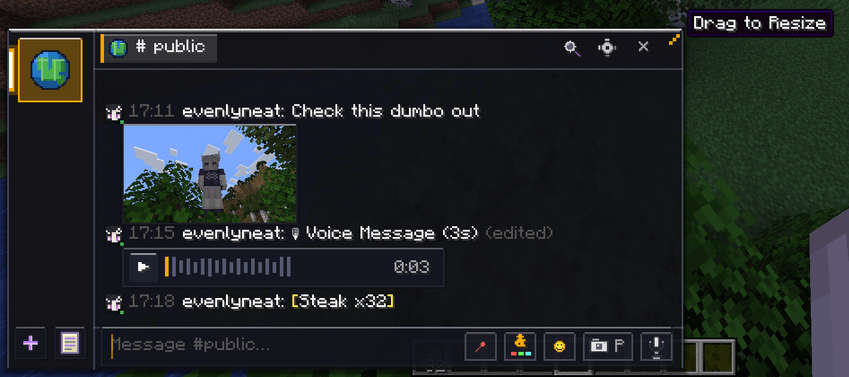
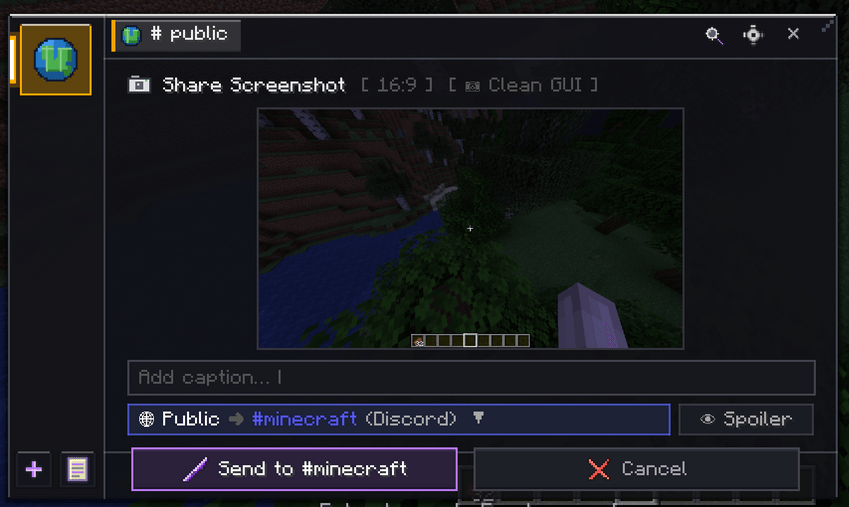
Send the screenshot right there
Press P to take a screenshot with chat hidden. Add a caption, mark it as a spoiler, or hold Shift and click the camera to pick a shot you took earlier. Screenshots and GIFs show up as little previews in chat. Click one to open it full-screen, where you can zoom in and drag it around.
Voice notes, coords, and item links
Voice notes. With Simple Voice Chat integration, you can record up to 30 seconds straight from the chat box. There's a timer while you record, and people can play or pause the voice note right in chat. Coords. Hit Ctrl + L or click the pin to put your position in the chat box. Your friends can click the coords you send to copy them or grab the whole teleport command. Item links. Hover over an item in your inventory and press T to link it. Your friends can hover over the link to see the item's tooltip.
A chat just for your friends
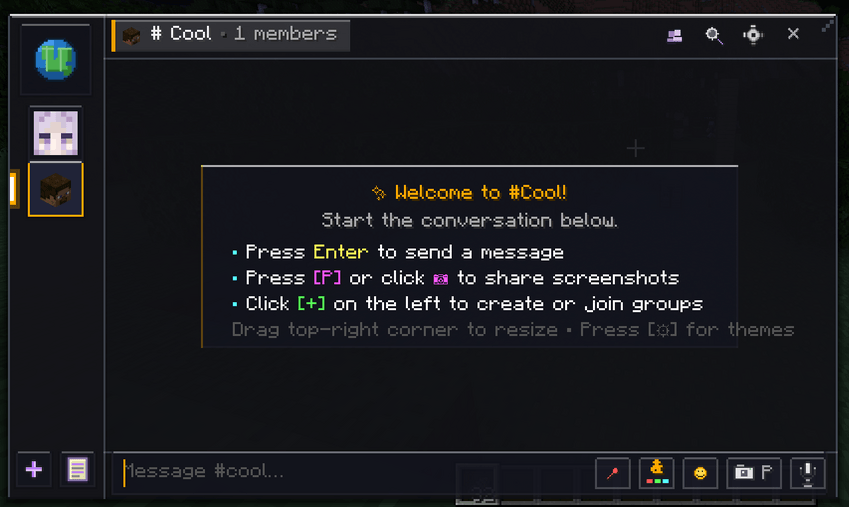
Use #public for the whole server, DM someone, or make a private group with its own name, icon, and color. You can invite friends, manage group permissions, see who's online, and pick which notifications you want. Reply to a specific message, leave an emoji reaction, or type @ to find and ping someone. There's an emoji picker and :emoji: autocomplete too. Handy when three conversations are happening at once.
Make it look how you want
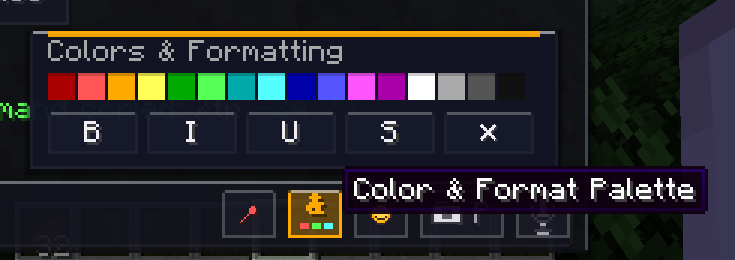
There are 5 themes and 7 accent colors. Frosted Glass with purple is my favorite, but there are a couple of vanilla-looking themes too. You can format messages with colors, bold, italics, or rainbow text. There are little typing sounds and notification chimes as well. Messages have timestamps, repeated lines can collapse into a counter, and commands, advancements, and server messages still show up. If you want the old chat for a second, press Shift + T.
Reports go to your server admins
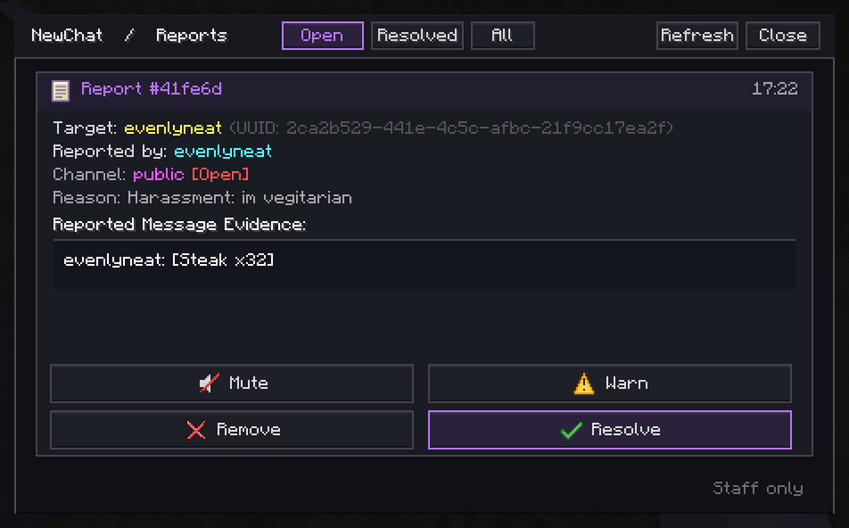
Right-click a message to report it to your server's staff. They can see the reported message in the in-game dashboard, warn or mute the player, remove the message, or resolve the report.
About No Chat Reports and No Chat Restrictions
If you saw the CurseForge announcement, it was about two mods made by Aizistral. CurseForge said it was removing No Chat Reports and No Chat Restrictions after Mojang raised concerns about player safety and moderation under the Minecraft Usage Guidelines. It also said new modpack uploads containing either mod would be automatically rejected. If you want to check out more of Aizistral's work, you can find them on CurseForge, Modrinth, and GitHub.
If you've been using NewChat and want to support it, you can click the banner to buy me a coffee. Thanks for playing either way.
Please report bugs in the comments, our private message me, please attach your logs when relevant :3
Much Love, Null.
Ps: theres a config to make the mod HIGHLY customizable, it can disable screenshots, links and more!
NewChat | Modern Chat Overhaul - No Restrictions, Voice Notes, Private Groups & Screenshot Sharing Team
Owner