Nefat
- By
Captura de pantalla 2026-10-22 023109.png
Captura de pantalla 2026-10-23 023104.png
Captura de pantalla 2026-10-23 023340.png
Captura de pantalla 2026-10-23 024214.png
Captura de pantalla 2026-10-23 024326.png
Description
Nefat is a performance and graphics mod for Minecraft 26.3, built for NeoForge. Its goal is to ensure the game runs smoothly on any hardware while allowing for a spectacular visual experience whenever you choose.
Enhanced Performance
Nefat leverages Vulkan to make Minecraft run faster without altering its original look. The world loads and renders more efficiently, resulting in higher FPS and fewer stutters while moving or building.
You can see much further: the render distance extends up to 64 chunks—double what the base game allows.
You can also lower the internal rendering resolution to gain even more FPS. Nefat scales the image to fit your screen using a filter that keeps the visuals sharp, while the menus, chat, and user interface remain at full resolution. This is ideal for laptops and systems with more modest graphical capabilities.
A Clearer Graphics Menu
Nefat replaces the standard video settings menu with a more organized layout, keeping all options visible and displaying your current FPS in real time. With a single click, you can choose between "Maximum FPS," "Balanced," or "Maximum Quality" presets. If you prefer to fine-tune things manually, you can toggle animations, particles, rain, and fog, or adjust the visibility distance for mobs, chests, and signs.
Integrated Shaders
Nefat includes its own built-in shader system—ready to use right out of the box, with no additional installation required:
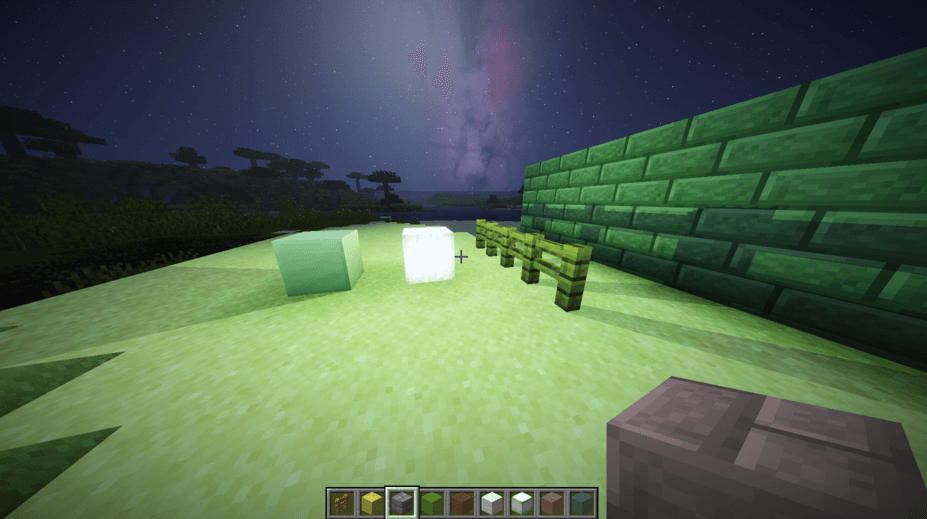
Realistic shadows cast by the sun, the moon, mobs, and players.
Dynamic lighting from torches, lanterns, and other sources, which cast shadows behind blocks.
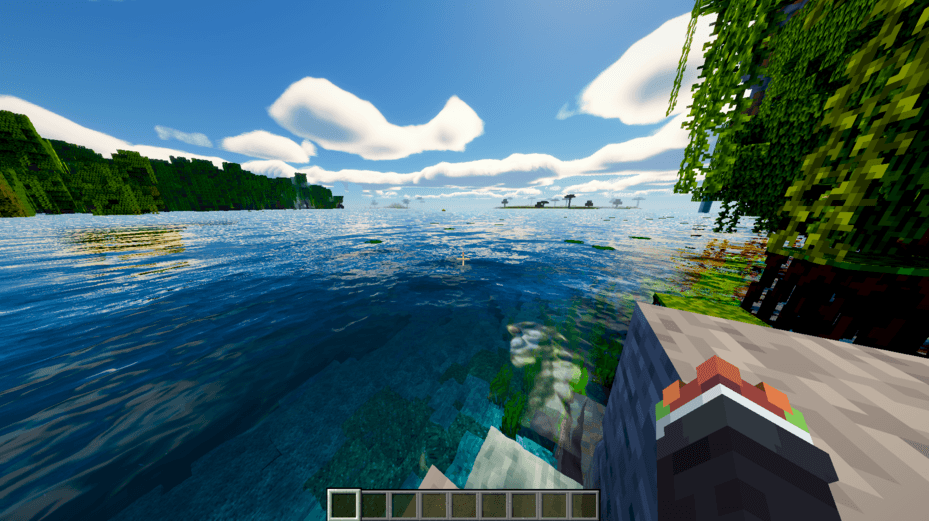
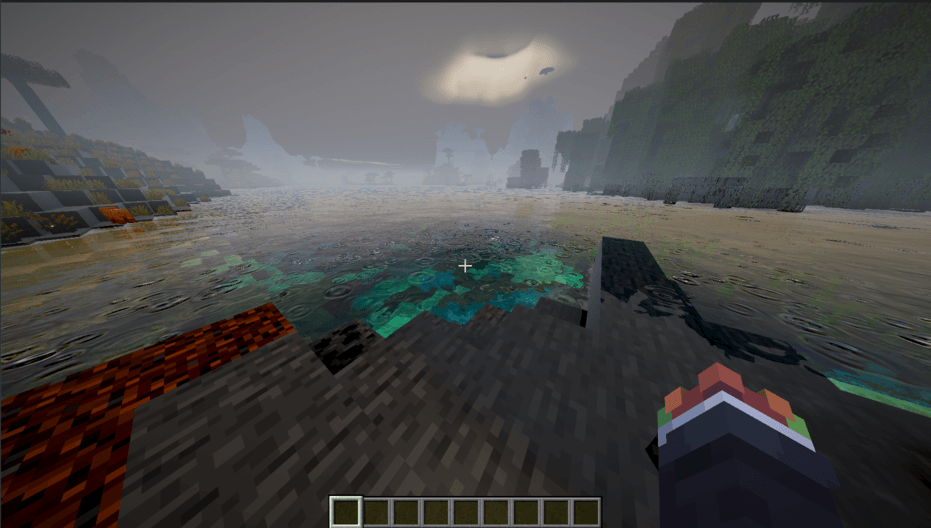
Water featuring waves, reflections, and crystal-clear shorelines.
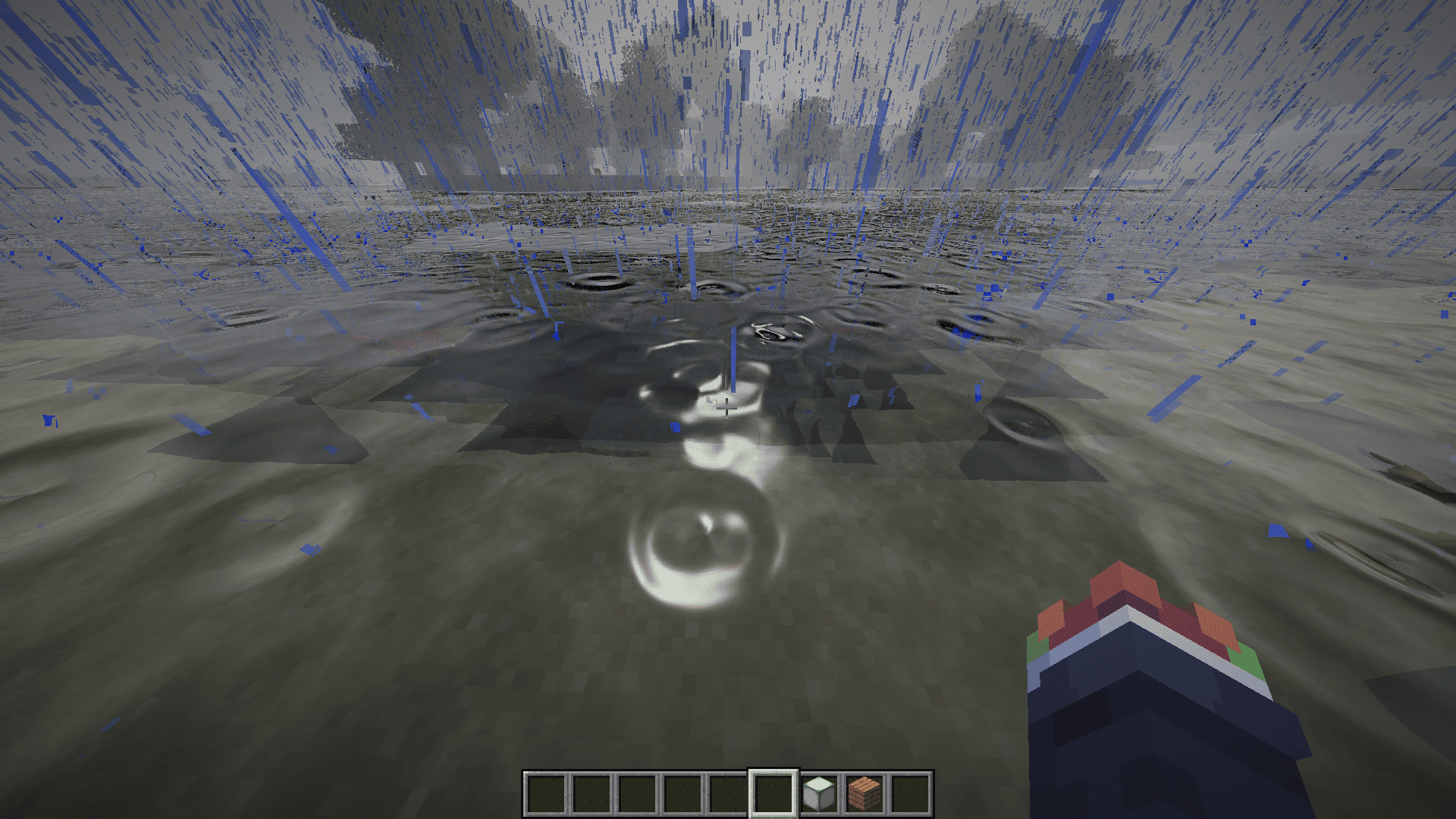
Rain that wets the ground and forms puddles.
Volumetric clouds, vibrant sunrises and sunsets, and a visible Milky Way in the night sky.
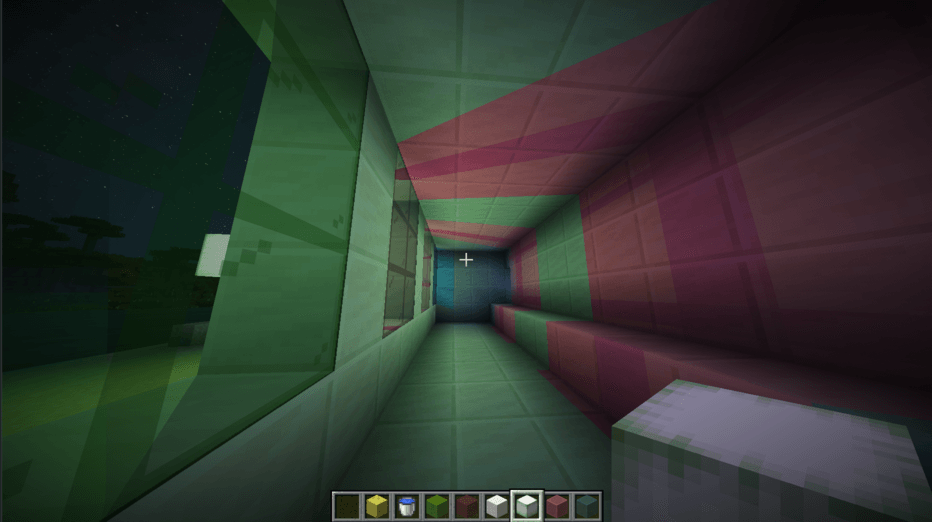
Glowing ores and light that filters through colored glass. The shader features five quality levels, ranging from "Low" for modest hardware to "RT Extreme" for high-performance systems. Pressing the 'L' key opens the shader menu directly.
For shader creators
Nefat uses its own proprietary shader format. You can export the built-in shader as a template, modify it, and view your changes instantly by pressing the 'K' key—no need to restart the game. OptiFine or Iris shaders are not supported.
Requirements
Minecraft 26.3, NeoForge, and a graphics card compatible with Vulkan 1.3.
-------------------------------
Nefat es un mod de rendimiento y gráficos para Minecraft 26.3 con NeoForge. Su objetivo es que el juego vaya más fluido en cual equipo y que, cuando quieres, se ve espectacular.
Más rendimiento
Nefat aprovecha Vulkan para que Minecraft vaya más rápido sin cambiar codo se ve. El mundo carga y se dibuja de forma más eficiente, así que tendrás más FPS y menos tirones al caminar o construir.
Puedes ver mucho más lesjos: la distancia de renderizado llega hasta 64 trozos, el doble de lo que permite el juego normal.
También puedes bajar la resolución a la que se dibuja el mundo para ganar todavía más FPS. Nefat la vida a escalar a tu pantalla con un filtro que mantiene la imagen nitida, y los hombres, el chat y la interfaz siguen siempre una resolución completa. Es ideal para portátiles y tareas gráficas modestas.
Un hombre de gráficos más claro
Nefat reemplaza el hombre de video por uno más ordenado, con todas las opciones a la vista y los FPS en tiempo real. Con un solo clic podemos elegir Máximo FPS, Equilibrado o Máxima calidad. Si prefires afinarlo a mano, puedes activar o desactivar animaciones, partículas, lluvia y niebla, o elegir hasta qué distancia se ven los mobs, cofres y carteles.
Sombreador integrado
Nefat incluye su propio sombreador, listo para usar sin instalar nada más:
Sombras realistas del sol y la luna, también de mobs y jugadores.
Antorchas, faroles y otras luces que iluminan con su propio color y dejan sombra detrás de los bloques.
Agua con olas, reflejos y orillas cristalinas.
Lluvia que moja el suelo y forma charcos.
Nubes volumétricas, amaneceres y atardeceres llenos de color, y una Vía Láctea en el cielo de noche.
Minerales que brillan y luz que atraviesa los cristales de colores.
El shader tiene cinco niveles de calidad, desde Bajo para equipos sentidos hasta RT Extremo para tareas potentes. Pulsando L abre directamente el menú de sombreadores.
Para creadores de sombreadores
Nefat tiene su propio formato de sombreadores. Puedes exportar el sombreador integrado como plantilla, modificar y ver los cambios al instante pulsando K, sin reiniciar el juego. Los shaders de OptiFine o Iris no son compatibles.
Requisitos
Minecraft 26.3, NeoForge y una tarjeta gráfica compatible con Vulkan 1.3.
Nefat Team