MySkins
- By
Manage and change your skins, capes, 3D body proportions, and cosmetic armor visibility directly in-game with multiplayer sync.
Captura de pantalla 2026-09-04 164325.png
Description
MySkins
MySkins is a client and server mod for Fabric that allows managing skins, capes, body proportions, and armor visibility directly in-game.
Accessing the Interface
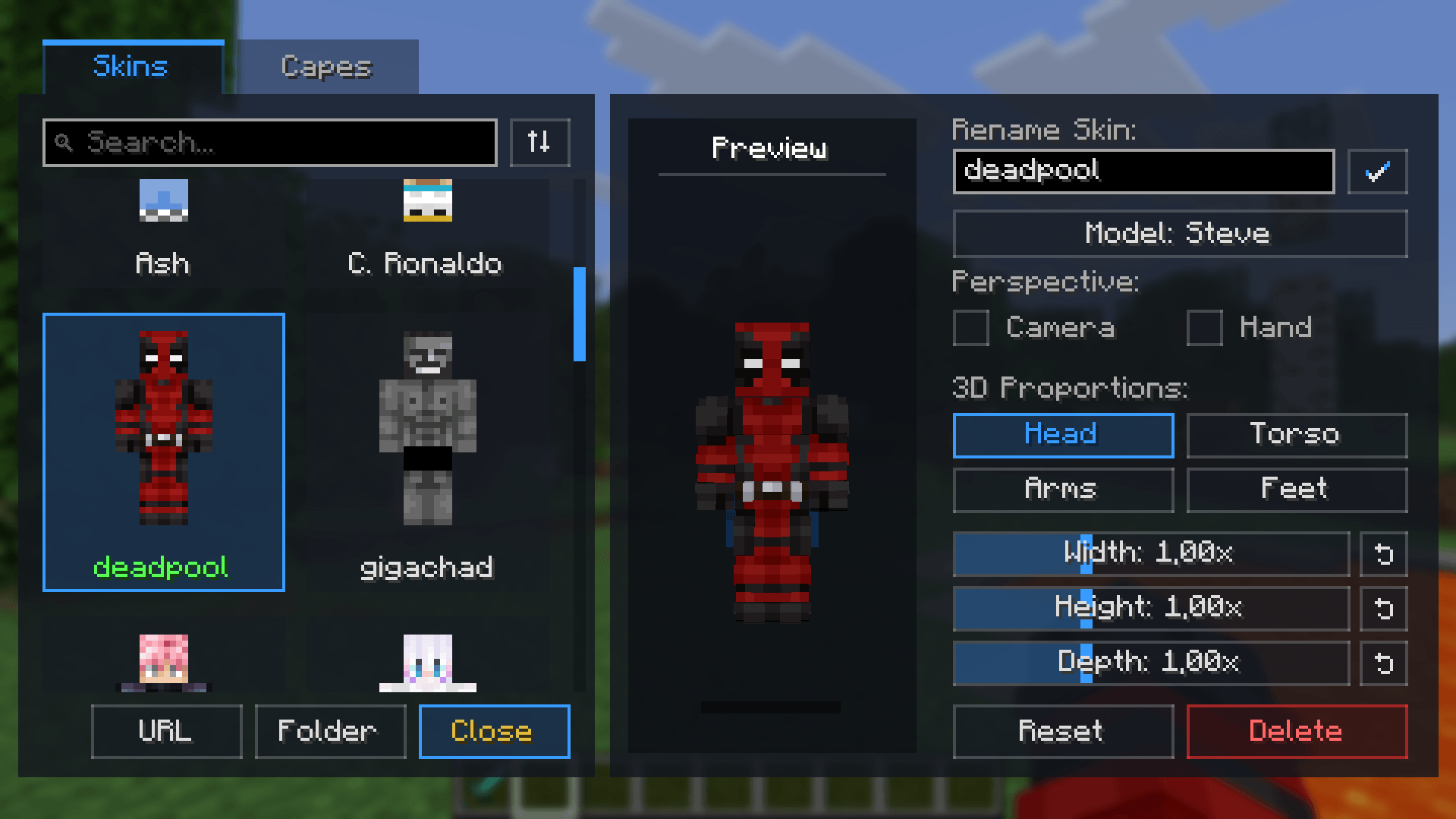
You can open the management screen using the dedicated button on the main title screen, through the pause menu (Esc), or by setting a custom keybind in the controls menu.

Body Scaling and Adjustments
The editor panel allows configuring the width, height, and depth of individual body parts:
- Head
- Torso
- Arms
- Legs and feet
It also includes two perspective settings:
- Camera Height: Adapts the first-person camera position to match head scale changes.
- Hand Scaling: Scales the first-person arm model to match your configured arm proportions.

Downloading from URL
You can import skins and capes without opening your file explorer. Paste a direct link to an image (.png or .webp), give it a name, and the mod downloads and stores it into the mod directory.

Cosmetic Armor Visibility
Each equipped armor piece (helmet, chestplate, leggings, boots) can be hidden visually by clicking the icons below the 3D model. Armor values, durability, and enchantments remain completely functional.

Multiplayer Synchronization
The mod works fully in singleplayer and on vanilla servers (client-side only).
If installed on both client and server, your skins, capes, custom body scales, and hidden armor states are synchronized over the network so other players with the mod can see them. Vanilla players without the mod can still connect to the server without issues.
File Storage
All images and configuration profiles are stored inside:
.minecraft/myskins/
├── skins/
├── capes/
└── config/
This self-contained structure makes backups and instance transfers straightforward.
License and Modpack Usage
This project is licensed under All Rights Reserved. You are free to include MySkins in any public or private modpack as long as downloads go through Modrinth. Reuploading the mod binary to other websites is not permitted.
Support
If you enjoy the mod and want to support its development:
MySkins Team