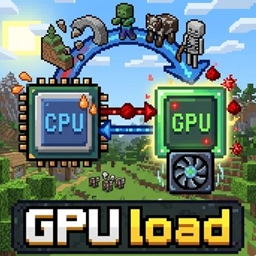
Warning!
This MOD will not work on its own!
Its internal functionality is provided by an external MOD.
Currently, there is only one MOD that provides this internal functionality:
GPU load
https://www.curseforge.com/minecraft/mc-mods/gpu-load
Description
By using this API, you can significantly reduce the tedious steps required to handle the GPU.
The main syntax and usage of this API can be broken down into the following three steps:
1. Accessing and Verifying the API First, check whether the API is available and whether your PC’s hardware supports its features.
java
// Get an instance of the API
IGPUComputeAPI api = GPULoaderAPI.getInstance();

// 1. Check if the main GPU Load component (MOD) is installed
if (GPULoaderAPI.isAvailable()) {

    // 2. Check if the hardware supports Compute Shaders
    if (api.isSupported()) {
        // Start processing here
    }
}
2. Register the shader Register the computation you want to execute (GLSL source code) with the API.
java
// Create a unique identifier (ID)
ResourceLocation myShaderId = new ResourceLocation(“yourmod”, “my_compute_shader”);

// GLSL source code (string)
String source = "#version 430 core... GLSL source code ...";

// Register (compile) the shader with the API
api.registerShader(myShaderId, source);
3. Execute the Shader (Dispatch) Execute the registered shader on the GPU. You must call this from a render thread.
java
// Execute the shader with the specified number of groups
// groupsX, Y, Z are the number of parallel thread groups
api.dispatchShader(myShaderId, groupsX, groupsY, groupsZ);
How to Use (Development Environment) To use this API in a mod under development, add the gpu-load-API JAR file to your project's dependencies.
Also, since this is an asynchronous process, care must be taken when retrieving the results.
The mutcho's GPU load API Team