


Music Jam
- By
1_musica.png
2_listas.png
3_jam.png
4_inicio.png
Description
🎵 Music Jam
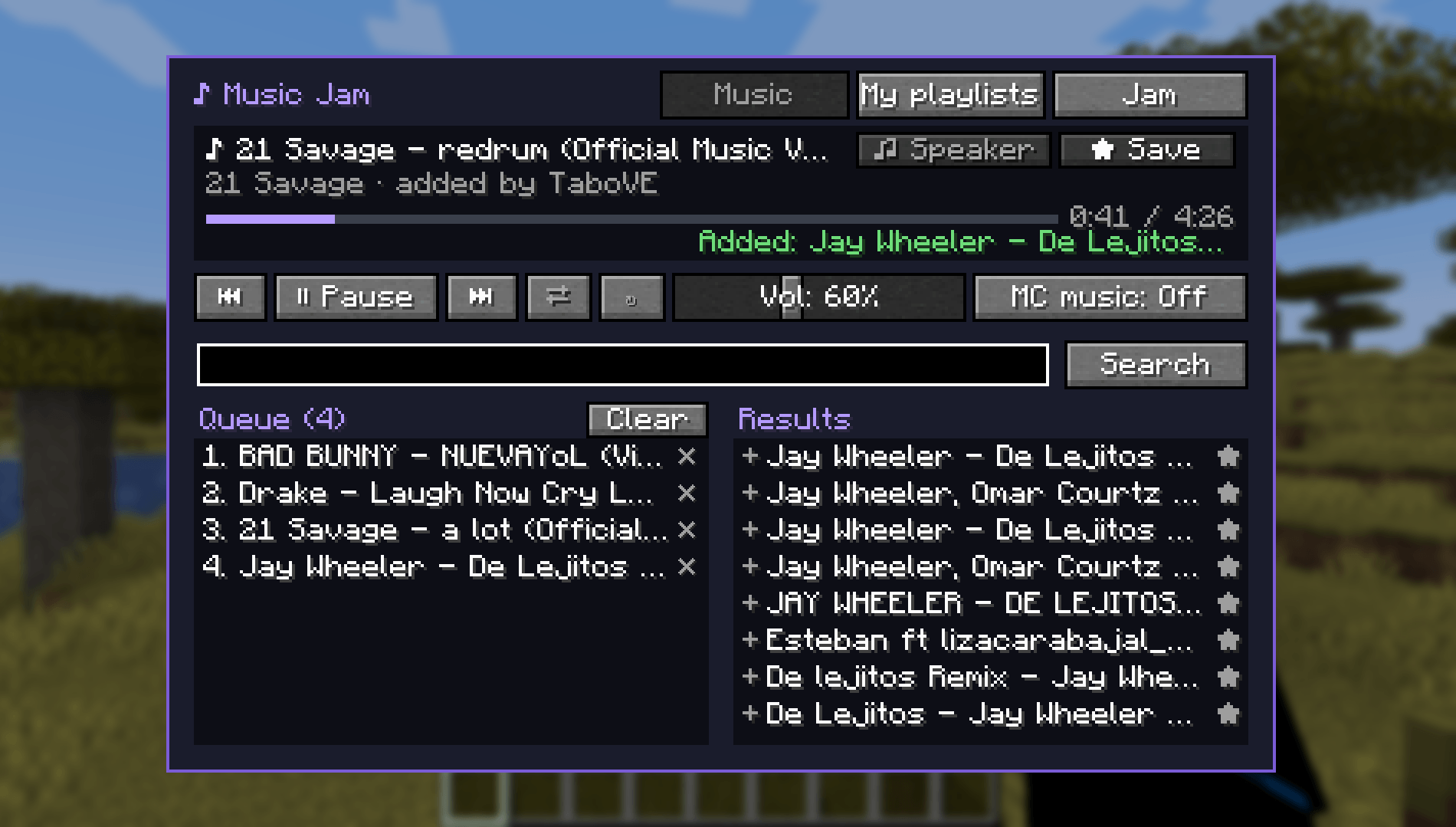
Your own music player inside Minecraft. Search YouTube or paste a YouTube / Spotify link and listen while you play. Invite your friends to a jam and listen to the same songs together, perfectly in sync.
✨ Features
- 🔎 Search YouTube right from the game, or paste a link:
- YouTube videos
- Spotify songs, albums and playlists (each song is matched and played from YouTube, no Spotify account needed)
- 📜 Shared queue: add as many songs as you want. Drag & drop or use ▲▼ to reorder them, click a song to play it now, ✕ to remove it.
- ⏯️ Full controls: play / pause, previous, next, seek bar (click anywhere on it to jump), shuffle and repeat (playlist or single song).
- 🔊 Independent volume from 0 to 150%, separate from Minecraft's sound settings.
- 🎧 Mute Minecraft's music automatically while yours is playing (can be turned off).
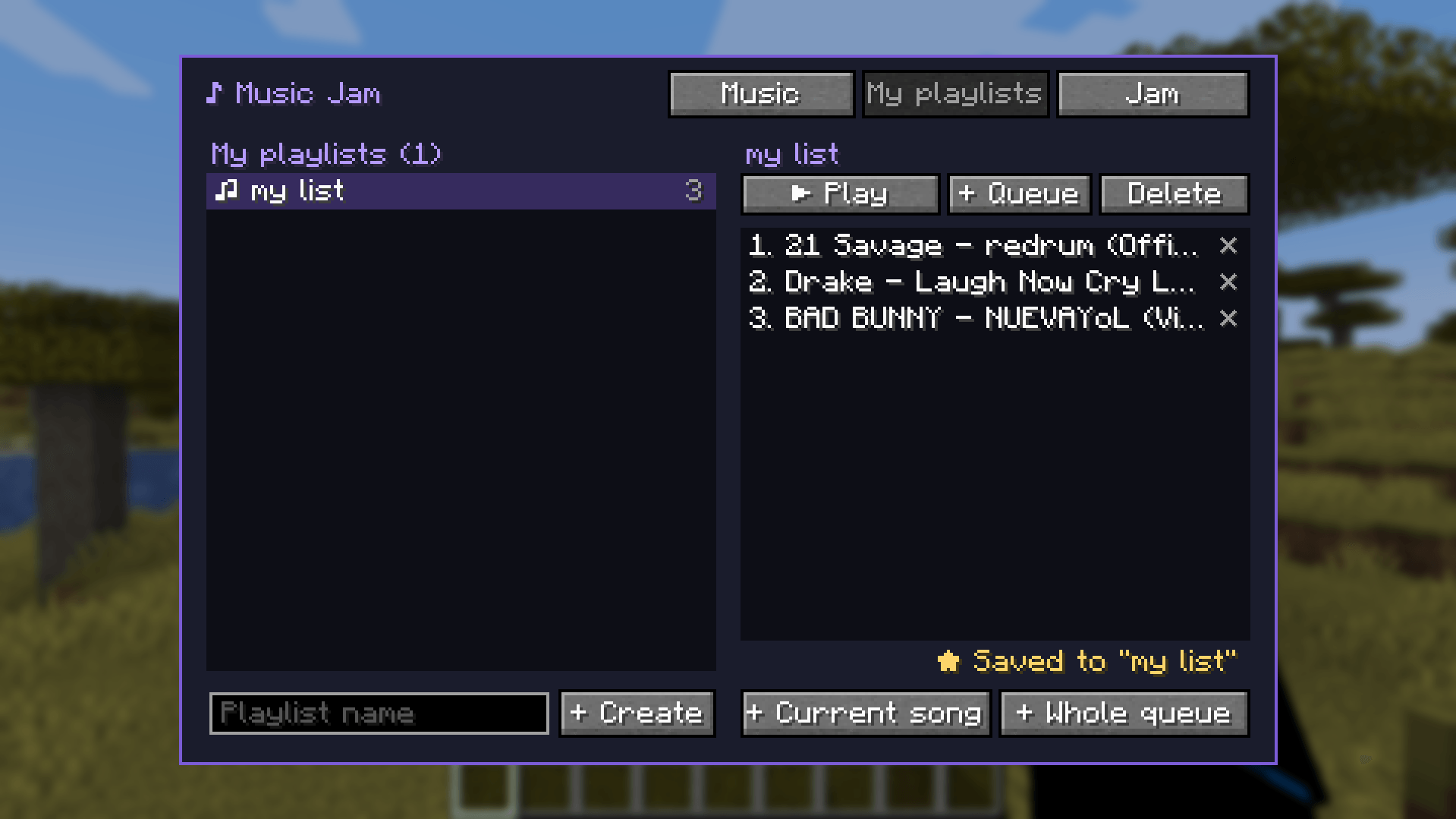
- ⭐ Your own playlists: save songs with ★, create, play, queue and delete playlists. They are saved on your PC, so they work on any server.
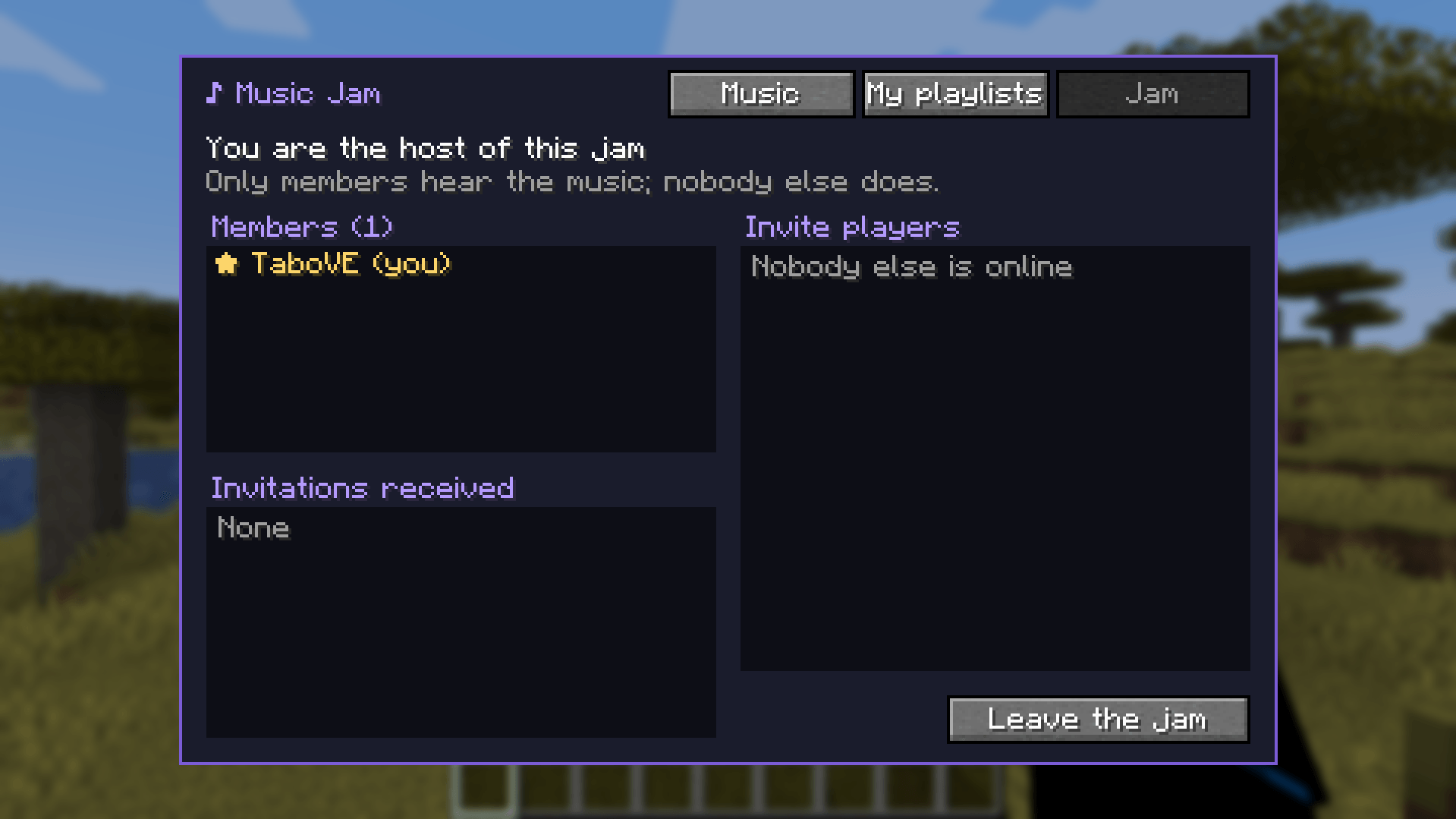
- 🤝 Jams: invite other players to listen with you. Everyone in the jam hears the same song at the same time and can add songs, skip, pause or reorder the queue. Only jam members hear the music: other players don't.
- 📢 Speaker mode (optional): nearby players hear your music too, quieter the farther away they are (16 blocks by default).
- 🌍 11 languages, switching automatically with your game language: English, Español, Русский, Português, Français, Deutsch, Italiano, Polski, 简体中文, 日本語, 한국어.
🎮 How to use
- Press
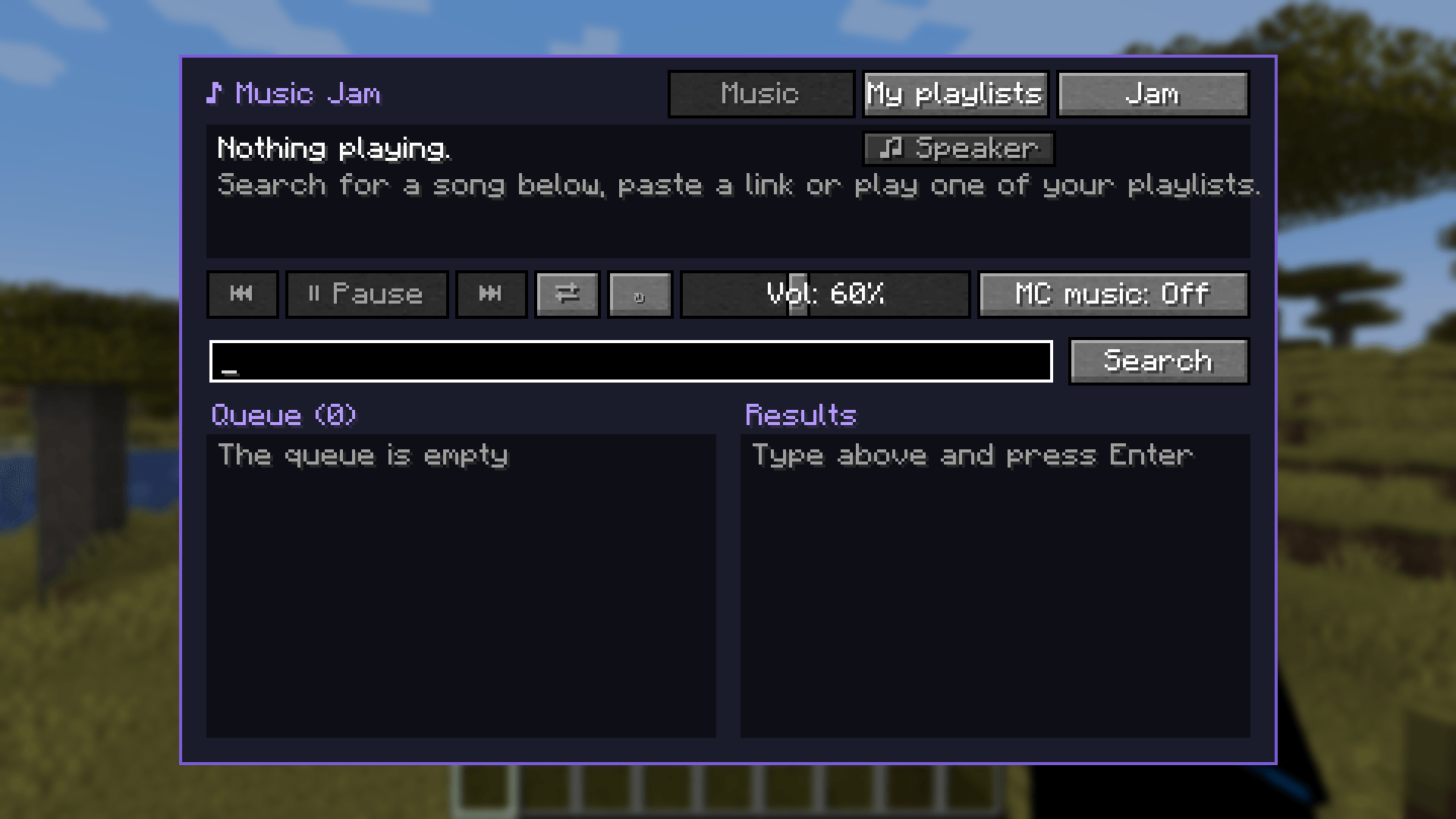
;to open the player. On Spanish keyboards it's theÑkey, and you can change it in Options → Controls → Music Jam. - Type a song name and press Enter, or paste a YouTube / Spotify link.
- Click a result to add it to the queue (★ saves it to your playlist).
- To listen with friends, open the Jam tab and click + Invite next to a player. They receive a message in chat with [Accept] / [Decline].
Commands (optional)
Everything can be done from the menu, but there are also commands:
| Command | What it does |
|---|---|
/jam invite <player> |
Invite a player to your jam |
/jam accept · /jam decline |
Answer an invitation |
/jam leave |
Leave the jam |
/jam kick <player> |
Kick a member (host only) |
/jam add <link> |
Add a YouTube/Spotify link to the queue |
/jam skip · /jam previous |
Next / previous song |
/jam pause · /jam resume |
Pause / resume |
/jam queue · /jam clear |
Show / clear the queue |
/jam repeat off|all|one |
Repeat mode |
/jam shuffle on|off |
Shuffle |
/jam speaker on|off |
Speaker mode |
📦 Requirements
| Minecraft | 1.21.1 |
| Mod loader | NeoForge (21.1.x) |
| WATERMeDIA: Multimedia API | file WM/2.1.37 (required) |
| WATERMeDIA: Platform Extension (YouTube plugin) | file WM-YT/2.1.x (required) |
⚠️ Use the 2.1.x versions. The WaterMedia 3.0 betas do not work with this version of Music Jam. If you have a 3.0 beta installed, the game will tell you to install 2.1.x.
- Singleplayer: install Music Jam + the two WaterMedia mods.
- Multiplayer: Music Jam must be installed on the server and on every player. WaterMedia and its YouTube plugin are only needed on the players' side (client).
- WaterMedia uses VLC to play audio. On Windows it's included; on Linux / macOS you may need to install VLC.
⚙️ Server config
config/musicjam-server.toml, inside each world's serverconfig folder:
altavozActivado— allow speaker mode (true/false)radioAltavoz— speaker range in blocks (4 – 64, default 16)
❓ FAQ
Can other players hear my music? No, only you and the members of your jam. Nearby players only hear it if you turn on speaker mode.
Do I need a Spotify account? No. Spotify links are read publicly and each song is played from YouTube.
Does it work with modpacks? Yes. Just make sure the pack uses WaterMedia 2.1.x, not the 3.0 betas.
🇪🇸 En español
Reproductor de música dentro de Minecraft. Busca en YouTube o pega links de YouTube o Spotify (canciones, álbumes y playlists). Tienes una cola que puedes ordenar arrastrando, controles completos, volumen propio hasta 150 %, listas guardadas en tu PC y jams para escuchar con tus amigos al mismo tiempo, que solo oyen los miembros. También hay un modo altavoz opcional para que te escuchen los jugadores cercanos. Se abre con la tecla Ñ. Necesita WATERMeDIA: Multimedia API 2.1.37 y WATERMeDIA: Platform Extension 2.1.x (no las betas 3.0).
Music Jam is not affiliated with or endorsed by Mojang, Microsoft, YouTube, Google or Spotify. Music is streamed from YouTube; please respect the rights of artists.
Music Jam Team
